
1. Important Safety Information
Before operating the Tunturi E30 Exercise Bike, please read and understand all safety instructions. Keep this manual for future reference.
- Ensure the exercise bike is placed on a stable, level surface.
- Maintain a clear area of at least 0.6 meters (2 feet) around the exercise bike during use.
- The maximum user weight for this device is 110 kilograms (242 lbs). Do not exceed this limit.
- Consult a physician before starting any new exercise program.
- Stop exercising immediately if you feel faint, dizzy, or experience pain.
- Keep children and pets away from the exercise bike during operation.
- Regularly inspect the exercise bike for wear and tear, especially moving parts and connections.
2. Product Overview
The Tunturi E30 Cardio Fit Series Upright Exercise Bike is designed for indoor use, offering a comprehensive workout experience with adjustable features and a clear LCD display.
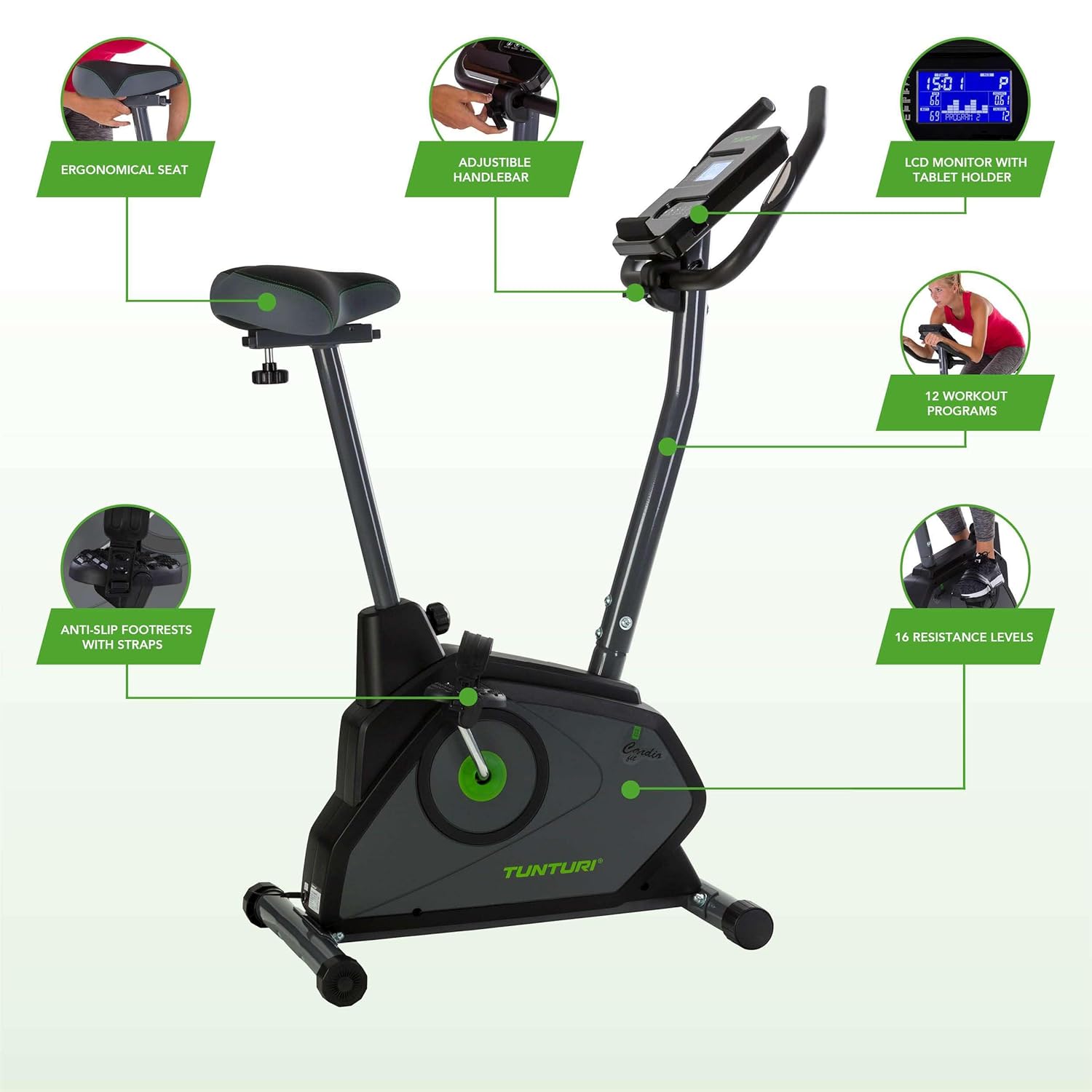
Image 2.1: Overview of the Tunturi E30 Exercise Bike highlighting key features such as the ergonomic seat, adjustable handlebar, LCD monitor with tablet holder, 12 workout programs, 16 resistance levels, and anti-slip footrests.
Key Features:
- Ergonomic and Adjustable Seat: Provides comfort and can be adjusted vertically and horizontally to suit various user heights.
- Adjustable Handlebar: Allows for comfortable positioning during workouts.
- LCD Monitor with Tablet Holder: Displays essential workout data and securely holds a tablet or smartphone.
- 12 Workout Programs: Offers a variety of pre-set routines for diverse training goals.
- 16 Resistance Levels: Magnetic resistance system provides smooth and quiet operation with adjustable intensity.
- Anti-Slip Footrests with Straps: Ensures secure foot placement during exercise.
- Heart Rate Measurement: Built-in contact pads on the handlebars allow for heart rate monitoring.
- Transport Wheels: Integrated wheels for easy relocation of the bike.
3. Setup and Assembly
The Tunturi E30 Exercise Bike requires some assembly. Ensure all components are present before beginning. Tools for assembly are typically included.
3.1 Unpacking and Component Check
Carefully remove all parts from the packaging. Verify that all components listed in the packing list (usually found in the box or a separate leaflet) are present and undamaged. If any parts are missing or damaged, contact Tunturi customer support.
3.2 Assembly Instructions
Follow the detailed assembly instructions provided in the separate assembly guide. General steps include:
- Attach the front and rear stabilizers to the main frame.
- Mount the pedals to the crank arms, ensuring they are tightened securely (note left and right pedal orientation).
- Install the seat post and seat.
- Attach the handlebar post and handlebars.
- Connect the console/monitor to the handlebar post and connect any necessary cables.
3.3 Adjusting the Seat and Handlebar
For optimal comfort and exercise posture, adjust the seat and handlebar to your preference.
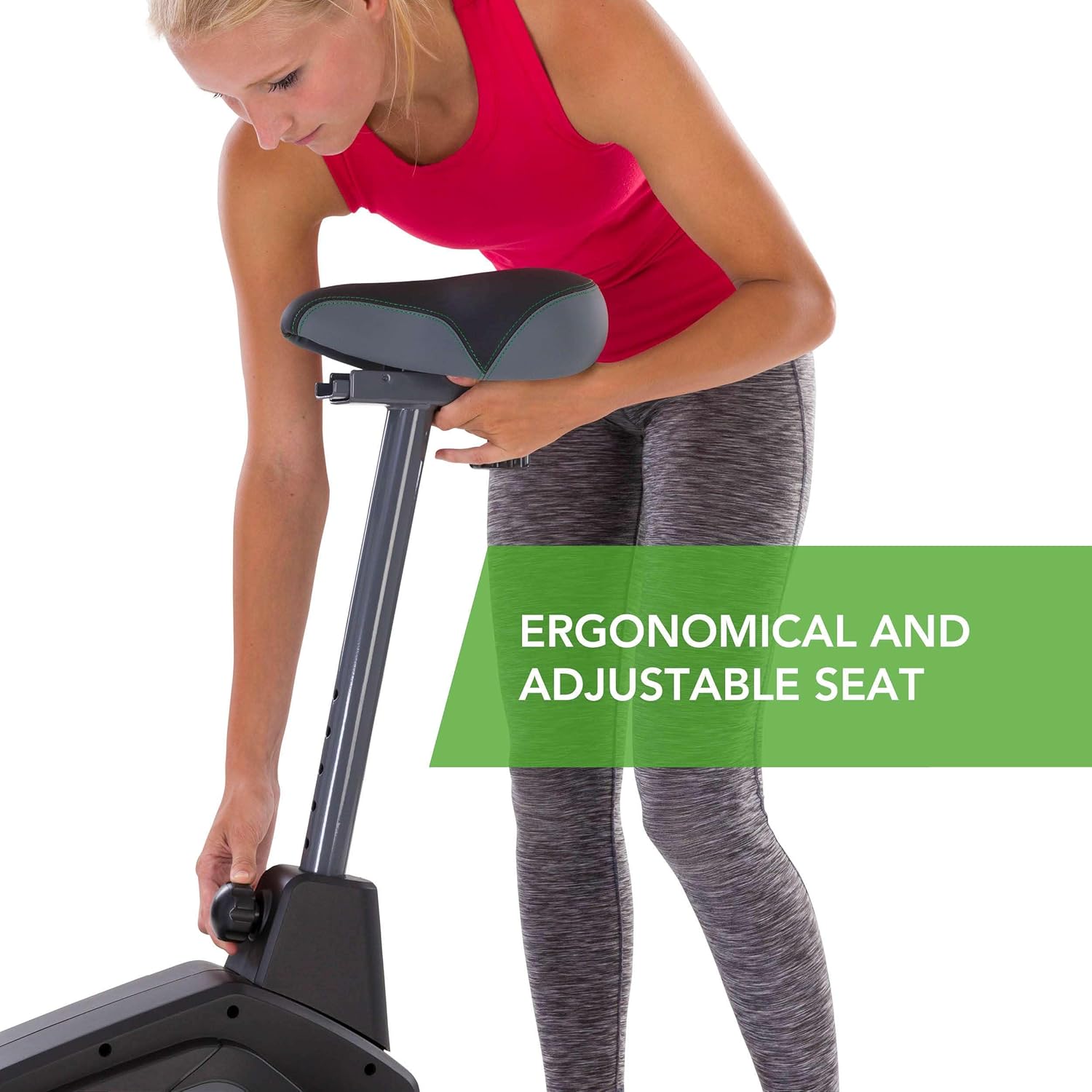
Image 3.1: A user adjusting the ergonomic and adjustable seat of the Tunturi E30 Exercise Bike. The seat can be moved vertically and horizontally.
- Seat Adjustment: Loosen the adjustment knob located below the seat. Slide the seat vertically and/or horizontally to your desired position. Ensure your knees have a slight bend at the bottom of the pedal stroke. Tighten the knob firmly.
- Handlebar Adjustment: Loosen the adjustment knob on the handlebar post. Adjust the handlebar height and angle for a comfortable grip and posture. Tighten the knob firmly.
4. Operating the Exercise Bike
The Tunturi E30 is pedal-powered, meaning the console activates when you start pedaling. The LCD monitor provides real-time feedback on your workout.
4.1 LCD Monitor Functions
The easy-to-read LCD monitor displays various workout metrics. It also features a tablet holder for convenience.

Image 4.1: Detailed view of the Tunturi E30 LCD monitor, showing metrics like speed, time, distance, calories, heart rate, watt, and RPM, along with control buttons.
- Speed: Current pedaling speed.
- Time: Duration of your workout.
- Distance: Distance covered during the current session (Trip) or total distance (Total).
- Calories: Estimated calories burned.
- Heart Rate: Your pulse, measured via handlebar contact pads.
- Watt: Power output during your workout.
- RPM: Revolutions Per Minute of the pedals.

Image 4.2: A tablet positioned in the integrated holder on the Tunturi E30 console, allowing users to view media or follow workout apps during exercise.
4.2 Control Buttons
The console features several buttons for navigating menus and selecting programs:
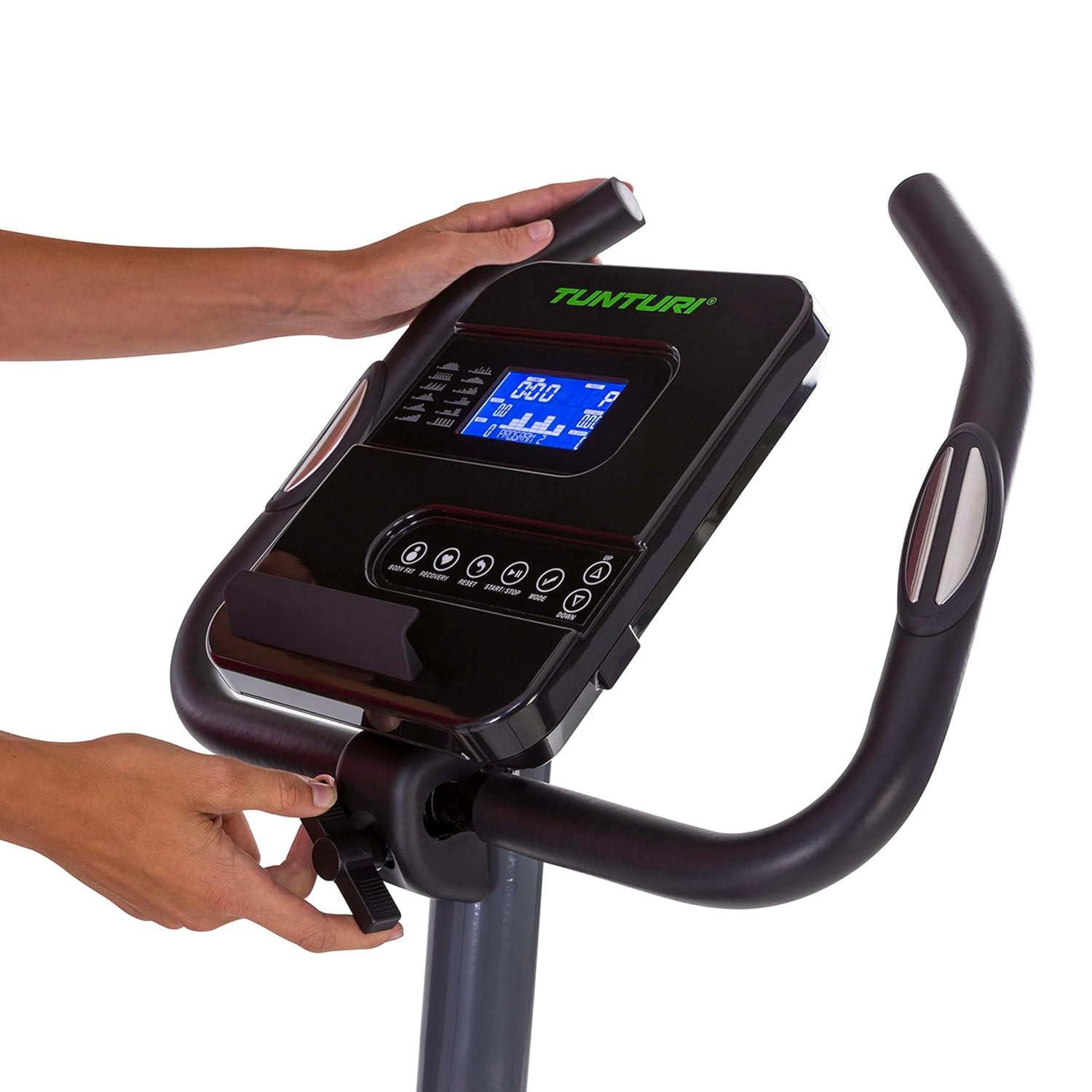
Image 4.3: A user's hand pressing buttons on the Tunturi E30 LCD monitor, demonstrating interaction with the console controls.
- BODY FAT: Initiates body fat measurement.
- RECOVERY: Activates the recovery heart rate test.
- RESET: Resets current workout data.
- START/STOP: Starts or pauses the workout.
- MODE: Cycles through display modes or confirms selections.
- UP/DOWN Arrows: Adjusts resistance levels or navigates menu options.
4.3 Workout Programs and Resistance Levels
The Tunturi E30 offers 12 pre-set workout programs and 16 levels of magnetic resistance to customize your training intensity.
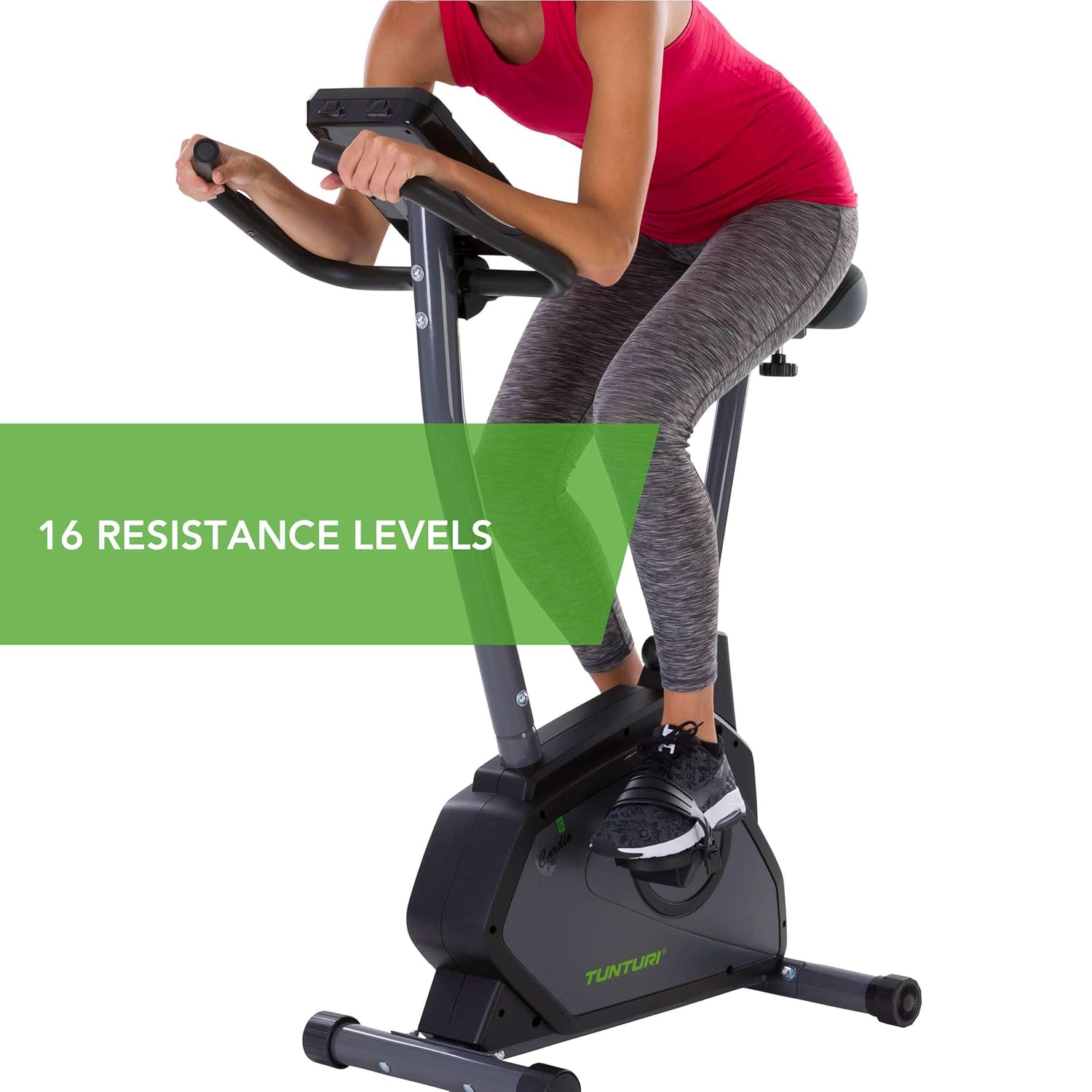
Image 4.4: A user engaged in a workout on the Tunturi E30 Exercise Bike, emphasizing the availability of 16 resistance levels for varied intensity.
- Selecting a Program: Use the MODE button to navigate to program selection. Use the UP/DOWN arrows to choose from the 12 available programs. Press MODE or START to confirm.
- Adjusting Resistance: During a manual workout or within a program (if allowed), use the UP/DOWN arrows to increase or decrease the magnetic resistance.

Image 4.5: A user demonstrating effective training on the Tunturi E30 Exercise Bike, illustrating the benefit of its 12 workout programs and ergonomic design.
4.4 Heart Rate Monitoring
To measure your heart rate, firmly grip the contact pads on the handlebars with both hands. Your heart rate will be displayed on the LCD monitor after a few seconds. Ensure your hands are clean and dry for accurate readings.
4.5 Transporting the Bike
The Tunturi E30 is equipped with transport wheels for easy movement.
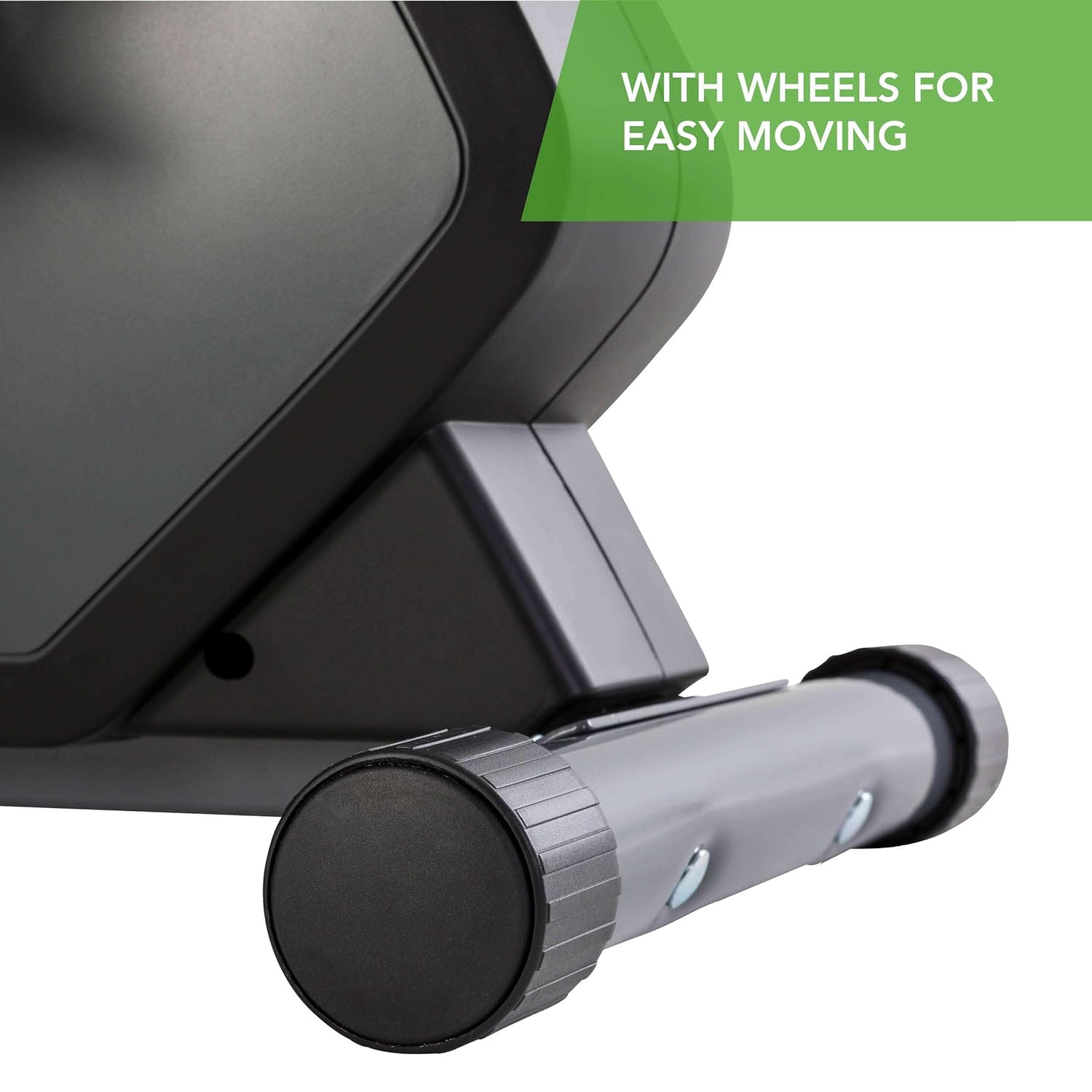
Image 4.6: A close-up view of the transport wheels located on the front stabilizer bar of the Tunturi E30 Exercise Bike, designed for easy relocation.
To move the bike, carefully tilt it forward until it rests on the transport wheels. Then, push or pull the bike to its desired location. Lower it gently back onto all four stabilizers.
5. Maintenance
Regular maintenance ensures the longevity and safe operation of your Tunturi E30 Exercise Bike.
- Cleaning: Wipe down the bike with a damp cloth after each use to remove sweat and dust. Avoid abrasive cleaners or solvents.
- Inspection: Periodically check all nuts, bolts, and moving parts for tightness and wear. Tighten any loose fasteners.
- Lubrication: The magnetic resistance system is generally maintenance-free. Do not attempt to lubricate internal components unless specifically instructed by Tunturi support.
- Storage: Store the exercise bike in a dry, temperate environment away from direct sunlight and extreme temperatures.
6. Troubleshooting
If you encounter issues with your Tunturi E30 Exercise Bike, refer to the following common problems and solutions.
| Problem | Possible Cause | Solution |
|---|---|---|
| Console not turning on / No display | No power from pedaling; loose cable connection. | Start pedaling to activate the console. Check all cable connections between the console and the main frame. |
| Resistance not changing | Cable disconnection; console malfunction. | Ensure all cables are securely connected. If the issue persists, consult the full manual online or contact customer support. |
| Inaccurate heart rate reading | Improper hand placement; dry hands; electrical interference. | Ensure hands are firmly and fully gripping the contact pads. Moisten hands slightly if too dry. Avoid using mobile devices near the console during measurement. |
| Unusual noises during operation | Loose components; friction. | Check all assembly bolts and nuts for tightness. Ensure no foreign objects are caught in moving parts. |
For more detailed troubleshooting or issues not listed here, please refer to the official Tunturi support website or contact their customer service.
7. Specifications
Technical specifications for the Tunturi E30 Cardio Fit Series Upright Exercise Bike with Ergometer.
| Feature | Specification |
|---|---|
| Model Name | E30 Cardio Fit Series Upright Exercise Bike with Ergometer |
| Brand | Tunturi |
| Color | Black |
| Power Source | Pedal-powered |
| Recommended Use | Indoor |
| Item Weight | 18.3 Kilograms |
| Resistance Mechanism | Magnetic |
| Maximum Weight Recommendation | 110 Kilograms |
| Number of Resistance Levels | 16 |
| Drive System | Belt |
| Display Type | LCD |
| Frame Material | Steel |
| Meter Displays | Calories Burned, Distance, Heart Rate, Speed, Time, Watt, RPM |
| Assembled Dimensions (LxWxH) | 79 x 48 x 124 Centimeters (approximate) |

Image 7.1: Visual representation of the approximate assembled dimensions of the Tunturi E30 Exercise Bike.
8. Warranty and Support
For information regarding the product warranty, please refer to the warranty card included with your purchase or visit the official Tunturi website. Warranty terms and conditions may vary by region.
If you require technical assistance, have questions about operation, or need to order replacement parts, please contact Tunturi customer support through their official website or the contact information provided in your product packaging.
Online Resources: For additional manuals, FAQs, and support, visit the official Tunturi website: www.tunturi.com


