
Introduction
This user manual provides comprehensive instructions for the Verbatim Wireless Silent Mouse & Keyboard Combo. Designed for quiet operation, this combo features silent click switches and rubber covers for a truly noiseless experience. It utilizes 2.4GHz wireless technology for a lag-free connection and includes a compact nano receiver. The mouse incorporates Blue LED technology for versatile surface compatibility, while the keyboard offers a full numeric keypad and full-size function keys within a slim design.

Image: The Verbatim Wireless Silent Mouse and Keyboard Combo, showcasing both the full-size keyboard and the compact mouse.
Setup
Package Contents:
- Silent Wireless Keyboard
- Silent Wireless Mouse
- Nano Receiver
- 4 x AAA Batteries (included)
Installation Steps:
- Insert Batteries: Locate the battery compartments on the underside of both the keyboard and the mouse. Insert the included 4 AAA batteries, ensuring correct polarity (+/-).
- Connect Nano Receiver: Plug the small USB nano receiver into an available USB port on your computer. The system should automatically detect and install the necessary drivers.
- Power On: Ensure the power switch on the mouse (usually on the underside) is in the "ON" position. The keyboard typically activates upon key press.
- Verify Connection: Once the receiver is plugged in and devices are powered on, the keyboard and mouse should be ready for use. No additional software installation is required for most operating systems.
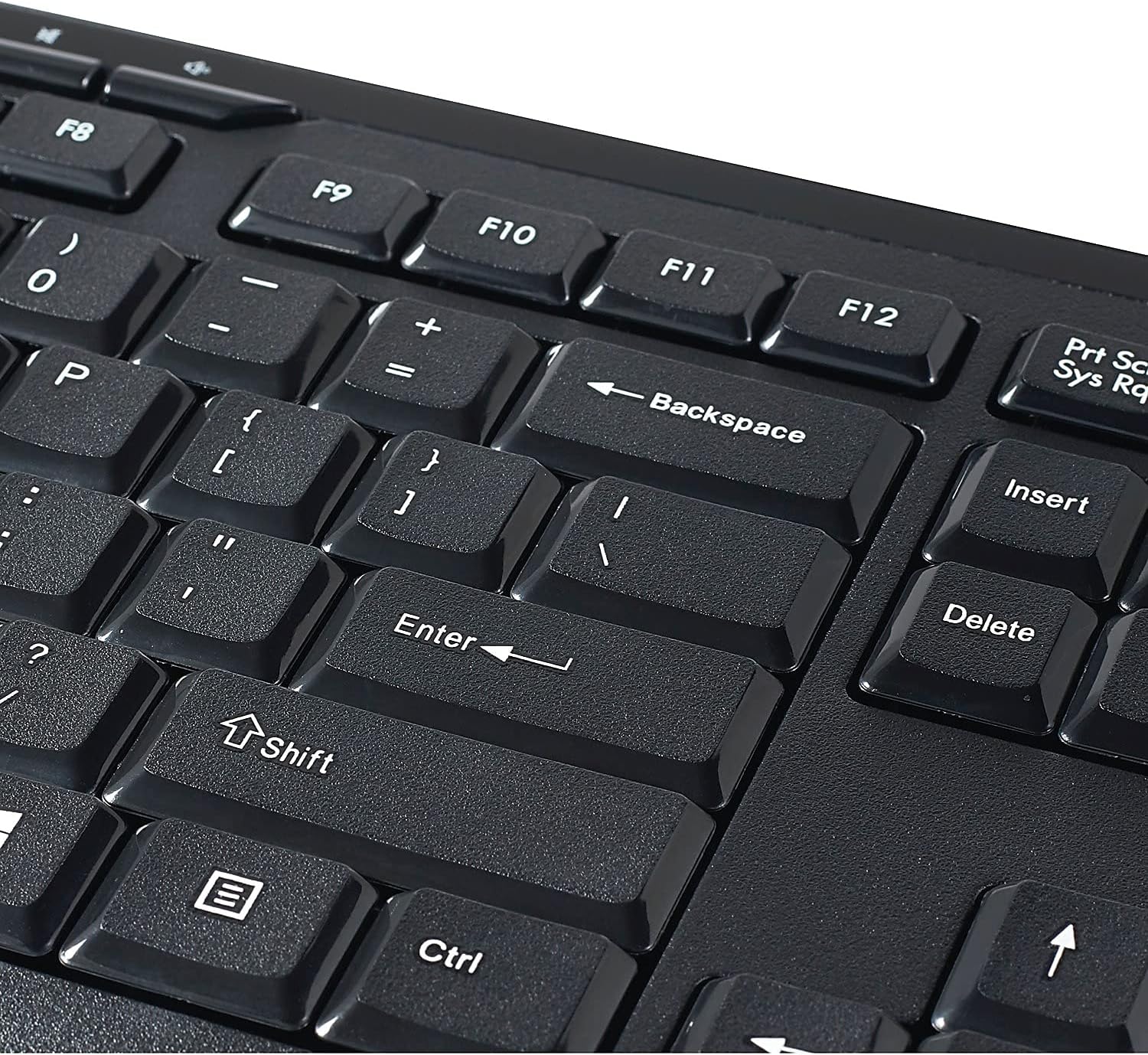
Image: The compact nano receiver inserted into a computer's USB port, enabling wireless connectivity for the keyboard and mouse.
Operating Instructions
Keyboard Features:
- Silent Technology: Equipped with silent click switches and rubber covers for a quiet typing experience.
- Full Numeric Keypad: Includes a dedicated numeric keypad for efficient data entry.
- Full-Size Function Keys: Standard F1-F12 function keys provide quick access to various commands.
- Slim Design: The keyboard features a slim profile for comfortable use and portability.

Image: A side profile view of the Verbatim Wireless Silent Keyboard, highlighting its slim and ergonomic design.
Mouse Features:
- Silent Technology: Features silent click switches for noiseless operation.
- Blue LED Technology: Allows the mouse to track on a wide variety of surfaces, including glass, wood, and granite, with precision.
- Ergonomic Design: Shaped for comfortable use during extended periods.

Image: A top-down view of the Verbatim Wireless Silent Mouse, showing its ergonomic shape and scroll wheel.

Image: The Verbatim Wireless Silent Mouse with its dimensions clearly marked, indicating its compact size.
Wireless Connection:
The combo operates on a 2.4GHz wireless frequency, providing a stable and lag-free connection up to a certain range (typically 10 meters or 33 feet, though not specified in product details). The nano receiver ensures a reliable link between your computer and the devices.
Maintenance
Battery Replacement:
When the keyboard or mouse performance degrades (e.g., lag, unresponsiveness), it is likely due to low battery power. Replace all 4 AAA batteries in both devices with new ones. Always ensure correct polarity when inserting new batteries.
Cleaning:
To clean the keyboard and mouse, use a soft, dry, lint-free cloth. For stubborn dirt or grime, a slightly damp cloth with a mild cleaning solution can be used, but ensure no liquid enters the devices. Avoid abrasive cleaners or solvents.
Troubleshooting
| Problem | Possible Cause | Solution |
|---|---|---|
| Keyboard/Mouse not responding | Low batteries; Nano receiver disconnected; Interference; Driver issue. |
|
| Lag or intermittent connection | Distance from receiver; Interference from other wireless devices; Low battery. |
|
| Mouse tracking issues (inaccurate movement) | Dirty sensor; Unsuitable surface. |
|
| Keys sticking or not registering | Debris under keys; Mechanical issue. |
|
Specifications
| Feature | Detail |
|---|---|
| Brand | Verbatim |
| Model Number | 99779 |
| Connectivity Technology | 2.4GHz Wireless (USB Nano Receiver) |
| Operating System Compatibility | Windows XP (and newer, generally compatible with Mac) |
| Item Weight | 1.06 pounds |
| Product Dimensions (LxWxH) | 17.56 x 6.11 x 1.12 inches |
| Color | Graphite (Combo) |
| Power Source | Battery Powered |
| Batteries Required | 4 AAA batteries (included) |
| Special Features | Numeric Keypad, Silent Click Switches, Blue LED Technology |
| Manufacturer | Verbatim Americas, LLC |
| Country of Origin | China |
Warranty and Support
For warranty information and technical support, please refer to the official Verbatim website or contact Verbatim customer service. A user guide in PDF format is also available for download from the product's Amazon page or the manufacturer's support section.
Manufacturer: Verbatim Americas, LLC
User Guide (PDF): Download User Guide
Important Information
Legal Disclaimer:
This product contains chemicals known to the State of California to cause cancer and birth defects or other reproductive harm.


