
Epson XP-15000
Epson Expression Photo HD XP-15000 Wireless Color Wide-Format Printer
Instruction Manual
Introduction
The Epson Expression Photo HD XP-15000 is a wireless wide-format printer designed for professional-quality photo printing. It features individual 6-color Claria Photo HD inks, including red and gray, for an ultra-wide color gamut and enhanced black-and-white prints. This compact printer supports borderless prints up to 13 inches x 19 inches and includes convenient features like auto 2-sided document printing and a 200-sheet front tray.
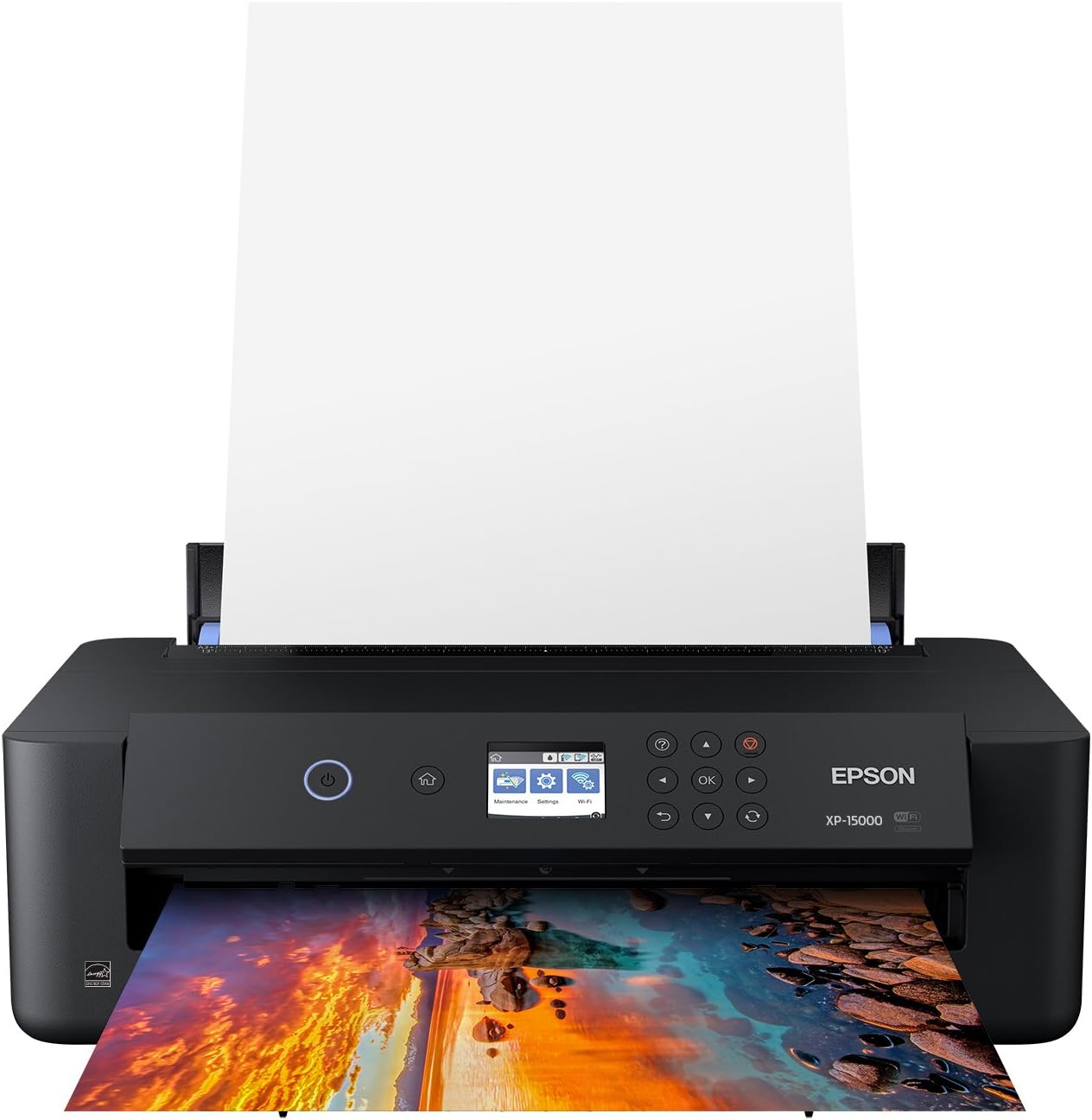
Figure 1: Epson Expression Photo HD XP-15000 Wireless Color Wide-Format Printer.
What's in the Box
Verify that all items listed below are included in your printer package:
- Expression Photo HD XP-15000 printer
- CD-ROM for product setup
- Power cord
- 4x Claria Photo HD 312-I ink cartridges (1x Black, 1x Cyan, 1x Magenta, 1x Yellow)
- 2x Claria Photo HD 314-I ink cartridges (1x Gray, 1x Red)
- 1 Cleaning Sheet

Figure 2: Included items in the printer package.
Setup
Follow these steps to set up your Epson Expression Photo HD XP-15000 printer for the first time:
- Unpack the printer and remove all protective materials.
- Connect the power cord to the printer and a power outlet.
- Install the initial ink cartridges as instructed by the printer's display. Ensure you use only genuine Epson cartridges.
- Follow the on-screen prompts to complete the initial setup, including language selection and network connection (Wi-Fi or Ethernet).
- Load paper into the front tray or rear specialty media tray.
- Install the printer software on your computer or mobile device from the provided CD-ROM or Epson's official website.
Initial Setup Overview
Video 1: An overview of the Epson Expression Photo Printer Family, including setup and features.
Operating Your Printer
Printing Documents and Photos
The XP-15000 offers versatile printing options for various media types and sizes. Ensure the correct paper type and size are selected in your printer settings for optimal results.

Figure 3: The printer in operation, producing a vibrant photo print.
Borderless Printing
Achieve professional-looking prints without white margins by enabling the borderless printing feature. This is ideal for photos and full-bleed designs up to 13 inches x 19 inches.

Figure 4: The compact wide-format printer fits easily on a desktop.
Maintenance
Ink Cartridge Management
The Epson Expression Photo HD XP-15000 uses individual 6-color Claria Photo HD ink cartridges. For optimal performance and to avoid potential damage not covered under warranty, use only genuine Epson-brand cartridges. The printer features Dash Replenishment to automatically track ink usage and reorder when low.

Figure 5: Details on ink cartridges and Epson's genuine ink promise.
Troubleshooting
Common Issues and Solutions
- Print Quality Issues (Streaks, Fading, Incorrect Colors):
Perform a nozzle check to identify clogged print head nozzles. If clogs are present, run the print head cleaning utility from your printer's control panel or computer software. Repeat if necessary. Ensure you are using genuine Epson ink cartridges. - Printer Not Responding:
Check all cable connections (power, USB/Ethernet). Ensure the printer is powered on and connected to the correct network. Restart both the printer and your computer/device. Update printer drivers if necessary. - Paper Jams:
Carefully remove any jammed paper from the input trays, output tray, or inside the printer. Refer to the printer's display for specific instructions on clearing jams. - Ink Cartridge Errors:
Ensure all ink cartridges are correctly installed and are genuine Epson cartridges. If an error persists, try removing and reinserting the cartridge.
Technical Specifications
| Feature | Specification |
|---|---|
| Product Dimensions | 18.7"D x 30.9"W x 16.2"H |
| Maximum Media Size | 13 x 19 inch |
| Power Consumption | 24 Watts (On-mode) |
| Maximum Color Print Resolution | 5760 x 1440 dpi |
| Maximum Black and White Print Resolution | 5760 x 1440 dpi |
| Dual-sided printing | Yes (Automatic) |
| Connectivity Technology | Wired, Wireless (Wi-Fi, Ethernet) |
| Printer Output | Color |
| Item Weight | 18.7 pounds |
| Model Name | XP-15000 |

Figure 6: Key dimensions of the Epson Expression Photo HD XP-15000 printer.
Warranty and Support
The Epson Expression Photo HD XP-15000 printer comes with a limited warranty. For detailed warranty information, technical support, and additional resources, please refer to the official Epson website or the included documentation.
- User Manual: Download PDF
- User Guide: Download PDF
Related documentsXP-15000


Ask a question about this manual
Ask about setup, troubleshooting, compatibility, parts, safety, or missing instructions. Manuals+ will review the question and use this page’s manual context to help answer it.