
GPO BROOKLYN BOOMBOX
GPO Brooklyn 1980S-Style Portable Boombox User Manual
Model: BROOKLYN BOOMBOX
1. Introduction
Welcome to the user manual for your GPO Brooklyn 1980S-Style Portable Boombox. This manual provides essential information for the proper setup, operation, and maintenance of your device. Please read it thoroughly before using the boombox to ensure optimal performance and longevity.
The GPO Brooklyn combines classic retro aesthetics with modern audio technology, offering a versatile listening experience through CD, cassette, FM/DAB/DAB+ radio, USB, and Bluetooth connectivity.
2. Important Safety Information
Always observe the following safety precautions to prevent electric shock, fire, or damage to the unit.
- Do not expose the unit to rain or moisture.
- Do not block any ventilation openings.
- Ensure the power cord is not pinched or walked on.
- Unplug the unit during lightning storms or when unused for long periods.
- Refer all servicing to qualified service personnel.
- Do not open the casing; there are no user-serviceable parts inside.
3. What's in the Box
Upon unpacking, please ensure all items listed below are present:
- GPO Brooklyn Boombox Unit
- User Manual (this document)
- AC Adapter
- Power Cable
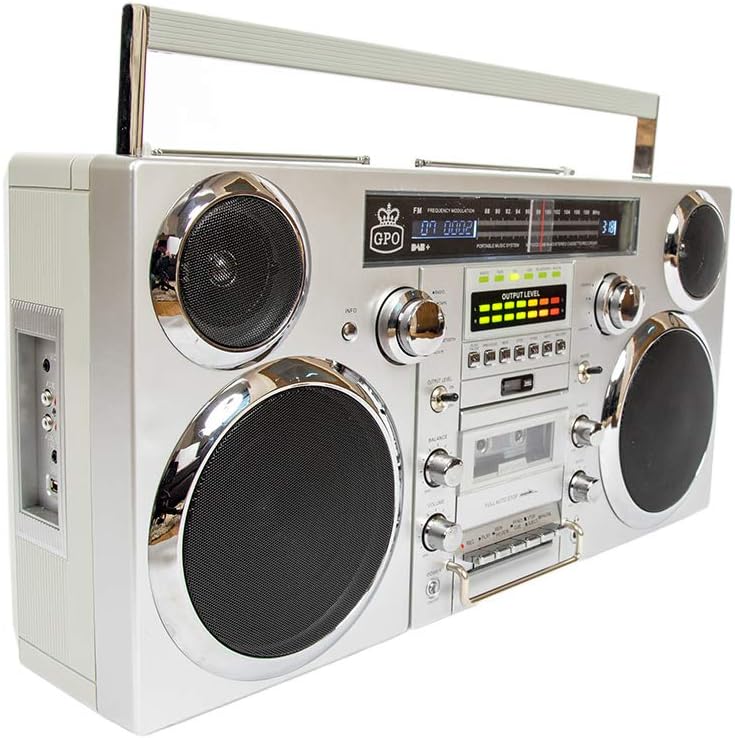
Image: Front view of the GPO Brooklyn Boombox, showcasing its retro design with dual speakers, control knobs, and display.
4. Product Overview
4.1 Front Panel Controls and Features

Image: Detailed front view of the GPO Brooklyn Boombox, highlighting the control layout including volume, balance, bass, treble, and various function buttons.
- Power Button: Turns the unit on/off.
- Volume Control: Adjusts the overall sound output level.
- Balance Control: Adjusts the left/right speaker balance.
- Bass Control: Adjusts the low-frequency sound level.
- Treble Control: Adjusts the high-frequency sound level.
- Function Selector: Switches between CD, Cassette, FM/DAB, USB, and Bluetooth modes.
- Cassette Deck: For playing and recording audio cassettes.
- CD Player: Top-loading CD player for audio CDs.
- Digital Display: Shows current mode, track information, radio frequency, etc.
- VU Meters: Visual indicators for audio output levels.
4.2 Side Panel Connections

Image: Side view of the GPO Brooklyn Boombox, showing the input/output ports including microphone, auxiliary, RCA, and USB connections.
- Microphone Input: 3.5mm jack for connecting an external microphone.
- Headphone Output: 3.5mm jack for private listening.
- AUX In (3.5mm): For connecting external audio devices.
- RCA Input: Stereo RCA jacks for connecting other audio sources.
- USB Port: For USB playback and recording.
4.3 Top Panel and Rear Features

Image: Top view of the GPO Brooklyn Boombox, showing a CD being inserted into the top-loading CD player compartment.
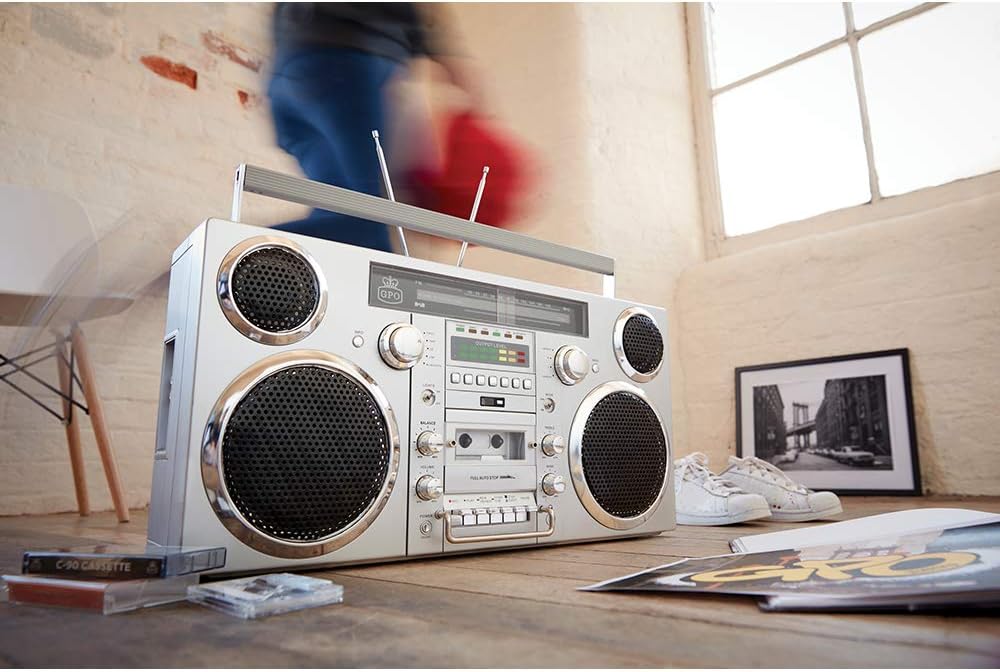
Image: Rear view of the GPO Brooklyn Boombox, with the battery compartment cover open, revealing the rechargeable lithium battery.
- CD Compartment: Top-loading tray for compact discs.
- Telescopic Antennas: Extendable antennas for FM/DAB radio reception.
- Carry Handle: Integrated handle for portability.
- Battery Compartment: Located at the rear, houses the rechargeable lithium battery.
- AC Power Input: For connecting the AC adapter.
5. Setup
5.1 Powering the Unit
The GPO Brooklyn can be powered by the included AC adapter or its internal rechargeable lithium battery.
- AC Power: Connect the AC adapter to the AC power input on the rear of the unit, then plug the adapter into a standard wall outlet.
- Battery Power: The unit comes with a rechargeable lithium battery. Ensure it is fully charged before first use. A full charge takes approximately 1.5 hours and provides up to 4 hours of playback.
5.2 Initial Battery Charge
For optimal battery life, it is recommended to fully charge the battery before its first use. Connect the boombox to AC power and allow it to charge until the charging indicator light (if present) signals a full charge.
6. Operating Instructions
6.1 Basic Operation
- Press the Power button to turn on the unit.
- Use the Function Selector to choose your desired mode (CD, Cassette, FM/DAB, USB, Bluetooth, AUX).
- Adjust the Volume, Balance, Bass, and Treble controls to your preference.
6.2 CD Player Operation
- Select CD mode using the Function Selector.
- Open the top-loading CD compartment cover.
- Place a CD onto the spindle with the label side facing up.
- Close the CD compartment cover.
- Use the Play/Pause, Stop, Skip/Search buttons to control playback.
6.3 Cassette Player/Recorder Operation
- Select Cassette mode using the Function Selector.
- Press the Eject button to open the cassette door.
- Insert a cassette tape with the open side facing you.
- Close the cassette door.
- Use the Play, Rewind, Fast Forward, Stop, Pause buttons for playback.
- To record, insert a recordable cassette and press the Record button (usually simultaneously with Play).

Image: Close-up view of the cassette player controls on the GPO Brooklyn Boombox, showing the play, record, rewind, fast forward, stop, and pause buttons.
6.4 Radio Operation (FM/DAB/DAB+)
- Select FM or DAB/DAB+ mode.
- Extend the telescopic antennas for optimal reception.
- Use the tuning knob or scan buttons to find radio stations.
- Press the Info button (if available) for station information.
6.5 Bluetooth Connectivity
- Select Bluetooth mode. The display will indicate pairing mode.
- On your mobile device, enable Bluetooth and search for "GPO Brooklyn".
- Select "GPO Brooklyn" to pair. Once connected, you can stream audio from your device.
6.6 USB Playback and Recording
- Insert a USB flash drive into the USB port.
- Select USB mode. The unit will automatically detect and play compatible audio files.
- To record to USB, select the desired audio source (CD, Radio, AUX, Cassette) and press the Record button while in USB mode.
Note: USB recording functionality may vary. Refer to the on-screen prompts or detailed manual sections for specific instructions.
6.7 Auxiliary Input (AUX)
- Connect your external audio device (e.g., smartphone, MP3 player) to the 3.5mm AUX In jack or RCA input on the side panel.
- Select AUX mode.
- Control playback from your connected device.
7. Maintenance
7.1 Cleaning
- Wipe the unit with a soft, dry cloth.
- Do not use abrasive cleaners, waxes, or solvents.
- For the CD lens, use a specialized CD lens cleaner.
- For the cassette deck, periodically clean the tape heads and pinch rollers with a cotton swab lightly dampened with isopropyl alcohol.
7.2 Battery Care
- Avoid fully discharging the battery frequently.
- If storing the unit for an extended period, charge the battery to approximately 50% every few months.
- Do not expose the battery to extreme temperatures.
8. Troubleshooting
| Problem | Possible Cause | Solution |
|---|---|---|
| No power | Power cable not connected; Battery discharged | Check power connection; Charge battery |
| No sound | Volume too low; Incorrect mode selected; Headphones connected | Increase volume; Select correct mode; Disconnect headphones |
| CD not playing | CD inserted incorrectly; CD dirty/scratched; Incorrect mode | Reinsert CD correctly; Clean/replace CD; Select CD mode |
| Poor radio reception | Antennas not extended; Weak signal area | Extend and adjust antennas; Try moving the unit to a different location |
| Bluetooth not pairing | Unit not in pairing mode; Device too far; Bluetooth already connected to another device | Ensure unit is in Bluetooth pairing mode; Move device closer; Disconnect from other devices |
| Cassette playback issues (e.g., muffled sound, tape eating) | Dirty tape heads/pinch rollers; Worn-out tape | Clean tape heads and pinch rollers; Try a different tape |
9. Specifications
| Feature | Detail |
|---|---|
| Model Number | BROOKLYN BOOMBOX |
| Dimensions (W x D x H) | 23.62 x 5.51 x 11.81 inches (60 x 14 x 30 cm) |
| Weight | 18.1 pounds (8.21 kg) |
| Power Source | AC Adapter, Rechargeable Lithium Battery |
| Battery Life | Up to 4 hours playback (after 1.5 hours charge) |
| Speaker Output | 2 x 40 watts |
| Connectivity | Bluetooth, Auxiliary (3.5mm & RCA), USB |
| Media Playback | CD, Cassette, FM/DAB/DAB+ Radio, USB |
| Recording Function | Cassette, USB |
10. Warranty and Support
GPO products are designed for quality and reliability. For warranty information and customer support, please refer to the official GPO website or contact your retailer.
Manufacturer: GPO
Brand Store: Visit the GPO Store on Amazon
For technical assistance or service inquiries, please contact GPO customer support. Keep your purchase receipt as proof of purchase for warranty claims.
11. Proper Disposal
When disposing of this product, please do so responsibly. Electronic waste should not be disposed of with household waste. Consult your local authorities for information on proper disposal and recycling facilities. The internal rechargeable battery should be removed and recycled separately if possible, following local regulations.
Related documentsBROOKLYN BOOMBOX


Ask a question about this manual
Ask about setup, troubleshooting, compatibility, parts, safety, or missing instructions. Manuals+ will review the question and use this page’s manual context to help answer it.