
1. Introduction
This manual provides essential information for the proper setup, operation, and maintenance of your SOLIS SO-3000 Bluetooth Wi-Fi Stereo Speaker. Please read this manual thoroughly before using the device to ensure optimal performance and safety.
The SOLIS SO-3000 is a versatile stereo shelf system featuring Bluetooth and Wi-Fi connectivity, Google Chromecast built-in, and Hi-Res audio compatibility. It supports multi-room streaming and voice control for a seamless audio experience.
2. Safety Information
Observe the following safety precautions to prevent damage to the device or personal injury:
- Do not expose the unit to rain, moisture, or extreme temperatures.
- Do not open the casing. Refer all servicing to qualified personnel.
- Ensure the power supply voltage matches the requirements specified on the unit.
- Keep the unit away from heat sources and direct sunlight.
- Place the unit on a stable, flat surface to prevent it from falling.
- Unplug the unit during lightning storms or when unused for long periods.
3. Package Contents
Verify that all items are present in the package:
- SOLIS SO-3000 Stereo Speaker Unit
- External AC Power Supply
- Auxiliary Line-in Cord (3.5mm)
- User Manual (this document)
4. Product Overview
The SOLIS SO-3000 features a compact design with intuitive controls and multiple connectivity options.
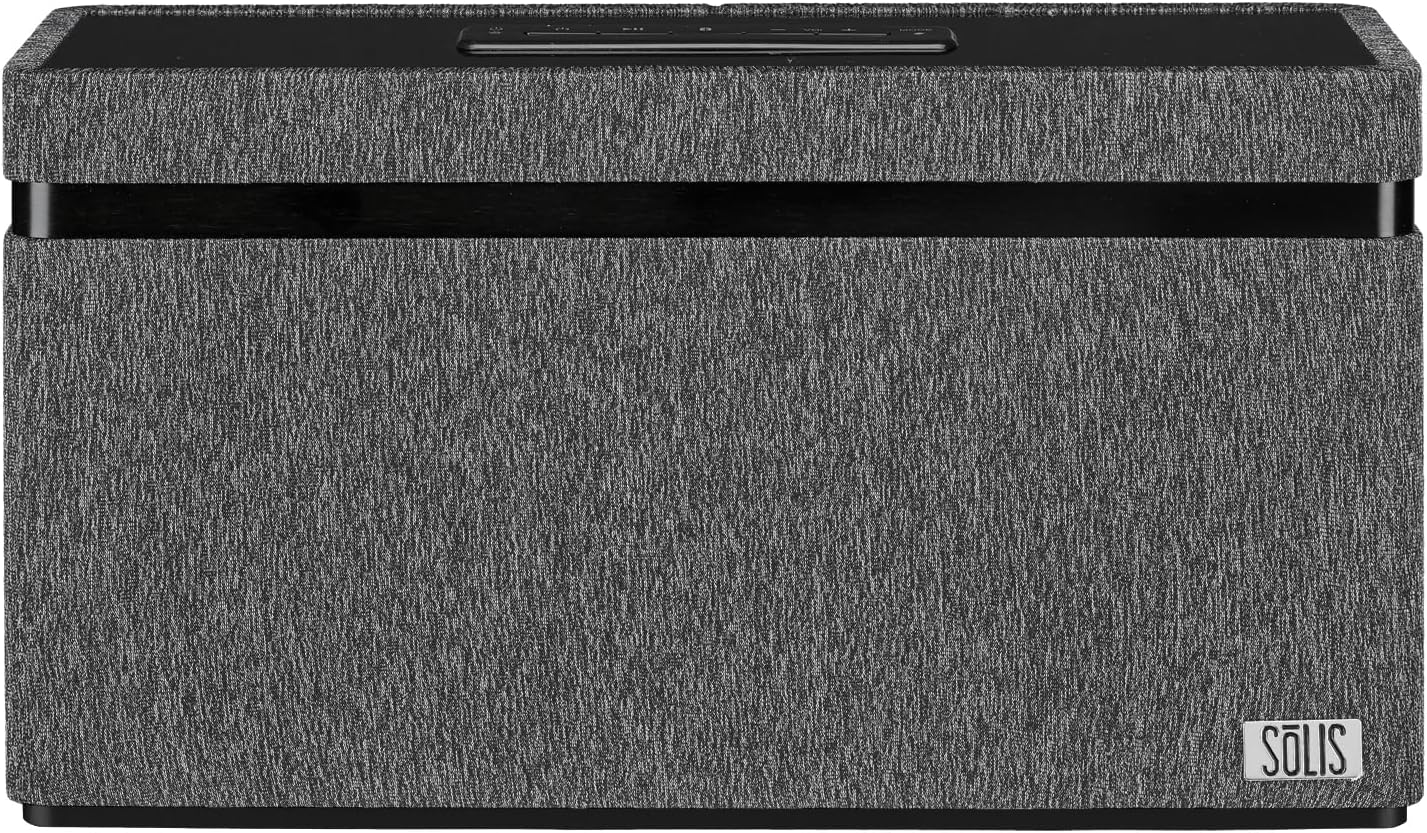
Image: Front view of the SOLIS SO-3000 speaker, showcasing its dark grey fabric finish and the SOLIS logo on the bottom right.

Image: Angled view of the SOLIS SO-3000 speaker, highlighting the top-mounted control panel with power, play/pause, volume, and mode buttons.
Top-Mounted Controls:
- Power Button: Press to turn the unit on or off.
- Play/Pause Button: Controls media playback.
- Volume Buttons (+/-): Adjusts the audio output level.
- Mode Button: Switches between input sources (Bluetooth, Wi-Fi, Auxiliary).
5. Setup
5.1 Power Connection
- Place the SOLIS SO-3000 on a stable, flat surface.
- Connect the external AC power supply to the DC input port on the back of the speaker.
- Plug the AC power supply into a standard 120V AC, 60Hz wall outlet.
- Press the Power button on the top panel to turn on the speaker.
5.2 Wi-Fi and Google Chromecast Setup
The SOLIS SO-3000 integrates Google Chromecast for Wi-Fi streaming and multi-room audio.
- Ensure your speaker is powered on and within range of your Wi-Fi network.
- Download the Google Home app on your smartphone or tablet (available on iOS and Android).
- Open the Google Home app and follow the on-screen instructions to set up a new device.
- Select the SOLIS SO-3000 from the list of available devices.
- Follow the prompts to connect the speaker to your home Wi-Fi network (2.4 GHz or 5 GHz).
- Once connected, you can stream audio from Chromecast-enabled apps and create speaker groups for multi-room listening.
5.3 Bluetooth Pairing
- Turn on the SOLIS SO-3000 speaker.
- Press the 'Mode' button on the top panel until the Bluetooth indicator light flashes, indicating pairing mode.
- On your mobile device (smartphone, tablet, laptop), enable Bluetooth and search for available devices.
- Select "SOLIS SO-3000" from the list.
- Once paired, the Bluetooth indicator light will become solid. You can now stream audio via Bluetooth.
6. Operating
6.1 Audio Playback
- Bluetooth: After pairing, play audio from your connected device. Use the device's controls or the speaker's Play/Pause and Volume buttons.
- Wi-Fi (Chromecast): Open a Chromecast-enabled app (e.g., Spotify, Pandora, YouTube Music) on your device. Tap the Cast icon and select your SOLIS SO-3000 speaker.
- Auxiliary Input: Connect an external audio source (e.g., MP3 player, iPod) to the 3.5mm auxiliary input jack on the back of the speaker using the supplied auxiliary line-in cord. Press the 'Mode' button until the auxiliary input is selected.
6.2 Voice Control
With Google Chromecast built-in, the SOLIS SO-3000 supports voice commands through Google Assistant. Once set up via the Google Home app, you can use voice commands to play music, control volume, and manage other tasks. Ensure your speaker is connected to Wi-Fi and linked to your Google account.
6.3 Multi-Room Streaming
To enjoy multi-room audio, set up multiple Chromecast-enabled speakers (including additional SOLIS SO-3000 units) within the Google Home app. Create speaker groups to play synchronized audio across different rooms.
7. Maintenance
To maintain the performance and appearance of your SOLIS SO-3000 speaker:
- Cleaning: Wipe the exterior surfaces with a soft, dry cloth. Do not use liquid cleaners or abrasive materials.
- Storage: When not in use for extended periods, store the speaker in a cool, dry place, away from direct sunlight and extreme temperatures.
- Ventilation: Ensure proper ventilation around the speaker. Do not block any vents.
8. Troubleshooting
| Problem | Possible Cause | Solution |
|---|---|---|
| No power | Power cord not connected; outlet not active. | Ensure power cord is securely connected to the speaker and a working outlet. |
| No sound | Volume too low; incorrect input mode; device not playing. | Increase volume on speaker and source device. Select correct input mode. Ensure source device is playing audio. |
| Bluetooth pairing failure | Speaker not in pairing mode; device too far; interference. | Ensure speaker is in Bluetooth pairing mode. Move device closer to speaker (within 10 meters). Turn off other Bluetooth devices. |
| Wi-Fi connection issues | Incorrect Wi-Fi password; out of range; router issues. | Verify Wi-Fi password. Move speaker closer to router. Restart router and speaker. Re-run Google Home app setup. |
| Voice control not responding | Not connected to Wi-Fi; Google Home setup incomplete. | Ensure speaker is connected to Wi-Fi and properly configured in the Google Home app. |
9. Specifications

Image: Diagram showing the dimensions of the SOLIS SO-3000 speaker: 6.3 inches (H) x 11.8 inches (W) x 3.7 inches (D).
| Feature | Detail |
|---|---|
| Model Number | SO-3000 |
| Brand | SOLIS |
| Connectivity | Bluetooth, Wi-Fi (802.11a/b/g/n/ac, Dual Band 2.4 GHz & 5 GHz) |
| Audio Output Mode | Stereo (2.0 Channel) |
| Speaker Drivers | Two 3-inch Hi-Fi full-range stereo speakers |
| Power Output | 2 x 18W RMS (36 Watts total) |
| Special Features | Google Chromecast Built-in, Hi-Res Audio, Bass Boost, Stereo Pairing, Multi-Room Streaming, Voice Control |
| Input | Auxiliary input jack (3.5mm) |
| Compatible Devices | Desktop, Laptop, Smartphone, Tablet |
| Power Source | Corded Electric (120V AC, 60Hz) |
| Product Dimensions (H x W x D) | 6.3" x 11.8" x 3.7" (16 cm x 30 cm x 9.4 cm) |
| Item Weight | 5.95 lbs (2.7 kg) |
| Bluetooth Range | Up to 10 meters (33 feet) |
| Color | Black with Grey Accents |
| Mounting Type | Tabletop Mount |
10. Warranty
The SOLIS SO-3000 speaker comes with a limited warranty. Please refer to the warranty card included in your package or contact customer support for detailed information regarding warranty terms and conditions.
11. Support
For technical assistance, troubleshooting, or warranty inquiries, please contact SOLIS customer support. Contact information can typically be found on the manufacturer's website or on the product packaging.
Manufacturer: SOLIS
Website: Visit the SOLIS Store on Amazon