
VOYOR BR410
VOYOR BR410 Electric Blackhead Remover Pore Vacuum User Manual
Model: BR410
1. Introduction
Thank you for choosing the VOYOR BR410 Electric Blackhead Remover Pore Vacuum. This device is designed to help improve skin clarity by effectively removing blackheads, whiteheads, excess oil, and impurities from pores. Please read this manual thoroughly before first use to ensure safe and optimal operation.
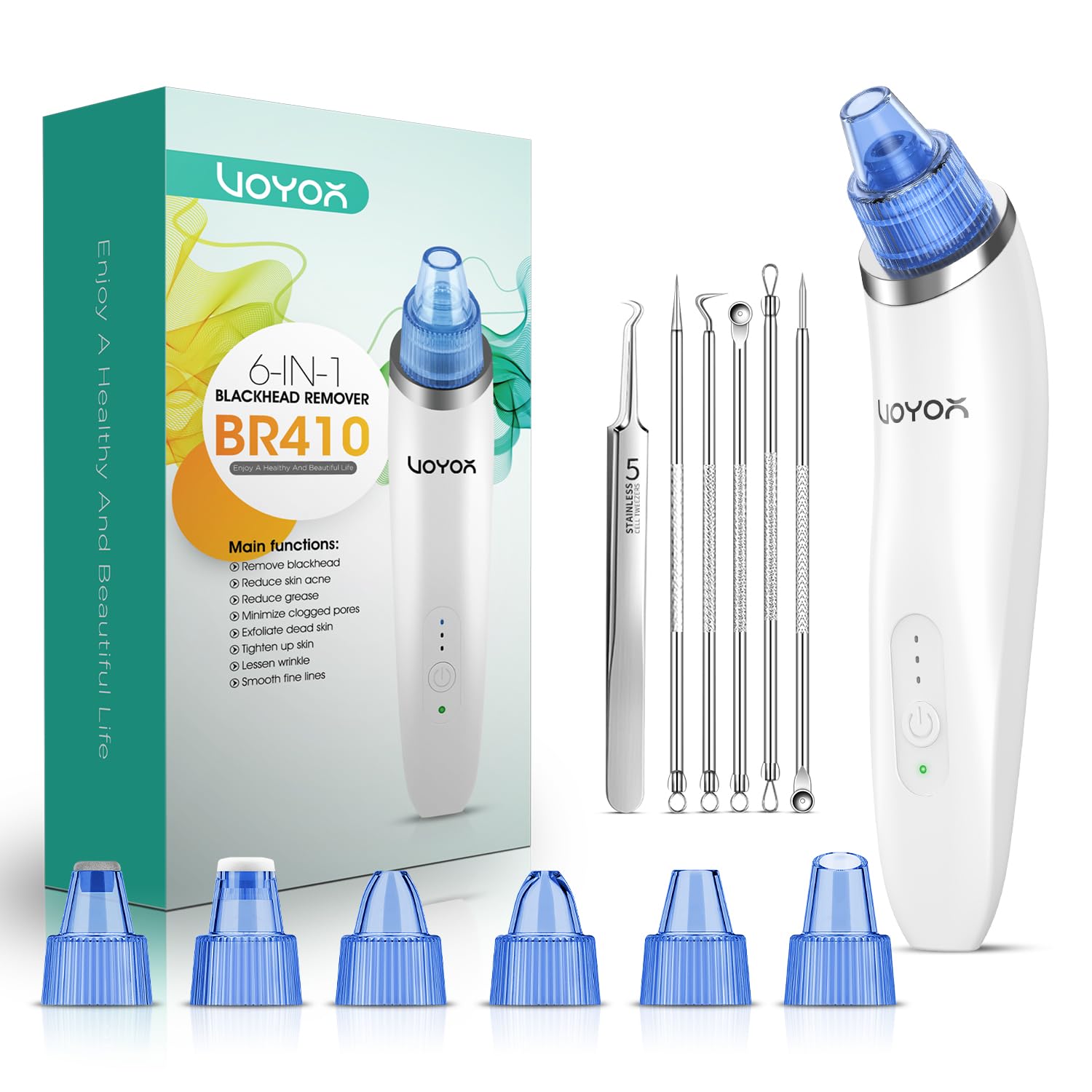
Image: The VOYOR BR410 Blackhead Remover device, its retail packaging, and included accessories, including various suction heads and stainless steel tools.
2. Safety Information
Important Safety Precautions:
- Perform a test on a small, less sensitive skin area before full use to check for adverse reactions.
- Do not leave the suction head on one area for more than 2 seconds, as this may cause bruising or skin irritation due to strong suction.
- Keep the device moving in a circular or linear direction across the skin.
- Do not use on broken, irritated, or inflamed skin.
- Consult a dermatologist if you have sensitive skin conditions or are unsure about using the device.
- Keep out of reach of children.
3. Product Components
The VOYOR BR410 package includes the following items:
- VOYOR BR410 Main Device
- 6 Interchangeable Suction Heads (various shapes and sizes)
- USB Charging Cable
- Set of Stainless Steel Blackhead Removal Tools
- User Manual

Image: The VOYOR BR410 device, its six distinct suction heads, and a separate set of stainless steel blackhead and blemish removal tools.
4. Setup
4.1 Charging the Device
The VOYOR BR410 features a built-in rechargeable lithium battery. Before first use, fully charge the device.
- Connect the provided USB charging cable to the USB charging port on the device.
- Plug the other end of the USB cable into a compatible USB power adapter (not included) or a computer USB port.
- The charging indicator light will illuminate during charging and turn off when fully charged. A full charge typically takes approximately 1.5 hours.

Image: A detailed view of the VOYOR BR410 device, highlighting the power button, suction strength indicator lights, and the USB charging port at the base.
4.2 Attaching Suction Heads
Select the appropriate suction head for your skin type and target area. Gently push the desired head onto the device's nozzle until it is securely in place.
5. Operating Instructions
5.1 Pre-Treatment
To maximize effectiveness and minimize skin irritation, prepare your skin before using the device:
- Cleanse your face thoroughly to remove makeup and surface impurities.
- Use a hot towel or a facial steamer for 5-10 minutes to open your pores. This step is crucial for optimal blackhead and impurity extraction.
5.2 Device Operation
- Press the power button to turn on the device.
- Press the power button repeatedly to cycle through the 3 adjustable strength levels: Low (for sensitive skin), Medium (for small blackheads), and High (for stubborn blackheads). Select the appropriate level for your skin and needs.
- Place the selected suction head onto your skin. Move the device slowly and continuously across the skin in circular or linear motions.
- Do not keep the device stationary on any single spot for more than 2 seconds to prevent bruising or redness.
- After completing your treatment, press and hold the power button to turn off the device.
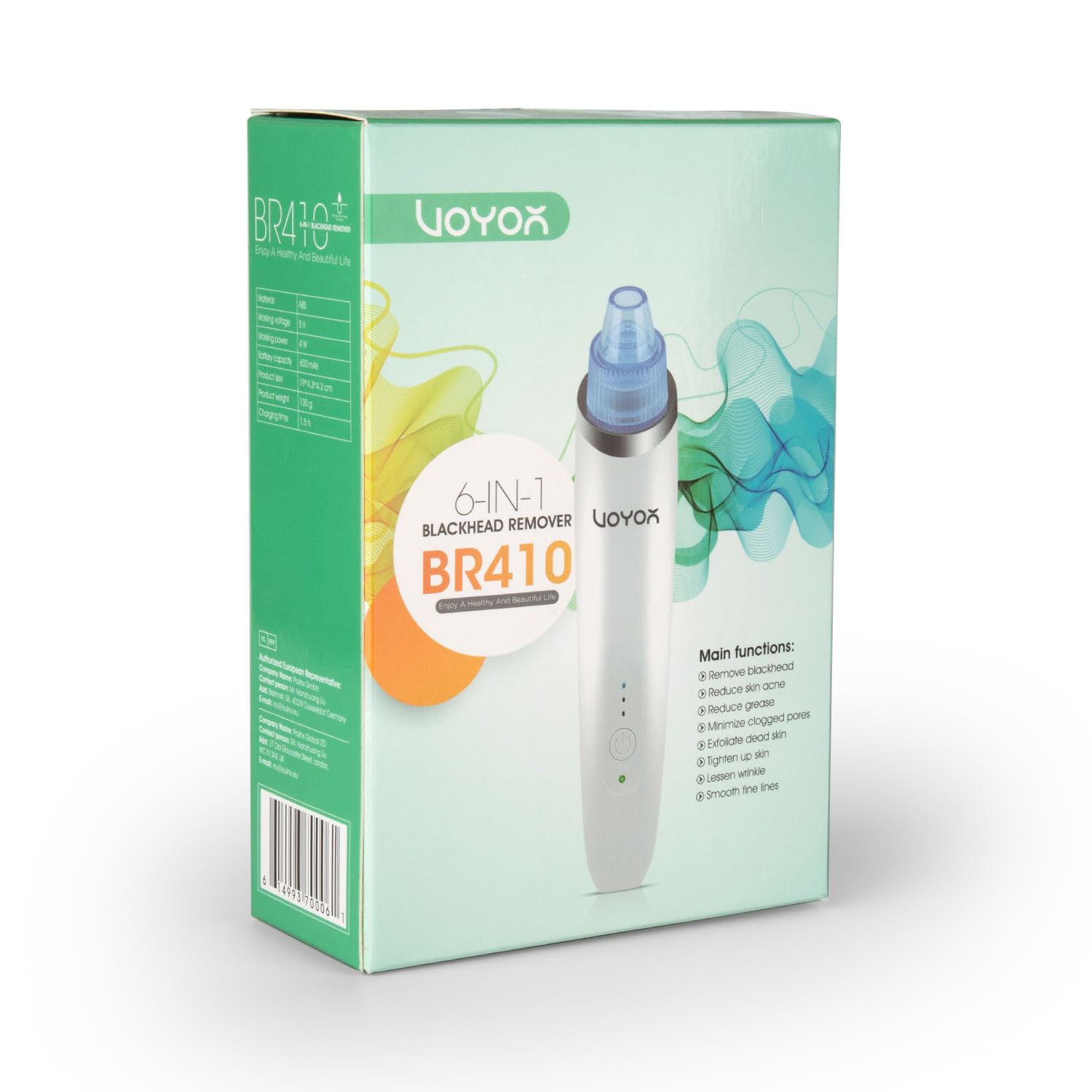
Image: A four-step visual guide demonstrating the usage process: 1. Cleanse & Open Pores, 2. Select Proper Head, 3. Extract Blackheads Easily, 4. Tighten Pores.
5.3 Suction Head Functions
The VOYOR BR410 comes with 6 functional heads, each designed for specific areas and skin types:
- Large Circular Hole Head: Strong suction for removing stubborn blackheads, grease, and cosmetic residue. Suitable for T-zone.
- Small Circular Hole Head: Weak and gentle suction, suitable for sensitive skin and delicate areas.
- Microcrystalline Head: Gently exfoliates dead skin cells, promoting smoother skin.
- Oval Hole Head: Designed for areas with fine lines, promoting skin elasticity.
- Silicone Head: Gentle suction, ideal for very sensitive skin.
- Curved Hole Head: Provides targeted suction with a special curved angle for hard-to-reach areas.

Image: An illustrative diagram showing the various suction heads and their recommended application zones on the face, categorized by suction strength.
5.4 Post-Treatment
After using the device:
- Apply a cold towel or ice pack to the treated areas to soothe the skin and help shrink pores.
- Follow with your regular skincare routine, such as toner and moisturizer.
6. Maintenance and Cleaning
Proper cleaning ensures hygiene and extends the lifespan of your device.
- After each use, remove the suction head from the main device.
- Rinse the detached suction head thoroughly under running water to clean any residue.
- Wipe the main device with a clean, damp cloth. Do not rinse the main device directly under water, as it is not waterproof and may be damaged.
- Ensure all parts are completely dry before reassembling or storing.
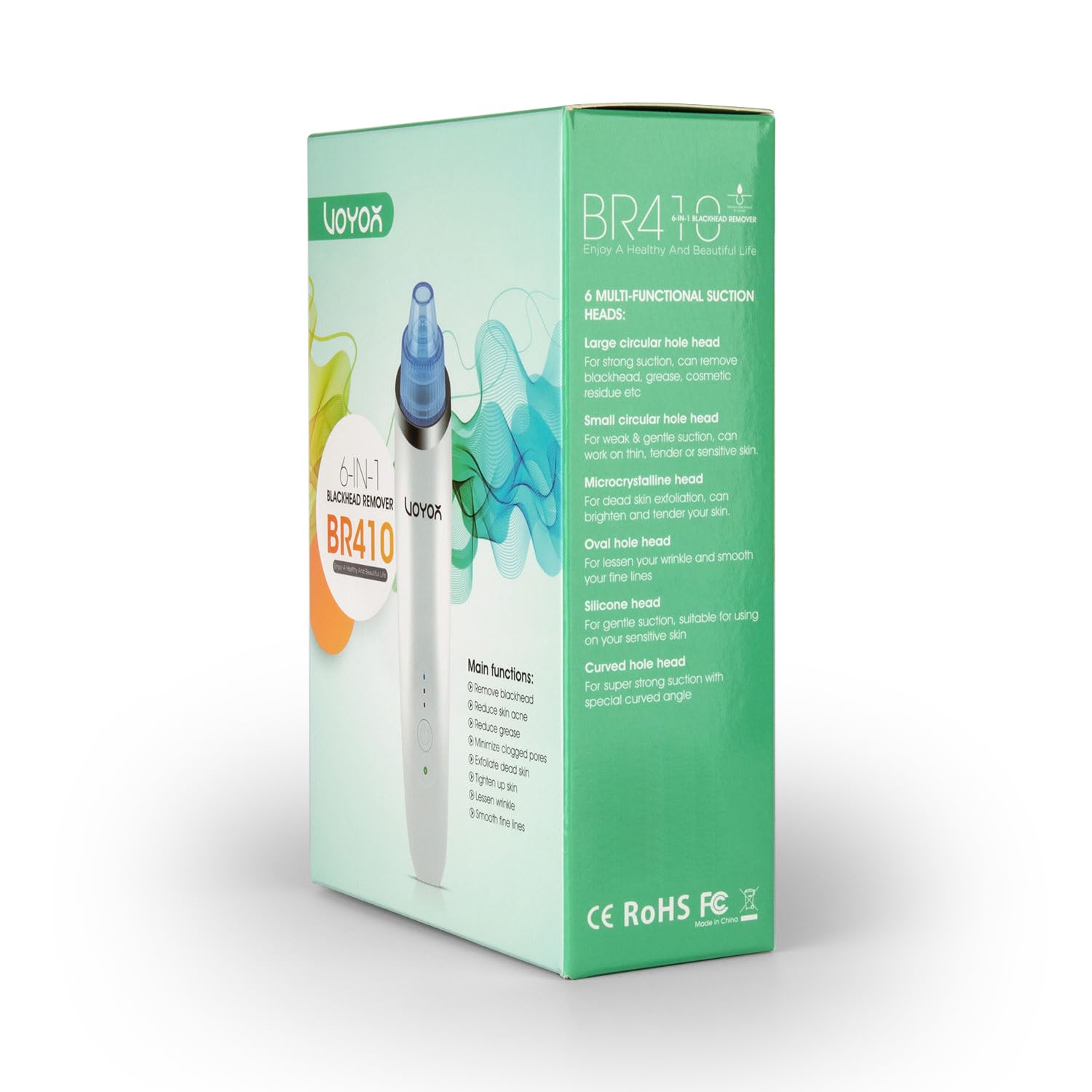
Image: A visual guide illustrating the correct way to clean the device: remove the suction head and rinse it separately, avoiding direct water contact with the main unit.
7. Troubleshooting
If you encounter issues with your VOYOR BR410, please refer to the following common solutions:
- No Suction: Ensure the suction head is securely attached and the device is fully charged. Check if the filter is clean and properly installed.
- Weak Suction: Verify that the selected strength level is appropriate. Ensure pores are adequately opened with a hot towel or steamer before use.
- Redness or Bruising: This typically occurs if the device is held in one spot for too long or if the suction level is too high for your skin type. Reduce suction strength and keep the device moving continuously. Apply a cold compress to soothe redness.
- Device Not Turning On: Ensure the device is fully charged. If the issue persists, contact customer support.
8. Specifications
| Feature | Specification |
|---|---|
| Brand | VOYOR |
| Model Name | BR410 |
| Material | Acrylonitrile Butadiene Styrene (ABS) |
| Color | White |
| Product Dimensions | 7.7 x 5.5 x 2.4 inches |
| Product Weight | 4.64 ounces |
| Battery Type | Rechargeable Lithium Battery |
| Battery Capacity | 600mAh |
| Charging Time | Approx. 1.5 hours |
| Suction Levels | 3 (Low, Medium, High) |
| Suction Heads | 6 (Interchangeable) |
9. Warranty and Support
VOYOR products are manufactured with quality and performance in mind. For any questions, concerns, or support needs regarding your VOYOR BR410 Electric Blackhead Remover Pore Vacuum, please contact VOYOR customer service. Please refer to your purchase documentation for specific warranty details.
For further assistance, visit the official VOYOR website or contact their customer support channels.
Ask a question about this manual
Ask about setup, troubleshooting, compatibility, parts, safety, or missing instructions. Manuals+ will review the question and use this page’s manual context to help answer it.