
TecTake 800412 (No. 402483)
TecTake® Metal Office Cabinet User Manual
Model: 800412 (No. 402483)
1. Introduction
This manual provides detailed instructions for the assembly, operation, and maintenance of your TecTake® Metal Office Cabinet. Please read this manual thoroughly before assembly and use to ensure proper function and safety. This cabinet is designed for efficient organization and secure storage of documents and office supplies.

Figure 1: TecTake® Metal Office Cabinet (Model 800412)
The image displays the TecTake® Metal Office Cabinet with its two doors fully open, revealing multiple shelves filled with organized binders and a small safe on the top shelf. The cabinet is light grey, indicating its robust metal construction.
2. Safety Information
- Always assemble the cabinet on a flat, stable surface to prevent tipping.
- Ensure all screws and fasteners are securely tightened before use.
- Do not exceed the maximum load capacity of 40 kg per shelf.
- Distribute weight evenly across shelves to maintain stability.
- Keep children and pets away during assembly.
- Avoid placing heavy objects on the top of the cabinet that could cause it to become top-heavy.
- Use appropriate tools for assembly as specified in the instructions.
- Do not climb on or hang from the cabinet doors or shelves.
3. Package Contents
Before beginning assembly, verify that all parts listed below are present and undamaged. If any parts are missing or damaged, please contact customer support.
| Part | Description | Quantity |
|---|---|---|
| A | Side Panels | 2 |
| B | Top Panel | 1 |
| C | Bottom Panel | 1 |
| D | Back Panel | 1 |
| E | Adjustable Shelves | 4 |
| F | Doors | 2 |
| G | Lock Mechanism with Keys | 1 set |
| H | Assembly Hardware (screws, bolts, shelf pins) | 1 pack |
4. Assembly Instructions
Assembly typically requires two people and takes approximately 60-90 minutes. Follow these steps carefully:
- Prepare the Area: Clear a spacious, flat, and clean area for assembly. Lay down a blanket or cardboard to protect the cabinet parts and your floor.
- Attach Side Panels to Base: Secure the side panels (A) to the bottom panel (C) using the provided hardware (H). Ensure they are aligned correctly.
- Install Back Panel: Slide or attach the back panel (D) into the grooves or designated areas on the side and bottom panels.
- Attach Top Panel: Secure the top panel (B) to the side panels (A) and back panel (D) using the remaining hardware (H).
- Insert Shelf Pins: Insert the shelf pins into the desired height holes on the inner sides of the cabinet. The shelves are adjustable, allowing for flexible storage configurations.
- Place Adjustable Shelves: Carefully place the adjustable shelves (E) onto the installed shelf pins.
- Attach Doors: Mount the doors (F) to the cabinet frame using the hinges and hardware provided. Ensure the doors swing freely and align properly.
- Install Lock Mechanism: Attach the lock mechanism (G) to one of the doors and ensure it engages correctly with the cabinet frame when closed. Test the lock with the provided keys.
- Final Check: Verify that all connections are secure and the cabinet is stable.
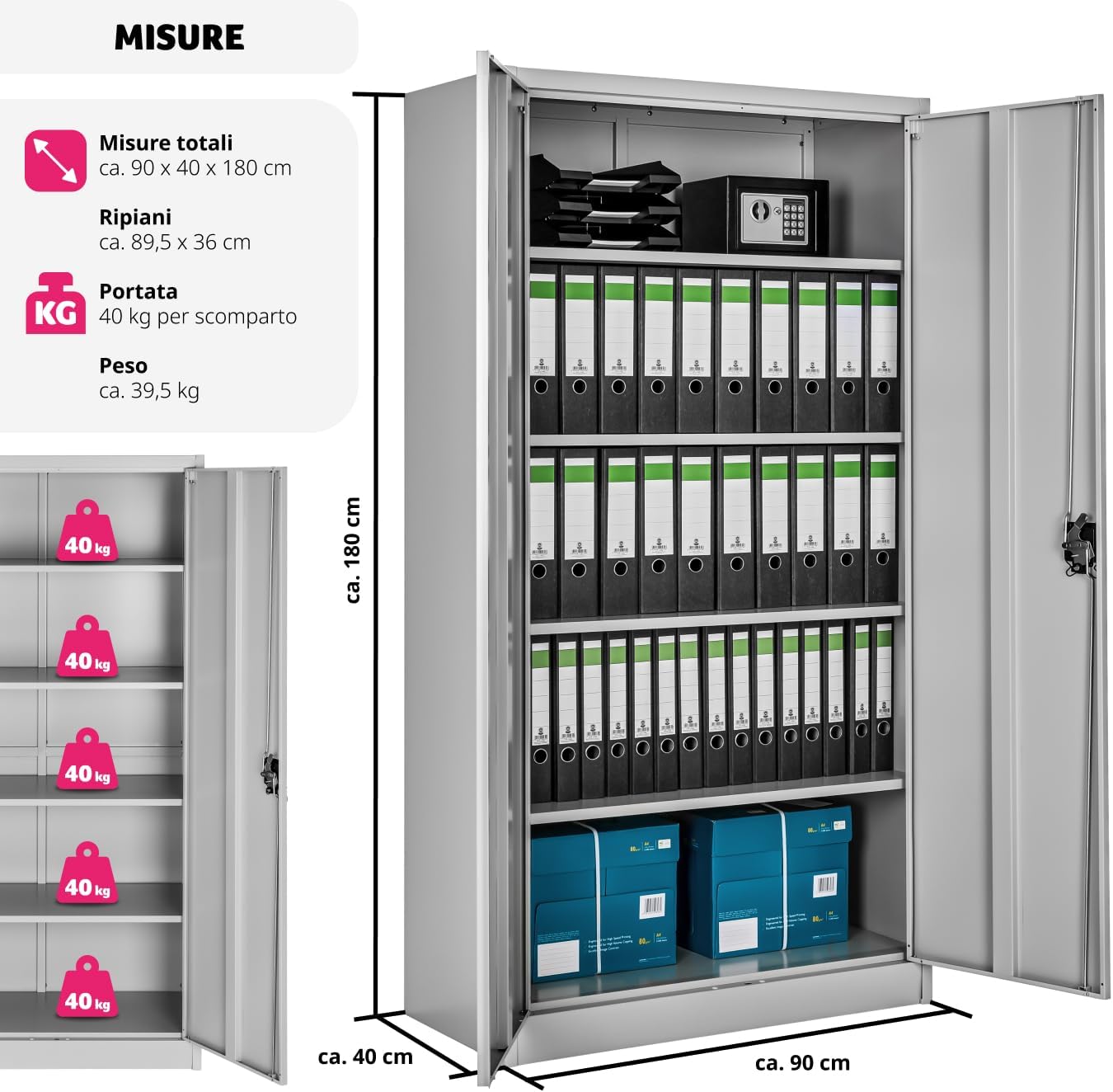
Figure 2: Cabinet Dimensions and Load Capacity
This diagram illustrates the overall dimensions of the cabinet (approx. 90 x 40 x 180 cm) and the individual shelf dimensions (approx. 89.5 x 36 cm). It also highlights the maximum load capacity of 40 kg per shelf, with an image showing weight distribution across multiple shelves.

Figure 3: Key Features Detail
This image collage provides detailed views of the cabinet's features: a secure cylinder lock with two keys, the adjustable shelf mechanism allowing personalized compartment height, solid shelves with a 40 kg load capacity each, and silent door bumpers for quiet operation.
5. Setup
Once assembled, position the cabinet in its intended location. Ensure the surface is level and stable. For optimal stability and safety, especially in high-traffic areas or if the cabinet will store heavy items, consider anchoring it to a wall using appropriate wall anchors (not included).

Figure 4: Cabinet in an Office Setting
The image shows the TecTake® Metal Office Cabinet positioned in a spacious office with brick walls and large windows, demonstrating its integration into a professional workspace. Another smaller cabinet is also visible.
6. Operating Instructions
6.1. Adjusting Shelves
The cabinet features 4 adjustable shelves. To adjust a shelf:
- Empty the shelf you wish to adjust.
- Carefully lift the shelf and remove the shelf pins from their current holes.
- Reinsert the shelf pins into the desired height holes on both sides of the cabinet.
- Place the shelf back onto the pins, ensuring it is level and secure.
6.2. Locking and Unlocking
The cabinet is equipped with a central cylinder lock for security. Two keys are provided.
- To lock the cabinet: Close both doors completely. Insert a key into the lock and turn it clockwise until the mechanism engages. Remove the key.
- To unlock the cabinet: Insert a key into the lock and turn it counter-clockwise. The doors can then be opened.
Always remove the key after locking to prevent unauthorized access.
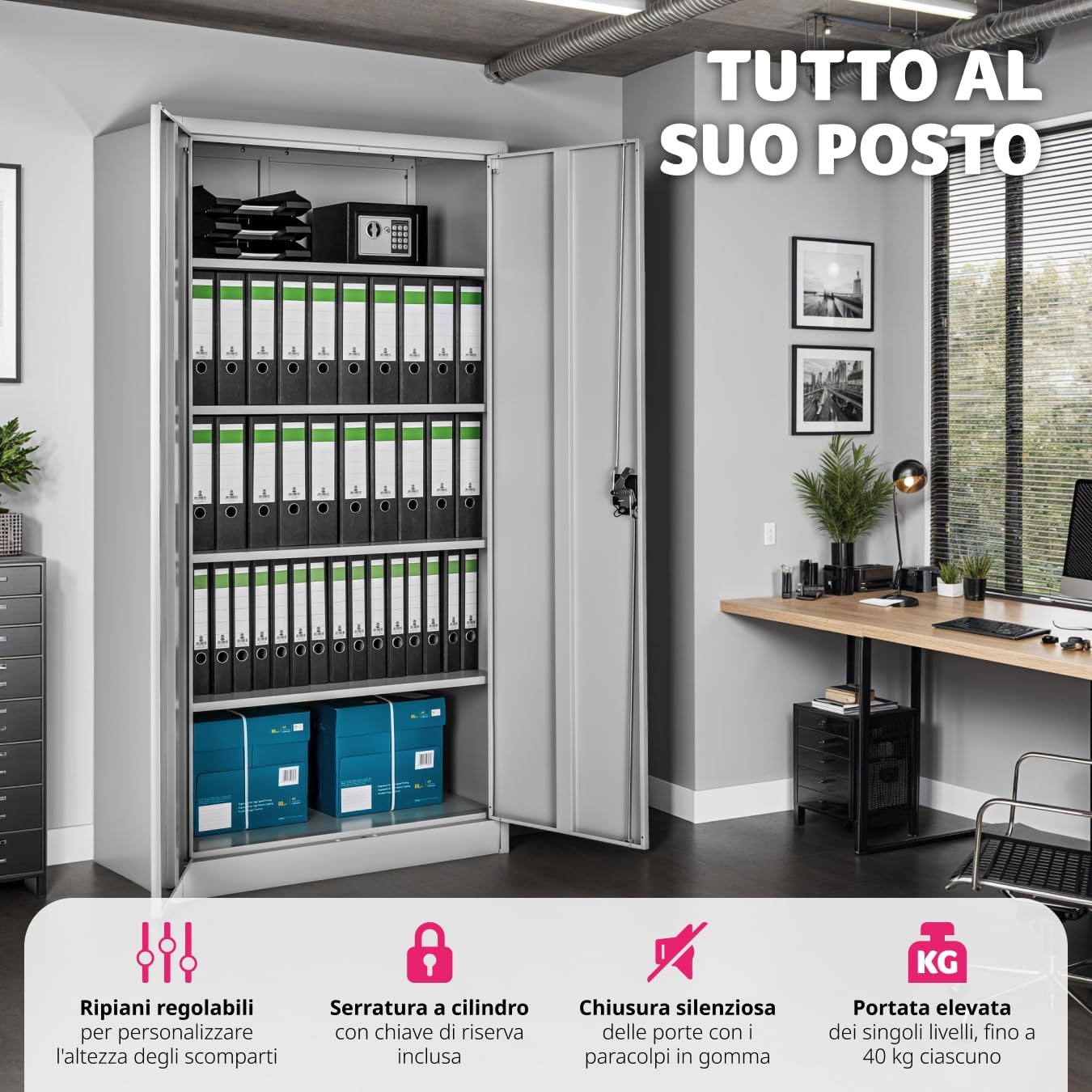
Figure 5: Organized Cabinet Interior
This image shows the interior of the TecTake® cabinet, demonstrating its capacity for organization. Multiple rows of binders are neatly arranged on the upper shelves, while two blue storage boxes are placed on the bottom shelf, illustrating efficient use of space.
7. Maintenance
The TecTake® Metal Office Cabinet is designed for low maintenance. Follow these guidelines to keep it in optimal condition:
- Cleaning: Wipe surfaces with a soft, damp cloth and mild detergent. Avoid abrasive cleaners or solvents that could damage the finish. Dry thoroughly after cleaning.
- Inspection: Periodically check all screws and fasteners to ensure they remain tight. Re-tighten if necessary.
- Lubrication: If the door hinges or lock mechanism become stiff, apply a small amount of silicone-based lubricant.
- Damage: In case of dents or significant scratches, consider applying touch-up paint to prevent rust, especially if the cabinet is in a humid environment.
8. Troubleshooting
| Problem | Possible Cause | Solution |
|---|---|---|
| Cabinet is wobbly/unstable | Uneven floor; loose fasteners; uneven weight distribution. | Ensure cabinet is on a level surface. Tighten all assembly screws. Redistribute contents evenly. |
| Doors do not close properly | Misaligned hinges; obstruction; cabinet not level. | Check hinge alignment and adjust if necessary. Remove any obstructions. Ensure cabinet is level. |
| Lock mechanism is stiff | Lack of lubrication; debris in lock. | Apply a small amount of graphite powder or silicone spray to the lock mechanism. |
| Shelves sag or bend | Overloaded shelves. | Reduce the weight on the shelves. Ensure weight does not exceed 40 kg per shelf. |
9. Specifications
- Brand: TecTake
- Model: 800412 (No. 402483)
- Color: Grey
- Material: Powder-coated Steel
- Overall Dimensions (H x W x D): Approximately 180 cm x 90 cm x 40 cm (70.9 x 35.4 x 15.7 inches)
- Shelf Dimensions (W x D): Approximately 89.5 cm x 36 cm (35.2 x 14.2 inches)
- Number of Shelves: 5 (4 adjustable)
- Maximum Load Capacity per Shelf: 40 kg (88 lbs)
- Product Weight: Approximately 35.3 kg (77.8 lbs)
- Special Features: Easy to clean, secure cylinder lock with 2 keys, silent door bumpers, wide door opening angle (130°).
- Recommended Use: File and folder storage, office supplies, general storage in offices, homes, garages, workshops, public structures.

Figure 6: Cabinet Features Overview
This infographic highlights the key characteristics of the TecTake® cabinet: 5 compartments with 4 adjustable shelves, robust steel construction with powder coating, secure cylinder lock with reserve key, 2 hinged doors with 130° opening for easy access, rubber bumpers for silent closing, high load capacity of up to 40 kg per compartment, easy-to-clean smooth surfaces, and versatile use for offices, garages, workshops, and cellars.
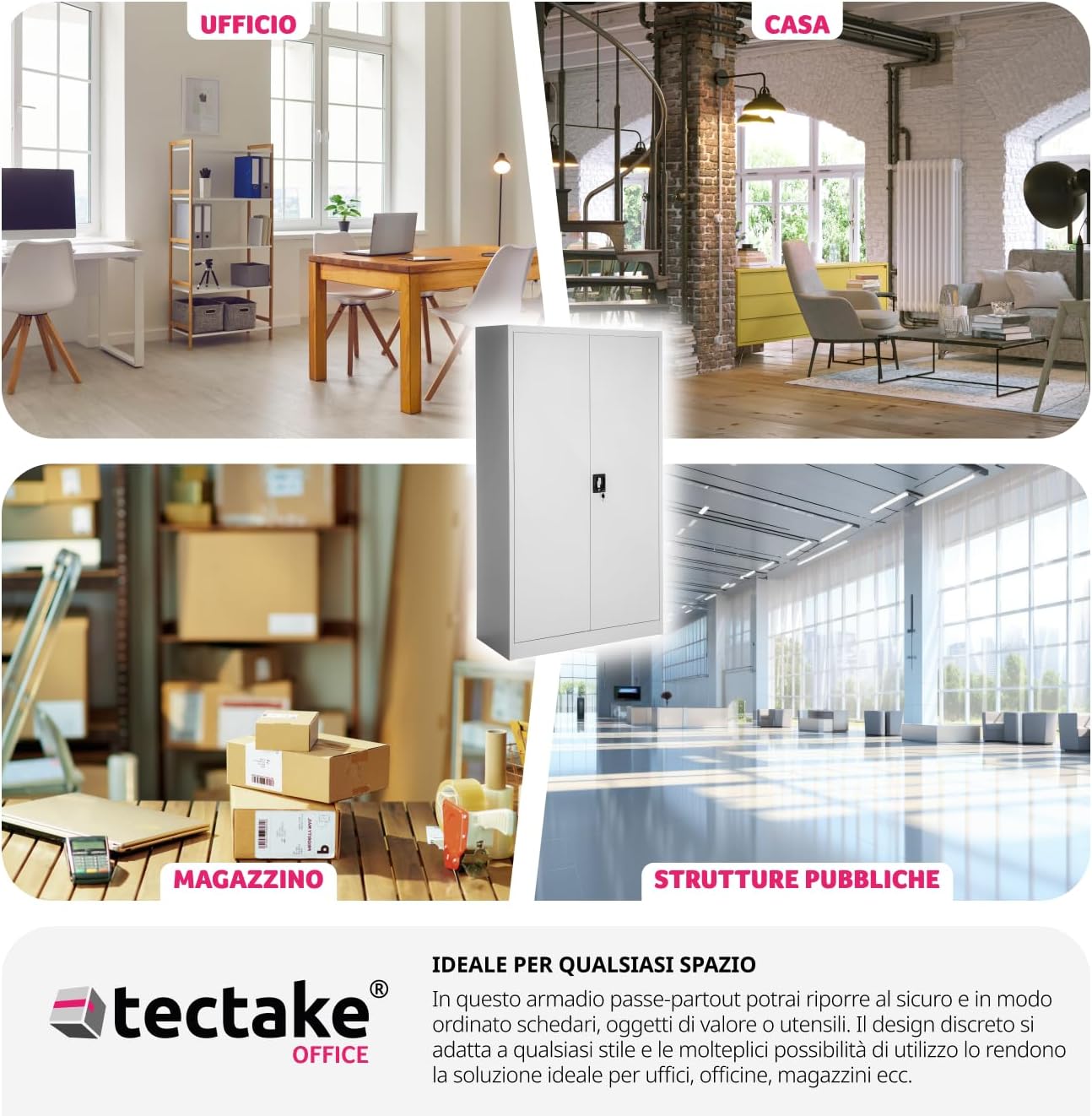
Figure 7: Versatile Applications
This image collage demonstrates the cabinet's adaptability across different environments: a modern office, a cozy home setting, a functional warehouse, and a large public facility. It emphasizes the cabinet's discreet design and multiple uses for secure and organized storage.
10. Warranty and Support
For warranty information, technical support, or to order replacement parts, please contact TecTake customer service. Refer to your purchase documentation for specific warranty terms and contact details.
TecTake Customer Service:
- Website: www.tectake.de (Please check the official TecTake website for the most current contact information.)
Related documents800412 (No. 402483)

Ask a question about this manual
Ask about setup, troubleshooting, compatibility, parts, safety, or missing instructions. Manuals+ will review the question and use this page’s manual context to help answer it.