
1. Introduction and Overview
The Beurer BC57 Wrist Blood Pressure Monitor is an advanced automatic device designed for convenient and accurate measurement of your blood pressure and pulse rate directly from your wrist. Equipped with Bluetooth connectivity, it seamlessly transfers your readings to the HealthCoach app on your smartphone, allowing for easy tracking and management of your health data. This monitor features a large, easy-to-read display, a color-coded risk indicator for quick interpretation of results, and an irregular heartbeat detection function. This manual provides essential information for the proper setup, operation, maintenance, and troubleshooting of your Beurer BC57 device to ensure optimal performance and accurate readings.

Figure 1: The Beurer BC57 Wrist Blood Pressure Monitor, showcasing its large display and compact design.
2. What's Included
Upon unboxing your Beurer BC57 Wrist Blood Pressure Monitor, please ensure all the following components are present:

Figure 2: Visual representation of the items included with your Beurer BC57 monitor.
- Beurer BC57 Blood Pressure Monitor: The main unit with integrated wrist cuff.
- Universal Wrist Cuff: Pre-attached to the monitor, adjustable from 5.3" to 7.7" (13.5 cm to 19.5 cm).
- Storage Case: A protective plastic case for safe keeping and transport.
- AAA Batteries (2x): Required for immediate use.
- Instruction Manual: This document, providing detailed guidance.
3. Setup Guide
3.1 Battery Installation
- Open the battery compartment cover on the back of the device.
- Insert the two AAA batteries, ensuring correct polarity (+/-).
- Close the battery compartment cover securely.
3.2 Initial Device Setup (Time and Date)
After inserting the batteries, the device will prompt you to set the time and date. This is crucial for accurate data logging.
- The display will flash 12H / 24H. Press the M button to select your preferred format, then press the power button to confirm.
- The year, month, day, hour, and minute will flash sequentially. Use the M button to adjust each value and the power button to confirm and move to the next setting.
- Once all settings are confirmed, the device is ready for use. The Bluetooth sign will begin to flash, indicating it's ready for pairing.
3.3 HealthCoach App Setup and Bluetooth Pairing
To fully utilize the smart features of your BC57 monitor, download and set up the Beurer HealthCoach app.
Video 1: An instructional video demonstrating the setup and features of the HealthManager Pro App, which integrates with Beurer devices like the BC57.
- Download the free Beurer HealthCoach app from the App Store (iOS) or Google Play Store (Android). You can also scan the QR code below for direct access.
- Open the app and follow the on-screen prompts to Sign Up or Log In.
- Navigate to the Settings or My Devices section within the app.
- Select Add Device and choose BC57 from the list of available devices.
- Ensure the Bluetooth function on your smartphone is enabled. The app will guide you through the pairing process. The device's Bluetooth symbol will flash during pairing and remain steady once connected.
- Select the appropriate user profile within the app (the BC57 supports 2 users, each with 60 memory spaces).
- Important: For successful data transfer, ensure the HealthCoach app is open and running in the foreground or background on your smartphone when taking measurements.

Figure 3: Scan this QR code to download the HealthCoach app for unlimited measurement transfers.
Direct link to app: https://qrco.de/bcH1Xe
4. Operating Instructions
4.1 Proper Cuff Placement
Accurate readings depend on correct cuff placement and body position.
- Place the monitor on your left wrist, ensuring the display is facing upwards. The cuff should be snug but not too tight.
- Position your wrist at heart level. The device features a resting indicator that illuminates when you are in a stable, rested position, which is ideal for taking a measurement.
- Remain still and avoid talking during the measurement.

Figure 4: Demonstrates the practical blood pressure and pulse measurement on the wrist.

Figure 5: The resting indicator helps ensure you are calm and sitting correctly for accurate readings.
4.2 Taking a Measurement
- Press the power button (labeled with an 'I' inside a circle) to turn on the device and begin measurement. This is a one-button operation.
- The cuff will automatically inflate and then slowly deflate, taking your blood pressure and pulse readings.
- Once the measurement is complete, your Systolic (SYS), Diastolic (DIA) blood pressure, and Pulse (PUL) will be displayed on the large LCD screen.
- The device will automatically save the reading to its internal memory and, if connected, sync it to the HealthCoach app.
- If repeating the measurement, wait at least 5 minutes or more in between to allow your circulation to return to normal for the most accurate results.

Figure 6: The device features simple one-button operation for power on/off and starting a measurement.
4.3 Interpreting Your Results
The BC57 monitor provides a color-coded risk indicator to help you quickly understand your blood pressure classification according to WHO (World Health Organization) guidelines.

Figure 7: WHO classification indicator on the device and corresponding blood pressure categories.
| HYPERTENSION CATEGORY | SYSTOLIC (IN MMHG) | DIASTOLIC (IN MMHG) | RECOMMENDATION |
|---|---|---|---|
| LEVEL 3: SEVERE HYPERTENSION | ≥180 | ≥110 | Seek medical advice |
| LEVEL 2: MODERATE HYPERTENSION | 160-179 | 100-109 | Seek medical advice |
| LEVEL 1: MILD HYPERTENSION | 140-159 | 90-99 | Have your doctor check your blood pressure regularly |
| HIGH NORMAL | 130-139 | 85-89 | Continue self-monitoring |
| NORMAL | 120-129 | 80-84 | Continue self-monitoring |
| OPTIMAL | <120 | <80 | Continue self-monitoring |
Note: Always consult with a healthcare professional for diagnosis and treatment of high blood pressure.
5. Key Features
The Beurer BC57 Wrist Blood Pressure Monitor is packed with features designed for user convenience and accurate health monitoring:
- XXL LCD Display: A large, clear display ensures that blood pressure and pulse readings are easily visible and interpretable.
- Color-Coded Risk Indicator: A visual scale on the side of the display categorizes your blood pressure results by color (green, yellow, orange, red) for immediate understanding of your health status according to WHO guidelines.
- Bluetooth Smart Connectivity: Effortlessly sync your blood pressure readings to the Beurer HealthCoach app on your smartphone via Bluetooth for long-term tracking and analysis.
- Memory Spaces for 2 Users: The device can store up to 60 readings for each of two distinct users, totaling 120 memory spaces, allowing multiple individuals to track their progress independently.
- Resting Indicator: An on-screen icon indicates when you are in a sufficiently rested and stable position, ensuring optimal conditions for accurate blood pressure measurement.
- Irregular Heartbeat Detection: The monitor can detect and alert you to irregular heart rhythms during measurement, providing an early warning sign for potential cardiac arrhythmias. If detected, an alarm will sound.
- Adjustable Universal Wrist Cuff: The integrated cuff is designed to fit most wrist sizes, adjustable from 5.3 inches to 7.7 inches (13.5 cm to 19.5 cm), ensuring a comfortable and secure fit for accurate readings.
- One-Button Operation: Simplifies the measurement process, making it user-friendly for all ages.

Figure 8: The large XXL LCD display allows for quick reading and interpretation of results.

Figure 9: The risk indicator categorizes results by color for easy understanding.
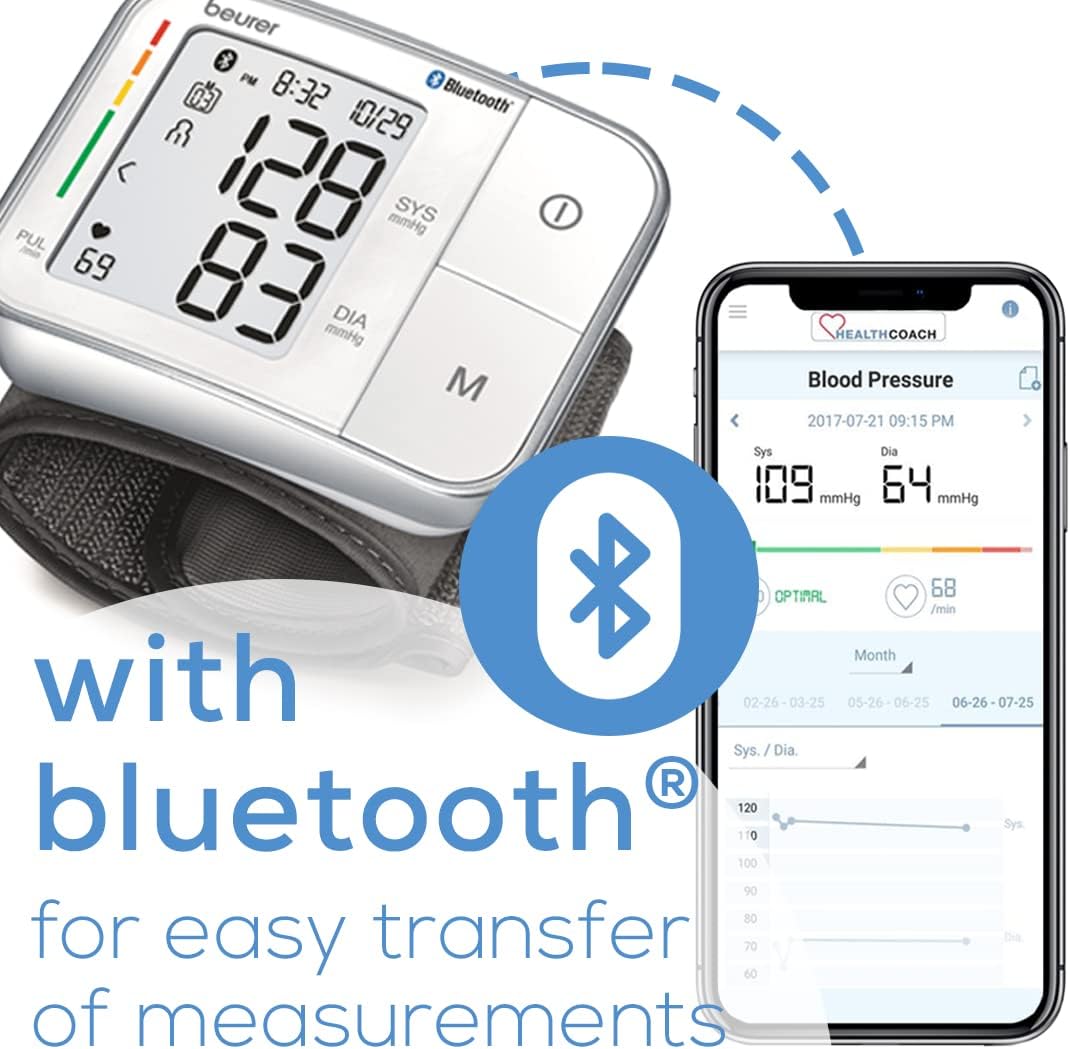
Figure 10: Bluetooth functionality enables easy transfer of measurements to your smartphone.

Figure 11: The device supports two users, saving up to 60 measurements per user.

Figure 12: The monitor detects irregular heartbeat disturbances during measurement.
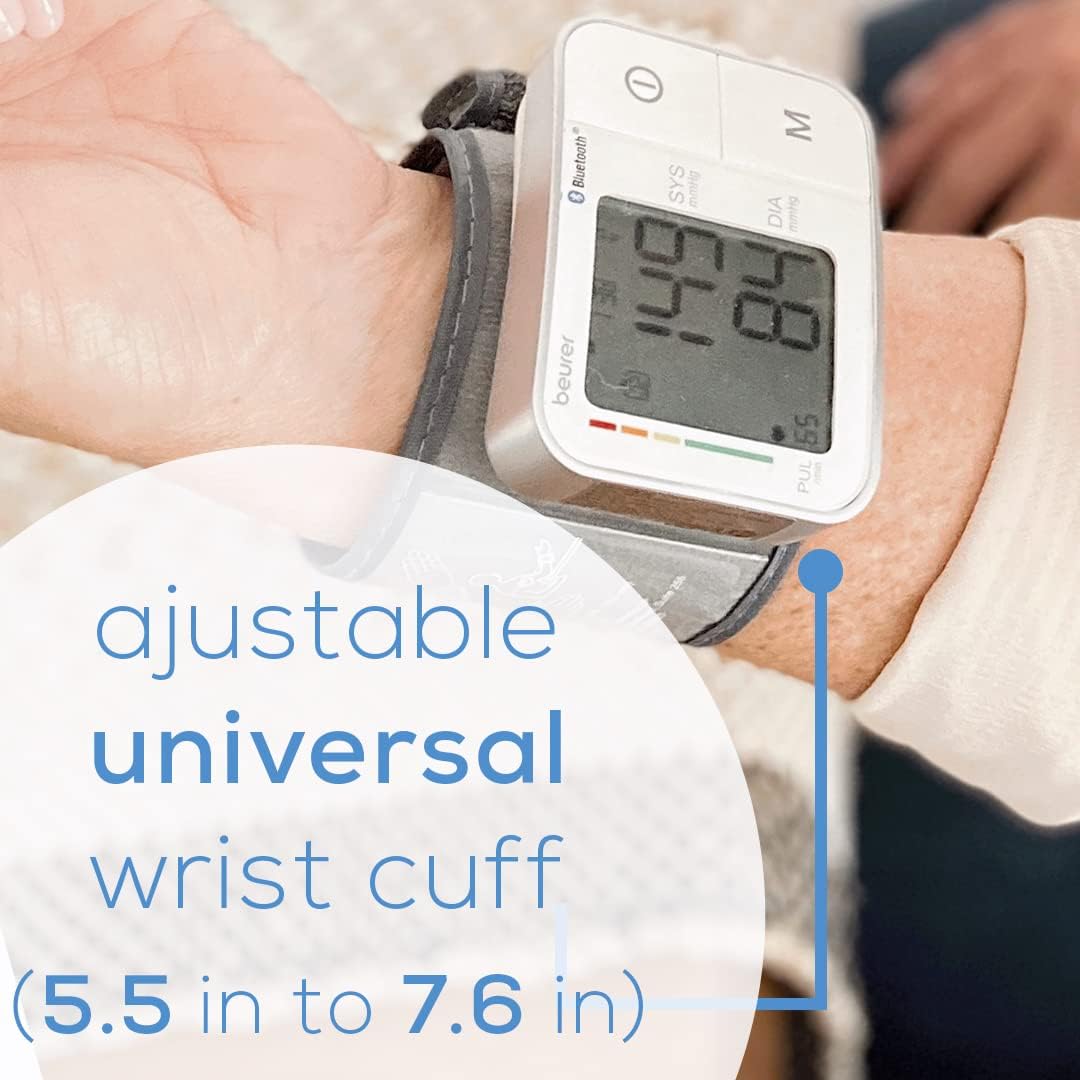
Figure 13: The adjustable universal wrist cuff fits wrists from 5.3 inches to 7.7 inches.
6. Maintenance and Care
Proper maintenance ensures the longevity and accuracy of your Beurer BC57 Blood Pressure Monitor.
- Cleaning: Clean the device and cuff with a slightly damp, soft cloth. Do not use abrasive cleaners or immerse the device in water.
- Storage: Store the monitor in its protective plastic case when not in use. Keep it in a cool, dry place, away from direct sunlight, extreme temperatures, and humidity.
- Battery Replacement: Replace batteries when the low battery indicator appears on the display. Always replace both batteries at the same time with new AAA batteries. Dispose of used batteries according to local regulations.
- Avoid Strong Impacts: Protect the device from drops and strong impacts, as this can damage internal components.
7. Troubleshooting
If you encounter issues with your Beurer BC57 monitor, refer to the following common troubleshooting tips:
- Device Not Turning On: Check if the batteries are inserted correctly with the right polarity. Replace batteries if they are old or depleted.
- Error Messages (e.g., 'E3'): If an error message appears, it often indicates an issue with cuff placement or movement during measurement. Ensure the cuff is correctly positioned and you remain still. Sometimes, removing and reinserting the batteries can resolve minor electronic glitches.
- Inaccurate Readings:
- Ensure your wrist is at heart level during measurement.
- Remain calm and still, avoiding talking or moving.
- If repeating a measurement, wait at least 5 minutes between readings.
- Ensure the cuff size is appropriate for your wrist (5.3" to 7.7").
- Bluetooth Syncing Issues:
- Ensure Bluetooth is enabled on your smartphone.
- Make sure the HealthCoach app is open and running.
- Try restarting both the monitor (by removing and reinserting batteries) and your smartphone.
- Ensure the device is within close proximity to your smartphone during syncing.
- If the device fails to sync, try refreshing by pressing the power button on the monitor.
- Irregular Heartbeat Indicator: If this symbol appears frequently, consult your doctor for further evaluation.
8. Specifications
Detailed technical specifications for the Beurer BC57 Wrist Blood Pressure Monitor:

Figure 14: Dimensions of the Beurer BC57 Wrist Blood Pressure Monitor.
- Model: BC57
- Product Dimensions: 2.9 x 0.9 x 2.3 inches (7.4 x 2.3 x 5.8 cm)
- Item Weight: 8 ounces (227 grams)
- Power Source: 2 x AAA batteries (included)
- Display Type: Large LCD Display
- Cuff Size: Adjustable, fits wrist circumferences from 5.3" to 7.7" (13.5 cm to 19.5 cm)
- Memory Spaces: 60 for 2 users (total 120)
- Connectivity: Bluetooth for HealthCoach app integration
- Features: Irregular Heart Rate Detection, Resting Indicator, Color-Coded Risk Indicator
- Manufacturer: Beurer North America LP
- Age Range: Adult
9. Warranty and Support
The Beurer BC57 Wrist Blood Pressure Monitor is manufactured by Beurer North America LP. For specific warranty information, please refer to the warranty card included with your product or visit the official Beurer North America website.
Additional support resources:
- User Manual (PDF): A comprehensive PDF version of the user manual is available for download from the product's Amazon page or the Beurer support website.
- HealthCoach App: The HealthCoach app provides a digital record of your measurements and may offer additional support features.
- Customer Service: For technical assistance or product inquiries, please contact Beurer North America LP customer service directly.


