
1. Introduction
The TELEFUNKEN M80 is a dynamic microphone designed to offer superior audio performance for a variety of applications. It provides a wider frequency response and higher sound pressure level (SPL) capabilities compared to standard dynamic microphones, delivering condenser-like performance in a robust dynamic design. The M80 is suitable for capturing vocals, instruments, and drums in both live stage and studio environments. Its low-mass capsule and thin, durable membrane contribute to its ability to capture a broad range of emotional nuances from live vocals, a characteristic often associated with studio-quality condenser microphones.

Image 1.1: The TELEFUNKEN M80 Dynamic Microphone, featuring a green body and chrome grille.
2. What's in the Box
Upon unboxing your TELEFUNKEN M80 Dynamic Microphone, please ensure all components are present:
- TELEFUNKEN M80 Dynamic Microphone
- Microphone Clip
- Protective Pouch
3. Setup
3.1 Mounting the Microphone
The M80 microphone is designed for handheld use or mounting on a standard microphone stand. Use the included microphone clip for secure attachment.
- Attach the microphone clip to a standard microphone stand (not included) by screwing it onto the threaded post.
- Gently insert the base of the M80 microphone into the clip until it is securely held.

Image 3.1: The included microphone clip, designed to securely hold the M80.
3.2 Connecting the Microphone
The M80 uses a standard 3-pin XLR connector for audio output. It is a passive dynamic microphone and does not require phantom power.
- Connect one end of a balanced XLR cable (not included) to the XLR output port at the base of the M80 microphone.
- Connect the other end of the XLR cable to an available microphone input on your mixer, audio interface, or preamplifier.
- Ensure all connections are firm and secure.
4. Operating the Microphone
4.1 Polar Pattern
The TELEFUNKEN M80 features a unidirectional (cardioid) polar pattern. This means the microphone is most sensitive to sounds coming from directly in front of it and significantly less sensitive to sounds from the sides and rear. This characteristic helps to reduce feedback in live sound environments and isolate the desired sound source in the studio.
4.2 Recommended Uses and Placement
The M80 is versatile and excels in various applications:
- Vocals (Singing & Speech): For lead vocals, position the microphone 2-6 inches from the mouth. Experiment with distance to control proximity effect (increased bass response when close to the mic). For speech, maintain a consistent distance for clear articulation.
- Instruments: Can be used for guitar amplifiers, snare drums, and other instruments. For guitar amps, try positioning the microphone 1-6 inches from the speaker cone, off-axis for a warmer tone, or on-axis for more bite.
- Drums: Effective for snare drum, tom-toms, or as an overhead microphone in certain setups.
Always monitor your sound through headphones or speakers to find the optimal placement for your specific application.
5. Maintenance
5.1 Cleaning
To maintain the performance and appearance of your M80 microphone:
- Wipe the microphone body with a soft, dry cloth.
- For the grille, use a soft brush to remove any debris. Avoid using liquid cleaners directly on the grille or capsule.
- Ensure the microphone is disconnected from any power source before cleaning.
5.2 Storage
When not in use, store the M80 in its protective pouch to shield it from dust, moisture, and physical damage.
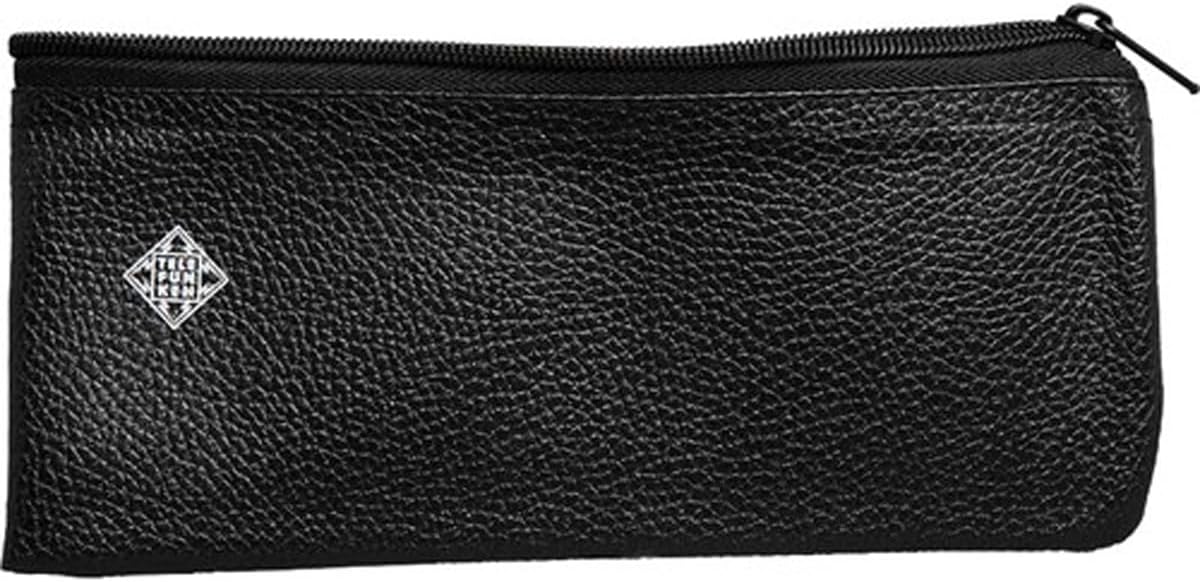
Image 5.1: The protective pouch for storing the M80 microphone.
5.3 Handling Precautions
- Avoid dropping the microphone, as this can damage the internal components.
- Do not expose the microphone to extreme temperatures or high humidity.
- Do not attempt to disassemble the microphone. Refer to qualified service personnel for repairs.
6. Troubleshooting
If you encounter issues with your TELEFUNKEN M80, consider the following common troubleshooting steps:
- No Sound:
- Ensure all XLR cables are securely connected at both the microphone and the input device.
- Verify that the input channel on your mixer or interface is selected and its gain is turned up.
- Test with a different XLR cable to rule out a faulty cable.
- Confirm that the input device is powered on and functioning correctly.
- Distorted Sound:
- Reduce the input gain on your mixer or interface. The M80 has high SPL capabilities, so excessive gain can cause clipping.
- Ensure the microphone is not positioned too close to a very loud sound source, which could overload the capsule.
- Check for any processing (e.g., compression, EQ) that might be causing distortion.
- Feedback:
- Reposition the microphone further away from speakers or monitors.
- Adjust the angle of the microphone, utilizing its unidirectional polar pattern to point away from sound sources that could cause feedback.
- Reduce the overall volume or specific frequency ranges that are feeding back.
If these steps do not resolve the issue, please contact TELEFUNKEN Elektroakustik support for further assistance.
7. Specifications
| Feature | Specification |
|---|---|
| Brand | TELEFUNKEN |
| Model | M80 |
| Microphone Form Factor | Handheld |
| Polar Pattern | Unidirectional (Cardioid) |
| Connectivity Technology | XLR |
| Connector Type | XLR |
| Power Source | Corded Electric (Passive Dynamic) |
| Number of Channels | 1 |
| Recommended Uses | Singing, Speech |
| Item Weight | 3 pounds |
| Package Dimensions | 10 x 7 x 4 inches |
| UPC | 810047030683 |
8. Warranty and Support
For information regarding warranty coverage and terms for your TELEFUNKEN M80 Dynamic Microphone, please refer to the documentation provided at the time of purchase or visit the official TELEFUNKEN Elektroakustik website. For technical support, service, or parts, please contact TELEFUNKEN Elektroakustik directly.
Manufacturer: TELEFUNKEN Elektroakustik
Official Store: TELEFUNKEN Elektroakustik Store


