
Andoer HDV-534K
Andoer HDV-534K 4K 48 MP WiFi Digital Video Camera User Manual
Model: HDV-534K
Introduction
This manual provides comprehensive instructions for the operation and maintenance of your Andoer HDV-534K 4K 48 MP WiFi Digital Video Camera. Please read this manual thoroughly before using the camera to ensure proper functionality and to maximize your user experience.
The Andoer HDV-534K is a high-definition digital video camera capable of recording 4K (2880 x 2160) video at 24 frames per second (interpolated) and capturing still photos at 48MP (9212 x 5184) (interpolated). It features a 3-inch capacitive touchscreen for intuitive control and vivid display.
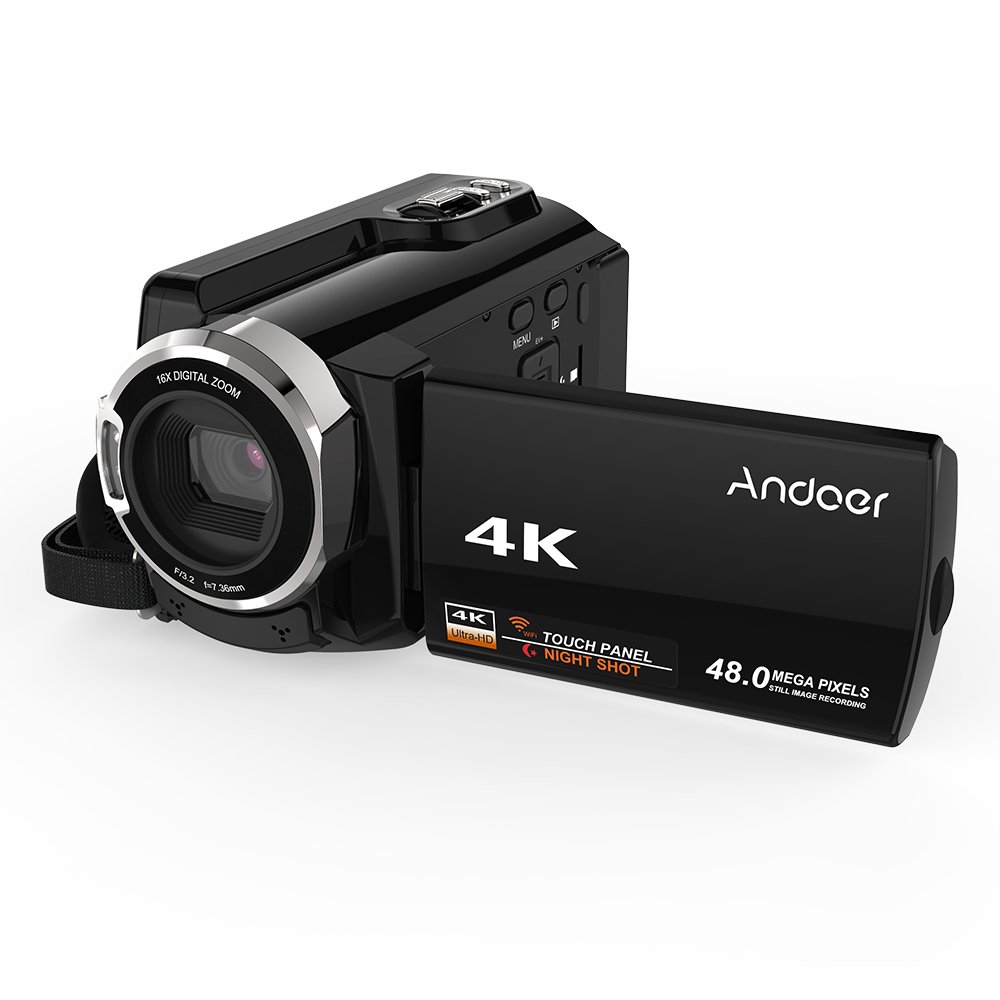
Figure 1: Andoer HDV-534K Digital Video Camera. This image shows the camera from the front-right, with the screen open, displaying the "4K" and "Andoer" branding.
Product Components and Controls
Familiarize yourself with the various parts and controls of your Andoer HDV-534K camera.

Figure 2: Detailed diagram of the Andoer HDV-534K camera, highlighting key components and controls such as the 3-inch touchscreen, MENU button, Playback button, T/W (Telephoto/Wide) zoom, Photo button, Mode button, Up/EV+, Right/IR, T-Flash Card Slot, AV/USB/HD Port, Left/Timed, Power button, Display/WiFi, Down/EV-, Infrared Light (IR), Lens, Mic, Secure Digital Memory Card Slot, Power Light, Charging Light, Start/Stop button, Strap, and Battery compartment.
Key Components:
- Lens: Captures images and video.
- Infrared Light (IR): Used for night vision recording.
- 3-inch Capacitive Touchscreen: For viewing and navigating menus.
- Battery Compartment: Houses the rechargeable battery.
- Secure Digital Memory Card Slot: For inserting SD/SDHC memory cards (not included).
- AV/USB/HD Port: Multi-functional port for connecting to external devices.
- 1/4" Tripod Thread: Located at the bottom for mounting on a tripod.
Setup Guide
1. Charging the Battery
Before first use, fully charge the camera's battery. The Andoer HDV-534K uses a 3.8V 2500mAh lithium polymer battery, designed for longer service time.
- Insert the battery into the battery compartment, ensuring correct orientation.
- Connect the camera to a power source using the provided USB cable and power adapter.
- The Charging Light will indicate the charging status. Refer to the camera's display for battery level.

Figure 3: Image showing the camera with the battery inserted, emphasizing the "Bigger Capacity Longer Service Time" feature of the 3.8V 2500mAh lithium polymer battery.
2. Inserting a Memory Card
The camera requires an SD/SDHC memory card (not included) to store photos and videos.
- Locate the Secure Digital Memory Card Slot on the camera.
- Insert the memory card with the metal contacts facing the correct direction until it clicks into place.
- To remove, gently press the card until it springs out.
3. Initial Power On
- Open the LCD screen.
- Press and hold the Power button until the camera turns on.
- Follow any on-screen prompts for initial setup, such as setting date and time.
Operating Instructions
Recording Videos
- Ensure the camera is in video recording mode. If not, press the Mode button to switch.
- Frame your shot using the 3-inch touchscreen.
- Press the Start/Stop button to begin recording. The recording indicator will appear on the screen.
- Press the Start/Stop button again to stop recording.

Figure 4: The Andoer HDV-534K camera held in hand, displaying a 4K Ultra HD picture on its screen, demonstrating its video recording capability.
Taking Photos
- Switch to photo mode by pressing the Mode button.
- Compose your shot.
- Press the Photo button to capture an image.
Zoom Function
The camera features 16x digital zoom.
- Use the T/W (Telephoto/Wide) button to zoom in (T) or zoom out (W).
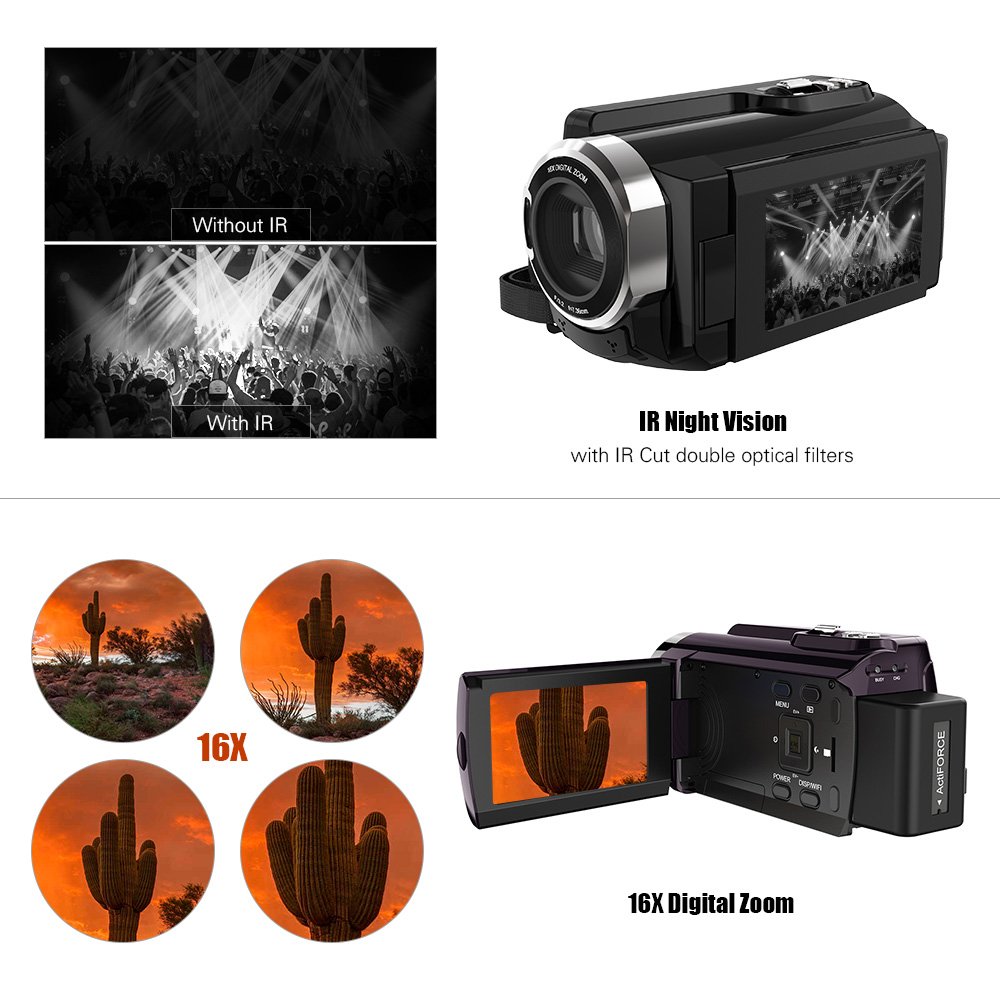
Figure 5: Illustration of the 16x digital zoom capability, showing four magnified views of a cactus, and a comparison of video quality with and without IR night vision.
Infrared (IR) Night Vision
Activate IR night vision for recording in low-light or dark conditions.
- Press the Right/IR button to toggle IR night vision on or off.
Connecting to Other Devices (WiFi & USB/HDMI)
The camera supports WiFi connectivity for wireless transfer and control, and can also connect via AV/USB/HD cable.
- WiFi: Press the Display/WiFi button to activate WiFi. Use the dedicated app on your smartphone or tablet to connect and transfer files.
- AV/USB/HD Cable: Connect the camera to a computer or TV using the appropriate cable for file transfer or direct viewing.

Figure 6: Diagram illustrating the connectivity options of the Andoer HDV-534K, showing connection via AV/USB/HD Cable to a laptop and via WiFi to smartphones.
Maintenance
Cleaning the Camera
- Use a soft, dry cloth to clean the camera body.
- For the lens and touchscreen, use a specialized lens cleaning cloth and solution to avoid scratches.
- Do not use strong detergents or solvents.
Battery Care
- Store the battery in a cool, dry place when not in use.
- Avoid fully discharging the battery frequently to prolong its lifespan.
- If storing for extended periods, charge the battery to about 50% capacity.
Storage
- Store the camera in a dust-free environment, preferably in a camera bag.
- Avoid extreme temperatures and high humidity.
Troubleshooting
| Problem | Possible Cause | Solution |
|---|---|---|
| Camera does not power on. | Battery is depleted or incorrectly inserted. | Charge the battery fully. Ensure the battery is inserted with correct polarity. |
| Cannot record video/take photos. | Memory card is full, not inserted, or corrupted. | Check memory card. Delete unnecessary files or insert a new card. Format the card if necessary (this will erase all data). |
| Poor image/video quality. | Lens is dirty. Insufficient lighting. Incorrect settings. | Clean the lens. Ensure adequate lighting or activate IR night vision. Check resolution settings. |
| WiFi connection issues. | Incorrect WiFi settings. App issues. | Ensure WiFi is enabled on camera and device. Restart both devices. Reinstall the camera's companion app. |
Specifications
The following are the technical specifications for the Andoer HDV-534K Digital Video Camera:
| Feature | Detail |
|---|---|
| Model | HDV-534K |
| Video Capture Resolution | 4K (2880 x 2160) 24fps (interpolation) |
| Photo Resolution | 48MP (9212 x 5184) (interpolation) |
| Screen Size | 3 Inches Capacitive Touchscreen |
| Digital Zoom | 16x |
| Connectivity Technology | Wi-Fi |
| Photo Sensor Technology | CMOS |
| Maximum Aperture | 1.8 f |
| Flash Memory Type | SmartMedia, SDHC |
| Video Capture Format | MP4 |
| Supported Audio Format | MP4 (AAC/MP3) |
| Item Weight | 640 g |
| Manufacturer | china |
| First Available Date | 11 October 2017 |
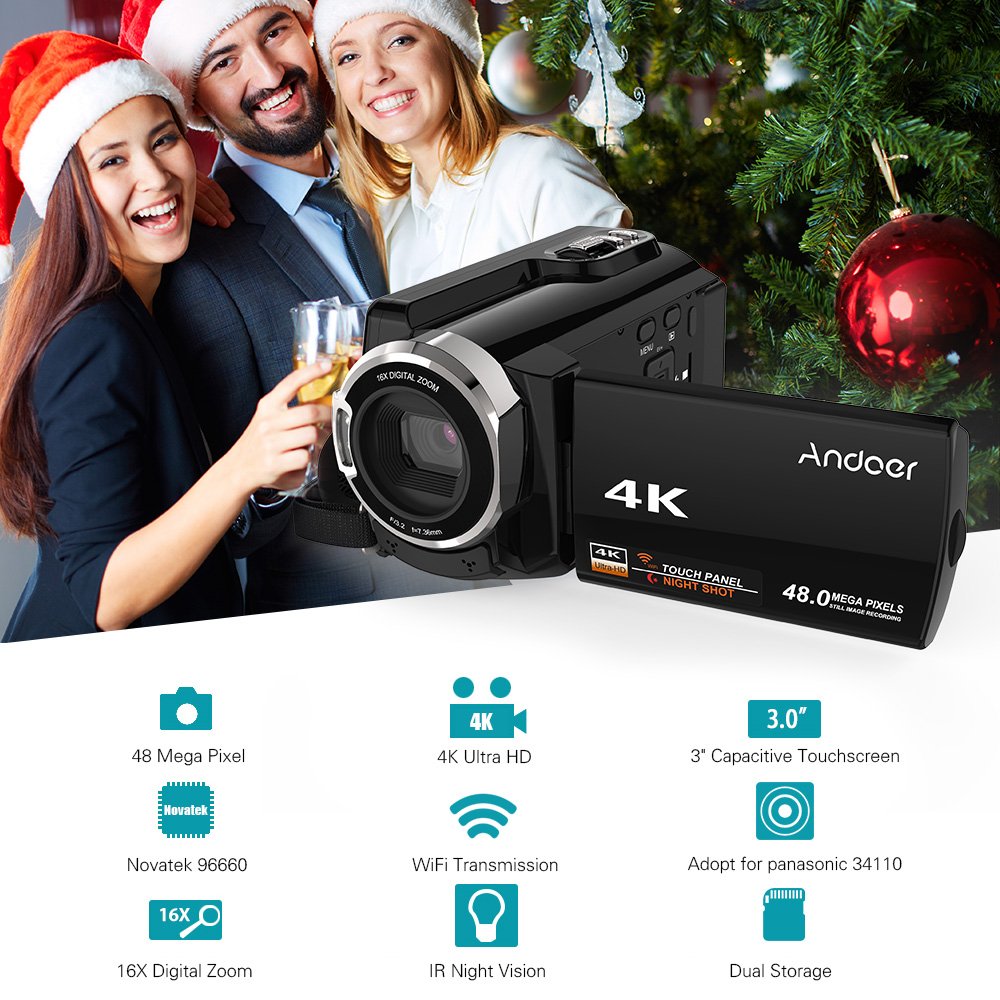
Figure 7: Infographic summarizing key features of the Andoer HDV-534K, including 48 Megapixel, 4K Ultra HD, 3.0" Capacitive Touchscreen, Novatek 96660 processor, 16X Digital Zoom, WiFi Transmission, IR Night Vision, and Dual Storage.
Warranty and Support
For warranty information and customer support, please refer to the documentation included with your purchase or contact Andoer customer service directly. Specific warranty terms and conditions may vary by region and retailer.
Please retain your proof of purchase for any warranty claims.
Related documentsHDV-534K


Ask a question about this manual
Ask about setup, troubleshooting, compatibility, parts, safety, or missing instructions. Manuals+ will review the question and use this page’s manual context to help answer it.