1. Introduction
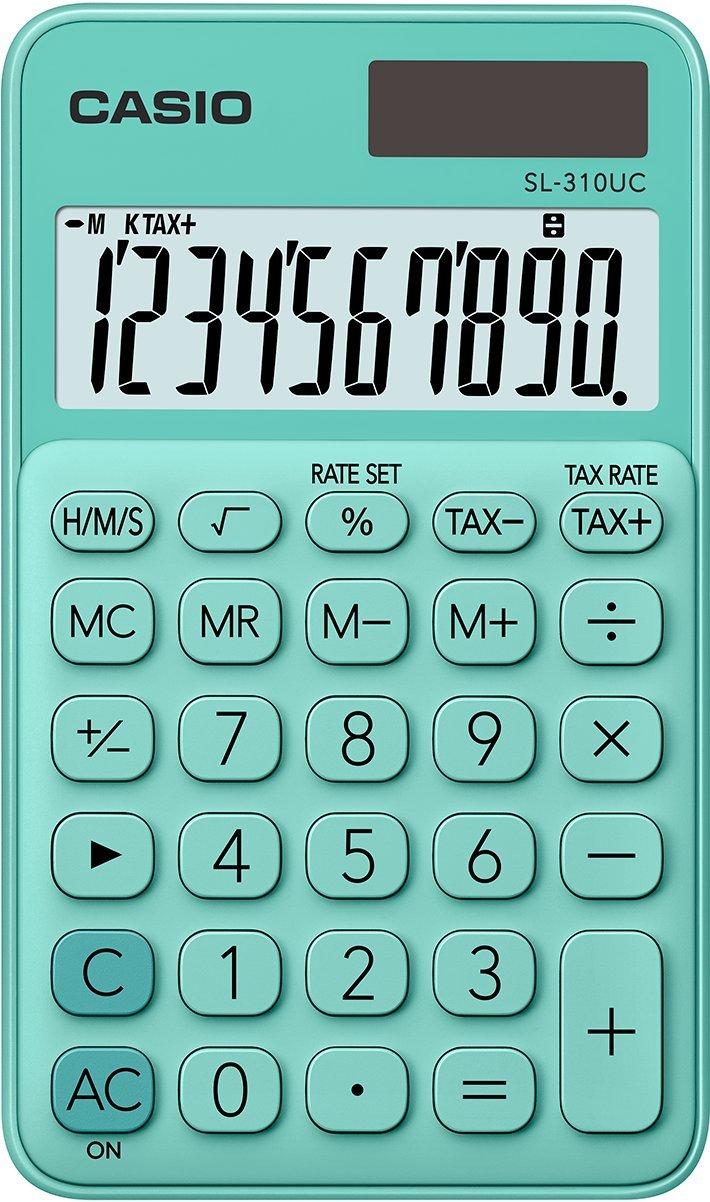
Thank you for choosing the Casio SL-310UC-GN calculator. This compact and efficient calculator is designed for everyday use, offering a 10-digit extra-large display and essential functions such as tax, percentage, memory, and square root calculations. This manual provides detailed instructions to help you get the most out of your device.

Front view of the Casio SL-310UC-GN calculator, showing the display and all keys.
2. Setup
2.1 Power Source
The Casio SL-310UC-GN calculator operates primarily on solar power. It is equipped with a built-in solar panel that charges the internal battery when exposed to light. For optimal performance, ensure the solar panel is not obstructed during use. The calculator also has a battery backup for use in low-light conditions.

An icon indicating the calculator's solar power capability, showing a battery and a sun symbol.
2.2 Initial Use
To turn on the calculator, simply expose the solar panel to light or press the AC/ON button. The display will show '0'. If the display does not appear, ensure sufficient light is available or that the battery is not completely depleted.
3. Operating Instructions
3.1 Basic Calculations
Perform standard arithmetic operations:
- Addition: Enter the first number, press +, enter the second number, then press =.
- Subtraction: Enter the first number, press -, enter the second number, then press =.
- Multiplication: Enter the first number, press ×, enter the second number, then press =.
- Division: Enter the first number, press ÷, enter the second number, then press =.
3.2 Percentage Calculations
Use the % key for percentage calculations.
- To calculate a percentage of a number: Enter the number, press ×, enter the percentage value, then press %. (e.g., 100 × 10 % = 10)
- To add a percentage: Enter the number, press +, enter the percentage value, then press %. (e.g., 100 + 10 % = 110)
- To subtract a percentage: Enter the number, press -, enter the percentage value, then press %. (e.g., 100 - 10 % = 90)
3.3 Tax Calculations
The calculator features dedicated keys for tax calculations. First, set the tax rate:
- Press RATE SET.
- Enter the tax rate (e.g., 5 for 5%).
- Press RATE SET again to save.
Once the tax rate is set:
- To add tax: Enter the amount, then press TAX+.
- To subtract tax: Enter the amount, then press TAX-.

A close-up view of the percentage (%), TAX-, and TAX+ buttons, used for tax and percentage calculations.
3.4 Memory Functions
The calculator includes 8 memory keys for storing and recalling values:
- MC (Memory Clear): Clears the memory content.
- MR (Memory Recall): Recalls the current memory content to the display.
- M- (Memory Minus): Subtracts the displayed value from the memory content.
- M+ (Memory Plus): Adds the displayed value to the memory content.
3.5 Square Root Calculation
To calculate the square root of a number:
- Enter the number.
- Press the √ (square root) key.
A close-up view of the square root (√) button, used for calculating the square root of a number.
3.6 Time Unit Calculations (H/M/S)
The H/M/S key allows for calculations involving hours, minutes, and seconds. Refer to the on-screen indicators for proper input and output format when performing time-related arithmetic.
3.7 Subdivision in Thousands and Quick Fix Key
- Subdivision in Thousands: The display automatically formats large numbers with comma separators (e.g., 1,000,000) for improved readability.
- Quick Fix Key: The → (backspace) key allows you to delete the last entered digit, useful for correcting input errors without clearing the entire calculation.
4. Maintenance
4.1 Cleaning
To clean the calculator, wipe it gently with a soft, dry cloth. Do not use abrasive cleaners, solvents, or spray directly onto the device, as this may damage the display or keys.
4.2 Storage
Store the calculator in a cool, dry place away from direct sunlight and extreme temperatures. Avoid placing heavy objects on top of the calculator to prevent damage to the display or keys.
5. Troubleshooting
5.1 Display Issues
- Blank Display: Ensure the solar panel is exposed to sufficient light. If in a dark environment, the battery backup may be depleted. Try moving to a brighter area.
- Faint Display: This may indicate low battery power. Expose the calculator to bright light to charge the solar cell.
5.2 Incorrect Calculations
- Unexpected Results: Double-check your input. Ensure you are using the correct operation keys. Clear the calculator by pressing AC/ON and re-enter the calculation.
- Memory Indicator: If the 'M' indicator is on, a value is stored in memory. Clear memory by pressing MC if it's interfering with your current calculation.
5.3 Calculator Not Responding
If the calculator becomes unresponsive, try pressing the AC/ON button. If the issue persists, move the calculator to a well-lit area to ensure adequate power supply.
6. Specifications
| Model Number | SL-310UC-GN |
| Display | 10-digit Extra Large LC Display |
| Power Source | Solar Powered with Battery Backup |
| Product Dimensions | 4.65 x 2.76 x 0.1 inches (11.8 x 7 x 0.25 cm) |
| Item Weight | 1.76 ounces (50 grams) |
| Screen Size | 7.07 Centimeters |
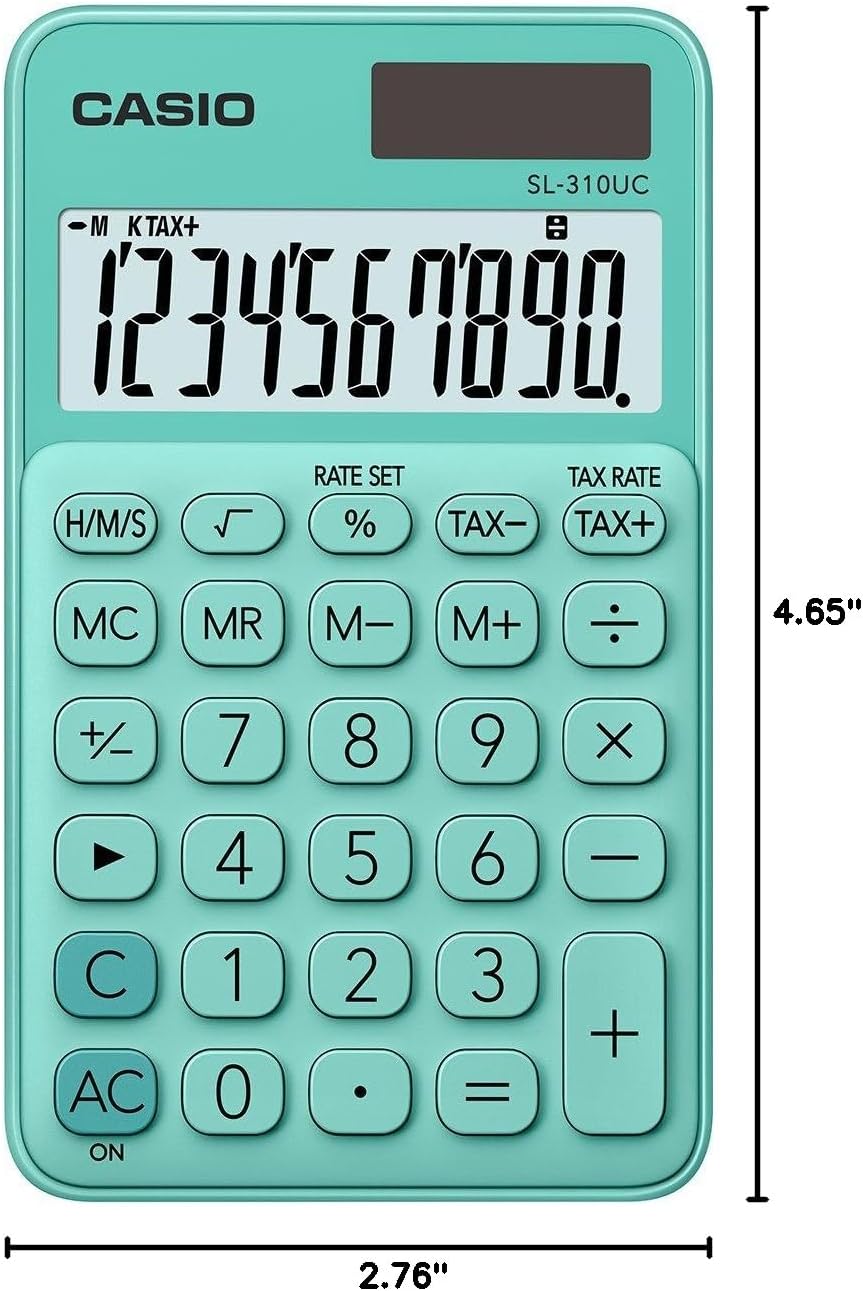
Diagram illustrating the dimensions of the Casio SL-310UC-GN calculator: 4.65 inches in length and 2.76 inches in width.
7. Warranty and Support
For warranty information and customer support, please refer to the warranty card included with your product or visit the official Casio website. Casio provides reliable support for its products to ensure customer satisfaction.
You can find more information and contact details on the Official Casio Website.


