
1. Introduction
The Tunturi Cardio Fit E35 Ergometer Exercise Bike is designed to provide an effective and comfortable indoor cycling experience. This manual contains important information regarding the assembly, safe operation, maintenance, and technical specifications of your exercise bike. Please read this manual thoroughly before using the product.
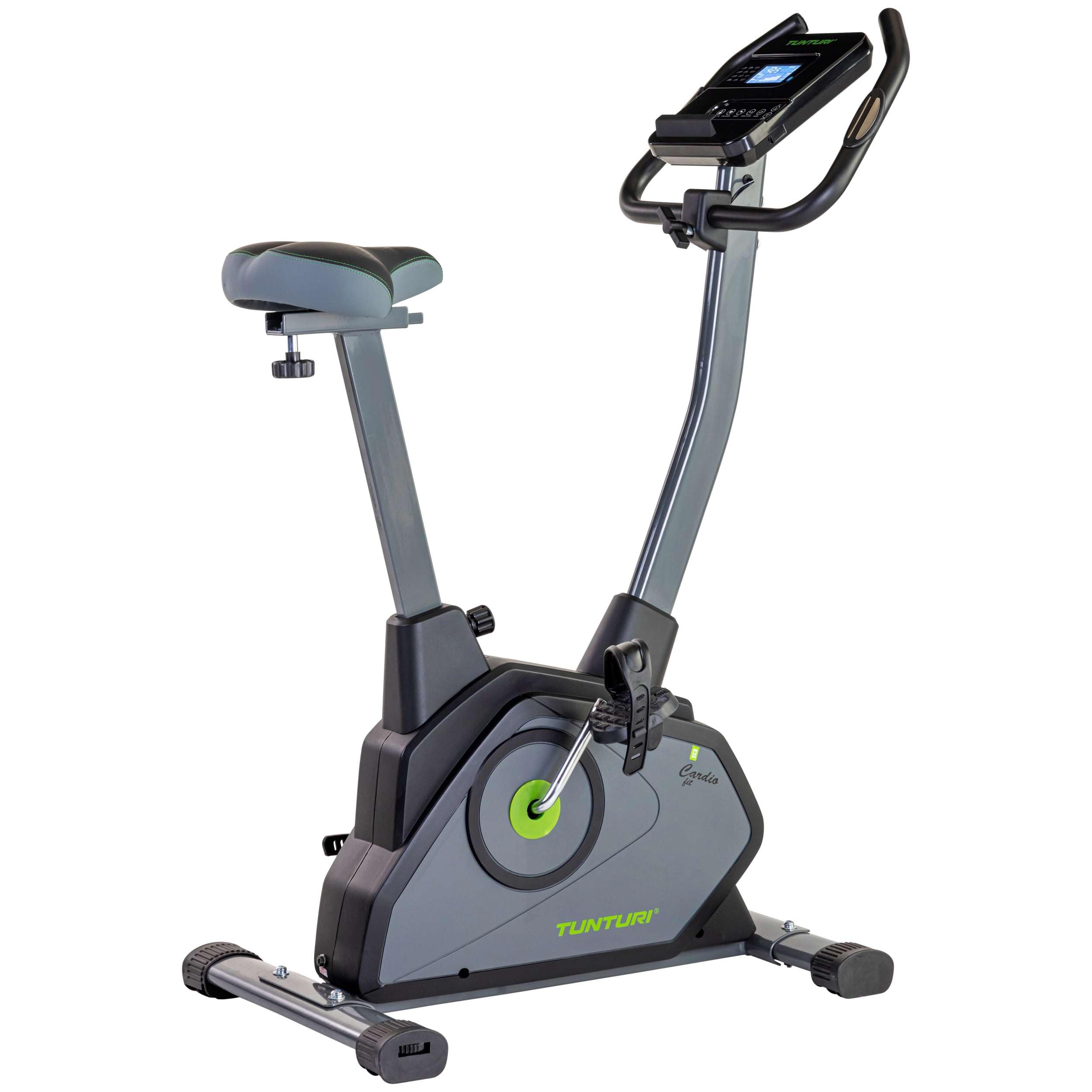
Image 1.1: The Tunturi Cardio Fit E35 Ergometer Exercise Bike, showcasing its compact design and integrated display.
2. Safety Information
Before using the Tunturi Cardio Fit E35, please observe the following safety precautions:
- Consult a physician before starting any exercise program.
- Ensure all parts are correctly assembled and tightened before each use.
- Place the exercise bike on a flat, stable surface.
- Keep children and pets away from the equipment during use.
- Wear appropriate exercise clothing and footwear.
- Do not exceed the maximum user weight of 110 kg (242 lbs).
- Stop exercising immediately if you feel faint, dizzy, or experience pain.
3. Assembly Instructions
The Tunturi Cardio Fit E35 is designed for straightforward assembly. All necessary tools are included. It is recommended to have two people for easier assembly, though one person can complete it within an hour.
- Unpacking: Carefully remove all components from the packaging. Lay them out on a clean, flat surface.
- Attach the Base: Secure the main base unit to the frame. This typically involves tightening four screws.
- Install Seat Support: Attach the seat post to the main frame using the provided screws. Slide the comfortable seat onto the support.
- Attach Pedals: Screw the pedals into their respective cranks. Ensure they are tightened securely with the included wrench. Note that pedals are often marked 'L' for left and 'R' for right.
- Mount Handlebars and Console: Attach the handlebars and the LCD console to the main upright post. Connect any necessary cables for the console. The connections are designed to snap together easily.

Image 3.1: The ergonomic and adjustable features of the exercise bike, including seat height and handlebar position.
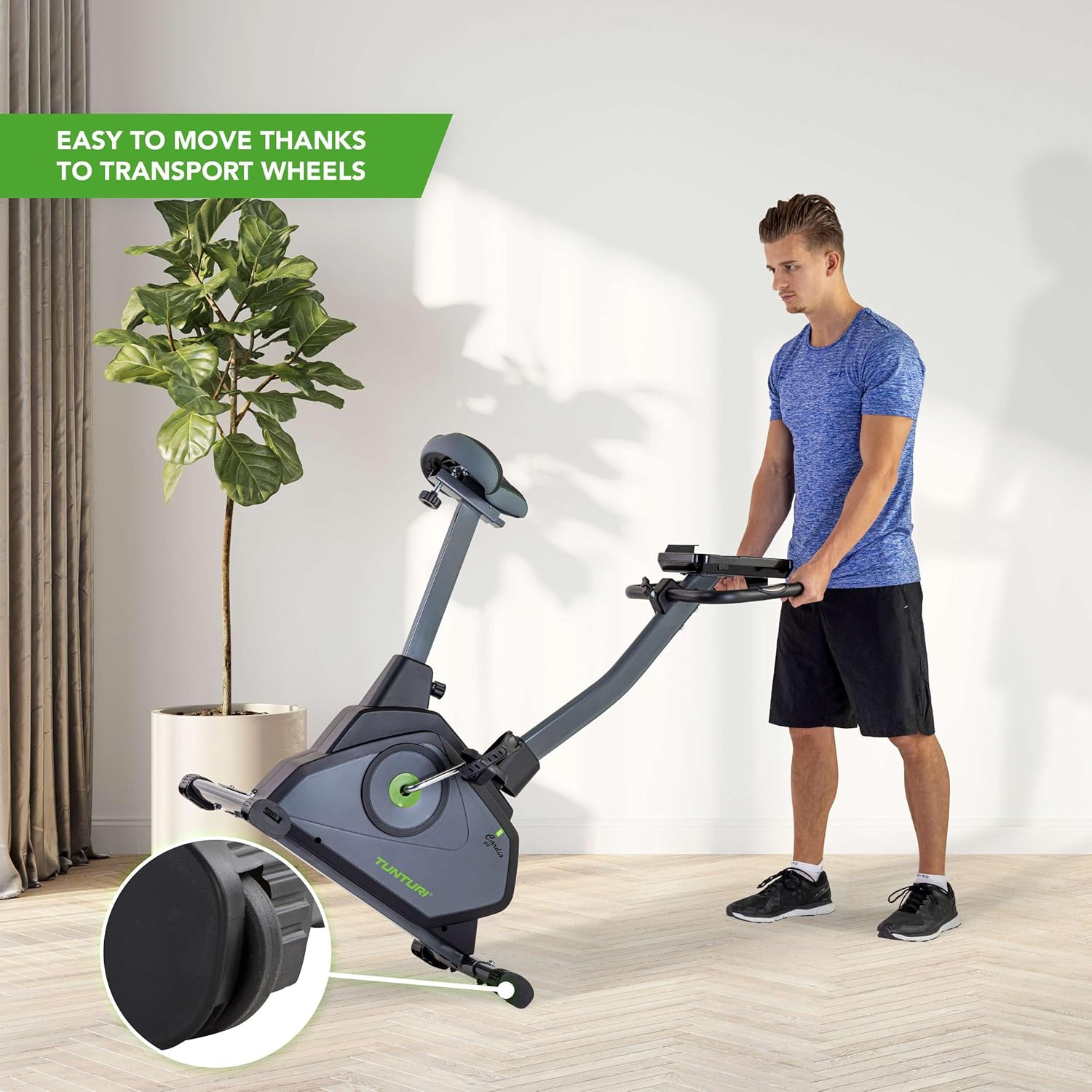
Image 3.2: The exercise bike featuring transport wheels for easy relocation.
4. Operating Instructions
4.1 Adjusting the Bike
- Seat Adjustment: The seat position can be adjusted vertically from 68 to 104 cm and horizontally to ensure optimal comfort and pedaling efficiency. Loosen the adjustment knob, move the seat to the desired position, and tighten the knob securely.
- Handlebar Adjustment: The handlebars are also adjustable to suit your preferred riding posture. Loosen the adjustment mechanism, set the handlebars, and secure them firmly.
- Foot Straps: Adjust the foot straps on the pedals to secure your feet during exercise.
4.2 Using the LCD Display and Programs
The easy-to-read LCD display provides real-time feedback on your workout. It shows:
- Current Speed
- Elapsed Time
- Distance Traveled
- Calories Burned
- Heart Rate (via hand pulse sensors)
- Recovery
- Body Fat
- RPM (Revolutions Per Minute)
- Watts Generated
The bike offers 23 training programs and 16 resistance levels. Use the console buttons (UP/DOWN, MODE, START/STOP, RESET, RECOVERY, BODY FAT) to navigate through programs, adjust resistance, and start/stop your workout.

Image 4.1: Close-up of the LCD control panel, showing various workout metrics and control buttons.

Image 4.2: Guide illustrating the 16 resistance levels and their recommended uses, from rehabilitation to interval training.
4.3 Bluetooth Connectivity and Apps
The Tunturi Cardio Fit E35 features Bluetooth connectivity, allowing you to connect to compatible fitness applications. The free Tunturi Routes app enables you to experience outdoor training routes indoors. The bike is also compatible with Zwift.
- Connecting to Apps: Ensure Bluetooth is enabled on your device. Open the Tunturi Routes or Zwift app and follow the in-app instructions to pair with your exercise bike.
- Tunturi Routes: This app provides virtual routes, making your indoor workouts more engaging.
- Zwift Compatibility: Connect to Zwift for interactive virtual cycling experiences.

Image 4.3: A user engaging with the Tunturi Routes app on a tablet while exercising on the bike, showing virtual outdoor scenery.
5. Maintenance
Regular maintenance ensures the longevity and optimal performance of your Tunturi Cardio Fit E35 exercise bike.
- Cleaning: Wipe down the bike with a damp cloth after each use to remove sweat and dust. Avoid abrasive cleaners.
- Inspection: Periodically check all bolts, nuts, and moving parts for tightness and wear. Tighten any loose fasteners.
- Lubrication: The magnetic resistance system is generally maintenance-free. If you notice any unusual noises from moving parts, consult the manufacturer's guidelines or contact support.
- Storage: Store the bike in a dry, cool place away from direct sunlight and extreme temperatures.
6. Troubleshooting
If you encounter issues with your Tunturi Cardio Fit E35, refer to the following common troubleshooting steps:
- No Display/Power:
- Ensure the power adapter is securely plugged into both the bike and a working electrical outlet.
- Check if the power outlet is functional by plugging in another device.
- Inaccurate Readings:
- For heart rate, ensure your hands are firmly placed on the pulse sensors.
- Recalibrate the console if an option is available in the manual or settings.
- Unusual Noises:
- Check all assembly bolts and nuts for tightness. Loose components can cause squeaking or rattling.
- Ensure the bike is on a level surface.
- Resistance Issues:
- Verify that the resistance cable (if applicable) is properly connected and not damaged.
- Ensure the console is powered on and functioning correctly, as resistance is electronically controlled.
If problems persist, contact Tunturi customer support.
7. Specifications
| Feature | Specification |
|---|---|
| Model | Cardio Fit E35 |
| Model Number | 16TCFE3250 |
| Dimensions (L x W x H) | 85 x 50 x 125 cm (33.5 x 19.7 x 49.2 inches) |
| Product Weight | 23.5 kg (51.8 lbs) |
| Maximum User Weight | 110 kg (242 lbs) |
| Resistance Mechanism | Magnetic |
| Resistance Levels | 16 |
| Drive System | Belt |
| Power Type | Adapter |
| Special Features | Bluetooth, Hand Pulse Sensors, Tablet Holder, LCD Display, 23 Training Programs |

Image 7.1: Visual representation of the Tunturi Cardio Fit E35 dimensions and weight.
8. Warranty and Support
For warranty information, please refer to the documentation included with your purchase or visit the official Tunturi website. If you require technical assistance, have questions about your product, or need to report a defect, please contact Tunturi customer support directly.
Contact Information: Refer to your product packaging or the official Tunturi website for the most up-to-date contact details.


