
Introduction
Welcome to the user manual for your JBL Everest 750 Over-Ear Wireless Bluetooth Headphones. These headphones are designed to provide a premium audio experience with the convenience of wireless connectivity and advanced features like Adaptive Noise Cancelling. This guide will help you set up, operate, maintain, and troubleshoot your headphones to ensure optimal performance.

Image: The JBL Everest 750 Over-Ear Wireless Bluetooth Headphones in Gun Metal finish, showcasing their sleek design.
What's in the Box
Upon unboxing your JBL Everest 750 headphones, please verify that all components are present:
- JBL Everest 750 Over-Ear Wireless Bluetooth Headphones
- Hard Carrying Case
- Audio Cable (3.5mm to 2.5mm)
- Micro USB Charging Cable

Image: A visual representation of the items included in the JBL Everest 750 package: headphones, hard carrying case, audio cable, and charging cable.
Setup
1. Charging the Headphones
Before initial use, fully charge your headphones. Connect the Micro USB charging cable to the charging port on the headphone and the other end to a USB power source. The LED indicator will show charging status. A full charge takes approximately 3 hours.
2. Power On/Off
- To Power On: Press and hold the Power button until the LED indicator lights up.
- To Power Off: Press and hold the Power button until the LED indicator turns off.
3. Bluetooth Pairing
To connect your headphones to a Bluetooth-enabled device:
- Ensure the headphones are powered off.
- Press and hold the Power button for approximately 5 seconds until the LED indicator flashes blue and white, indicating pairing mode.
- On your device (smartphone, tablet, laptop), enable Bluetooth and search for available devices.
- Select "JBL Everest 750" from the list of devices.
- Once connected, the LED indicator will turn solid blue.
4. JBL Headphones App
Enhance your listening experience by downloading the My JBL Headphones App. This app allows you to customize sound settings, control Adaptive Noise Cancelling levels, and receive firmware updates for your headphones.
Operating Instructions
1. Headphone Controls
The controls for your JBL Everest 750 headphones are located on the earcups. Familiarize yourself with their functions:
- Power Button: Power on/off, enter pairing mode.
- Volume Up/Down: Adjust audio volume.
- Multi-function Button: Play/pause music, answer/end calls, activate voice assistant (functionality may vary by device).
- ANC Button: Toggle Adaptive Noise Cancelling on/off or adjust levels via the app.
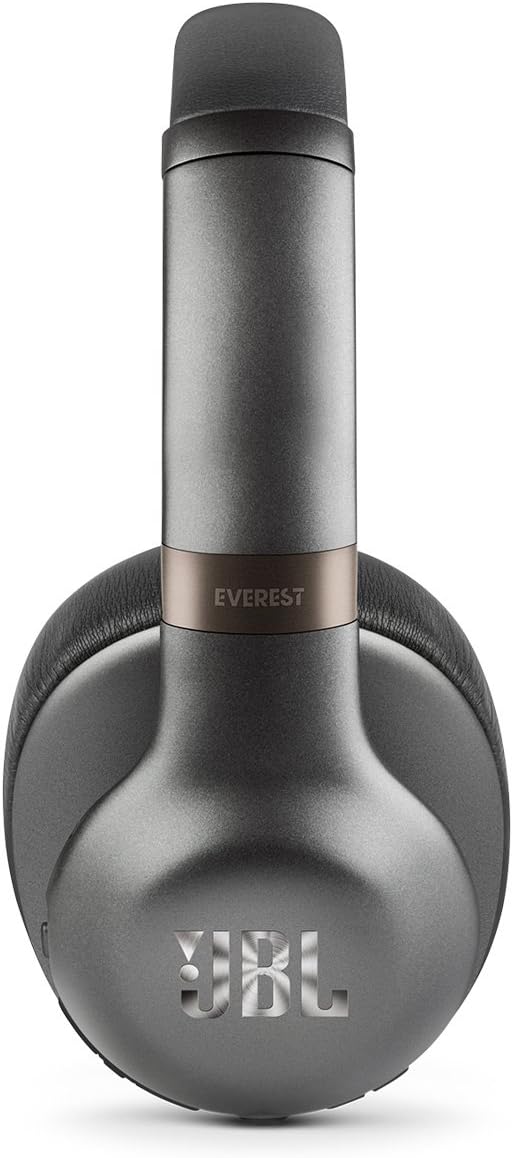
Image: A side view of the JBL Everest 750 headphones, highlighting the location of the control buttons on the earcup.
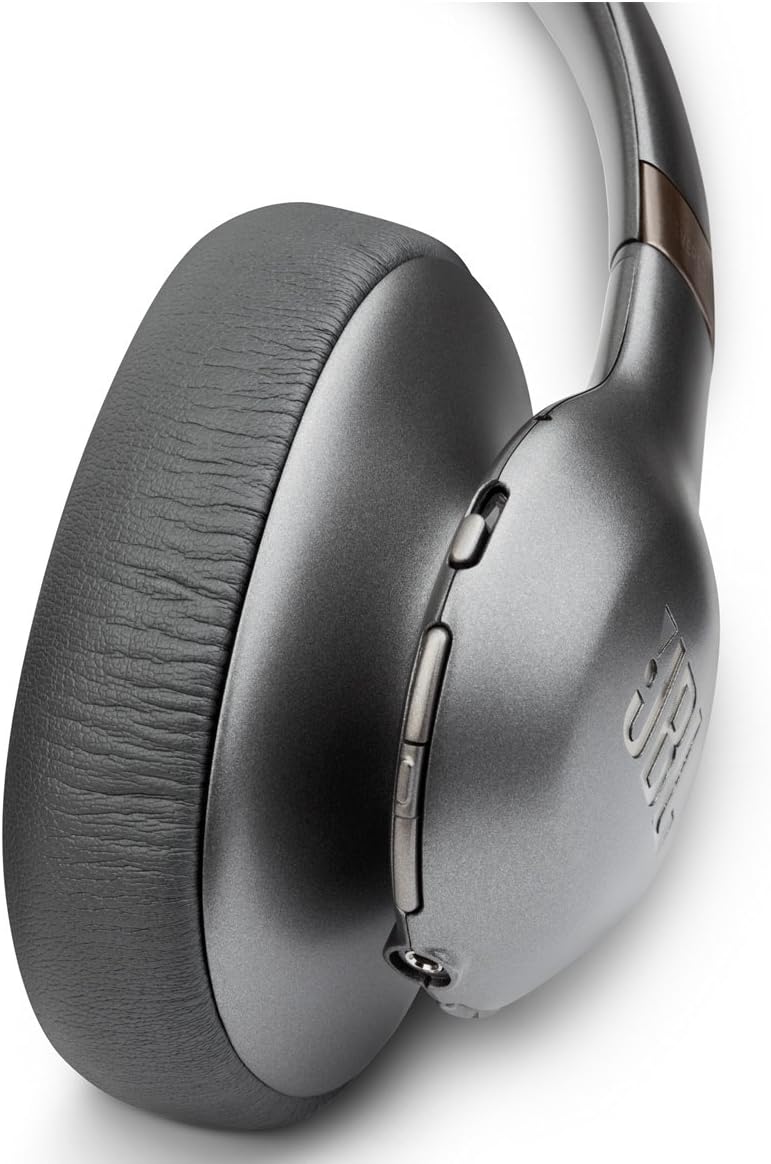
Image: A detailed close-up of the control buttons on the JBL Everest 750 headphones, illustrating their layout.
2. Adaptive Noise Cancelling (ANC)
The Adaptive Noise Cancelling feature allows you to control the amount of ambient noise you hear. Activate or adjust ANC using the dedicated button on the earcup or through the My JBL Headphones App. This feature provides up to 15 hours of listening time on a single charge.
3. Hands-Free Calls
The built-in microphone with echo cancellation technology enables clear, hands-free calls. When a call comes in, press the multi-function button to answer, and press again to end the call.
4. Wired Connection
For situations where Bluetooth is not available or preferred, you can use the included 3.5mm to 2.5mm audio cable to connect your headphones to an audio source. Simply plug the 2.5mm end into the headphone's audio jack and the 3.5mm end into your device's audio output.
Maintenance
1. Cleaning
Wipe the headphones with a soft, dry cloth. Do not use liquid cleaners or aerosols. Avoid getting moisture into any openings.
2. Storage
When not in use, store the headphones in their compact hard carrying case to protect them from dust and damage. The flat-fold design allows for easy storage.

Image: The JBL Everest 750 headphones shown in their folded configuration, ready for storage in the included carrying case.
3. Battery Care
To prolong battery life, avoid fully discharging the headphones frequently. Charge them regularly, even if not in constant use. Store in a cool, dry place away from extreme temperatures.
Troubleshooting
| Problem | Possible Cause | Solution |
|---|---|---|
| Headphones do not power on | Low battery | Charge the headphones fully. |
| Cannot pair via Bluetooth | Headphones not in pairing mode; device Bluetooth off; previously paired to another device | Ensure headphones are in pairing mode (flashing blue/white LED). Turn on Bluetooth on your device. Disconnect from other devices if necessary. |
| No sound or poor sound quality | Volume too low; incorrect source selected; loose wired connection; interference | Increase volume on headphones and device. Check device audio output. Ensure wired connection is secure. Move away from sources of interference. |
| Charging issues | Faulty cable or port; specific cable required | Try a different Micro USB cable and power source. Ensure the cable is securely connected. |
| ANC not working effectively | ANC off; improper fit | Ensure ANC is activated. Adjust headphone fit for a better seal around your ears. |
Specifications
- Model Name: JBL Everest 750
- Connectivity Technology: Bluetooth
- Noise Control: Active Noise Cancellation
- Battery Life: Up to 15 hours (with ANC), up to 20 hours (wireless only)
- Charging Time: 3 hours
- Headphones Jack: Micro USB (for charging), 2.5mm (for audio cable)
- Earpiece Shape: Over-Ear
- Material: Metal components
- Item Weight: 1.1 pounds
- Product Dimensions: 4.8 x 8.98 x 6.38 inches
- UPC: 050036342247
Warranty and Support
JBL products are designed for durability and performance. For warranty information, please refer to the warranty card included with your product or visit the official JBL support website. For technical assistance or customer service, please contact JBL customer support through their official channels.
Official JBL Support: www.jbl.com/support


