
Introduction
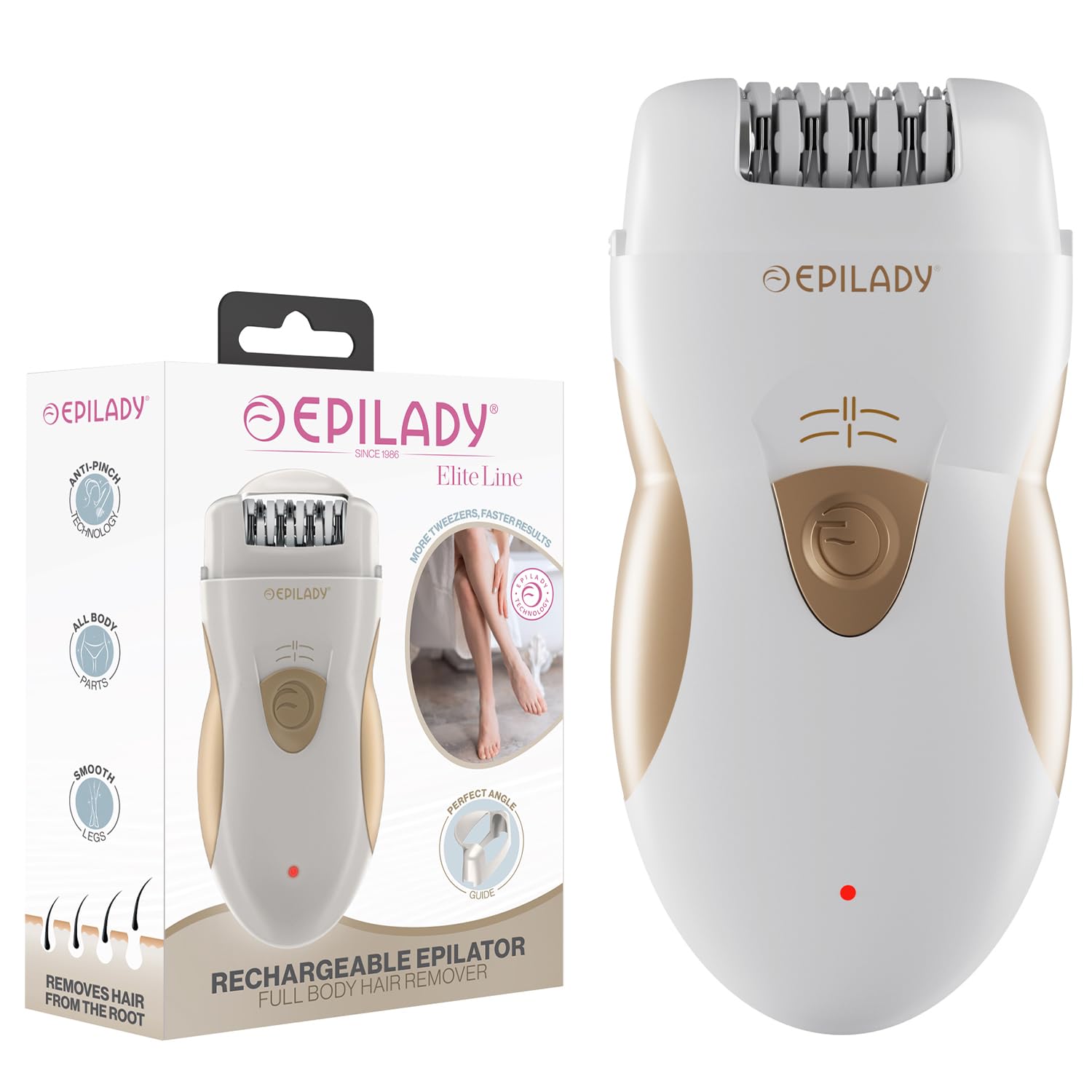
The Epilady Legend 5 is a rechargeable cordless epilator designed for effective hair removal. This device removes hair from the root, providing smooth skin for an extended period. It features 56 tweezers and dual-speed settings for versatile use across various body areas.
Safety Information
- Read all instructions before use.
- Keep the device away from water. The Epilady Legend 5 is not water resistant and should not be used in the shower or bath, or submerged in water.
- Do not use on irritated skin, open wounds, moles, or varicose veins. Consult a doctor if you have any skin conditions or concerns.
- Keep out of reach of children.
- Ensure the device is fully charged before first use to optimize battery life.
- Only use the provided charging cable.
Package Contents
Your Epilady Legend 5 package includes the following items:
- Epilady Legend 5 Epilator
- Charging Cable
- Cleaning Brush
- Travel Case / Pouch
- Perfect Angle Guide

Setup
Charging the Device
Before first use, fully charge your Epilady Legend 5. Connect the charging cable to the device and plug it into a power outlet. The indicator light will show charging status. A full charge takes approximately 60 minutes and provides up to 40 minutes of operating time.

Attaching the Angle Guide
The Epilady Legend 5 comes with a perfect angle guide to ensure optimal positioning for efficient hair removal. This guide is designed to help you hold the device correctly against your skin. To attach, align the guide with the epilation head and snap it into place. To remove, gently pull it off.

Operating Instructions
Preparation
For best results, ensure your skin is clean and dry before epilation. Hair should be between 0.3 mm and 5 mm in length. If hair is longer, trim it first.
Using the Epilator
- Turn on the device using the power switch.
- Select the desired speed setting:
- Speed 1 (Lower Speed): Recommended for sensitive skin areas like the bikini line and underarms.
- Speed 2 (Higher Speed): Suitable for faster epilation on larger body areas such as legs and arms.
- Hold the skin taut with one hand.
- Gently glide the epilator over the skin against the direction of hair growth. Maintain a 90-degree angle to the skin.
- Do not press too hard; let the epilator do the work.


Understanding Epilation
Epilation removes hair from the root, which can cause some discomfort initially. With regular use, hair may grow back thinner and slower, reducing discomfort over time. The dual-speed settings allow for adjustment based on sensitivity and hair type.

Official Product Videos
How to Use Your Epilady L5 Rechargeable Epilator
Video: A detailed guide on how to effectively use the Epilady L5 rechargeable epilator for hair removal.
Unboxing Your Epilady L5 Rechargeable Epilator
Video: An unboxing experience for the Epilady L5 rechargeable epilator, showing all included components.
Maintenance
Cleaning the Epilator
Regular cleaning ensures optimal performance and hygiene. After each use:
- Ensure the device is turned off and unplugged.
- Remove the perfect angle guide and epilation cap. These can be rinsed under running water and dried with a towel or air-dried.
- Use the provided cleaning brush to remove any trapped hairs from the epilation head. You can gently turn the epilation wheel to open and close the tweezers for thorough cleaning.
- Important: Do not run the main body of the epilator under water as it is not water resistant.
How To Clean and Store your Epilady L5 Rechargeable Epilator
Video: Instructions on how to clean and properly store your Epilady L5 epilator.
Storage
Store the epilator in a cool, dry place. Use the included travel case or pouch to protect the device and its accessories when not in use or during travel.
Troubleshooting
| Problem | Possible Cause | Solution |
|---|---|---|
| Device not turning on. | Battery is low or depleted. | Charge the device for 60 minutes. Ensure the charging cable is properly connected. |
| Hair not being removed effectively. | Hair is too short or too long; incorrect angle; epilation head is dirty. | Ensure hair length is optimal (0.3mm-5mm). Hold skin taut and glide against hair growth at a 90-degree angle. Clean the epilation head thoroughly. |
| Discomfort or pain during epilation. | First-time use; sensitive area; high-speed setting. | Start with the lower speed setting. With regular use, discomfort typically diminishes. Ensure skin is taut. |
| Device stops working after a short period. | Battery life issue. | Ensure the device is fully charged. If issues persist, contact customer support. |
Specifications
- Model Name: Epilady L5 (Legend 5)
- Power Source: Battery Powered (1 Lithium Ion battery included)
- Charging Time: 60 minutes
- Operating Time: 40 minutes
- Number of Tweezers: 56
- Speed Settings: Dual Speed
- Water Resistance Level: Not Water Resistant
- Product Dimensions: 5 x 2.5 x 0.1 inches
- Item Weight: 5 Ounces
- Color: White and Golden
- UPC: 858469001539
Warranty & Support
The Epilady Legend 5 comes with a 90 Days Manufacturer Warranty. For any product inquiries, technical support, or warranty claims, please contact Epilady customer service. You can find more information and contact details on the official Epilady website.
Visit: EpiladyUSA.com