
CITIZEN CHU501
CITIZEN Upper Arm Blood Pressure Monitor CHU501 User Manual
Model: CHU501
Introduction
This manual provides essential information for the safe and effective use of your CITIZEN Upper Arm Blood Pressure Monitor CHU501. Please read it thoroughly before use and keep it for future reference.
The CITIZEN CHU501 is an automatic electronic blood pressure monitor designed for non-invasive measurement of systolic and diastolic blood pressure, contributing to personal health management.
Important Safety Information and Contraindications
To ensure proper and safe use of your blood pressure monitor, please observe the following warnings and prohibitions:
- Always use the arm cuff provided with this blood pressure monitor. Do not connect or use it in conjunction with other medical devices or instruments. Failure to do so may result in injury or accident.
- If you are measuring your own blood pressure, do so under the guidance of a physician and seek their diagnosis. Follow your doctor's instructions regarding medication. Do not self-diagnose or self-treat based on measurement results.
- Do not apply the cuff to an arm with untreated wounds or injuries, as this may worsen the condition.
- Do not apply the cuff to an arm currently undergoing treatment such as intravenous drip or blood transfusion. This may lead to injury or accident.
- If you have severe circulatory disorders in your arm, consult your physician before using this device. Using it without consultation may cause adverse health effects.
- Individuals with low blood flow at the measurement site, weak pulse, or frequent arrhythmias may experience inaccurate measurements or be unable to measure. Always consult a doctor before use.
- Do not use this device near flammable gases, such as anesthetic gases, in a hospital environment. There is a risk of ignition.
- Do not use this device under high oxygen concentrations, such as in hyperbaric oxygen chambers or oxygen tents within hospitals. There is a risk of fire.
- This product is intended for personal blood pressure measurement at home. Do not use it in medical institutions or public places where an unspecified number of individuals are measured.
- If you use a pacemaker, please follow the instructions of your attending physician.
Setup
Before using your blood pressure monitor, ensure it is properly set up.
1. Unpacking and Checking Contents
Carefully unpack the device and verify that all components are present. The standard package includes:
- Main Unit (Blood Pressure Monitor)
- Arm Cuff
- Instruction Manual / Warranty / EMC Technical Data
- Medical Device Attachment Document
- 4 x AA Alkaline Batteries (for initial monitoring)

2. Power Source Installation
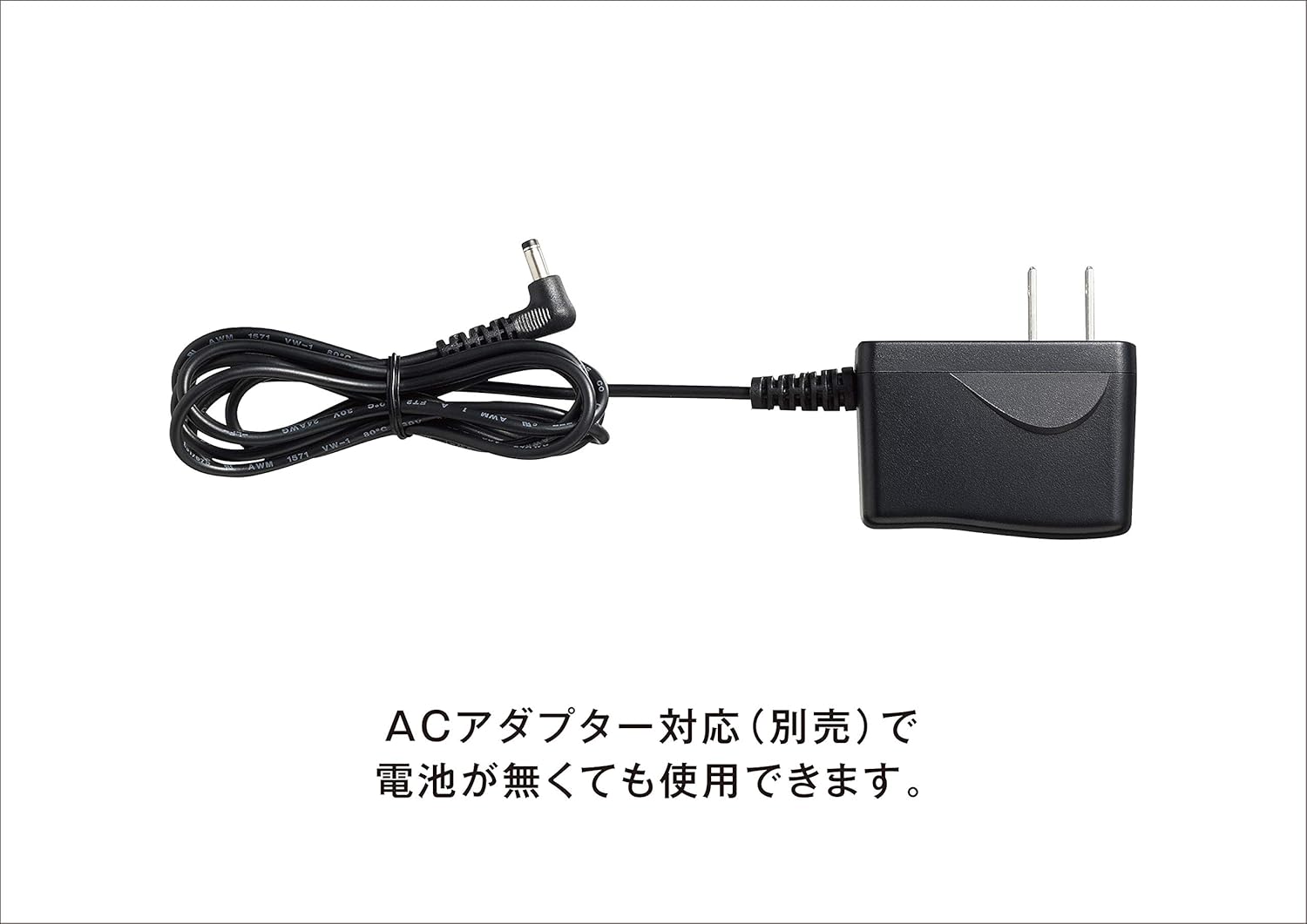
The CHU501 can be powered by four AA alkaline batteries or an optional dedicated AC adapter.
- Battery Installation: Open the battery compartment on the back of the device. Insert four AA alkaline batteries, ensuring correct polarity (+/-). Close the compartment securely.
- AC Adapter (Sold Separately): If using the AC adapter, connect it to the power input jack on the side of the monitor and plug it into a wall outlet.
3. Cuff Connection
Connect the air plug of the arm cuff firmly into the air jack on the side of the main unit.
Operating Instructions
Follow these steps for accurate blood pressure measurement:
1. Prepare for Measurement
- Sit comfortably in a chair with your back supported and feet flat on the floor.
- Rest your arm on a table so the cuff is at heart level.
- Avoid talking, moving, or eating for at least 5 minutes before measurement.
- Ensure the arm cuff is correctly applied to your upper arm, directly on the skin, about 1-2 cm above the elbow. The applicable arm circumference range is 22.0 to 32.0 cm.
2. Start Measurement
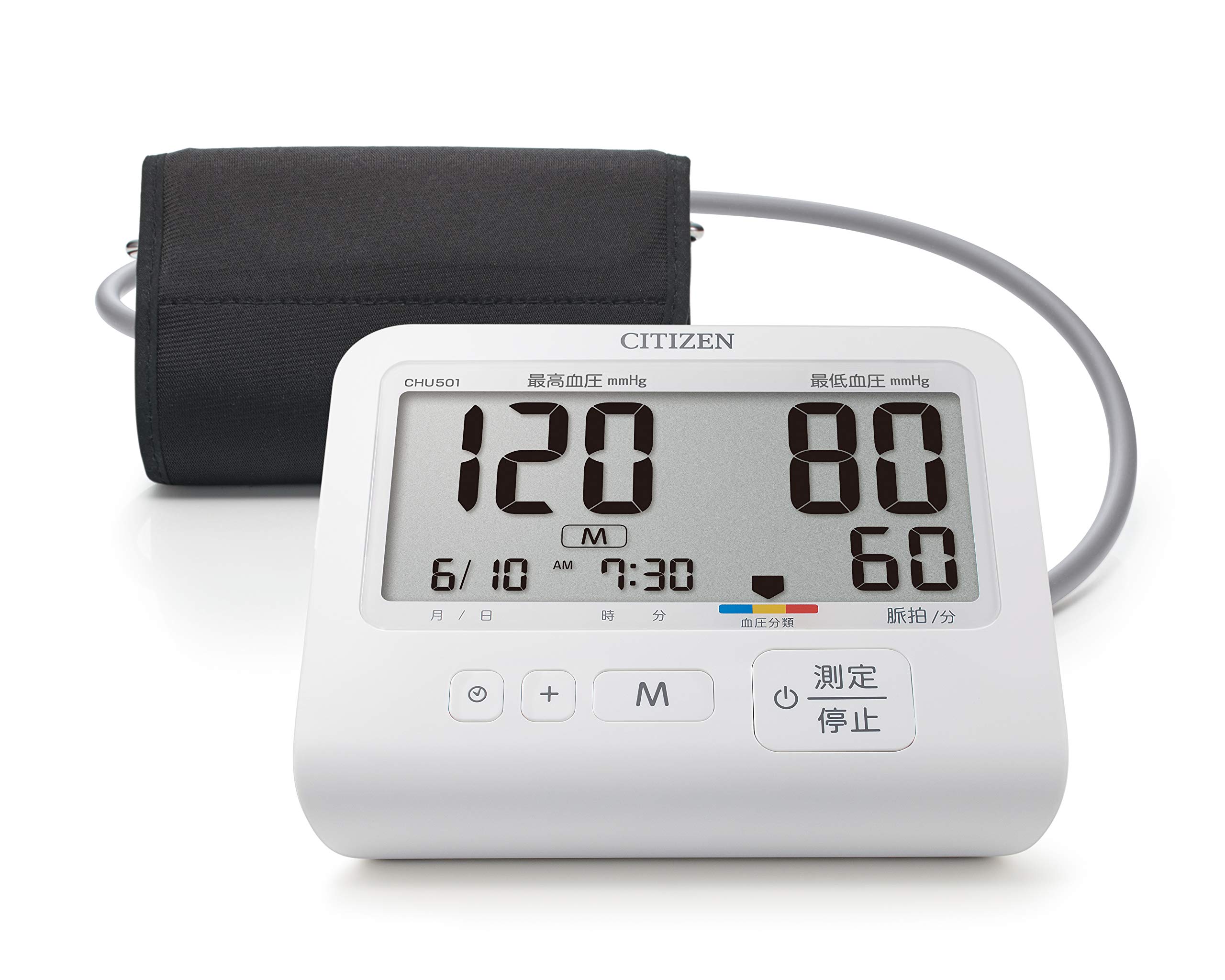
- Press the [Measure/Stop] switch to start the measurement. The cuff will inflate automatically.
- Remain still and quiet during the measurement.
- The measurement results (systolic, diastolic blood pressure, and pulse rate) will be displayed on the LCD screen once the measurement is complete.
3. Stop Measurement (If Necessary)
- If you feel any discomfort or strong pressure during measurement, press the [Measure/Stop] switch again, disconnect the air hose plug, or remove the cuff immediately.
4. Important Measurement Guidelines
- Do not take continuous measurements. Allow an interval of at least 1 minute between measurements to prevent congestion or swelling in the arm.
- The device stores up to 90 measurement readings in its memory.
Maintenance
Proper care and maintenance will ensure the longevity and accuracy of your blood pressure monitor.
- Cleaning: Wipe the main unit and cuff with a soft, dry cloth. Do not use abrasive cleaners or immerse the device in water.
- Storage: When not in use for an extended period, remove the batteries from the device. Store the monitor in a cool, dry place, away from direct sunlight, high temperatures, humidity, dust, and corrosive gases.
- Battery Replacement: If the power mark appears on the display or the device does not turn on when pressing the [Measure/Stop] switch, replace all four AA alkaline batteries simultaneously with new ones. If using rechargeable batteries, ensure they are fully charged.
Troubleshooting
If you encounter any issues with your blood pressure monitor, refer to the following common solutions:
| Problem | Possible Cause | Solution |
|---|---|---|
| Device does not turn on or display nothing. | Low or depleted batteries. | Replace all four AA alkaline batteries with new ones simultaneously. If using rechargeable batteries, ensure they are charged. |
| Feeling strong pressure or discomfort during measurement. | Cuff over-inflation or sensitivity. | Press the [Measure/Stop] switch, disconnect the air hose plug, or remove the cuff immediately. |
| Inaccurate or inconsistent readings. | Improper cuff placement, movement during measurement, or medical condition. | Ensure correct cuff placement and remain still. Consult a doctor if readings remain inconsistent. |
| Device malfunctions or shows an error code not listed. | Internal error or damage. | Immediately stop using the device. Do not attempt to disassemble or repair. Contact customer service. |
For issues not covered here, please contact customer support.
Specifications
| Feature | Detail |
|---|---|
| Model Number | CHU501 |
| General Name | Automatic Electronic Blood Pressure Monitor |
| Applicable Arm Circumference | 22.0 - 32.0 cm |
| Power Source | 4 x AA alkaline batteries or dedicated AC adapter (sold separately) |
| Battery Life | Approximately 500 measurements |
| Memory Capacity | 90 measurements |
| Weight | Approximately 320g (excluding batteries and cuff) |
| Dimensions (W x H x D) | 145 mm x 76 mm x 135 mm |
| Display Type | LCD |
| Included Components | Arm cuff, Instruction Manual/Warranty/EMC Technical Data, Medical Device Attachment Document, 4 x AA alkaline batteries (for monitoring) |

Warranty Information
Your CITIZEN blood pressure monitor is covered by a manufacturer's warranty. Please retain your warranty card and proof of purchase.
Warranty Coverage:
The warranty guarantees free repair for one year from the date of purchase, in accordance with these warranty terms, should a malfunction occur despite correct use as per the instruction manual. Please note that the information provided on the warranty card may be used for service activities during the warranty period and subsequent safety inspections.
Conditions for Paid Repair (even within warranty period):
- Malfunctions or damages due to incorrect use or handling.
- Malfunctions or damages due to improper storage or attributable to the user.
- Malfunctions or damages due to fire, earthquake, flood, abnormal voltage, power sources other than specified, other natural disasters, or impacts.
- Failure to present the warranty card.
- Incomplete entries on the warranty card, such as purchase date or store name, or if the text has been altered.
- Replacement of exterior scratches, damage, exterior parts, accessories, or consumables (batteries) after use.
Please note that any costs incurred when bringing the product to the store of purchase or shipping costs to our company will be borne by the customer.
The warranty card will not be reissued, so please keep it safe. This warranty is valid only in Japan.
Support and Contact Information
For any inquiries, technical support, or service requests, please contact:
Manufacturer/Distributor: CITIZEN SYSTEMS INC.Manufactured by: CITIZEN SYSTEMS (JIANGMEN) CO., LTD., People's Republic of China
Customer Service Center:
CITIZEN SYSTEMS INC.
6-1-12 Tanashicho, Nishitokyo-shi, Tokyo 188-8511, Japan
Phone: 0120-88-6295
If a malfunction is discovered, immediately stop using the device, do not disassemble it, and contact the retailer or our customer service center.
Related documentsCHU501


Ask a question about this manual
Ask about setup, troubleshooting, compatibility, parts, safety, or missing instructions. Manuals+ will review the question and use this page’s manual context to help answer it.