
Introduction
This user manual provides comprehensive instructions for the Smartby RMT-JR01 Replacement Remote Control. It is designed to function as a direct replacement for original JVC TV remotes, offering seamless operation without the need for complex programming. Please read this manual carefully to ensure proper use and to maximize your experience with the remote control.
Product Overview
The Smartby RMT-JR01 remote control is designed for ease of use, featuring a standard layout for common television functions. Below are images illustrating the remote's design and key areas.

Figure 1: Front view of the Smartby RMT-JR01 remote control. This image displays the full button layout, including power, input, menu, navigation, volume, channel, and numeric keys.
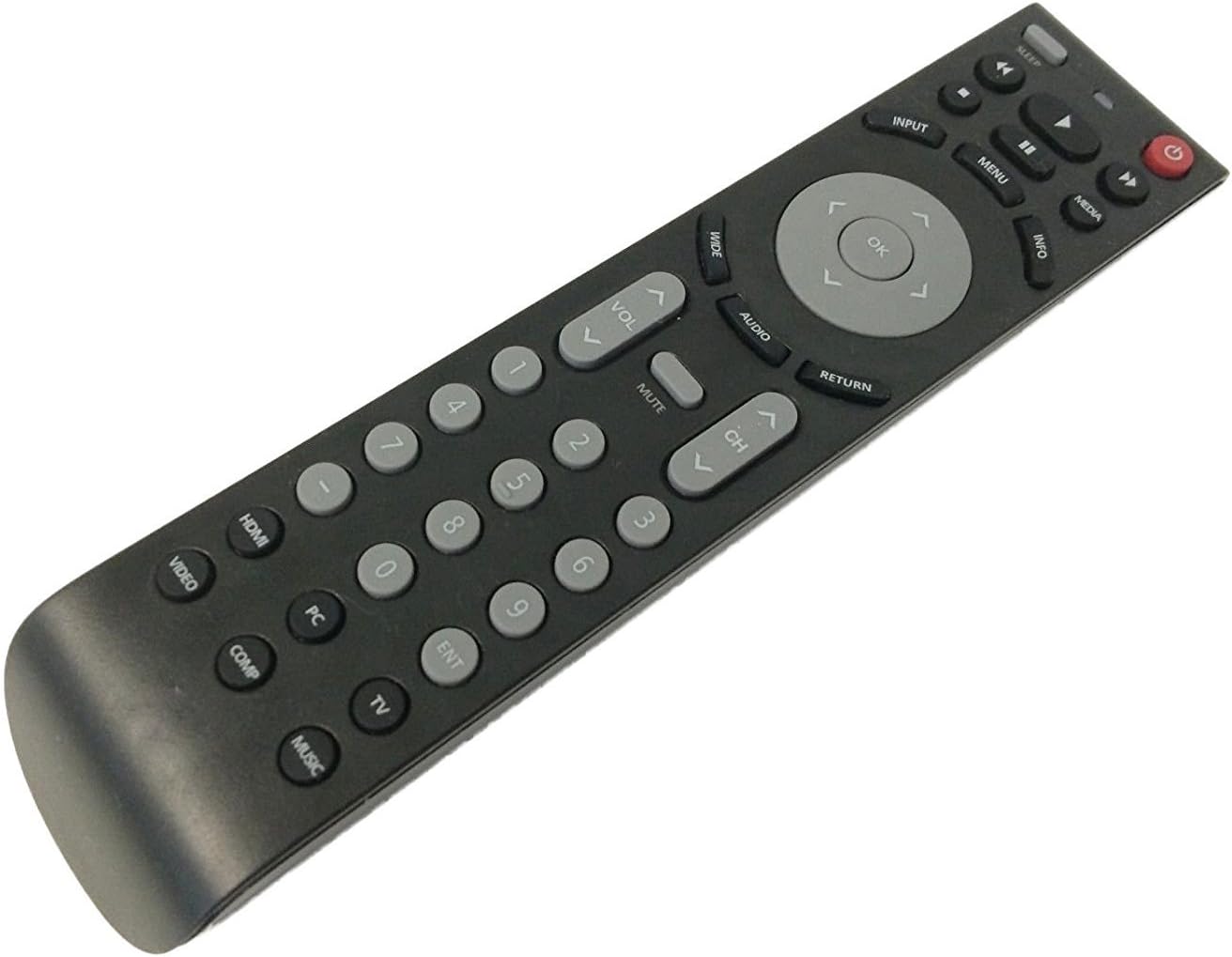
Figure 2: Angled view of the Smartby RMT-JR01 remote control. This perspective shows the remote's contours and button placement from a side angle, emphasizing its ergonomic shape.

Figure 3: Back view of the Smartby RMT-JR01 remote control. This image clearly shows the battery compartment cover, indicating where batteries should be inserted.
Setup
Battery Installation
- Locate the battery compartment on the back of the remote control (refer to Figure 3).
- Slide the battery compartment cover downwards or press the latch and lift to open.
- Insert two new AAA batteries (not included) according to the polarity indicators (+ and -) inside the compartment.
- Replace the battery compartment cover, ensuring it clicks securely into place.
Note: This remote control does not require any programming. Once batteries are installed, it is ready for immediate use with compatible JVC TV models.
Operating Instructions
The Smartby RMT-JR01 remote control provides direct access to all standard functions of your compatible JVC TV.
- Power Button: The red button located at the top right, used to turn the TV on or off.
- Input Button: Cycles through available video input sources (HDMI, Video, Component, PC, TV, Music).
- Menu Button: Accesses the TV's main menu for settings adjustments.
- Navigation Buttons (Up, Down, Left, Right, OK): Used to navigate through menus and confirm selections.
- Volume Up/Down (VOL +/-): Adjusts the audio volume level.
- Channel Up/Down (CH +/-): Changes the television channel.
- Mute Button: Silences or restores the TV audio.
- Numeric Keypad (0-9): Directly enters channel numbers.
- Media Playback Controls (Play, Pause, Stop, Rewind, Fast Forward): Controls media playback if supported by the TV.
- Sleep Button: Activates the TV's sleep timer function.
- Info Button: Displays program information.
- Return Button: Returns to the previous menu or screen.
Compatibility
The Smartby RMT-JR01 replacement remote control is compatible with a wide range of JVC TV models. Please verify your TV model against the list below:
- BC50R
- EM28T
- EM32T
- EM32TS
- EM37T
- EM39T
- JLC32BC3000
- JLC32BC3002
- JLC37BC3000
- JLC37BC3002
- JLC42BC3000
- JLC42BC3002
- JLC47BC3000
- JLC47BC3002
- JLE32BC3001
- JLE37BC3001
- JLE42BC3001
- JLE42BC3500
- JLE47BC3001
- JLE47BC3500
Maintenance
To ensure the longevity and optimal performance of your remote control, follow these maintenance guidelines:
- Cleaning: Wipe the remote with a soft, dry cloth. Do not use liquid cleaners or abrasive materials.
- Battery Replacement: Replace batteries when the remote's response becomes sluggish or stops working. Always replace both batteries at the same time with new ones.
- Storage: Store the remote in a dry place, away from direct sunlight and extreme temperatures.
- Avoid Drops: Protect the remote from physical impact, as drops can damage internal components.
Troubleshooting
If you encounter issues with your remote control, please refer to the following common troubleshooting steps:
- Remote Not Responding:
- Check if the batteries are inserted correctly according to polarity (+/-).
- Replace old batteries with new ones.
- Ensure there are no obstructions between the remote control and the TV's infrared sensor.
- Make sure you are within the effective range of the TV's infrared sensor.
- Specific Buttons Not Working:
- Clean the remote control, especially around the unresponsive buttons, to remove any dirt or debris.
- If cleaning and battery replacement do not resolve the issue, the button may be physically damaged.
- TV Not Responding to Any Remote:
- Ensure the TV is powered on and not in standby mode.
- Check the TV's own power button to confirm it's functioning.
- Verify that your TV model is listed in the compatibility section of this manual.
Specifications
| Brand | Smartby |
| Model Number | RMT-JR01 |
| Compatible Devices | JVC Televisions (specific models listed in Compatibility section) |
| Power Source | 2 x AAA Batteries (not included) |
| Color | Black, Grey |
| Special Feature | Ergonomic Design |
| Item Weight | 2.89 ounces (approx. 82 grams) |
| Package Dimensions | 8.5 x 2.09 x 1.1 inches (approx. 21.6 x 5.3 x 2.8 cm) |
Warranty and Support
This Smartby RMT-JR01 replacement remote control comes with a 30-day hassle-free return policy. For any issues or support inquiries, please refer to your purchase platform or contact the seller directly.