
1. Safety Instructions
Always observe the following safety precautions when operating the Einhell TC-JS 80/1 Electric Jigsaw to prevent injury and damage to the tool.
- Read the Manual: Familiarize yourself with all instructions and warnings before use.
- Wear Protective Gear: Always wear safety glasses, hearing protection, and a dust mask. Use appropriate gloves.
- Secure Workpiece: Ensure the workpiece is firmly clamped or secured to prevent movement during cutting.
- Maintain a Clean Work Area: Cluttered areas and benches invite accidents.
- Avoid Dangerous Environments: Do not use power tools in damp or wet locations, or expose them to rain. Keep the work area well-lit.
- Keep Children Away: All visitors should be kept a safe distance from the work area.
- Use the Right Tool: Do not force a small tool or attachment to do the job of a heavy-duty tool.
- Disconnect Power: Always disconnect the tool from the power source before changing accessories, making adjustments, or storing.
- Inspect Tool: Check for damaged parts before each use. Do not use if the switch does not turn it on and off.
- Store Idle Tools: When not in use, tools should be stored in a dry, high, or locked-up place, out of reach of children.
2. Product Overview
The Einhell TC-JS 80/1 Electric Jigsaw is a versatile tool designed for precise cutting in various materials. Key features include:
- Powerful Motor: Equipped with a 550-watt motor for efficient cutting.
- Variable Pendulum Action: Four settings for optimized cutting speed and precision across different materials.
- Electronic Speed Control: Allows for material-specific speed adjustment.
- Adjustable Base Plate: Swivels up to 45 degrees for accurate miter cuts.
- Tool-Free Blade Change: Quick and easy blade replacement without additional tools.
- Dust Extraction: Integrated dust extraction port for a clean work environment.
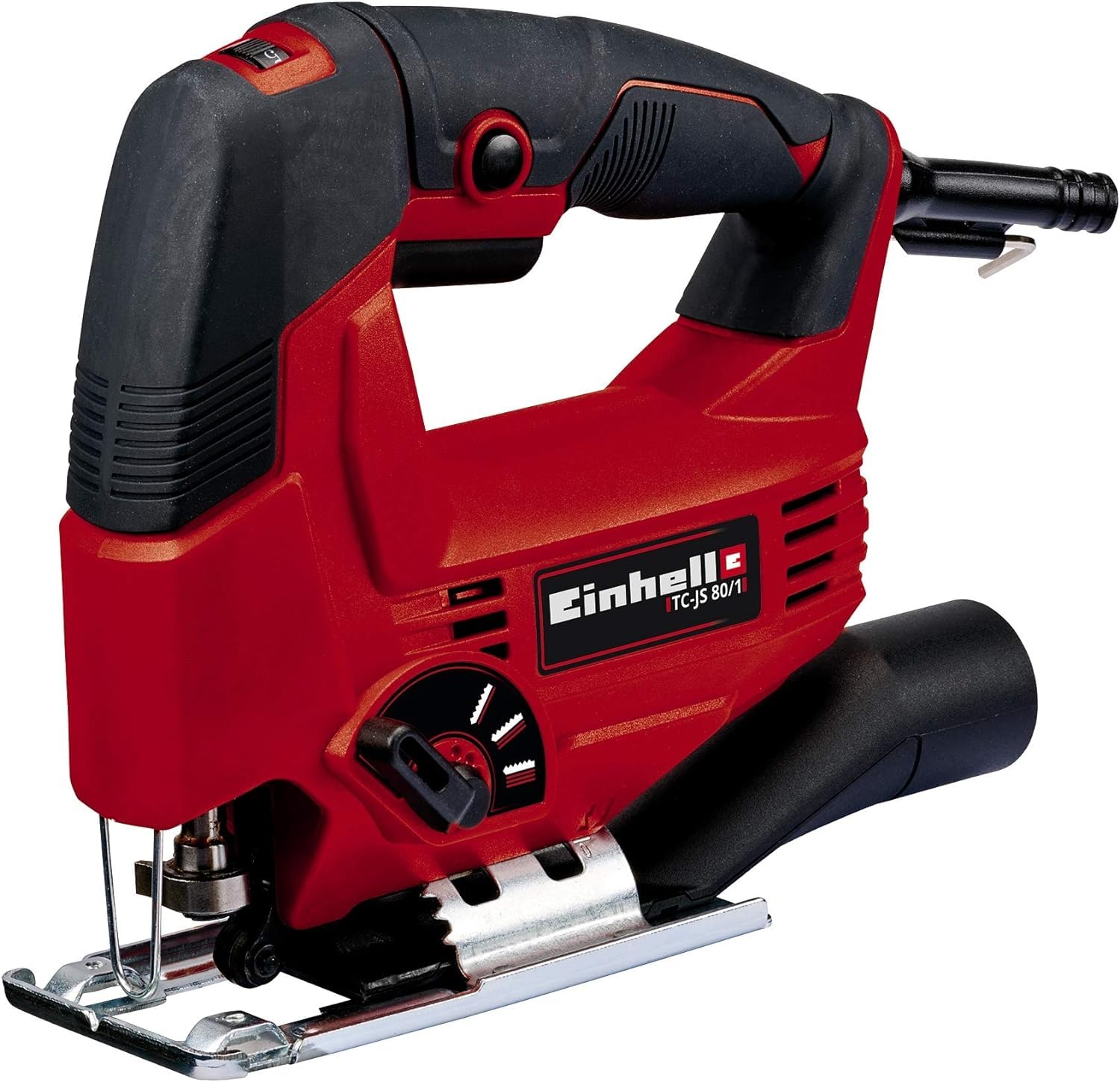
Figure 2.1: Einhell TC-JS 80/1 Electric Jigsaw, showing its compact design and handle.

Figure 2.2: Another view of the Einhell TC-JS 80/1 Jigsaw, highlighting the dust extraction port.
3. Setup
3.1 Blade Installation
The TC-JS 80/1 features a tool-free blade change system.
- Ensure the jigsaw is unplugged from the power supply.
- Locate the blade clamp lever on the front of the tool.
- Push the lever to open the blade clamp.
- Insert the saw blade into the clamp with the teeth facing forward. Ensure the blade is fully seated.
- Release the lever to secure the blade. Gently pull on the blade to confirm it is locked in place.

Figure 3.1: Close-up view demonstrating the tool-free blade installation process.
3.2 Adjusting the Base Plate for Miter Cuts
The base plate can be adjusted for miter cuts up to 45 degrees.
- Unplug the jigsaw.
- Loosen the screws that secure the base plate.
- Tilt the base plate to the desired angle (up to 45 degrees). Use an angle gauge for precision if needed.
- Tighten the screws firmly to secure the base plate in position.

Figure 3.2: Graphic illustrating the capability for flexible cuts at angles up to 45 degrees.
3.3 Connecting Dust Extraction
For a cleaner work area, connect a dust extraction system to the jigsaw.
- Locate the dust extraction port at the rear of the jigsaw.
- Attach a suitable vacuum cleaner hose to the port.
- Ensure the connection is secure to prevent dust leakage.
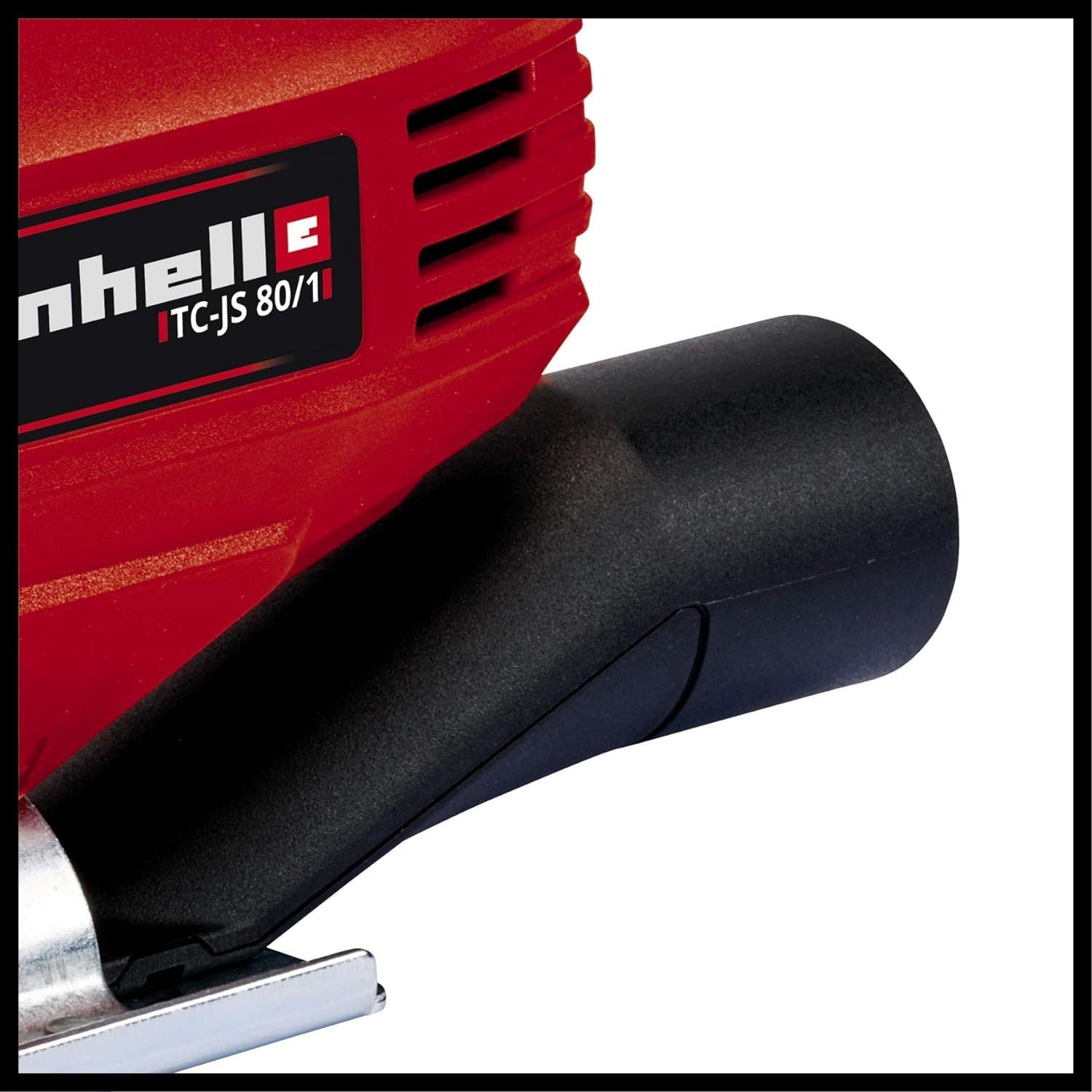
Figure 3.3: Close-up of the dust extraction port on the Einhell TC-JS 80/1 Jigsaw.
4. Operating Instructions
4.1 Powering On/Off
To start the jigsaw, press the ON/OFF switch. To stop, release the switch. Some models may have a lock-on button for continuous operation.
4.2 Adjusting Speed
The electronic speed control allows you to match the cutting speed to the material.
- Use lower speeds for harder materials like metal or thick wood.
- Use higher speeds for softer materials like thin wood or plastic.
- Adjust the speed dial or trigger pressure as required.

Figure 4.1: Graphic indicating electronic speed control for precise operation.
4.3 Using Pendulum Action
The 4-stage pendulum action enhances cutting performance.
- Setting 0 (No Pendulum): For fine, precise cuts and cutting metal.
- Settings 1-3 (Increasing Pendulum): For faster cuts in wood and plastic. Higher settings provide faster, but rougher, cuts.
- Adjust the pendulum selector lever to the desired setting based on the material and desired cut quality.
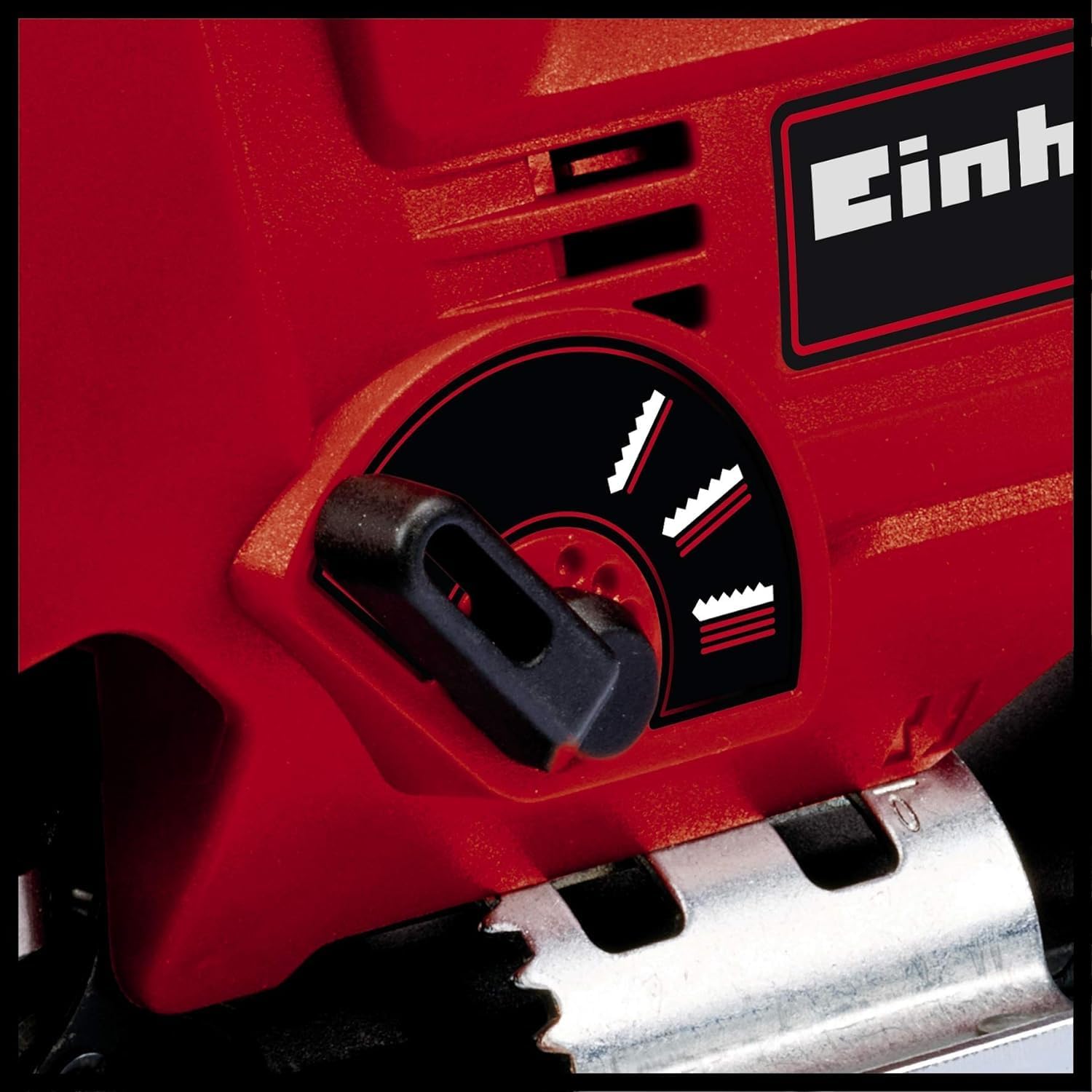
Figure 4.2: Close-up of the pendulum action selector on the jigsaw.

Figure 4.3: Graphic illustrating the effect of pendulum action on cutting speed and precision.
4.4 Making Cuts
Always ensure the workpiece is stable and secured. Allow the blade to reach full speed before engaging with the material.
- Straight Cuts: Guide the jigsaw along a marked line, applying steady, even pressure.
- Miter Cuts: After adjusting the base plate (Section 3.2), proceed with the cut as you would a straight cut.
- Curved Cuts: For tight curves, use a narrow blade and a lower pendulum setting. Guide the saw slowly along the curve.
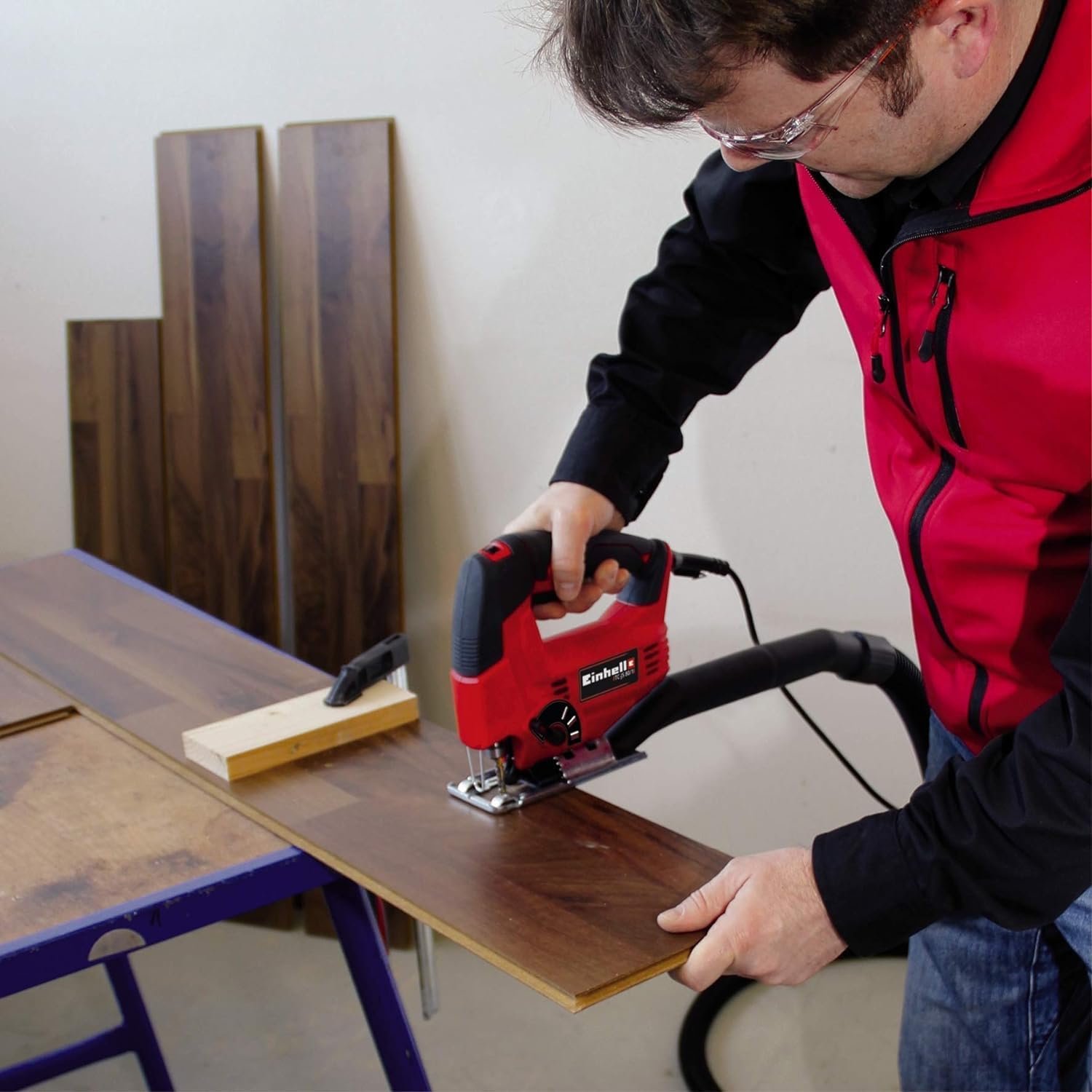
Figure 4.4: A user demonstrating the Einhell TC-JS 80/1 Jigsaw in action, cutting a wooden board.
Video 4.1: Product demonstration video showing various features and uses of a jigsaw. Note: This video is a general product demonstration and may not feature the exact Einhell TC-JS 80/1 model.
5. Maintenance
Regular maintenance ensures the longevity and optimal performance of your jigsaw.
- Cleaning: After each use, clean the tool, especially the ventilation slots and the blade area, to remove dust and debris. Use a soft brush or compressed air.
- Blade Replacement: Replace dull or damaged blades promptly. Refer to Section 3.1 for blade installation.
- Cord Inspection: Regularly check the power cord for any signs of damage. If damaged, have it replaced by a qualified technician.
- Storage: Store the jigsaw in a dry, secure place, out of reach of children.
6. Troubleshooting
If you encounter issues with your Einhell TC-JS 80/1 Jigsaw, refer to the following common problems and solutions:
| Problem | Possible Cause | Solution |
|---|---|---|
| Jigsaw does not start | No power supply; Faulty switch; Damaged power cord | Check power connection; Contact service for switch/cord replacement. |
| Blade not cutting efficiently | Dull or incorrect blade; Incorrect pendulum setting; Too much pressure | Replace blade; Use appropriate blade for material; Adjust pendulum setting; Apply less pressure. |
| Excessive vibration | Loose blade; Damaged blade; Worn internal components | Ensure blade is securely clamped; Replace blade; Contact service for inspection. |
| Dust not being extracted | Dust port blocked; Hose not connected properly; Vacuum cleaner off | Clear dust port; Secure hose connection; Turn on vacuum cleaner. |
If the problem persists after attempting these solutions, please contact Einhell customer support.
7. Specifications
Detailed technical specifications for the Einhell TC-JS 80/1 Electric Jigsaw:
| Feature | Specification |
|---|---|
| Manufacturer | Einhell |
| Model Number | TC-JS 80/1 (4321145) |
| Power Source | Corded Electric |
| Voltage | 230 Volts |
| Wattage | 550 Watts |
| Speed | 4500 RPM |
| Blade Length | 80 mm |
| Max. Cutting Depth (Wood) | 80 mm |
| Max. Cutting Depth (Plastic) | 20 mm |
| Max. Cutting Depth (Steel) | 10 mm |
| Miter Cut Angle | Up to 45 degrees |
| Handle Material | Plastic or Rubber |
| Blade Material | Metal, Steel |
| Product Dimensions | 23.7 x 7.5 x 19.5 cm |
| Item Weight | 1.92 Kilograms |
| Special Features | Brushless (Note: This might be a mistranslation, typically jigsaws have brushed motors unless specified as 'brushless motor' technology) |
| Batteries Required | No |
| Included Components | Jig Saw |
8. Warranty and Support
The Einhell TC-JS 80/1 Electric Jigsaw comes with a limited one-year warranty from the date of purchase. This warranty covers defects in materials and workmanship under normal use.
For warranty claims, technical support, or spare parts, please contact your authorized Einhell dealer or visit the official Einhell website for customer service contact information.
Please retain your proof of purchase for any warranty claims.


