
1. Introduction
The Fracarro 287406 Mod-HDTV Mini is a high-quality digital modulator designed to convert an HDMI source into a DVB-T digital RF output channel. This device enables the distribution of high-definition (HD) content from various sources, such as PC players, laptops, or CCTV surveillance systems with HD output, across a domestic coaxial distribution network using DVB-T technology. It supports resolutions up to Full HD (1920x1080-30p) and offers a typical modulation quality (MER) of 35dB, providing an efficient solution for integrating HD signals into existing TV systems.
2. Safety Information
- Read all instructions carefully before operating the device.
- Keep the device away from water, moisture, and extreme temperatures.
- Do not attempt to open or repair the device yourself. Refer all servicing to qualified personnel.
- Ensure proper ventilation to prevent overheating.
- Use only the power adapter supplied with the device.
3. Package Contents
Please check the package for the following items:
- Fracarro 287406 Mod-HDTV Mini Modulator
- Power Adapter
- User Manual (this document)
4. Product Overview
The Fracarro Mod-HDTV Mini features essential ports for HDMI input, RF output, and a USB port for advanced configuration. Its compact design allows for easy integration into various setups.
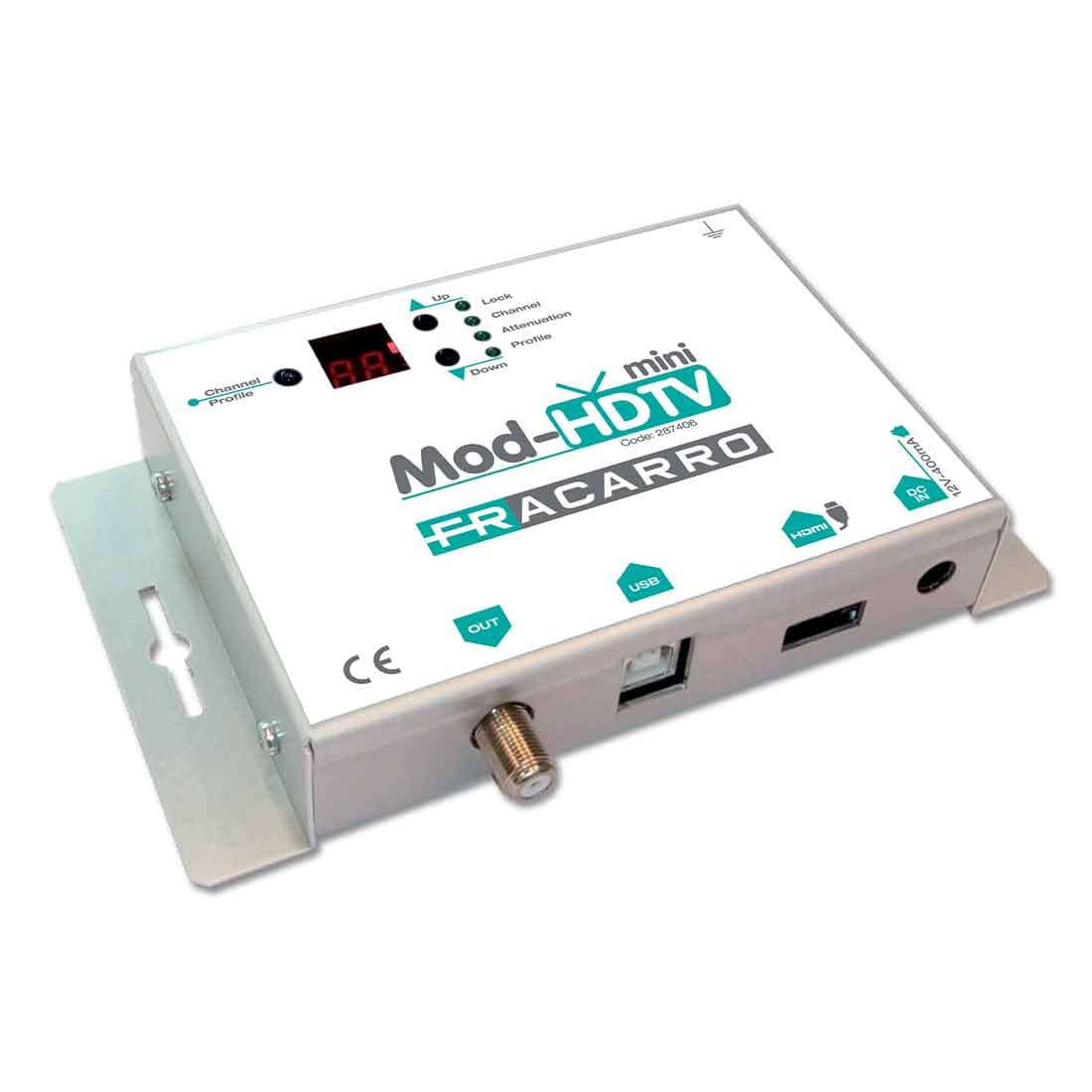
Figure 1: Front and side view of the Fracarro 287406 Mod-HDTV Mini Modulator, showing input/output ports and indicators.
Key Features:
- Converts HDMI source to DVB-T digital RF channel.
- Supports high resolution up to 1920x1080-30p for HDMI input.
- Integrated USB port for advanced parameter configuration.
5. Setup
Follow these steps to set up your Fracarro Mod-HDTV Mini:
- Connect HDMI Source: Connect an HDMI cable from your video source (e.g., PC, laptop, CCTV system) to the HDMI input port on the Mod-HDTV Mini.
- Connect RF Output: Connect a coaxial cable from the RF output port of the Mod-HDTV Mini to the antenna input of your TV or distribution amplifier.
- Connect Power: Plug the supplied power adapter into the Mod-HDTV Mini's power input and then into a wall outlet.
- Power On: The device will power on automatically or via a power button if present (refer to device for specific power controls).
- Advanced Configuration (Optional): For advanced settings, connect the device to a computer via the USB port and use the dedicated Fracarro software (not included, typically downloadable from manufacturer's website) to configure parameters such as channel number, frequency, and modulation settings.
6. Operating Instructions
Once the setup is complete, operate the device as follows:
- Turn on Source Device: Ensure your HDMI source device is powered on and outputting a signal.
- Scan for Channels: On your television, perform a channel scan (digital terrestrial or DVB-T scan). The Mod-HDTV Mini will broadcast the HDMI signal as a new digital TV channel.
- Select Channel: Once the scan is complete, select the newly found channel on your TV to view the HDMI source content.
- Adjust Settings: If necessary, use the advanced configuration via USB to fine-tune the output channel parameters for optimal reception and compatibility with your TV system.
7. Maintenance
To ensure the longevity and optimal performance of your Mod-HDTV Mini:
- Cleaning: Use a soft, dry cloth to clean the exterior of the device. Do not use liquid cleaners or aerosols.
- Ventilation: Ensure that the ventilation openings are not blocked.
- Storage: When not in use for extended periods, store the device in a cool, dry place, away from direct sunlight.
8. Troubleshooting
| Problem | Possible Cause | Solution |
|---|---|---|
| No signal on TV |
|
|
| Poor picture quality / pixelation |
|
|
| Device does not power on |
|
|
9. Specifications
| Feature | Detail |
|---|---|
| Model Number | 287406 |
| Manufacturer | FRACARRO |
| Input | HDMI |
| Output | DVB-T RF |
| Max Resolution | 1920x1080-30p (Full HD) |
| Modulation Quality (MER) | Typical 35dB |
| Configuration Port | USB |
| Product Weight | 610 g |
| ASIN | B075ZCB7QC |
| First Available Date | October 3, 2017 |
10. Warranty Information
Warranty terms and conditions for the Fracarro 287406 Mod-HDTV Mini are provided separately with your purchase or can be found on the official Fracarro website. Please retain your proof of purchase for warranty claims.
11. Support
For technical support, troubleshooting assistance beyond this manual, or inquiries about advanced configuration software, please visit the official Fracarro website or contact their customer service department. Contact details are typically available on the manufacturer's website or in the product packaging.