
1. Introduction
This manual provides essential information for the proper installation, operation, and maintenance of the Southco MF-01-110-60 Flush Entry Door Latch. This key-locking latch is designed for standard applications, fitting doors with a thickness of 12.7 mm (0.50 inches). Constructed from aluminum with a natural finish, it offers secure access restriction for sliding door applications.
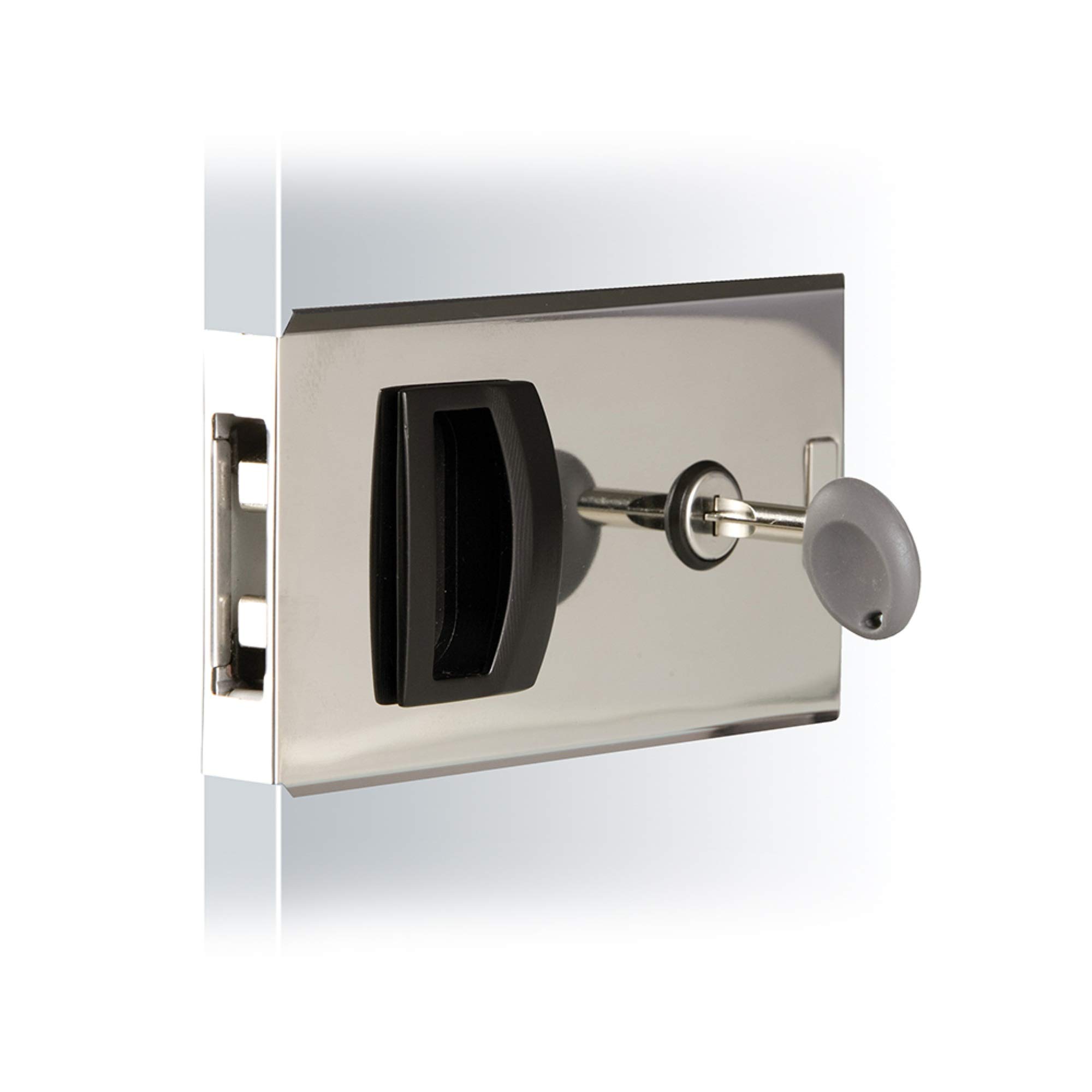
Image 1.1: Front view of the Southco MF-01-110-60 Flush Entry Door Latch. This latch features a flush profile and key-locking mechanism for secure access.
2. Safety Information
Read all instructions carefully before installation and use. Failure to follow these instructions may result in product damage or personal injury.
- Always wear appropriate personal protective equipment (PPE), such as safety glasses and gloves, during installation.
- Ensure the door material and structure can support the latch and its intended use.
- Keep small parts and tools away from children.
- Do not modify the latch or its components. Use only genuine Southco replacement parts if necessary.
- Verify proper alignment and secure fastening to prevent accidental disengagement.
3. Package Contents
Verify that all components are present before beginning installation:
- Southco MF-01-110-60 Flush Entry Door Latch (1)
- Keys (quantity may vary, typically 2)
- Mounting hardware (if included by manufacturer)
If any parts are missing or damaged, contact your supplier immediately.
4. Setup and Installation
This section outlines the general steps for installing the Southco MF-01-110-60 Flush Entry Door Latch. Specific installation details may vary based on your door type and application. Professional installation is recommended if you are unfamiliar with door hardware installation.
4.1 Tools Required
- Measuring tape or ruler
- Pencil or marker
- Drill with appropriate drill bits
- Screwdriver (Phillips or flathead, depending on hardware)
- Chisel (if mortising is required)
4.2 Installation Steps
- Prepare the Door: Ensure the door thickness is 12.7 mm (0.50 inches). Mark the desired location for the latch on the door edge and face.
- Create Recess (if necessary): If the latch requires a flush mount, carefully mortise the door material to create a recess that matches the dimensions of the latch body. The latch should sit flush with the door surface.
- Drill Mounting Holes: Based on the latch's design, drill pilot holes for the mounting screws. Ensure holes are straight and of the correct diameter to prevent splitting the door material.
- Install the Latch Body: Position the latch body into the prepared recess or onto the door surface. Secure it with the provided mounting screws. Do not overtighten.
- Install the Strike Plate: Close the door and mark the corresponding position for the strike plate on the door frame or adjacent panel. Ensure proper alignment for smooth latch engagement. Mortise the frame if necessary for a flush strike plate. Secure the strike plate with screws.
- Test Operation: With the door open, test the latch mechanism. Then, close the door and test the latch engagement with the strike plate. Ensure it latches smoothly and securely.
- Test Key Locking: Insert the key and test the locking mechanism. Ensure the key turns smoothly and the latch locks and unlocks correctly. Remove the key after testing.
5. Operating Instructions
The Southco MF-01-110-60 Flush Entry Door Latch is designed for simple and secure operation.
5.1 Latching and Unlatching
- To latch the door, simply close the sliding door. The latch mechanism will automatically engage with the strike plate.
- To unlatch the door, operate the handle or mechanism on the latch to retract the bolt, then slide the door open.
5.2 Key Locking
- To lock the latch, insert the key into the keyway and turn it to the locked position. Remove the key. The latch bolt will now be secured and cannot be retracted without the key.
- To unlock the latch, insert the key and turn it to the unlocked position. Remove the key. The latch can now be operated manually.
Important: Always keep a spare key in a secure, accessible location. Do not leave keys in the lock when not in use.
6. Maintenance
Regular maintenance ensures the longevity and reliable operation of your Southco latch.
- Cleaning: Clean the exterior surfaces of the latch with a soft, damp cloth. Avoid abrasive cleaners or solvents that could damage the finish.
- Lubrication: Periodically apply a small amount of graphite lubricant or a silicone-based spray to the internal moving parts and the keyway to ensure smooth operation. Avoid oil-based lubricants as they can attract dust and grime.
- Inspection: Regularly inspect the latch and strike plate for any signs of wear, damage, or loose screws. Tighten any loose screws immediately.
- Key Care: Do not force the key if it feels stiff. Apply lubricant to the keyway if needed. Avoid using bent or damaged keys.
7. Troubleshooting
Refer to the following table for common issues and their solutions:
| Problem | Possible Cause | Solution |
|---|---|---|
| Latch does not engage or disengage smoothly. | Misalignment between latch and strike plate; accumulated dirt; lack of lubrication. | Check alignment and adjust strike plate if necessary. Clean the latch mechanism. Apply lubricant. |
| Key is difficult to turn or gets stuck. | Dirt or debris in keyway; worn key; internal mechanism stiffness. | Clean keyway with compressed air. Apply graphite lubricant. Try a different key if available. If problem persists, consider professional service. |
| Latch feels loose after installation. | Loose mounting screws. | Tighten all mounting screws. Do not overtighten. |
8. Specifications
Key technical specifications for the Southco MF-01-110-60 Flush Entry Door Latch:
- Model Number: MF-01-110-60
- Brand: Southco
- Material: Aluminum
- Finish: Natural (Unfinished)
- Access Restriction: Key Locking
- Operation: Sliding Door
- Profile: Flush
- Max Outer Panel Thickness: 12.7 mm (0.50 inches)
- Min Outer Panel Thickness: 10.0 mm
- Product Dimensions (L x W): 6" x 5" (Note: Customer reviews indicate actual size may be closer to 5.25" x 2.875". Verify dimensions before installation.)
- Item Weight: 6.4 ounces
- Included Components: Latch
9. Warranty and Support
Manufacturer Warranty: This product is covered by a manufacturer's warranty. For specific details regarding the warranty period and terms, please refer to the documentation provided with your purchase or visit the official Southco website. The manufacturer warranty description is "Warranty".
Customer Support: For technical assistance, replacement parts, or warranty claims, please contact Southco customer support directly. Contact information can typically be found on the manufacturer's website or on the product packaging.
Please have your model number (MF-01-110-60) and purchase date available when contacting support.