
1. Introduction
This user manual provides essential information for the safe and efficient operation of your HOUHUI 12 Volt 6 Amp Power Supply Adapter. Please read this manual thoroughly before using the product and retain it for future reference. This power supply is designed to convert AC input to a stable 12V DC output, suitable for various electronic devices.
2. Product Features
- Input Voltage: 100-240V AC, 50/60Hz, allowing for worldwide compatibility.
- Output Voltage: Stable 12V DC.
- Output Current: Up to 6 Amps (72 Watts Max).
- DC Output Plug: Standard 5.5mm x 2.1mm barrel connector, compatible with 5.5mm x 2.5mm.
- Safety Protections: Features automatic overload cut-off, over-voltage cut-off, automatic thermal cut-off, and short circuit protection to safeguard connected devices.
- Cable Length: Approximately 1.2 meters (3.94 feet) for the AC cord and 1.0 meter (3 feet) for the DC output cord.
3. Package Contents
Each package contains the following items:
- 3 x HOUHUI 12V 6A AC Power Adapter
- 3 x AC Power Cord
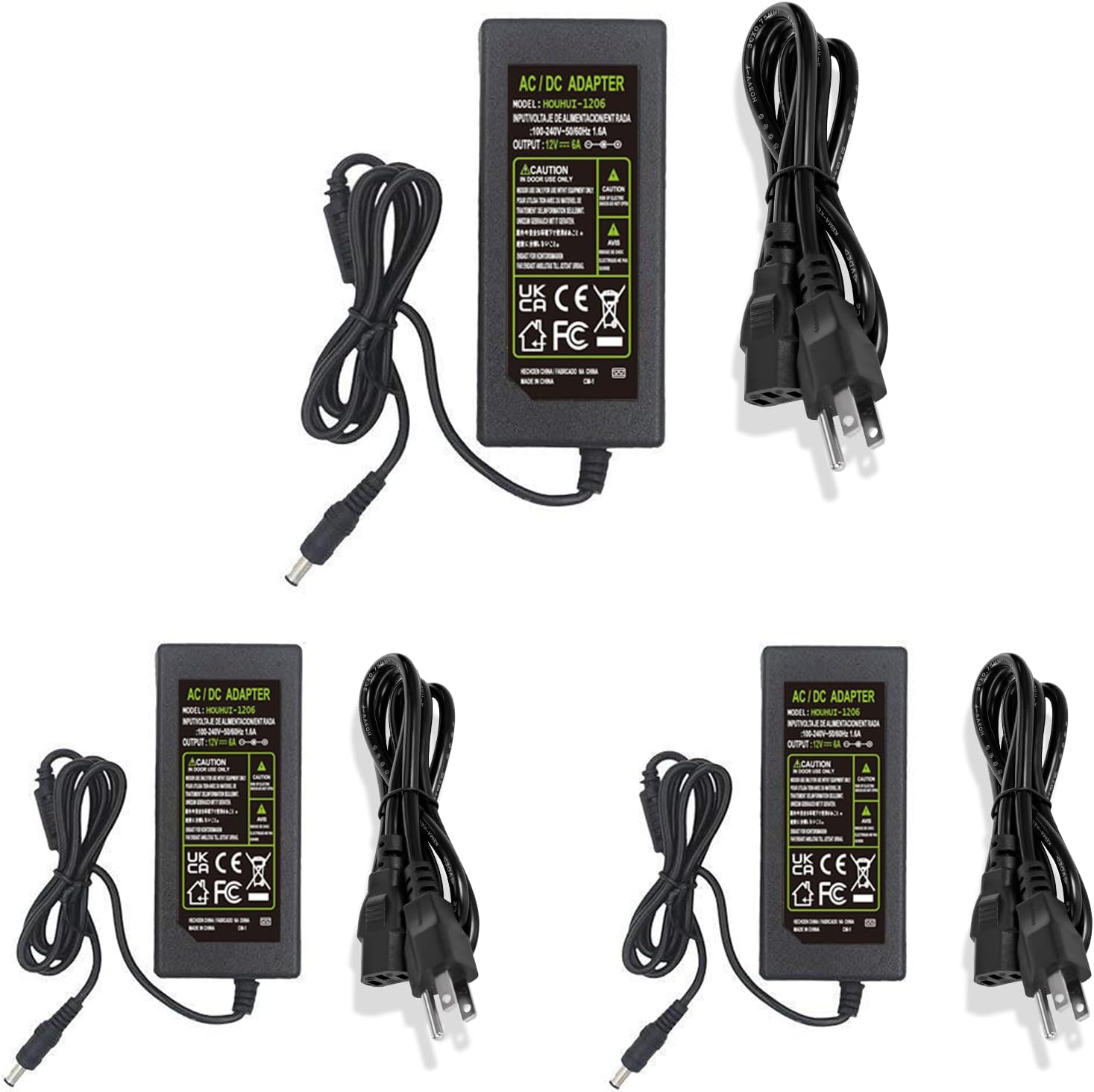
4. Specifications
| Parameter | Value |
|---|---|
| Input Voltage | 100-240V AC, 50/60Hz |
| Output Voltage | 12V DC |
| Output Current | 6 Amps (Max) |
| Output Wattage | 72 Watts (Max) |
| DC Output Plug Size | 5.5mm x 2.1mm (compatible with 5.5mm x 2.5mm) |
| AC Cord Length | Approximately 1.2 meters (3.94 feet) |
| DC Output Cord Length | Approximately 1.0 meter (3 feet) |
| Dimensions (Adapter) | 120(L) x 60(W) x 35(H) mm (approximate) |
| Weight (Item) | 2.2 pounds (for the 3-pack) |
| Color | Black |
| Operating Environment | Indoor use only (Non-waterproof design) |


5. Safety Information
To ensure safe operation and prevent damage to the product or connected devices, please observe the following safety precautions:
- Indoor Use Only: This power adapter is not waterproof. Do not expose it to water, moisture, or high humidity.
- Ventilation: Ensure adequate ventilation around the adapter during operation to prevent overheating. Do not cover the adapter.
- Voltage Compatibility: Only connect the adapter to power sources within the specified input voltage range (100-240V AC).
- Load Capacity: Do not exceed the maximum output current of 6 Amps or 72 Watts. Overloading can cause damage to the adapter and connected devices.
- Correct Polarity: Ensure the DC output plug's polarity matches the requirements of your device. This adapter typically uses center-positive polarity.
- Cable Integrity: Do not use the adapter if the power cord or DC output cable is damaged. Avoid bending or crimping cables excessively.
- Children and Pets: Keep the adapter out of reach of children and pets.
- Disassembly: Do not attempt to open or repair the adapter. Refer servicing to qualified personnel.
6. Setup
- Unpack: Carefully remove the power adapter and AC power cord from the packaging.
- Inspect: Check the adapter and cables for any visible damage. Do not use if damaged.
- Connect AC Cord: Insert the AC power cord into the input receptacle on the power adapter. Ensure it is firmly seated.
- Connect DC Plug: Connect the DC output barrel plug (5.5mm x 2.1mm) to the DC input port of your target device. Verify that the device requires 12V DC and that its current draw does not exceed 6 Amps.
- Plug into Wall Outlet: Insert the AC power cord's plug into a standard 100-240V AC wall outlet.
- Power On Device: Once connected, power on your device.

7. Operating Instructions
The HOUHUI 12V 6A Power Supply Adapter operates automatically once connected to a power source and a compatible device. It provides a continuous 12V DC output.
- Ensure all connections are secure before applying power.
- The adapter is designed for continuous operation within its specified limits.
- If your device has an on/off switch, use that to control its power. The adapter itself does not have a switch.
- Disconnect the adapter from the wall outlet when not in use for extended periods.
8. Maintenance
Minimal maintenance is required for this power adapter. Follow these guidelines to ensure longevity:
- Cleaning: Disconnect the adapter from the power source before cleaning. Use a soft, dry cloth to wipe the exterior. Do not use liquid cleaners or solvents.
- Storage: Store the adapter in a cool, dry place away from direct sunlight and extreme temperatures when not in use.
- Cable Care: Avoid sharp bends or kinks in the cables. Do not place heavy objects on the cables.
9. Troubleshooting
| Problem | Possible Cause | Solution |
|---|---|---|
| Device not powering on. | No power from wall outlet. Loose connections. Incorrect voltage/current requirements of device. Damaged adapter/cable. Device fault. | Test wall outlet with another device. Ensure all cables are securely connected. Verify device requires 12V DC and less than 6A. Inspect adapter and cables for damage; replace if necessary. Test device with another compatible power supply. |
| Adapter feels excessively hot. | Overload. Poor ventilation. | Ensure connected device's current draw is below 6A. Place adapter in an area with good airflow; do not cover. |
| Intermittent power to device. | Loose DC plug connection. Damaged DC cable. | Ensure DC plug is fully inserted and secure. Inspect DC cable for breaks or damage; replace adapter if cable is faulty. |
10. Applications
This 12V 6A 72W AC/DC adapter is suitable for powering a wide range of 12V DC devices that draw less than 72 Watts. Common applications include:
- 12V LED Strip Lights
- CCTV Cameras
- LCD Monitors
- DC Pumps
- DC Motors
- Wireless Routers
- ADSL Modems
- Network Hubs and Switches
- Other 12V electronic devices requiring up to 6A.

11. Warranty and Support
For warranty information or technical support, please refer to the seller's policy on the platform where the product was purchased or contact HOUHUI customer service directly. Please have your purchase details and product model number (12V 6A 72W) available when contacting support.