
1. Introduction
The Intermec BarPen 1281 is a high-density barcode wand designed for reliable and economical scanning of barcode labels. This device transmits digital signals to compatible Intermec digital readers, making it an ideal input solution for various applications requiring precise barcode data capture. This manual provides essential information for the proper setup, operation, maintenance, and troubleshooting of your BarPen 1281.
2. Setup
2.1 Unpacking
Carefully remove the BarPen 1281 from its packaging. Inspect the device for any signs of damage. Retain the packaging for future storage or transport.
2.2 Connecting the Barcode Wand
The BarPen 1281 connects to a compatible Intermec digital reader. Locate the appropriate port on your Intermec digital reader, typically a round connector. Align the connector on the BarPen 1281 cable with the port and gently push until it clicks into place. Ensure a secure connection to prevent data transmission issues.
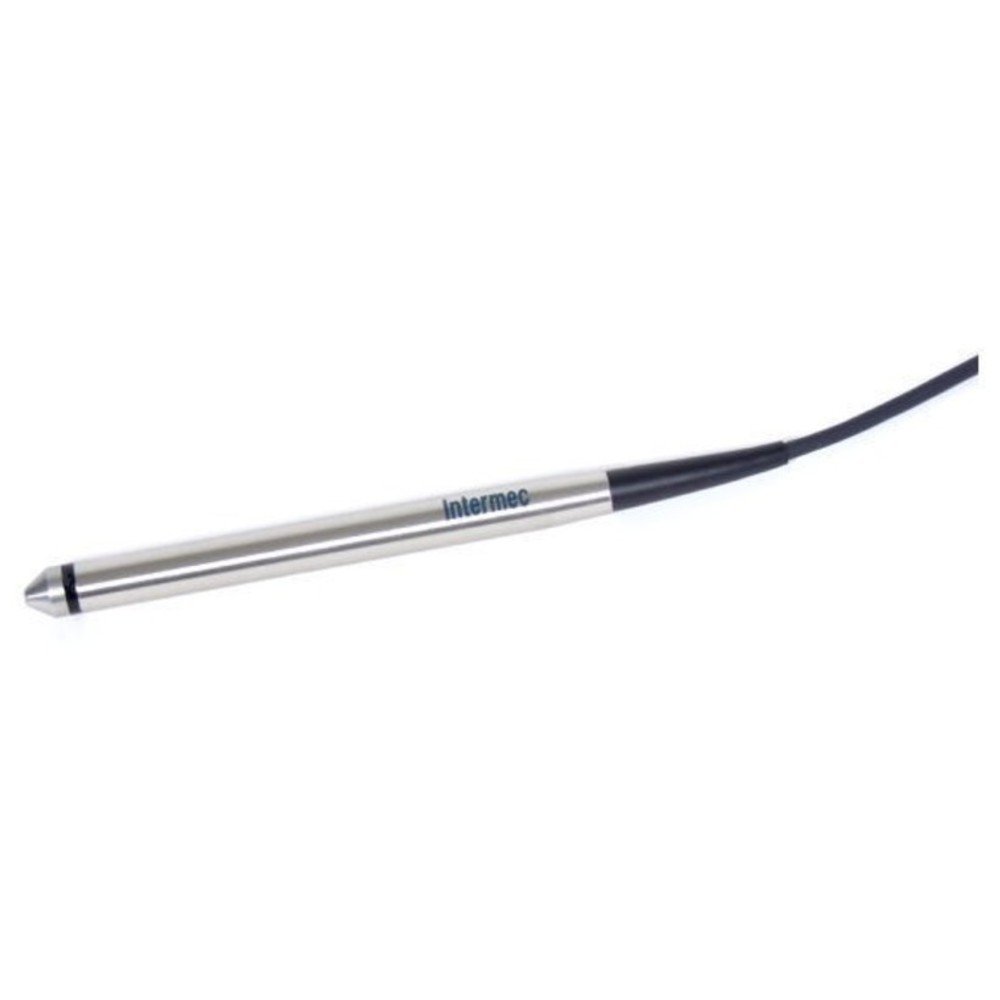
Figure 1: Intermec BarPen 1281 High Density Barcode Wand. This image shows the compact and ergonomic design of the barcode wand, highlighting its pen-like form factor and cable connection point.
2.3 Initial Configuration
Once connected, the Intermec digital reader should detect the BarPen 1281. Refer to your Intermec digital reader's manual for specific instructions on configuring input devices. Typically, no additional software or driver installation is required for the wand itself, as it functions as an input device for the reader.
3. Operating Instructions
3.1 Holding the Wand
Hold the BarPen 1281 like a pen, ensuring a comfortable grip. Position your hand so that the tip of the wand can be easily moved across the barcode.
3.2 Scanning a Barcode
- Position: Place the tip of the wand slightly before the start of the barcode.
- Movement: Move the wand smoothly and steadily across the entire barcode, from one end to the other, ensuring the tip maintains contact with the barcode surface.
- Speed: Maintain a consistent scanning speed. Avoid excessively fast or slow movements.
- Angle: Hold the wand at a slight angle (approximately 10-30 degrees) to the barcode surface. This helps in optimal light reflection and reading.
- Feedback: The Intermec digital reader will typically provide an audible beep or visual indicator (e.g., LED light) to confirm a successful scan. If no feedback is received, repeat the scanning process.
For optimal performance, ensure the barcode is clean, flat, and well-lit. Avoid scanning damaged or smudged barcodes.
4. Maintenance
4.1 Cleaning the Scanning Window
Periodically inspect the tip of the BarPen 1281 for dust or debris. To clean, gently wipe the scanning window with a soft, lint-free cloth dampened with a mild, non-abrasive cleaning solution or isopropyl alcohol. Do not use harsh chemicals or abrasive materials, as these can scratch the window and impair scanning performance.
4.2 Storage
When not in use, store the BarPen 1281 in a clean, dry environment, away from direct sunlight, extreme temperatures, and excessive dust. Avoid coiling the cable tightly to prevent damage.
4.3 General Care
Handle the wand with care. Avoid dropping the device or subjecting it to strong impacts. Do not attempt to disassemble the wand, as this will void the warranty and may cause damage.
5. Troubleshooting
| Problem | Possible Cause | Solution |
|---|---|---|
| Wand does not scan | Loose cable connection Dirty scanning window Damaged barcode Incorrect scanning technique | Ensure cable is securely connected Clean the scanning window (see Section 4.1) Try scanning a different, known-good barcode Review scanning technique (see Section 3.2) |
| Incorrect data is scanned | Barcode quality issue Scanning error Reader configuration | Ensure barcode is clear and undamaged Rescan the barcode carefully Check the Intermec digital reader's configuration settings |
| No feedback (beep/light) from reader | Wand not connected Reader power issue Reader settings | Verify wand connection to reader Ensure reader is powered on and functioning Consult reader's manual for feedback settings |
If you continue to experience issues after attempting these troubleshooting steps, please contact your product vendor or Intermec support for further assistance.
6. Specifications
- Model: 1281A02
- Type: High Density Barcode Wand
- Resolution: 7 to 12-mil
- Compatibility: Intermec digital readers
- Function: Scans barcode labels and transmits digital signals
- Design: Economical, lightweight, and rugged
7. Warranty and Support
For information regarding the warranty coverage for your Intermec BarPen 1281, please refer to the warranty card included with your product or visit the official Intermec website. For technical support, service, or to inquire about replacement parts, please contact your authorized Intermec dealer or the Intermec customer support department. Ensure you have your product model number (1281A02) and serial number available when contacting support.