
Sony UBP-X800
Sony UBP-X800 4K UHD Blu-ray Disc Player User Manual
Model: UBP-X800
Introduction
This manual provides comprehensive instructions for the Sony UBP-X800 4K UHD Blu-ray Disc Player. It covers essential information for setting up, operating, maintaining, and troubleshooting your device. Please read this manual thoroughly to ensure proper use and to maximize your viewing and listening experience.

Image: Front-top view of the Sony UBP-X800 4K UHD Blu-ray Disc Player. The device is black with a textured top surface and a glossy front panel featuring the Sony logo on the left and "UltraHD Blu-ray" on the right.
Setup
1. Unpacking and Placement
Carefully remove the player from its packaging. Place the player on a stable, level surface with adequate ventilation. Avoid placing it near heat sources or in direct sunlight.
2. Connecting to a Television
Use a high-speed HDMI cable to connect the player to your television. The UBP-X800 features two HDMI outputs:
- HDMI OUT 1 (Video/Audio): For connecting to your TV or AV receiver for both video and audio signals.
- HDMI OUT 2 (Audio Only): For connecting to an audio system for audio signals only, allowing for separate audio processing.
Ensure your TV is set to the correct HDMI input.

Image: Rear panel of the Sony UBP-X800 Blu-ray Disc Player, displaying various connection ports. These include two HDMI outputs, a digital coaxial audio output, an Ethernet port, and a USB port.
3. Power Connection
Connect the supplied power cord to the AC IN terminal on the player and then to a wall outlet. This player supports 100-240V, 50/60Hz for worldwide use.
4. Network Connection (Optional)
For streaming services and firmware updates, connect the player to your network:
- Wired Connection: Connect an Ethernet cable from your router to the LAN (100) port on the player.
- Wireless Connection: The player has built-in Wi-Fi. Follow the on-screen instructions during initial setup to connect to your wireless network.
5. Initial Setup Wizard
Upon first power-on, the Initial Setup Wizard will guide you through basic settings such as language, network configuration, and video output settings. Follow the prompts on your TV screen.
Operating Instructions
1. Disc Playback
The UBP-X800 supports a wide range of disc formats, including 4K UHD Blu-ray, Blu-ray (2D/3D), DVD, and SACD.
- Turn on your TV and the Blu-ray player.
- Insert a disc into the disc slot with the label side facing up. The player will automatically load the disc.
- Playback should begin automatically. If not, select "Play" from the on-screen menu.
- To eject a disc, press the Eject button on the player or the remote control.
Region-Free Functionality: This player is designed to be region-free for Blu-ray (A/B/C) and DVD (0-9) discs. For Blu-ray discs, you may need to manually switch the region setting using the remote control before inserting the disc, as per specific instructions provided with your region-free modification.
2. Streaming Services
Access popular streaming applications via the player's network connection. Navigate to the Home menu and select the desired streaming app. You may need to log in to your accounts for these services.
3. USB Media Playback
Connect a USB storage device to the front USB port to play digital media files (photos, music, videos).
- Insert the USB device into the USB port.
- From the Home menu, select the USB option.
- Browse and select the file you wish to play.
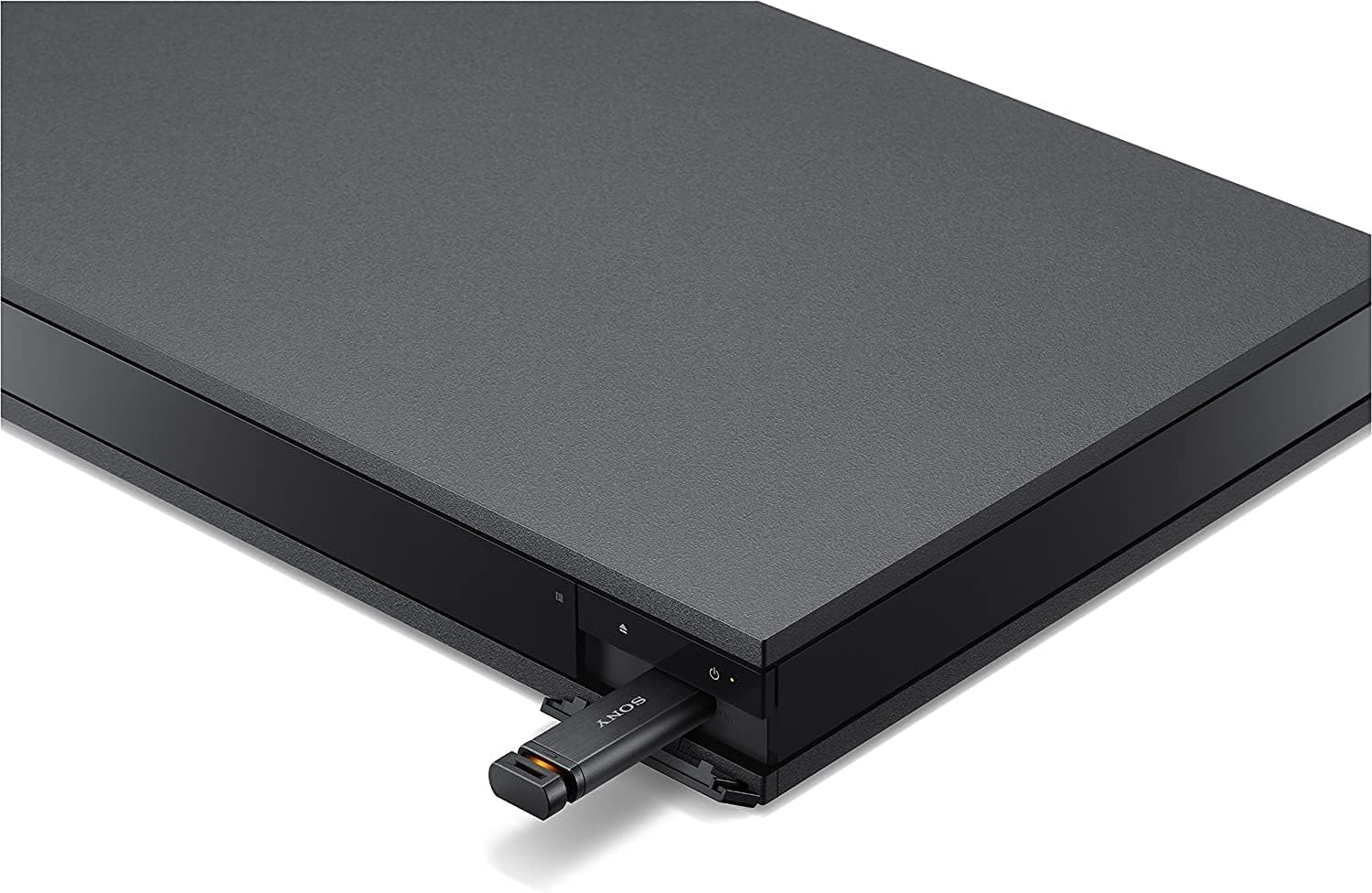
Image: A USB flash drive inserted into the front USB port of the Sony UBP-X800 Blu-ray Disc Player. The port is located on the right side of the front panel, beneath the power button.
4. Audio Settings
The player supports advanced audio formats including Dolby TrueHD, Dolby Atmos, DTS:X, and High-Resolution Audio. Access the audio settings menu to configure output options for your connected audio system.
- Dolby Atmos / DTS:X: Ensure your AV receiver and speaker setup are compatible to experience immersive object-based audio.
- High-Resolution Audio: Enjoy superior sound quality from compatible audio files and discs.
5. Bluetooth Connectivity
You can connect Bluetooth headphones for private listening or Bluetooth speakers for alternative audio output. Refer to the on-screen menu for Bluetooth pairing instructions.

Image: A person wearing over-ear headphones, seated on a couch, watching a movie on a large flat-screen television. The Sony UBP-X800 Blu-ray Disc Player is visible on the TV stand below the screen, demonstrating its use in a home entertainment setup.
Maintenance
1. Cleaning the Unit
Wipe the exterior of the player with a soft, dry cloth. Do not use abrasive pads, scouring powder, or solvents such as alcohol or benzene. For stubborn stains, use a slightly damp cloth and then wipe dry.
2. Firmware Updates
Sony periodically releases firmware updates to improve functionality and performance. Connect the player to the internet to check for and install updates. You can usually find this option in the player's settings menu under "System Update" or "Software Update."
Troubleshooting
If you encounter issues with your player, refer to the following common solutions:
No Picture or Sound
- Ensure all HDMI and power cables are securely connected.
- Verify your TV is set to the correct HDMI input.
- Check the audio output settings on the player and your AV receiver/sound system.
- Try a different HDMI cable.
Disc Does Not Play
- Check if the disc is inserted correctly with the label side up.
- Ensure the disc is clean and free of scratches or smudges.
- Verify the disc format is supported by the player (e.g., Blu-ray, DVD, UHD Blu-ray).
- For region-locked discs, ensure the player's region setting matches the disc's region.
Network Connection Issues
- Confirm your router is powered on and functioning correctly.
- For wired connections, check the Ethernet cable.
- For wireless connections, re-enter your Wi-Fi password in the network settings.
- Restart your router and the Blu-ray player.
Remote Control Not Working
- Replace the batteries in the remote control.
- Ensure there are no obstructions between the remote and the player's IR sensor.
Specifications
| Brand | Sony |
| Model Name | UBP-X800 |
| Media Type | Blu-Ray Disc, DVD, UHD Blu-ray, SACD |
| Resolution | 3840x2160 (4K UHD) |
| Special Features | Region Free (Blu-ray A/B/C, DVD 0-9), 4K High Dynamic Range (HDR), High-Resolution Audio, BT.2020 Color Space, Dolby Atmos, DTS:X, Wi-Fi, Bluetooth |
| Connectivity Technology | Bluetooth, Ethernet, HDMI (x2), USB, Wi-Fi |
| Audio Output Mode | Surround (7.1.4 channel support) |
| Supported Audio Formats | Dolby TrueHD, Dolby Atmos, DTS:X, MP3, AAC, FLAC, OPUS |
| Power Consumption | 50 Watts |
| Item Weight | 9.7 Pounds |
| Dimensions (L x W x H) | 18.8" x 14.2" x 3.8" |
Warranty Information
This product is covered by a manufacturer's warranty. Please refer to the warranty card included with your product or visit the official Sony support website for detailed terms and conditions, including warranty duration and service procedures. Keep your proof of purchase for warranty claims.
Customer Support
For further assistance, technical support, or service inquiries, please contact Sony customer support. You can find contact information and additional resources on the official Sony website. When contacting support, please have your model number (UBP-X800) and serial number ready.
Ask a question about this manual
Ask about setup, troubleshooting, compatibility, parts, safety, or missing instructions. Manuals+ will review the question and use this page’s manual context to help answer it.