
KECAG KC-808
KECAG CD Player Instruction Manual
Model: KC-808
1. Introduction
Thank you for purchasing the KECAG CD Player. This versatile device offers multiple functions including CD playback, Bluetooth 3.0 connectivity, full-band FM radio, USB MP3 playback, and 3.5mm audio input/output. It features built-in HiFi stereo speakers for outstanding sound quality and can be easily mounted on a wall or placed on a desk. This manual provides detailed instructions for setup, operation, and maintenance to ensure optimal performance and longevity of your device.
2. Package Contents
Please check the package contents upon unboxing:
- CD player x 1
- 5V-2A USB adaptor x 1
- Remote control x 1
- Wall-mounted kit x 1
- Wall-mounted plate x 1
- User manual x 1 (This document)
- Player desk stand x 1
- 3.5mm male-to-male audio cable x 1

Image: All components included in the KECAG CD Player package, including the player, remote, power adapter, cables, wall mount kit, and desk stand.
3. Product Overview
Familiarize yourself with the main components and controls of your KECAG CD Player.

Image: Detailed view of the KECAG CD Player's side and top, highlighting the 3.5mm input/output jack, USB port, power cord (pull-switch), MODE button, Volume controls, and Previous/Next buttons.
- A. 3.5mm Input/Output Jack: For connecting headphones, external speakers, or AUX input from other devices.
- B. USB Port: For playing MP3/WMA files from a U-disk.
- C. Power Cord (Pull-Switch): Pull the cable to turn the unit on or off.
- D. MODE Button: Short press to cycle between CD, FM, and USB modes. Press and hold for 3 seconds to enter Bluetooth mode.
- E. Volume +/- Buttons: Adjust the audio output volume.
- F. Previous / Next Buttons: Navigate tracks in CD/USB mode or stations in FM mode.
- G. Remote Control: Provides full control over all functions from a distance.
4. Setup
4.1 Power Connection
Connect the provided 5V-2A USB adaptor to the CD player and then plug it into a standard wall outlet. The unit will power on when the power cable is pulled.
4.2 Wall Mounting
To mount the CD player on a wall:
- Identify a suitable location on your wall.
- Use the wall-mounted plate as a template to mark the drilling points.
- Drill holes and insert the wall anchors (if necessary).
- Secure the wall-mounted plate to the wall using the provided screws.
- Carefully slide the CD player onto the mounted plate until it clicks securely into place.

Image: The KECAG CD Player elegantly mounted on a white wall in a bedroom setting, demonstrating its vertical loading and space-saving design.
4.3 Desk Stand Setup
To use the CD player on a desk or table:
- Attach the player desk stand to the bottom of the CD player.
- Ensure the stand is securely fastened.
- Place the assembled unit on a flat, stable surface.
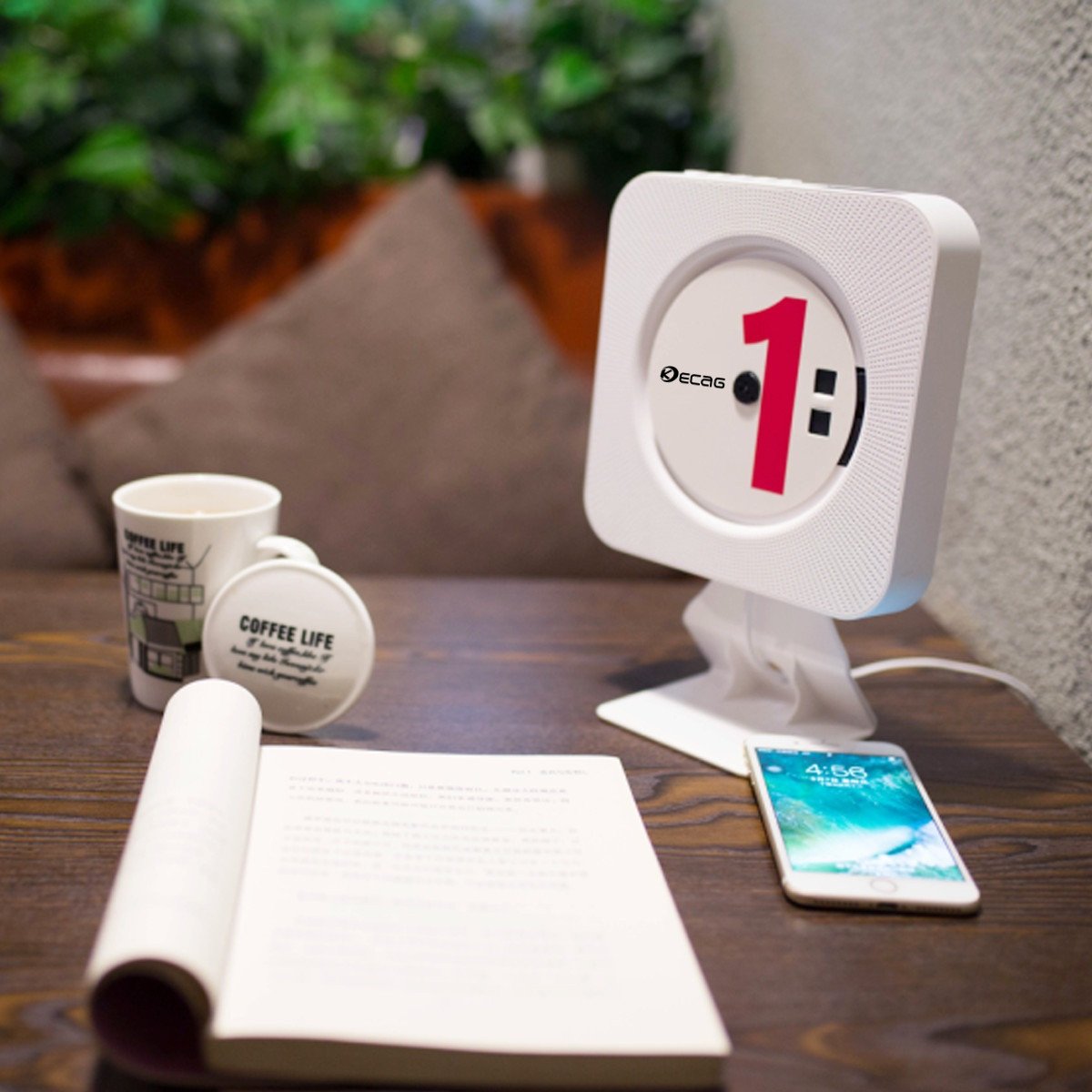
Image: The KECAG CD Player positioned on its desk stand, showcasing its compact design suitable for tabletops and office environments.
5. Operating Instructions
5.1 Power On/Off
- To turn on: Pull the power cable downwards.
- To turn off: Pull the power cable downwards again.
- The remote control can also be used to power on/off if the main unit's pull-switch is in the 'on' position.
5.2 CD Playback
- Insert a CD (CD, CD-R, CD-RW, MP3, WMA format supported) into the disc slot.
- The player will automatically detect the CD and begin playback.
- Use the Previous/Next buttons on the unit or remote to skip tracks.
- Use the Volume +/- buttons to adjust volume.
- Press the Repeat button on the remote for single song loop or whole disc loop.
- Press the A-B button on the remote to set A-B repeat.
5.3 USB MP3 Playback
- Insert a U-disk (USB flash drive) containing MP3/WMA files into the USB port.
- Press the MODE button on the unit or remote until "USB" mode is selected.
- The player will automatically begin playing files from the U-disk.
- Use the Previous/Next buttons to navigate tracks.
5.4 FM Radio
- Press the MODE button on the unit or remote until "FM" mode is selected.
- The player will automatically scan and store available FM stations.
- Use the Previous/Next buttons to switch between stored stations.
- For manual tuning, refer to the remote control functions.
5.5 Bluetooth Connection (as a Bluetooth Speaker)
- Press and hold the MODE button for 3 seconds to enter Bluetooth mode. The unit will indicate it's ready for pairing.
- On your Bluetooth-enabled device (e.g., smartphone, tablet), search for "KECAG" in the Bluetooth settings.
- Select "KECAG" to pair. Once connected, you can play audio from your device through the CD player's speakers.
- Note: This CD player functions as a Bluetooth receiver only. It cannot transmit Bluetooth audio to other Bluetooth speakers or headphones.
5.6 AUX Input/Output
- AUX Input: Connect an external audio device (e.g., mobile phone, tablet, laptop) to the 3.5mm AUX input jack on the CD player using the provided 3.5mm male-to-male audio cable. Press the MODE button until "AUX" mode is selected. The CD player will now act as a wired speaker for your external device.
- AUX Output: Connect the 3.5mm AUX output jack of the CD player to an external wired speaker or headphones using a 3.5mm audio cable. This allows you to output the CD player's audio to a different sound system.
6. Maintenance
- Cleaning: Use a soft, dry cloth to clean the exterior of the unit. Do not use abrasive cleaners or solvents.
- Disc Handling: Always handle CDs by their edges. Avoid touching the playing surface. Store CDs in their cases when not in use to prevent scratches and dust accumulation.
- Ventilation: Ensure the unit has adequate ventilation. Do not block the speaker grilles or place the unit in an enclosed space without airflow.
- Power Off: When not in use for extended periods, disconnect the power adapter from the wall outlet.
7. Troubleshooting
| Problem | Possible Cause | Solution |
|---|---|---|
| Unit does not power on. | Power cable not pulled, power adapter not connected, or power outlet issue. | Ensure the power cable is pulled to the ON position. Check if the power adapter is securely connected to both the unit and a working wall outlet. |
| CD does not play or skips. | CD is dirty, scratched, or inserted incorrectly. Incorrect disc format. | Clean the CD with a soft, lint-free cloth. Check for deep scratches. Ensure the CD is inserted correctly with the label side facing outwards. Verify the disc format is supported (CD, CD-R, CD-RW, MP3, WMA). |
| No sound. | Volume too low, incorrect mode selected, or external audio device issue. | Increase the volume. Ensure the correct mode (CD, USB, FM, Bluetooth, AUX) is selected. If using AUX, check the connection and volume on the external device. |
| Bluetooth pairing fails. | CD player not in Bluetooth pairing mode, or device too far. | Press and hold the MODE button for 3 seconds to enter Bluetooth pairing mode. Ensure your device's Bluetooth is on and within range (approx. 10 meters). |
| FM radio reception is poor. | Weak signal or interference. | Adjust the position of the unit to improve reception. Avoid placing near other electronic devices that may cause interference. |
| Remote control not working. | Battery depleted or obstruction. | Replace the battery in the remote control. Ensure there are no obstructions between the remote and the CD player. |
8. Specifications
| Feature | Detail |
|---|---|
| Model Number | KC-808 |
| Disc Format Support | CD, CD-R, CD-RW, MP3, WMA |
| Radio Frequency | 87.5KHZ-108.0MHZ |
| Speaker | 45mm*2 |
| Rated Impedance | 3Ω |
| Speaker Output | 3W*2 (Total 6 Watts RMS) |
| Power Supply | AC100V-220V, 50HZ/60HZ (via 5V-2A USB adaptor) |
| Power/Switch Cable Length | 2.3m |
| Dimensions (Main Unit) | 189 x 189 x 37mm (approx. 19.05 x 19.05 x 3.81 cm) |
| Net Weight | 540g (approx. 544.31 g) |
| Bluetooth Version | 3.0 |
| Connectivity Technology | Auxiliary, Bluetooth, USB |
| Special Features | FM Radio, Bluetooth, HiFi Speakers, Vertical Loading, Wall Mountable |
9. Warranty and Support
The KECAG CD Player comes with a 1-year warranty from the date of purchase, covering manufacturing defects. Please retain your proof of purchase for warranty claims.
For technical support, troubleshooting assistance, or warranty inquiries, please contact KECAG customer service through the retailer where you purchased the product or refer to the contact information provided on the product packaging or KECAG's official website.
Important: Do not attempt to repair the unit yourself. Unauthorized repairs may void your warranty and could cause damage to the device or personal injury.
Related documentsKC-808


Ask a question about this manual
Ask about setup, troubleshooting, compatibility, parts, safety, or missing instructions. Manuals+ will review the question and use this page’s manual context to help answer it.