
Introduction
This instruction manual provides essential information for the safe and effective use of your Accessory USA AC DC Adapter. This adapter is designed to provide power to compatible devices, specifically the Creative Cambridge SoundWorks i765 and 765i Table Radios with iPod Dock. Please read this manual thoroughly before use and retain it for future reference.
Setup Instructions
Follow these steps to properly set up your AC DC adapter:
- Verify Compatibility: Before connecting, ensure that your device is a Creative Cambridge SoundWorks i765 or 765i Table Radio with iPod Dock. Using this adapter with incompatible devices may cause damage.
- Inspect the Adapter: Check the adapter and its cable for any signs of damage, such as cuts, frayed wires, or bent pins. Do not use if damaged.
- Connect to Device: Locate the power input port on your Creative Cambridge SoundWorks i765 or 765i device. Carefully insert the barrel connector of the AC DC adapter into this port. Ensure a snug fit.
- Connect to Power Outlet: Plug the AC power cord of the adapter into a standard, grounded electrical wall outlet (100-240V AC).
- Power On: Once connected, your device should receive power. Refer to your device's manual for specific power-on procedures.
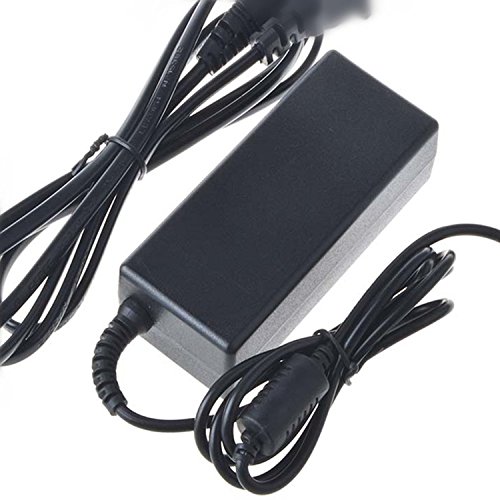
Image: The Accessory USA AC DC Adapter, showing its main body and barrel connector. This adapter is used to supply power to compatible electronic devices.
Safety Information: This product is CE / FCC / RoHS certified. It features Over Voltage Protection (OVP), Over Current Protection (OCP), and Short Circuit Protection (SCP) to ensure safe operation. Always use the adapter in a well-ventilated area and avoid covering it during use.
Operating Instructions
Once the adapter is correctly connected to your Creative Cambridge SoundWorks i765 or 765i and a power outlet, it will supply the necessary power. No further operational steps are required for the adapter itself.
- Ensure the adapter is always plugged into a functional power outlet.
- To disconnect power, unplug the adapter from the wall outlet first, then from the device.
- Avoid pulling the cable forcefully to disconnect; always grasp the plug itself.
Maintenance
Proper maintenance ensures the longevity and safe operation of your adapter:
- Cleaning: Disconnect the adapter from both the power outlet and the device before cleaning. Use a soft, dry cloth to wipe the surface. Do not use liquid cleaners or solvents.
- Storage: When not in use, store the adapter in a cool, dry place, away from direct sunlight and extreme temperatures. Avoid wrapping the cable too tightly around the adapter, which can cause stress on the wires.
- Inspection: Periodically inspect the adapter and cable for any signs of wear or damage. If damage is found, discontinue use immediately.
Troubleshooting
If your device is not receiving power, consider the following troubleshooting steps:
- No Power to Device:
- Ensure the adapter's barrel connector is fully inserted into the device's power port.
- Verify that the adapter is securely plugged into a working wall outlet. Test the outlet with another device to confirm it has power.
- Check the adapter cable for any visible damage. If damaged, replace the adapter.
- Confirm that your device is indeed a Creative Cambridge SoundWorks i765 or 765i. This adapter is specifically designed for these models.
- Adapter Overheating:
- Ensure the adapter is in a well-ventilated area and not covered by cloths or other materials.
- If overheating persists, disconnect the adapter and contact support.
If these steps do not resolve the issue, please refer to the Warranty and Support section for further assistance.
Specifications
| Feature | Detail |
|---|---|
| Brand | Accessory USA |
| Model Number | KTAUB-0920333 |
| Compatible Devices | Creative Cambridge SoundWorks i765, 765i Table Radio with iPod Dock |
| Connector Type | Barrel Connector |
| Input Voltage | 100-240 Volts AC |
| Power Source | Corded Electric |
| Special Features | Short Circuit Protection (SCP), Over Voltage Protection (OVP), Over Current Protection (OCP) |
| Certifications | CE, FCC, RoHS |
| UPC | 707296846397 |
| ASIN | B075T68BXV |
Warranty and Support
Accessory USA stands behind the quality of its products. This AC DC Adapter comes with the following warranty:
- Money Back Guarantee: 30 Days
- Free Exchange: 60 Days (with paid return label)
- Worry-Free Warranty: 365 Days
For technical support, warranty claims, or any questions regarding your Accessory USA product, please contact the manufacturer directly. Refer to the packaging or the seller's information for contact details.