
JBL JBLBAR21BLKAM
JBL Bar 2.1 Channel Soundbar with Wireless Subwoofer User Manual
Model: JBLBAR21BLKAM | Brand: JBL
1. Introduction
This manual provides comprehensive instructions for the setup, operation, maintenance, and troubleshooting of your JBL Bar 2.1 Channel Soundbar with Wireless Subwoofer. Please read this manual thoroughly before using the product to ensure proper functionality and safety.

Image: The JBL Bar 2.1 Soundbar system, including the main soundbar unit, the wireless subwoofer, and the remote control, displayed together.
2. Safety Information
Always follow basic safety precautions when using electrical appliances to reduce the risk of fire, electric shock, and personal injury. Keep this manual for future reference.
- Do not expose this appliance to dripping or splashing.
- Do not place objects filled with liquids, such as vases, on the apparatus.
- Ensure proper ventilation and do not block any ventilation openings.
- Do not install near any heat sources such as radiators, heat registers, stoves, or other apparatus (including amplifiers) that produce heat.
- Protect the power cord from being walked on or pinched.
- Only use attachments/accessories specified by the manufacturer.
3. What's in the Box
Verify that all components are present upon unboxing:
- Soundbar
- Powered Wireless Subwoofer
- Remote Control
- Power Cord (for Soundbar and Subwoofer)
- Quick Start Guide
- HDMI Cable
- Aux Cable
- Wall Mount Bracket Kit
4. Setup
4.1 Placement
Place the soundbar centrally below your TV. The wireless subwoofer can be placed anywhere in the room, ideally near a power outlet. For optimal bass performance, experiment with different locations.
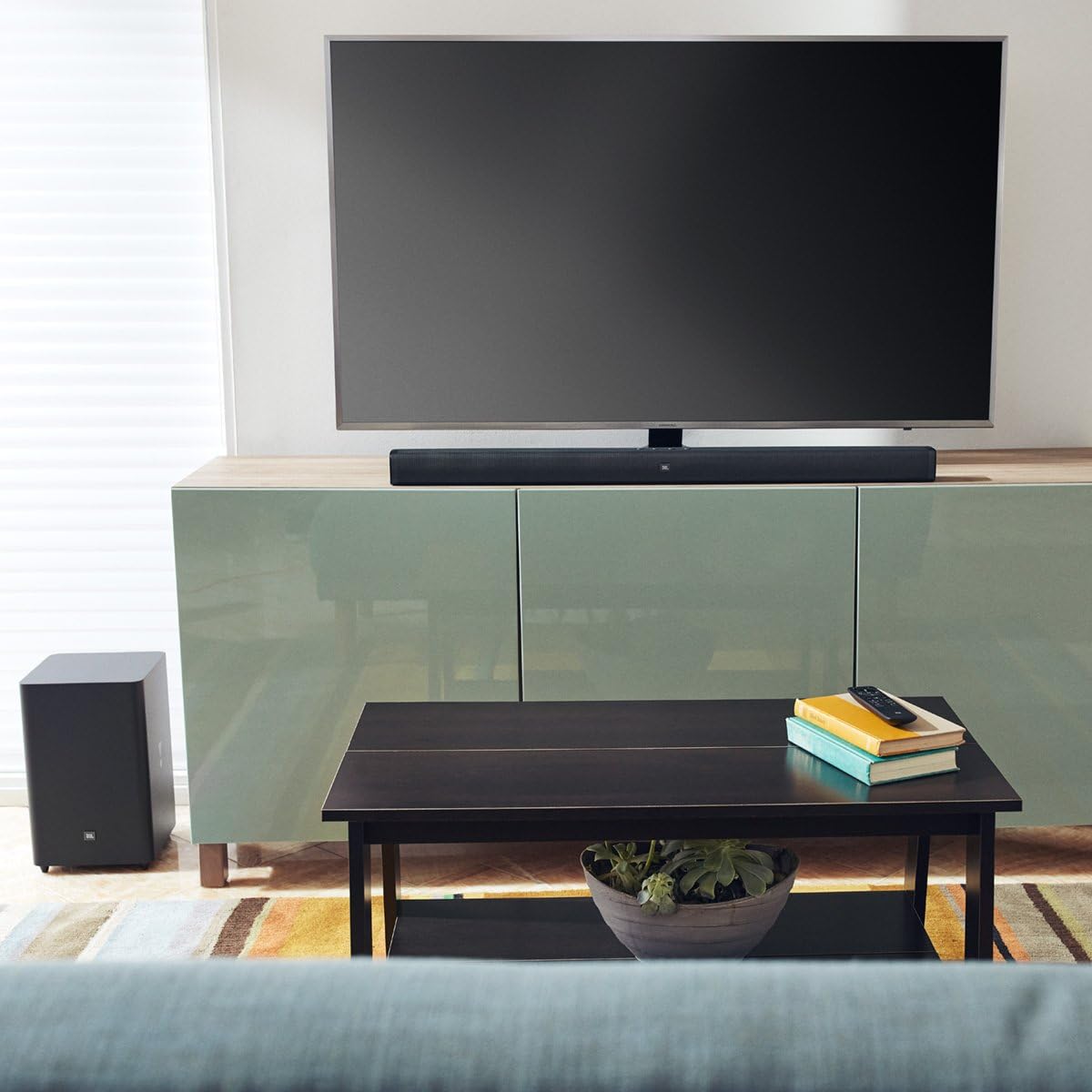
Image: The JBL Bar 2.1 Soundbar positioned below a television on a media console, with the wireless subwoofer placed on the floor to the left of the console, demonstrating a typical living room setup.
4.2 Connections
Connect the soundbar to your TV using one of the following methods:
- HDMI (ARC): For the best audio quality and control, connect an HDMI cable from the soundbar's HDMI OUT (TV ARC) port to your TV's HDMI ARC port.
- Optical: Connect an optical cable from the soundbar's OPTICAL port to your TV's optical digital audio output.
- AUX: Connect an AUX cable from the soundbar's AUX port to your TV's 3.5mm audio output.
Ensure all power cords are securely connected to the soundbar, subwoofer, and a power outlet.

Image: A rear view of the JBL Bar 2.1 Soundbar and its wireless subwoofer, highlighting the various input and output ports on both units for audio and power connections.
4.3 Subwoofer Pairing
The wireless subwoofer should automatically pair with the soundbar when both are powered on. If the connection is not established, or if you need to re-pair:
- Press and hold the PAIRING button on the back of the subwoofer until the LED indicator flashes quickly.
- On the soundbar, press and hold the DIM DISPLAY button on the remote control for 5 seconds, followed by a short press on the BASS+ button, and BASS- button in sequence. The soundbar display will show "PAIRING".
- Once paired, the LED indicator on the subwoofer will turn solid white.
5. Operating
5.1 Basic Controls
Use the remote control or the buttons on top of the soundbar to manage playback:
- Power: Turn the soundbar on or off.
- Volume +/-: Adjust the master volume level.
- Input Source: Cycle through HDMI, Optical, AUX, and Bluetooth inputs.
- Bass +/-: Adjust the subwoofer's bass level.
- Mute: Mute or unmute the sound.

Image: A close-up top view of the JBL Bar 2.1 Soundbar, clearly showing the integrated control buttons for power, volume, and input selection.
5.2 Bluetooth Pairing
To stream audio wirelessly from your Bluetooth device:
- Press the Bluetooth button on the soundbar or remote control. The soundbar display will show "BT PAIRING".
- Enable Bluetooth on your device and select "JBL Bar 2.1" from the list of available devices.
- Once connected, the soundbar display will show "CONNECTED". You can now play audio from your device.
5.3 JBL SoundShift
JBL SoundShift allows you to instantly switch between sound from your TV and sound from your mobile phone or tablet. When a Bluetooth device is connected and playing audio, the soundbar will automatically switch to the Bluetooth input. When the Bluetooth audio stops, it will revert to the TV audio source.
5.4 TV Remote Control Integration
The JBL Bar 2.1 can be controlled with your existing TV remote control for common functions like power, volume up/down, and mute. This feature is typically automatic with HDMI ARC connections. For other connections, you may need to program your TV remote to control the soundbar by following your TV's remote control programming instructions.
6. Maintenance
To maintain the performance and appearance of your soundbar system:
- Clean the surfaces with a soft, dry cloth.
- Do not use alcohol, benzene, thinners, or other volatile liquids for cleaning.
- Avoid placing the unit in direct sunlight or near heat sources.
7. Troubleshooting
| Problem | Possible Cause / Solution |
|---|---|
| No power | Ensure power cords are securely connected to the soundbar, subwoofer, and a working power outlet. |
| No sound from soundbar | Check input source selection. Ensure TV audio output is set to external speakers. Check volume levels. |
| No sound from subwoofer | Verify subwoofer is powered on. Re-pair the subwoofer with the soundbar (refer to Section 4.3). |
| Bluetooth connection issues | Ensure soundbar is in Bluetooth pairing mode. Move Bluetooth device closer to the soundbar. Disconnect and re-pair. |
| Remote control not working | Check battery orientation and replace if necessary. Ensure no obstructions between remote and soundbar. |
8. Specifications
| Feature | Detail |
|---|---|
| Model Name | JBL Bar 2.1 |
| Speaker Type | Soundbar |
| Surround Sound Channel Configuration | 2.1 |
| Speaker Maximum Output Power | 300 Watts |
| Subwoofer Diameter | 6.5 Inches (165mm) |
| Connectivity Technology | Bluetooth, HDMI (ARC), Optical, AUX, USB |
| Wireless Communication Technology | Bluetooth |
| Bluetooth Range | 60 Meters |
| Product Dimensions (Soundbar) | 38.0" x 2.3" x 2.7" (965 x 58 x 68 mm) |
| Product Dimensions (Subwoofer) | 8.9" x 8.9" x 14.6" (225 x 225 x 370 mm) |
| Item Weight | Soundbar: 4.2 lbs (1.9 kg), Subwoofer: 11.4 lbs (5.2 kg) |
| Power Source | Corded Electric |
| Color | Black |
9. Warranty
JBL products are warranted against defects in materials and workmanship for a period of one year from the date of original retail purchase. This warranty does not cover damages resulting from accident, misuse, abuse, modification, or normal wear and tear. For full warranty terms and conditions, please refer to the warranty card included with your product or visit the official JBL website.
10. Support
For technical assistance, product information, or warranty claims, please contact JBL Customer Support:
- Visit the official JBL website for FAQs and support resources.
- Refer to the contact information provided in your product's quick start guide or warranty card.
Ask a question about this manual
Ask about setup, troubleshooting, compatibility, parts, safety, or missing instructions. Manuals+ will review the question and use this page’s manual context to help answer it.