
1. Product Overview
The Ergobaby Aura Baby Carrier Wrap is designed for comfortable and secure babywearing from newborn to toddler (8-25 pounds / 3.6-11.3 kg). Crafted from a soft, lightweight, and breathable fabric, it is ideal for beginners due to its easy-to-tie design and guiding edge. The wrap promotes closeness and supports your baby in an ergonomic position.
The wrap features a built-in carrying pouch for convenient storage and is machine washable for easy care.

Image: Ergobaby Aura Baby Carrier Wrap in Grey Stripes, showcasing the soft fabric and design.
2. Safety Guidelines
Always prioritize your baby's safety when using the carrier wrap. Follow these essential guidelines:
- Snug, Comfortable Fit: Ensure the wrap is snug against your body and your baby is close to you, not leaning away. Both you and your baby should feel comfortable.
- Close Enough to Kiss: Your baby's head should be close enough for you to easily kiss their forehead.
- Open Airway & Visible Face: Always ensure your baby's face is visible and their airway is clear. There should be no fabric covering their nose or mouth.
- Back in "C" Shape: Check that your baby's back maintains a natural "C" curve, not a straight or rigid posture.
- "M-shape" Leg Position: Ensure your baby's hips are spread, with knees higher than their bottom, forming an "M" shape. This supports healthy hip development.
- Head Supported: For newborns and sleeping babies, ensure their head is adequately supported by the fabric.
- Double Knot: Always secure the wrap with a double knot to prevent loosening.
Video: Official Ergobaby "Aura Wrap Video" demonstrating proper wrapping techniques and safety checks for a cozy carry.
3. Setup & Tying Instructions
Follow these steps to correctly tie your Ergobaby Aura Wrap:
- Find the Center: Locate the Ergobaby logo tag at the center of the wrap.
- Position on Waist: Place the center of the wrap at your natural waist, ensuring the logo is centered.
- Criss-Cross Back: Bring both ends of the wrap around your back, criss-crossing them over your shoulders. Ensure the fabric is spread wide over your shoulders for comfort.
- Bring to Front: Bring the two ends back to the front, crossing them over your chest.
- Tuck Under Waistband: Tuck both ends under the horizontal section of the wrap at your waist.
- Cross Again & Tie: Cross the ends again, bringing them around your back and tying a double knot securely. You can tie the knot at your back, side, or front, wherever is most comfortable. Ensure the wrap feels snug, tighter than you might initially think, as it will slightly loosen with your baby's weight.
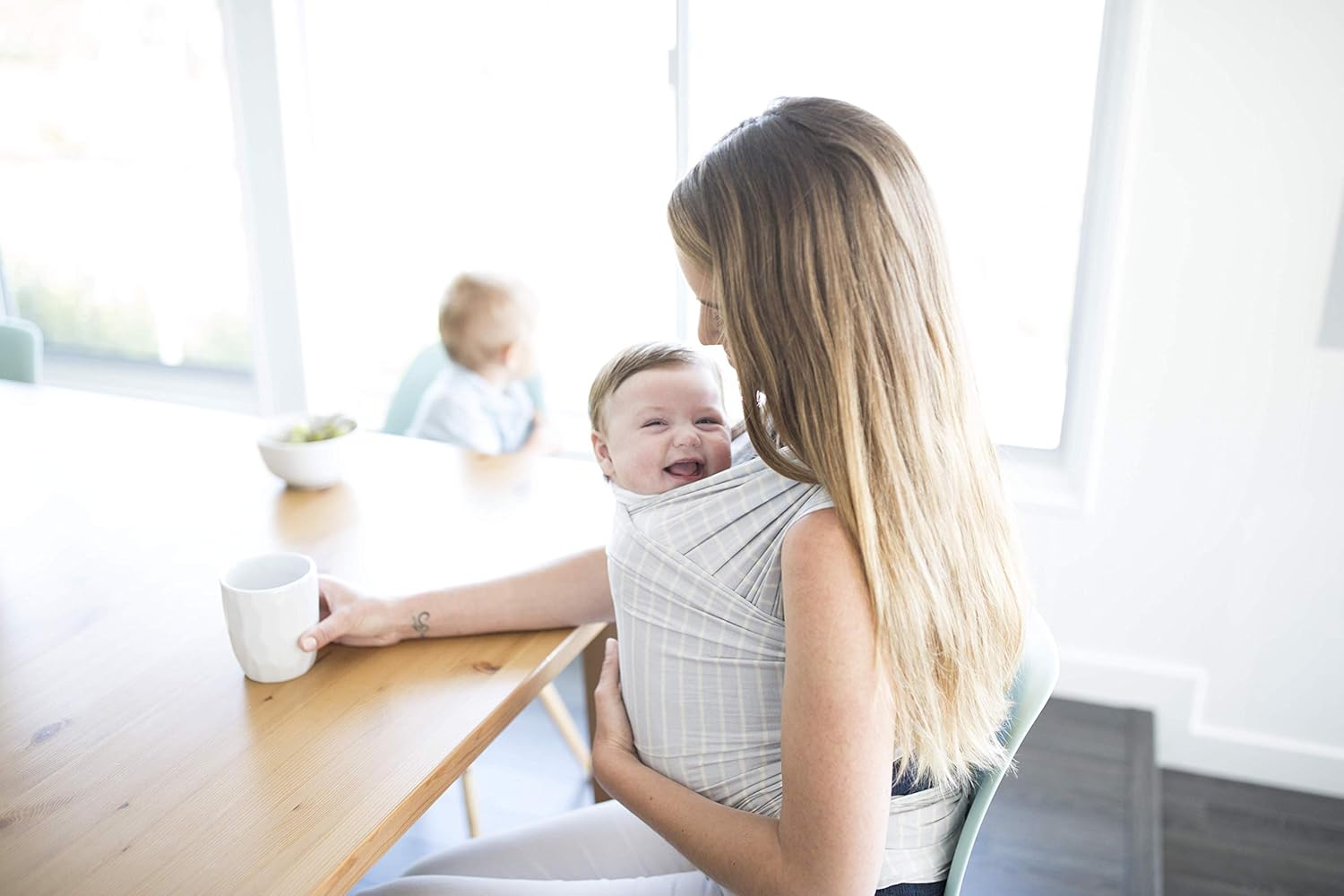
Image: A parent wearing the Ergobaby Aura Wrap with a baby, demonstrating a comfortable fit.
Video: Official Ergobaby "Aura Wrap Video" demonstrating the step-by-step process of tying the wrap.
4. Placing Your Baby in the Wrap
Once the wrap is securely tied, follow these steps to place your baby:
- Create a Pocket: Gently pull down the horizontal section of the wrap at your waist to create a pocket for your baby.
- Insert Legs: Carefully insert one of your baby's legs through one of the criss-crossed shoulder straps, then the other leg through the other strap. Ensure the fabric spreads from knee to knee, supporting their hips in an "M" shape.
- Spread Fabric Over Back: Pull the fabric of each shoulder strap up over your baby's back, ensuring it covers them from knee to knee and provides full support.
- Pull Up Waistband: Finally, pull the horizontal section of the wrap (the pocket you created) up over your baby's back and neck for additional support.
- Final Adjustments: Adjust the fabric to ensure your baby is snug, their face is visible, and their airway is clear. Their back should be in a gentle "C" curve.

Image: Front and back views of a parent demonstrating the Ergobaby Aura Wrap, highlighting its one-size-fits-most design.
5. Care & Maintenance
To maintain the quality and longevity of your Ergobaby Aura Wrap:
- Machine Washable: The wrap is machine washable. Use cold water on a gentle cycle.
- Dryer Safe: Tumble dry on low heat or hang to dry.
- Material: Made from 100% Viscose derived from eucalyptus and acacia.

Image: The Ergobaby Aura Wrap neatly folded into its integrated carrying pouch for easy storage.
6. Specifications
| Feature | Detail |
|---|---|
| Model Number | WLAGRYDOT |
| Product Dimensions | 8 x 1.8 x 8 inches |
| Item Weight | 1.1 pounds |
| Minimum Weight Recommendation | 8 Pounds (3.6 kg) |
| Maximum Weight Recommendation | 25 Pounds (11.3 kg) |
| Material Type | 100% Viscose from eucalyptus and acacia |
| Target Gender | Unisex |
| Orientation | Front |
7. Warranty & Support
Ergobaby offers the "ErgoPromise" Lifetime Guarantee. If you encounter a manufacturing or material defect, Ergobaby will replace your carrier or part at no charge. For support or to claim your warranty, please visit the official Ergobaby website or contact their customer service.

Image: ErgoPromise Lifetime Guarantee logo, indicating product assurance.

Image: International Hip Dysplasia Institute logo, highlighting the ergonomic design for hip health.


