
Introduction
Thank you for choosing the Unold 68010 Design Bread Maker. This manual provides essential information for the safe and efficient operation, maintenance, and troubleshooting of your appliance. Please read these instructions carefully before first use and keep them for future reference.
The Unold 68010 Design Bread Maker is designed to simplify your bread-making process, offering a variety of programs and features for delicious homemade bread.
1. Setup
1.1 Unpacking
Carefully remove the bread maker and all accessories from the packaging. Retain the packaging for future storage or transport. Check that all components are present:
- Unold 68010 Design Bread Maker unit
- Baking pan
- Kneading paddle
- Measuring cup
- Measuring spoon
- Hook for removing kneading paddle
1.2 Initial Cleaning
Before first use, clean all parts that will come into contact with food. Wash the baking pan and kneading paddle with warm, soapy water, then rinse thoroughly and dry. Wipe the exterior of the bread maker with a damp cloth.
1.3 Placement
Place the bread maker on a stable, flat, heat-resistant surface. Ensure there is adequate ventilation around the appliance. Do not place it near heat sources or in direct sunlight.
1.4 Assembling the Baking Pan
Insert the kneading paddle onto the shaft at the bottom of the baking pan. Ensure it is securely in place. Then, insert the baking pan into the bread maker cavity and turn it slightly until it locks into position.

Image: The Unold 68010 Design Bread Maker shown with its baking pan, kneading paddle, measuring cup, measuring spoon, and hook, illustrating the included accessories.
2. Operating Instructions
2.1 Adding Ingredients
Always add liquid ingredients first, followed by dry ingredients. Make sure yeast is added last and does not come into direct contact with liquid or salt initially. Refer to your recipe for precise measurements and order of ingredients.
2.2 Control Panel Overview
The bread maker features an easy-to-use backlit LCD display with soft-touch controls.

Image: A detailed view of the control panel, highlighting the 'Menu', 'Bread Size', 'Time Selection', 'Browning', and 'Start/Stop' buttons.
- Menu: Press to select from 12 stored programs.
- Bread Size: Adjusts the bread weight (e.g., 700g or 1000g).
- Time Selection: Used for delayed start function.
- Browning: Selects the crust browning level (light, medium, dark).
- Start/Stop: Initiates or cancels a program.
2.3 Program Selection
The Unold 68010 offers 12 pre-programmed settings for various bread types and functions:

Image: A visual representation of the 12 available programs on the bread maker, including Basic, White Bread, Whole Wheat, and more, alongside a freshly baked loaf.
- Basic: For white and mixed breads.
- White Bread: Specifically for white bread recipes.
- Whole Wheat: For whole wheat breads.
- Quick: For faster baking cycles.
- Yeast Cake: For sweet yeast doughs.
- Ultra Fast: For very quick bread preparation.
- Dough: Prepares dough for baking in a conventional oven.
- Jam: For making homemade jams.
- Gluten-Free: For gluten-free recipes.
- Baking Powder: For quick breads using baking powder.
- Toast Bread: Optimized for toast bread.
- Bake: For baking pre-made dough or additional baking time.
2.4 Starting a Program
After selecting your desired program, bread size, and browning level, press the Start/Stop button to begin the baking cycle. The display will show the remaining time.
2.5 Keep-Warm Function
Once a baking program is complete, the bread maker automatically enters a keep-warm phase for approximately 60 minutes to maintain the bread's temperature.
2.6 Power Failure Protection
In case of a brief power outage (up to approximately 15 minutes), the bread maker will resume the program cycle once power is restored.
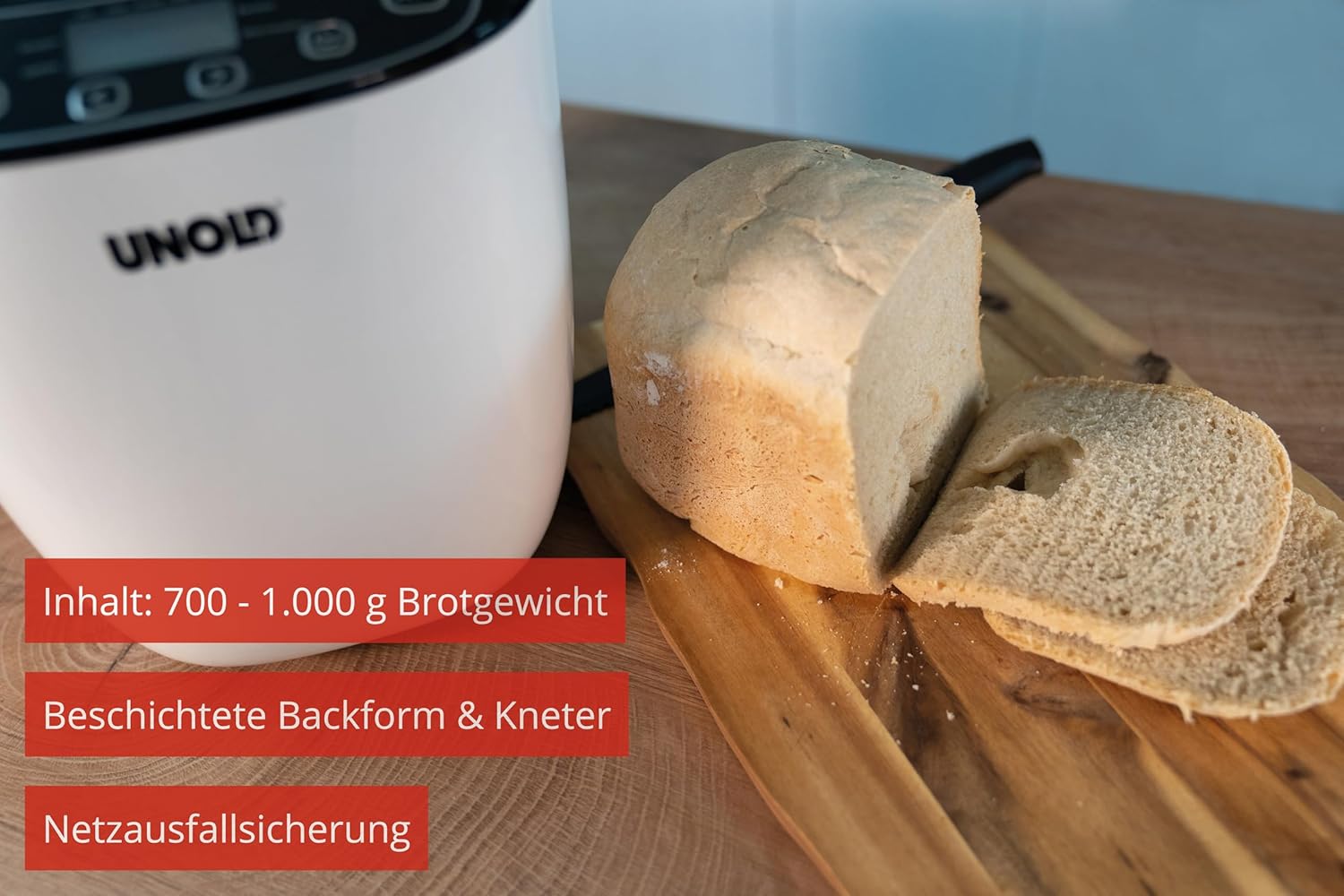
Image: This image illustrates key features such as the bread maker's capacity (700-1000g), the coated baking pan and kneading paddle, and the power failure protection system.
3. Maintenance
3.1 Cleaning the Baking Pan and Kneading Paddle
After each use, allow the baking pan and kneading paddle to cool completely. Fill the pan with warm, soapy water and let it soak for a few minutes to loosen any residue. Use a soft sponge or cloth to clean. Do not use abrasive cleaners or metal utensils, as these can damage the non-stick coating. Rinse thoroughly and dry.
3.2 Cleaning the Exterior
Wipe the exterior of the bread maker with a dry or slightly damp cloth. Do not immerse the appliance in water or any other liquid. Ensure no water enters the ventilation openings.
3.3 Storage
Before storing, ensure the bread maker is clean and dry. Store it in a cool, dry place, away from direct sunlight and moisture.
4. Troubleshooting
If you encounter issues with your Unold 68010 Design Bread Maker, please consult the following common problems and solutions:
| Problem | Possible Cause | Solution |
|---|---|---|
| Bread does not rise | Expired yeast, incorrect water temperature, too much salt/sugar, incorrect ingredient ratio. | Check yeast expiry date. Use lukewarm water (35-40°C). Ensure correct measurements and ingredient order. |
| Bread is too dense | Too much flour, too little liquid, incorrect program. | Measure ingredients precisely. Ensure correct program selection for the recipe. |
| Bread is too sticky/wet | Too much liquid, too little flour. | Adjust liquid/flour ratio according to recipe. |
| Kneading paddle stuck in bread | Common occurrence. | Use the provided hook to carefully remove the paddle after the bread has cooled slightly. |
| Machine displays "ERR" | Overheating, internal error. | Unplug the machine, let it cool down for 20-30 minutes, then plug it back in and try again. If the error persists, contact customer support. |
If the problem persists after attempting these solutions, please contact Unold customer support.
5. Specifications
- Brand: Unold
- Model Number: 68010
- Power: 550 Watts
- Voltage: 240V
- Capacity: Up to 1 kg bread weight (700g - 1000g)
- Number of Programs: 12
- Material: Plastic
- Color: White/Black
- Product Dimensions (D x W x H): 36.2 x 24.7 x 29.1 cm
- Item Weight: 4.4 kg
- Features: BPA-free, Coated baking pan and kneading paddle, Cool Touch housing, Non-slip feet, Keep-warm function (approx. 60 min), Selectable browning level and bread size, Power failure protection (approx. 15 min), Backlit LCD display, Large viewing window.
- Care Instructions: Wipe with a dry cloth.

Image: Dimensional drawing of the Unold 68010 Bread Maker, indicating its height, width, and depth.
6. Warranty and Support
For warranty information, please refer to the separate warranty card included with your product or visit the official Unold website. For technical support, spare parts, or service inquiries, please contact Unold customer service directly. Contact details can typically be found on the manufacturer's website or in the product packaging.


