
Adesso 4217-01
Adesso 7W LED Desk Lamp with Qi Wireless Charging & USB Port
Model: 4217-01
Brand: Adesso
Introduction
This manual provides instructions for the safe and efficient operation of your Adesso 7W LED Desk Lamp (Model 4217-01). This adjustable LED task lamp features integrated Qi wireless charging and a USB port for convenient device charging.
Please read these instructions thoroughly before use and retain them for future reference.
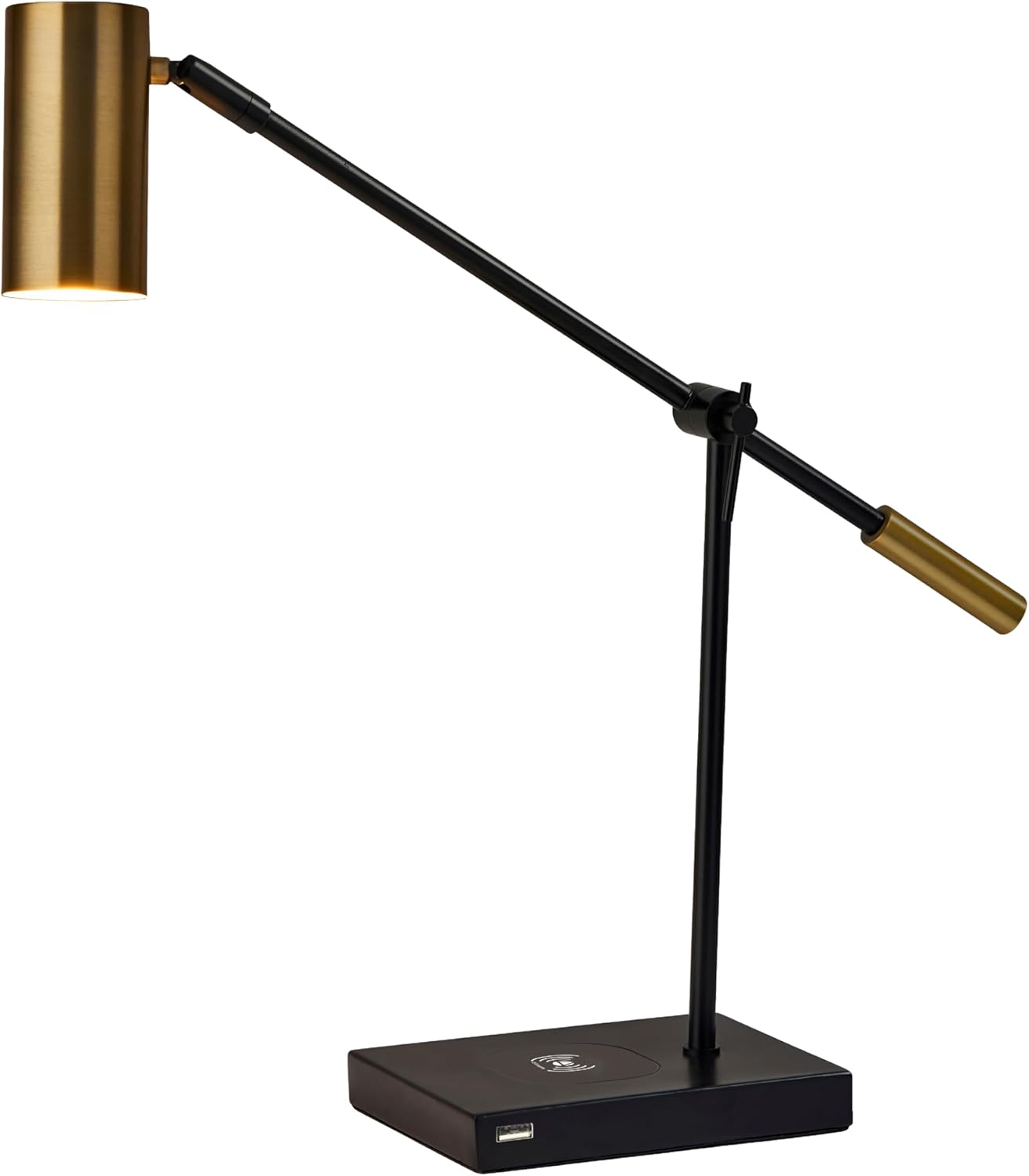
Figure 1: Adesso 7W LED Desk Lamp (Model 4217-01)
Safety Information
- Ensure the lamp is placed on a stable, flat surface to prevent tipping.
- Do not expose the lamp to water or excessive moisture. This product is not water resistant.
- Use only with the provided power adapter.
- Do not attempt to disassemble or modify the lamp. There are no user-serviceable parts.
- Keep away from flammable materials.
- The integrated LED is non-replaceable.
Package Contents
Verify that all components are present before assembly and operation:
- 1 x Adesso 7W LED Desk Lamp (Model 4217-01)
- 1 x Power Adapter (integrated cord)
Setup
- Unpack the Lamp: Carefully remove all packaging materials from the lamp and its components.
- Position the Lamp: Place the lamp on a stable, flat surface in your desired location. Ensure the power cord can reach an electrical outlet without being strained or obstructed.
- Connect to Power: Plug the power cord into a standard 120V AC electrical outlet.

Figure 2: Lamp placement on a desk
Operating Instructions
1. Powering On/Off and Adjusting Brightness
The lamp features a 3-way touch dimmer switch located on the top of the lamp head.
- First Touch: Turns the lamp ON to its lowest brightness setting.
- Second Touch: Increases brightness to the medium setting.
- Third Touch: Increases brightness to the highest setting (450 lumens).
- Fourth Touch: Turns the lamp OFF.

Figure 3: Touch Dimmer Switch on Lamp Head
2. Adjusting the Lamp Arm and Shade
The lamp is designed with an adjustable arm and shade to direct light as needed.
- Gently adjust the lamp arm at its hinge point to change the height and angle of the light.
- The lamp shade can also be pivoted to further refine the light direction.

Figure 4: Adjustable Lamp Positions
3. Qi Wireless Charging
The lamp base includes a built-in Qi-certified wireless charging pad.
- Ensure the lamp is plugged into a power outlet.
- Place your Qi-compatible smartphone directly onto the wireless charging pad located on the lamp base.
- The phone should indicate that it is charging. If not, adjust its position on the pad until charging begins.

Figure 5: Qi Wireless Charging Pad
4. USB Charging Port
An additional USB port is located on the side of the lamp base for charging other devices.
- Ensure the lamp is plugged into a power outlet.
- Connect your device's USB charging cable to the USB port on the lamp base.
- Connect the other end of the cable to your device to begin charging.
Product Demonstration Video
Video 1: This video demonstrates the features of Adesso lamps with wireless charging, including the Qi wireless charging pad and USB port, and shows the lamp in various settings like a desk and bedside table.
Maintenance
- Cleaning: Disconnect the lamp from power before cleaning. Use a soft, dry cloth to wipe the lamp. Do not use abrasive cleaners or solvents.
- LED Lifespan: The integrated LED light source is designed to last up to 50,000 hours and is not replaceable.
Troubleshooting
| Problem | Possible Cause | Solution |
|---|---|---|
| Lamp does not turn on. | Not plugged in; power outage; faulty outlet; touch switch not activated correctly. | Ensure the power cord is securely plugged into a working outlet. Check the circuit breaker. Firmly touch the switch on the lamp head. |
| Wireless charging not working. | Phone not Qi-compatible; phone not positioned correctly; phone case too thick. | Verify your phone supports Qi wireless charging. Reposition the phone on the charging pad. Remove thick phone cases. |
| USB charging not working. | Cable issue; device issue; lamp not powered. | Try a different USB cable. Ensure the lamp is plugged in. Test with another device. |
Specifications

Figure 6: Product Dimensions
| Feature | Detail |
|---|---|
| Model Number | 4217-01 |
| Lamp Type | LED Desk Lamp |
| Light Source Type | Integrated LED (non-replaceable) |
| Wattage | 7 watts |
| Lumen Output | 450 lumens |
| Color Temperature | 3000K Warm Light |
| LED Lifespan | Up to 50,000 hours |
| Switch Type | 3-Way Touch Dimmer |
| Charging Features | Qi Wireless Charging Pad, USB Port |
| Power Source | Corded Electric |
| Voltage | 120 Volts |
| Product Dimensions | 22.5"D x 5"W x 22.25"H |
| Item Weight | 3.17 Pounds |
| Material | Fabric, Metal |
| Finish Type | Antique Brass |
| Indoor/Outdoor Usage | Indoor |
Warranty
This Adesso 7W LED Desk Lamp (Model 4217-01) is covered by a 1-year manufacturer's warranty from the date of purchase. This warranty covers defects in materials and workmanship under normal use. It does not cover damage resulting from misuse, accidents, unauthorized modifications, or improper installation.
Please retain your proof of purchase for warranty claims.
Support
For technical assistance, troubleshooting, or warranty inquiries, please contact Adesso customer support.
- Online Support: Visit the official Adesso website or their Amazon Brand Store for FAQs and contact information.
- Adesso Brand Store: Adesso on Amazon
Related documents4217-01


Ask a question about this manual
Ask about setup, troubleshooting, compatibility, parts, safety, or missing instructions. Manuals+ will review the question and use this page’s manual context to help answer it.