
ECOXGEAR GDI-EXLTN400
ECOXGEAR EcoLantern User Manual
Model: GDI-EXLTN400
Introduction
The ECOXGEAR EcoLantern is a robust and versatile portable Bluetooth speaker and lantern designed for both indoor and outdoor use. It features 360-degree sound, multiple light modes including party lights, and a powerful battery that can also charge your USB devices. With its IP67 waterproof and dustproof rating, the EcoLantern is built to withstand various environments, making it an ideal companion for camping, backyard gatherings, or any adventure.
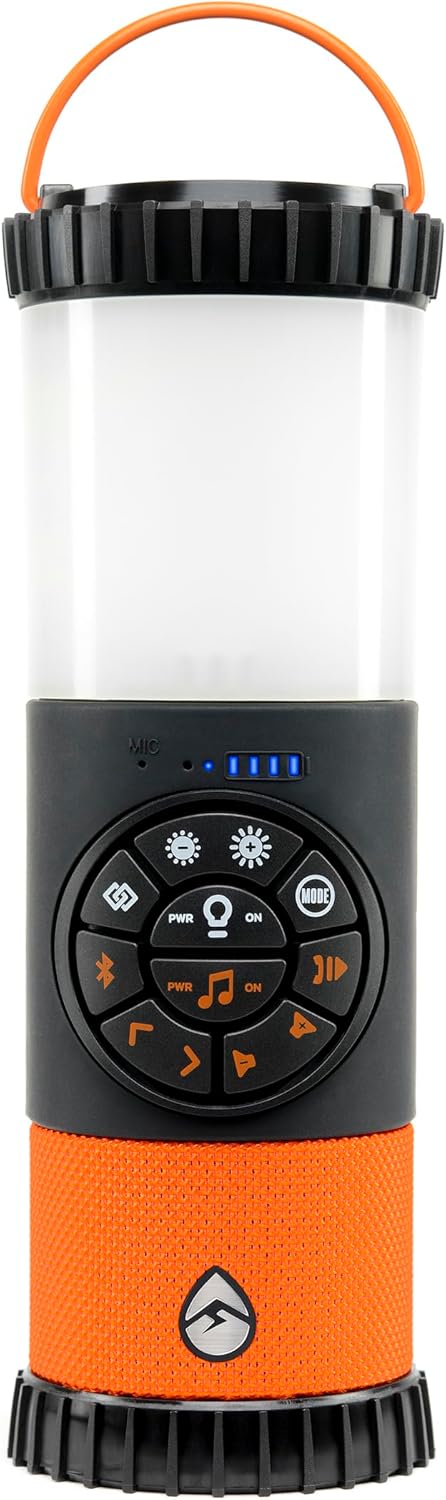
Figure 1: Front view of the ECOXGEAR EcoLantern, showcasing its speaker and lantern sections.
What's in the Box
Verify that all items are present in the package:
- 1x EcoLantern Speaker
- 1x AC Power Adapter
- 1x USB Cable
- User Guide (this manual)
Setup
Initial Charging
Before first use, fully charge your EcoLantern. The device comes partially charged, but a full charge ensures maximum playtime.
- Locate the waterproof cover on the side of the EcoLantern.
- Carefully open the cover to reveal the charging ports.
- Connect the provided AC Power Adapter to the "USB Input" port.
- Plug the AC Power Adapter into a standard wall outlet.
- The battery indicator lights will illuminate to show charging progress. All lights will be solid when fully charged.
- Once charging is complete, securely close the waterproof cover to maintain the IP67 rating.

Figure 2: Close-up view of the EcoLantern's waterproof port cover, showing USB output, USB input, and AUX-in connections.
Powering On/Off
To power on the EcoLantern, press and hold the PWR ON button located on the control panel. You will hear an audible "Speaker On" prompt. To power off, press and hold the same button until you hear "Speaker Off."
Operating Instructions
Bluetooth Pairing
The EcoLantern is ready to connect via Bluetooth upon powering on. Look for "EcoLantern" in your device's Bluetooth settings.
- Ensure the EcoLantern is powered on and within range of your Bluetooth device (up to 30 feet).
- On your smartphone or tablet, navigate to the Bluetooth settings.
- Select "EcoLantern" from the list of available devices.
- Once connected, you will hear a confirmation tone.
Light Modes
The EcoLantern offers various lighting options, controlled by the buttons on the front panel.
- Brightness Adjustment: Press the Sun icon buttons (+ and -) to cycle through five brightness settings for the main lantern light.
- 360 or 180 Degree Illumination: Use the dedicated button to switch between full 360-degree light or a focused 180-degree illumination.
- Party Light Modes:
- Music Sync Mode: One mode pulses colors in sync with the music playback, creating a dynamic party atmosphere.
- Fading Colors Mode: Another mode features soft, transitioning colors that fade into each other for a mellow mood.
- Emergency Mode: The EcoLantern also includes a bright flashing white and red light to attract attention in emergency situations.

Figure 3: The EcoLantern displaying its flashing emergency light and vibrant party light modes.

Figure 4: The EcoLantern providing 360-degree sound and light, ideal for outdoor settings.
Audio Playback
Control your music directly from the EcoLantern's control panel:
- Play/Pause: Press the Play/Pause button.
- Volume Up/Down: Use the Volume Up (^) and Volume Down (v) buttons.
- Next/Previous Track: Use the Next Track (>>) and Previous Track (<<) buttons.
- AUX-in: For non-Bluetooth devices, connect via the 3.5mm AUX-in port located under the waterproof cover.
Power Bank Functionality
The EcoLantern features a built-in 2,200 mAh power bank to charge your mobile devices.
- Open the waterproof cover on the side of the EcoLantern.
- Connect your device's USB charging cable to the "USB Output" port (5V=2.1A).
- Ensure the power bank switch (if present) is in the "ON" position.
- Your device will begin charging.
- Remember to close the waterproof cover securely after use.

Figure 5: The EcoLantern actively charging a smartphone via its USB output port.
EcoConnect (Pairing Two Speakers)
Enhance your audio experience by wirelessly pairing two EcoLanterns for louder, synchronized sound.
- Ensure both EcoLanterns are powered on and not connected to any Bluetooth device.
- On one EcoLantern (this will be the master), press and hold the EcoConnect button (often indicated by a chain link or double speaker icon).
- The master speaker will enter pairing mode.
- On the second EcoLantern, press the EcoConnect button briefly.
- The two speakers will automatically connect. A confirmation tone will sound once paired.
- Connect your Bluetooth device to the master EcoLantern. Audio will now play through both speakers.

Figure 6: Two EcoLantern units shown side-by-side, illustrating the EcoConnect feature for stereo pairing.
EcoTalk (Voice Assistant)
Access your smartphone's voice assistant (Siri or Google Assistant) directly through the EcoLantern.
- Ensure your EcoLantern is connected to your smartphone via Bluetooth.
- Press the EcoTalk button (often indicated by a microphone icon) on the control panel.
- Your phone's voice assistant will activate, and you can speak your commands through the EcoLantern's built-in microphone.
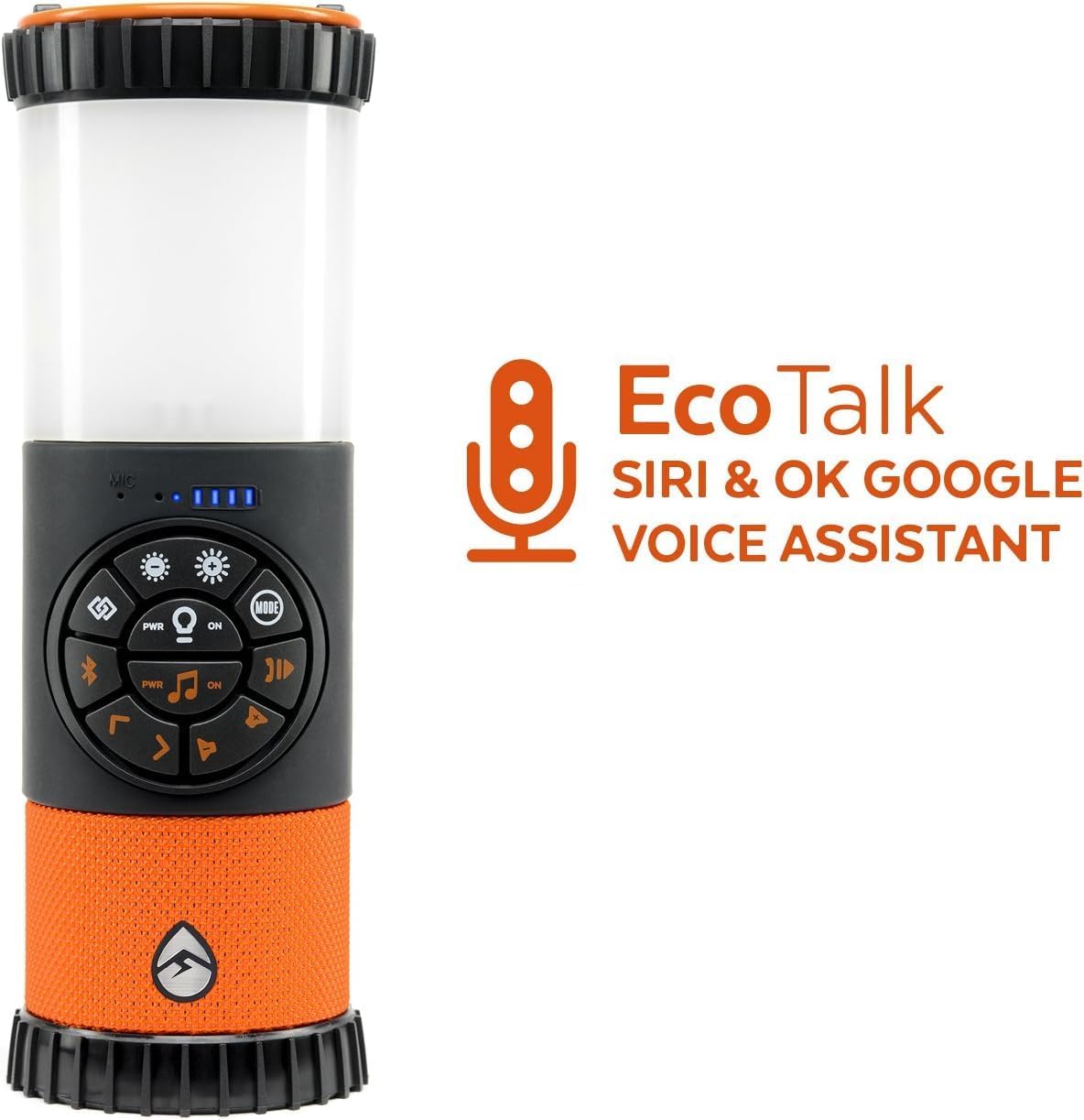
Figure 7: The EcoLantern highlighting its EcoTalk feature, allowing access to Siri and Google Voice Assistant.
Maintenance
The EcoLantern is designed for durability with an IP67 waterproof and dustproof rating. To ensure its longevity, follow these maintenance guidelines:
- Cleaning: Wipe the unit with a soft, damp cloth. Avoid using harsh chemicals or abrasive cleaners.
- Water Exposure: While waterproof, always ensure the port cover is securely closed before exposing the unit to water or dust. After exposure to saltwater, rinse the unit with fresh water and dry thoroughly.
- Storage: Store the EcoLantern in a cool, dry place when not in use. Avoid extreme temperatures.
- Battery Care: For optimal battery life, avoid fully discharging the battery frequently. Charge the unit regularly, especially if storing for extended periods.

Figure 8: The EcoLantern enduring water splashes, showcasing its IP67 waterproof capability.

Figure 9: The EcoLantern depicted as shockproof, highlighting its rugged construction.
Troubleshooting
If you encounter issues with your EcoLantern, refer to the following common problems and solutions:
| Problem | Possible Cause | Solution |
|---|---|---|
| No Power | Battery is depleted; Power switch is off. | Charge the EcoLantern fully; Ensure the power switch under the waterproof cover is in the "ON" position. |
| Cannot Pair Bluetooth | EcoLantern is already paired; Device is out of range; Bluetooth is off on your device. | Disconnect from other devices; Move closer to the EcoLantern; Enable Bluetooth on your device. |
| No Sound | Volume is too low; Device is not connected; Audio source issue. | Increase volume on EcoLantern and connected device; Re-pair Bluetooth; Check audio source. |
| Light Not Working | Light mode is off; Battery is low. | Press the light button to turn it on; Charge the EcoLantern. |
| USB Charging Not Working | Power bank switch is off; Cable issue; Device not compatible. | Ensure power bank switch is "ON"; Try a different USB cable; Verify device compatibility. |
Specifications
| Feature | Detail |
|---|---|
| Model Name | ECOLANTERN (GDI-EXLTN400) |
| Brand | ECOXGEAR |
| Speaker Type | Outdoor, Portable Bluetooth Speaker |
| Water Resistance Level | IP67 Waterproof and Dustproof |
| Battery Life | Up to 20 hours (music at 75% volume), Up to 24 hours (light at dim setting) |
| Battery Capacity | 2200 mAh |
| Charging Time | 3 Hours |
| Bluetooth Range | 30 Feet |
| Signal-to-Noise Ratio | 88 dB |
| Speaker Maximum Output Power | 5 Watts |
| Product Dimensions | 3.6"D x 3.6"W x 10.4"H |
| Item Weight | 2 Pounds |
| Material | Plastic |
| Included Components | EcoLantern, AC Power Adapter, USB Cable, User Guide |
Warranty and Support
The ECOXGEAR EcoLantern comes with a 1-Year Manufacturer Warranty. For warranty claims, technical support, or additional product information, please visit the official ECOXGEAR website or contact their customer service directly.
For the latest information and support, please visit: www.ecoxgear.com
Related documentsGDI-EXLTN400

Ask a question about this manual
Ask about setup, troubleshooting, compatibility, parts, safety, or missing instructions. Manuals+ will review the question and use this page’s manual context to help answer it.