
RYOBI RC18120-242
RYOBI ONE+ 18V Lithium+ Battery and Charger Kit User Manual
Model: RC18120-242
1. Introduction
This manual provides essential information for the safe and efficient operation of your RYOBI ONE+ 18V Lithium+ Battery and Charger Kit (Model RC18120-242). Please read this manual thoroughly before using the product and retain it for future reference.
1.1 Package Contents
- 1 x RYOBI ONE+ 18V IntelliPort Charger (RC18120)
- 1 x RYOBI ONE+ 18V 4.0Ah Lithium+ Battery
- 1 x RYOBI ONE+ 18V 2.0Ah Lithium+ Battery
- 1 x User Manual

2. Important Safety Information
Always observe basic safety precautions when using electrical products to reduce the risk of fire, electric shock, and personal injury. Read all instructions before using this product.
2.1 General Battery Safety Warnings
- Do not disassemble, open, or shred battery packs.
- Do not short-circuit a battery pack.
- Do not expose battery packs to heat or fire. Avoid storage in direct sunlight.
- Do not subject battery packs to mechanical shock.
- In case of battery leakage, do not allow the liquid to come into contact with the skin or eyes. If contact has been made, wash the affected area with copious amounts of water and seek medical advice.
- Keep battery packs clean and dry.
- Recharge only with the charger specified by RYOBI.
- Do not use any battery pack that is not designed for use with the equipment.
2.2 Charger Safety Warnings
- This charger is for indoor use only.
- Do not charge non-rechargeable batteries.
- Before using the charger, read all instructions and cautionary markings on the charger, battery pack, and product using the battery pack.
- Do not expose the charger to rain or wet conditions.
- Do not operate the charger if it has received a sharp blow, been dropped, or otherwise damaged.
- Do not disassemble the charger. Take it to an authorized service center when service or repair is required.
3. Setup and Initial Use
3.1 Charging the Battery
- Plug the charger into a standard household electrical outlet (240 Volts Input).
- Align the ribs on the battery pack with the grooves in the charger port.
- Slide the battery pack into the charger port until it clicks into place.
- The charger's indicator lights will show the charging status. Refer to the charger's specific indicator guide for details.
- Once fully charged, remove the battery pack from the charger.


3.2 Installing the Battery
To install the battery into a compatible RYOBI ONE+ 18V tool:
- Ensure the tool is switched off.
- Align the battery pack with the battery port on the tool.
- Slide the battery pack into the tool until it locks securely in place.


4. Operating Instructions
4.1 Using the Battery with Tools
Once the battery is fully charged and installed in a compatible RYOBI ONE+ 18V tool, the tool is ready for operation according to its specific user manual. Always refer to the tool's manual for detailed operating instructions.
4.2 Battery Fuel Gauge
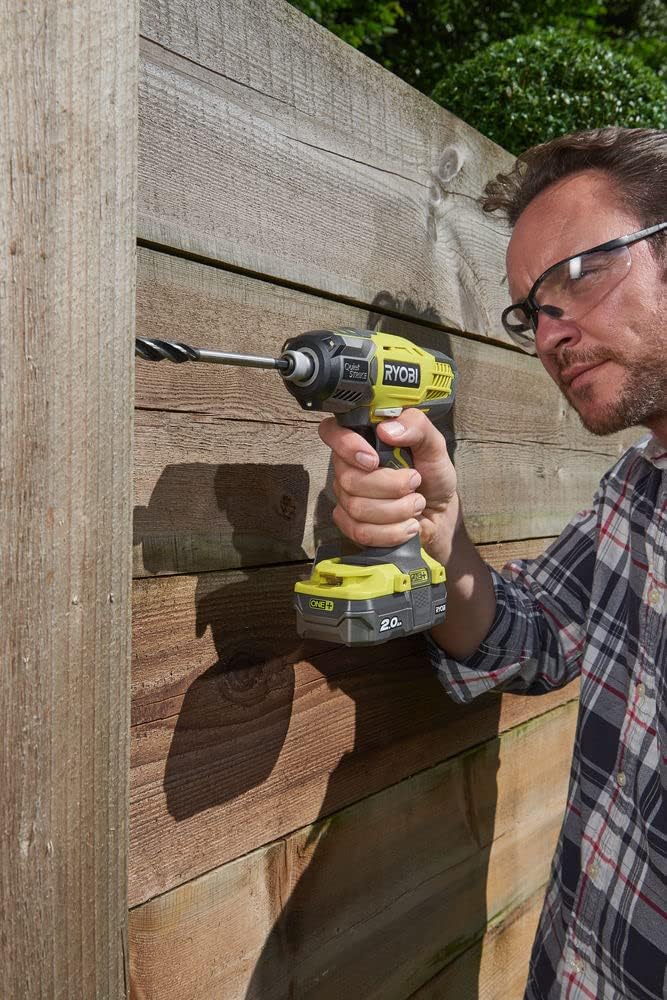
Many RYOBI ONE+ 18V Lithium+ batteries feature an on-board fuel gauge. Press the button on the battery to illuminate the LED indicators, showing the approximate remaining charge.
5. Maintenance and Storage
5.1 Battery Care
- Store batteries in a cool, dry place away from direct sunlight and excessive heat.
- Do not store batteries in a discharged condition for extended periods. Recharge them periodically if not in use.
- Clean battery terminals with a dry cloth if they become dirty.
5.2 Charger Care
- Keep the charger clean and free of debris.
- Store the charger in a dry location when not in use.
- Inspect the charger cord for damage regularly. If damaged, have it repaired by a qualified service technician.
6. Troubleshooting
| Problem | Possible Cause | Solution |
|---|---|---|
| Battery not charging | Charger not plugged in; faulty outlet; battery not seated correctly; battery or charger too hot/cold; faulty battery/charger. | Ensure charger is securely plugged in. Test outlet with another device. Re-seat battery firmly. Allow battery/charger to reach room temperature. Contact RYOBI service if problem persists. |
| Tool not operating with charged battery | Battery not fully inserted; tool fault; battery fault. | Ensure battery is fully clicked into place. Test battery with another compatible tool. Test tool with another charged battery. Contact RYOBI service if problem persists. |
| Charger indicator lights flashing erratically | Indicates a fault or temperature issue. | Remove battery, unplug charger, wait a few minutes, then re-attempt. Ensure battery and charger are at room temperature. If issue persists, contact RYOBI service. |
7. Specifications
| Feature | Detail |
|---|---|
| Model Number | RC18120-242 |
| Brand | RYOBI |
| Battery Type | Lithium Ion |
| Battery Voltage | 18 Volts |
| Charger Input Voltage | 240 Volts |
| Charger Output Voltage | 24 Volts (DC) |
| Included Batteries | 1 x 4.0Ah, 1 x 2.0Ah |
| Item Weight | 1.87 Kilograms (approx. 4.11 pounds) |
| Product Dimensions | 15.35 x 9.06 x 9.06 inches |
| Color | Grey |
| Country of Origin | Poland |
8. Warranty and Support
For warranty information, service, or technical support, please refer to the warranty card included with your product or visit the official RYOBI website. Keep your proof of purchase for warranty claims.
RYOBI Official Website: www.ryobitools.com
Related documentsRC18120-242


Ask a question about this manual
Ask about setup, troubleshooting, compatibility, parts, safety, or missing instructions. Manuals+ will review the question and use this page’s manual context to help answer it.