
1. Introduction
This manual provides detailed instructions for the proper setup, operation, and maintenance of your Taylor Digital Kitchen Scale, Model 3897. Designed for precision and ease of use, this scale is ideal for weighing a variety of food items and other household goods. Please read this manual thoroughly before using the scale to ensure accurate measurements and prolonged product life.

This image displays the Taylor Digital Kitchen Scale from a top-down perspective, highlighting the stainless steel weighing platform, the bright red LED display, and the 'UNIT' and 'TARE' buttons.
2. Key Features
- High Precision: Measures up to 11 lb (5000 g) with increments of 0.1 oz (1 g).
- Easy Tare Function: Allows for weighing multiple ingredients in the same container by zeroing out the container's weight.
- Bright LED Display: Features a 1-inch brilliant red LED screen for clear readability from various angles.
- Durable Design: Constructed with a brushed stainless steel weighing platform and top housing, resistant to odors and stains.
- Auto Shut-Off: Conserves battery life by automatically turning off after a period of inactivity.
- Unit Conversion: Easily switch between pounds/ounces, grams, ounces, and kilograms.
3. Package Contents
Upon unpacking, please ensure all items listed below are present:
- 1 x Taylor Digital Kitchen Scale (Model 3897)
- 3 x AAA Batteries
4. Setup
4.1. Battery Installation
- Locate the battery compartment on the underside of the scale.
- Open the battery compartment cover.
- Insert the three (3) AAA batteries, ensuring correct polarity (+/-) as indicated inside the compartment.
- Close the battery compartment cover securely.
4.2. Initial Placement
Place the scale on a hard, flat, and stable surface. Uneven surfaces can affect accuracy. Avoid placing the scale near strong electromagnetic fields or extreme temperature fluctuations.

An angled view of the Taylor Digital Kitchen Scale, showcasing its sleek, low-profile design and brushed stainless steel finish.
5. Operating Instructions
5.1. Power On/Off
- To Power On: Press the TARE/POWER button once. The display will show '0.0'.
- To Power Off: Press and hold the TARE/POWER button for approximately 3 seconds. The scale will also automatically shut off after a period of inactivity to save battery life.
5.2. Unit Conversion
With the scale powered on, press the UNIT button to cycle through the available measurement units: pounds and ounces (lb oz), grams (g), ounces (oz), and kilograms (kg). The selected unit will be displayed on the screen.
5.3. Weighing Items
- Ensure the scale is on a flat, stable surface and powered on, displaying '0.0'.
- Place the item(s) to be weighed directly onto the center of the stainless steel platform.
- The weight will be displayed on the LED screen in the currently selected unit.
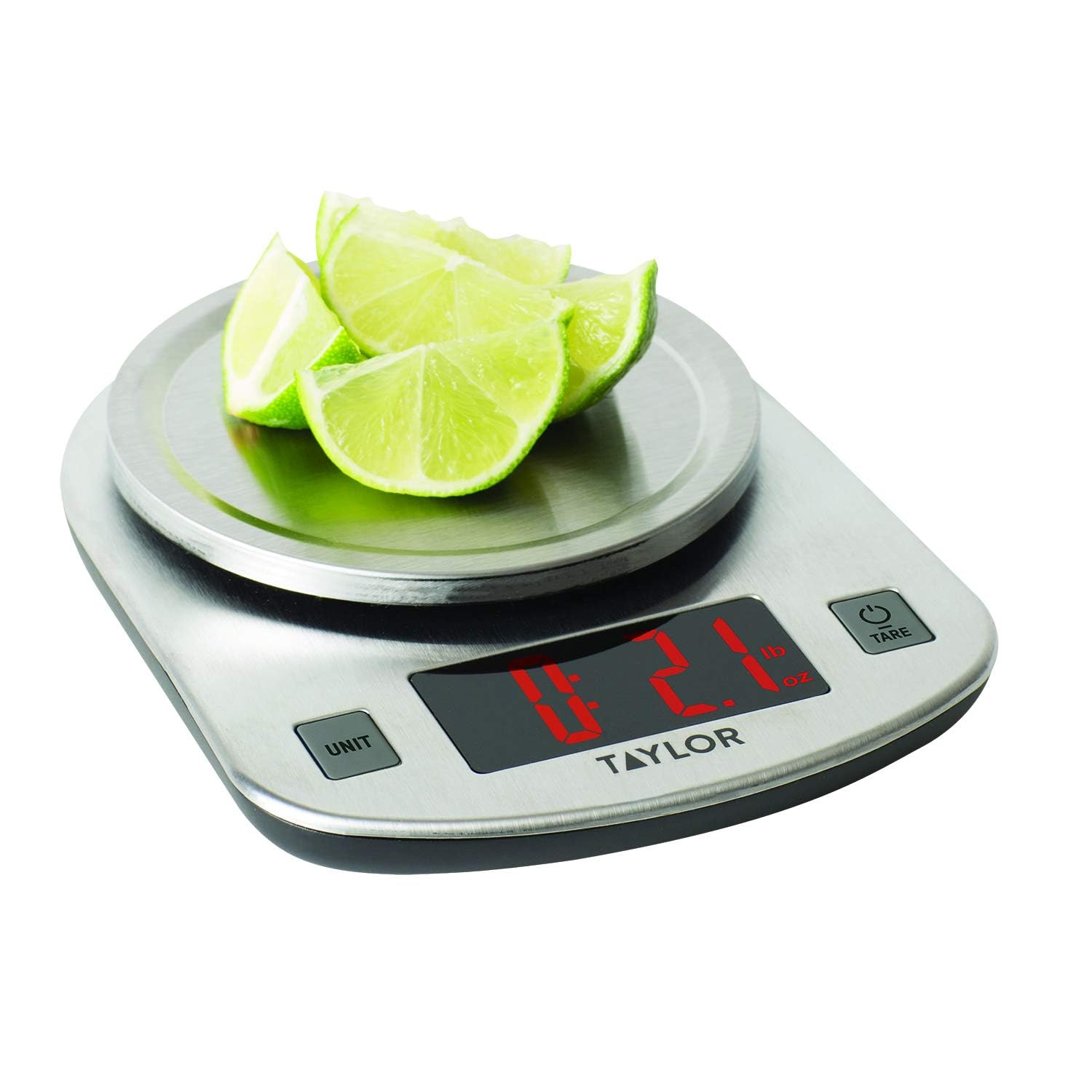
The scale in use, measuring sliced limes. The LED display clearly shows a weight of 2.1 ounces, demonstrating its functionality for weighing food items.
5.4. Tare Function (Add & Weigh)
The Tare function allows you to weigh multiple ingredients consecutively in the same container without emptying it. It effectively resets the scale to zero after each ingredient is added.
- Place an empty container on the scale platform. The display will show its weight.
- Press the TARE/POWER button. The display will reset to '0.0'.
- Add the first ingredient to the container. The display will show the weight of only that ingredient.
- To add another ingredient, press the TARE/POWER button again to reset the display to '0.0'.
- Add the next ingredient. Repeat this process for all subsequent ingredients.
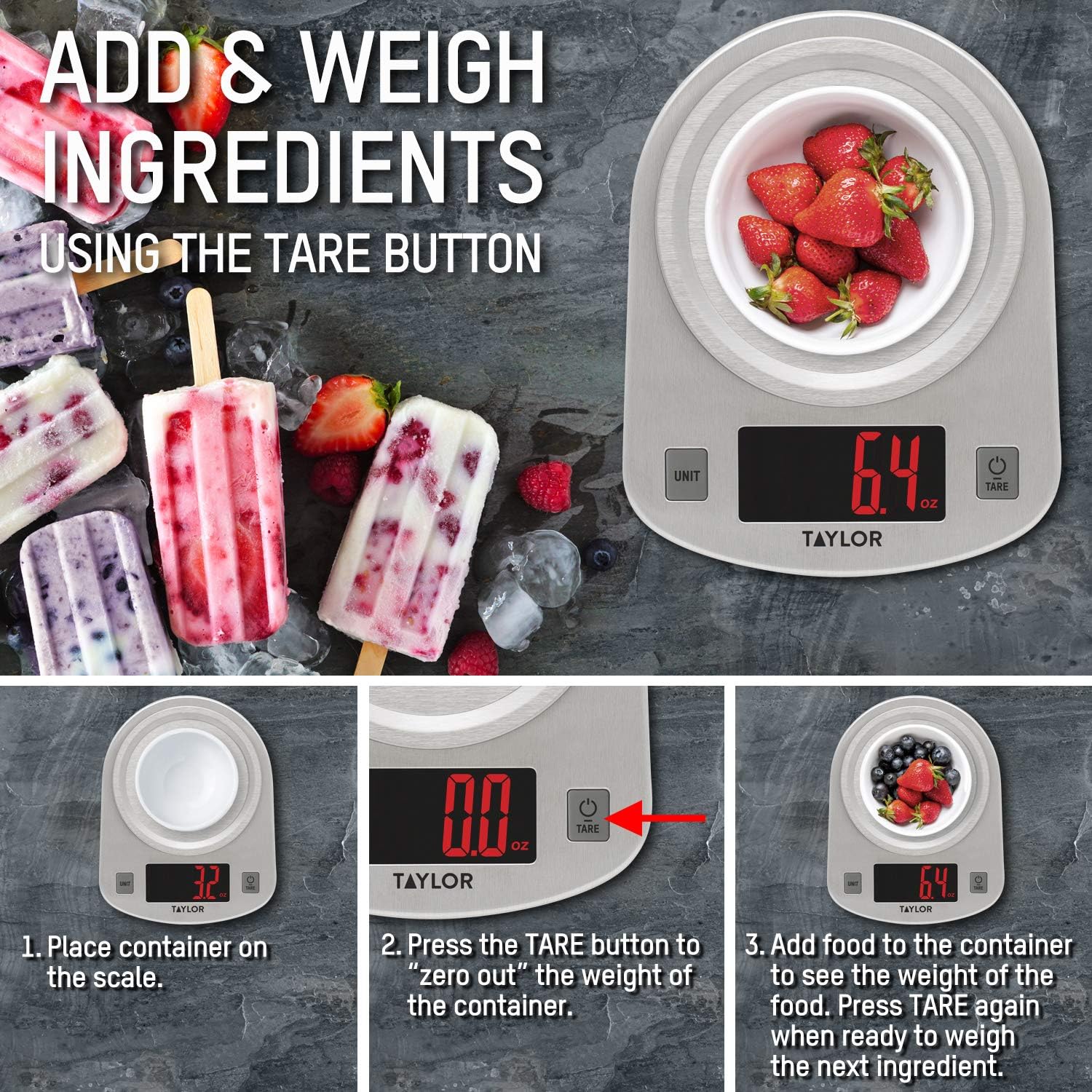
This instructional image illustrates the 'Add & Weigh' feature using the TARE button. It shows placing a container, taring its weight to zero, and then adding ingredients like strawberries to measure their net weight.
6. Maintenance
6.1. Cleaning
- Wipe the scale clean with a damp cloth and mild detergent.
- Do not immerse the scale in water or use abrasive cleaning agents.
- The stainless steel platform is odor and stain-resistant, making it easy to clean.
6.2. Storage
Store the scale in a cool, dry place. Avoid placing heavy objects on the scale when not in use, as this may affect its accuracy over time.
7. Troubleshooting
| Problem | Possible Cause | Solution |
|---|---|---|
| Display shows 'Lo' | Low battery power. | Replace the three (3) AAA batteries. |
| Display shows 'Err' | Scale is overloaded. | Remove items immediately. The maximum capacity is 11 lb (5000 g). |
| Inaccurate readings | Scale is on an uneven or unstable surface. | Place the scale on a hard, flat, and stable surface. |
| Scale does not turn on | Batteries are incorrectly installed or depleted. | Check battery polarity or replace batteries. |
8. Specifications
- Model Number: 3897
- Maximum Capacity: 11 lb x 0.1 oz (5000 g x 1 g, 176 oz x 0.1 oz, 5 kg x 0.001 kg)
- Product Dimensions: 7 x 1.25 x 5.38 inches
- Item Weight: 11.2 ounces
- Display Type: LED
- Power Source: 3 x AAA batteries (included)
- Special Feature: Auto Shut Off
- Material: Brushed Stainless Steel
9. Warranty and Support
This Taylor Digital Kitchen Scale is backed by the manufacturer's warranty. For specific warranty details, product support, or service inquiries, please refer to the warranty information provided with your purchase or contact Taylor customer service directly. Keep your purchase receipt as proof of purchase.


