
TOPENS ERM12
TOPENS ERM12 Universal External Receiver User Manual
Model: ERM12 | Brand: TOPENS
1. Introduction
The TOPENS ERM12 Universal External Receiver is designed to enhance the functionality and range of your automatic gate or garage door opener system. It allows for secure and reliable communication between TOPENS wireless access devices, such as remote controls and keypads, and your gate opener. This external receiver is particularly useful for extending the operating range of your wireless accessories and enabling a single remote control to operate multiple sliding gates.
2. Safety Information
- Read all instructions carefully before installation and operation.
- Ensure power is disconnected from the gate opener before performing any wiring or maintenance.
- Installation should be performed by qualified personnel if you are unsure about any steps.
- Keep remote controls out of reach of children.
- The ERM12 receiver is designed for gate/garage door openers only and does not support other door access control systems.
- Ensure the receiver is installed in a location protected from extreme weather conditions, although it is weather-resistant.
3. Package Contents
- 1 x TOPENS ERM12 Universal External Receiver
- 2 x M12 Remote Control Transmitters (included with some packages)
- User Manual (this document)

Figure 3.1: ERM12 Receiver and Included Remote Controls
4. Product Overview and Features
The ERM12 receiver is a compact unit with an LED indicator and a learn button for programming. It features three color-coded wires for connection to your gate opener's control board.
- Safe Connectivity: Establishes a reliable and secure link using advanced TOPENS code technology.
- Extended Range: Can extend the operating range of TOPENS wireless control accessories.
- High Capacity: Can be programmed with up to 250 TOPENS M12 remote control transmitters.
- Wide Compatibility: Works with all TOPENS gate openers and most third-party gate/garage door openers that accept a "Normal Open Dry Contact" signal for the push button.
- Power Options: Can be powered by the gate opener's control board or an external 9-24VDC power source.
- Durable Design: Made of high-quality UV-resistant, flame-retardant, and durable materials, suitable for outdoor use (IP44 Protection Degree).

Figure 4.1: ERM12 Outdoor Use Features

Figure 4.2: ERM12 and Remote Control Dimensions
5. Setup and Installation
The ERM12 receiver is designed for straightforward installation. It connects directly to your gate opener's control board. This receiver is particularly useful for controlling multiple sliding gates with a single remote control.
5.1 Wiring the ERM12 Receiver
- Identify Wires: The ERM12 receiver has three wires: Brown, Black, and Red.
- Connect to Control Board: Refer to your specific TOPENS gate opener's control board manual for exact terminal locations. Generally, the connections are as follows:
- Brown wire connects to the GND or NEC or COM terminal (often labeled 16).
- Black wire connects to the PUSHBUTTON or CL2 terminal (often labeled 17).
- Red wire connects to the 24V / BEAM Terminal (often labeled 18).
- Secure Connections: Ensure all wire connections are secure and properly insulated.

Figure 5.1: ERM12 Wiring Diagram
5.2 Programming the Remote Control
Once the ERM12 receiver is wired and powered (the LED on the receiver should light up), you can program your remote controls to it. This allows a single remote to control multiple gates, for example, using one button for the first gate and another for a second gate via the ERM12.
- Activate Learn Mode: Press the "LEARN BUTTON" on the ERM12 receiver. The LED indicator will turn green, indicating it's ready for programming.
- Program Remote Button: Within a few seconds, press the desired button on your remote control (e.g., the third button for a second gate).
- Confirm Programming: The receiver's LED will flash or change color to confirm successful programming. Press the remote button again to confirm. Repeat this step two more times (total of three presses) to ensure the remote is fully learned by the receiver.
- Test Functionality: After programming, test the remote control. The programmed button should now operate the gate connected to the ERM12 receiver.
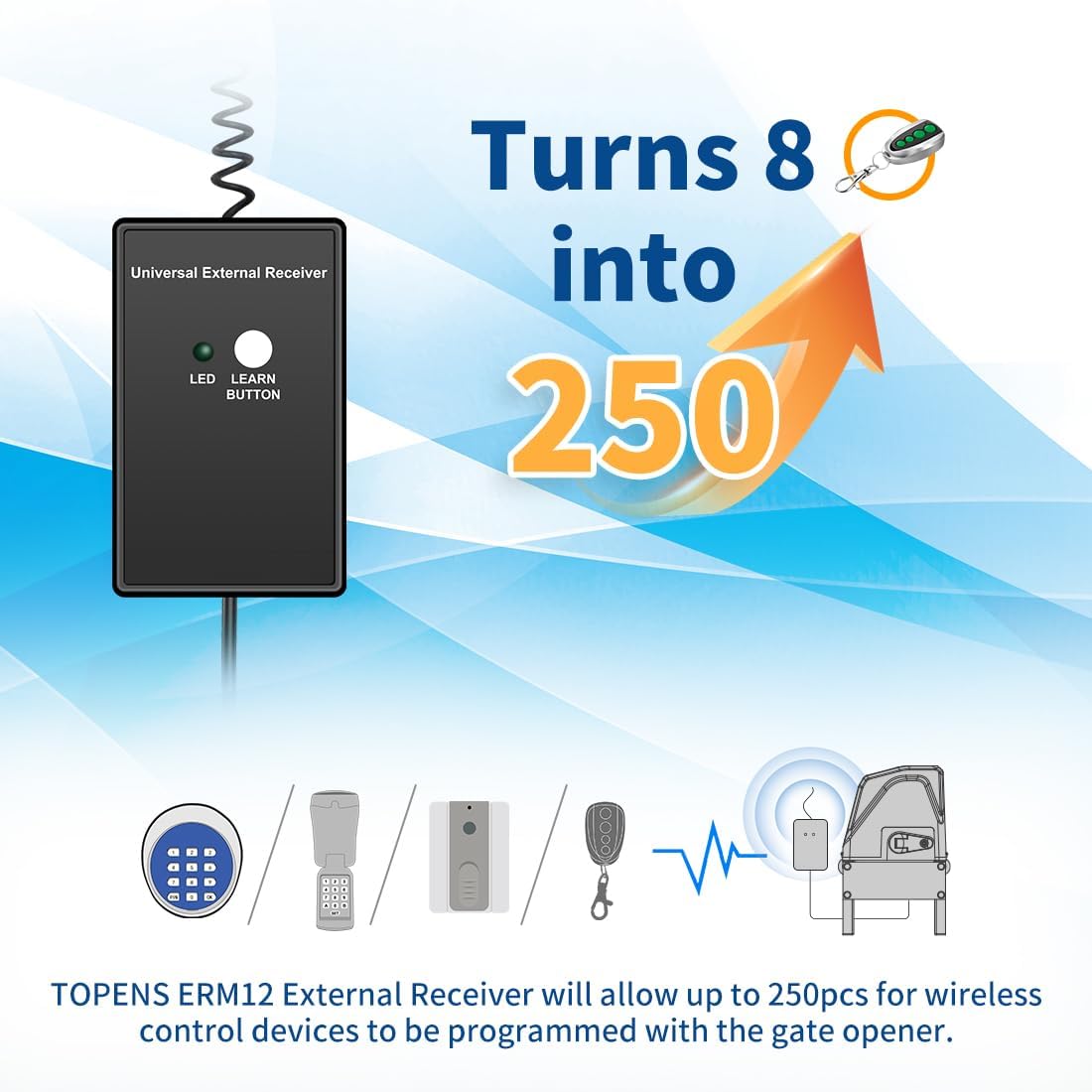
Figure 5.2: Programming Multiple Remotes
6. Operating Instructions
Once the ERM12 receiver and your remote controls are programmed, operating your gate opener is simple:
- Press the programmed button on your remote control to activate the gate opener connected to the ERM12.
- The M12 remote control typically operates the gate in an open-stop-close-stop-open sequence.
- The ERM12 extends the range, allowing you to operate the gate from a greater distance.

Figure 6.1: Extended Control Range
7. Maintenance
The TOPENS ERM12 receiver requires minimal maintenance. Periodically check the wiring connections to ensure they are secure and free from corrosion. Keep the unit clean and free from excessive dust or debris. While designed for outdoor use, ensuring it is not submerged in water or exposed to extreme physical impact will prolong its lifespan.
8. Troubleshooting
| Problem | Possible Cause | Solution |
|---|---|---|
| Receiver LED not lighting up. | No power supply or incorrect wiring. | Check power connections to the control board. Ensure wires are correctly connected to the specified terminals (GND/COM, PUSHBUTTON/CL2, 24V/BEAM). |
| Remote control not operating the gate. | Remote not programmed correctly or out of range. | Re-program the remote control following Section 5.2. Ensure you are within the operating range. Check if the remote's battery is low. |
| Reduced operating range. | Interference or receiver placement. | Ensure the receiver's antenna is not obstructed. Relocate the receiver to a higher or more open position if possible. Minimize sources of radio interference. |
9. Specifications
- Model: ERM12
- Operating Voltage: 9-24VDC
- Control Range: Maximum 98ft (30m)
- Protection Degree: IP44
- Working Temperature: 0°F to 120°F (-20°C to +50°C)
- Item Weight: 5.3 ounces (150 Grams)
- Product Dimensions: 1.97 x 0.98 x 2.76 inches
- Compatible Devices: All TOPENS gate openers, most third-party gate openers and garage door openers with 'Normal Open Dry Contact' signal for the push button.
10. Warranty and Technical Support
All TOPENS products come with a 12-month warranty against defects, a 30-day exchange & return policy, and excellent technical support. For the user manual, installation videos, and personalized service, please visit the official TOPENS website. TOPENS is committed to providing professional solutions for any questions or assistance you may require.

Figure 10.1: TOPENS Customer Support
Ask a question about this manual
Ask about setup, troubleshooting, compatibility, parts, safety, or missing instructions. Manuals+ will review the question and use this page’s manual context to help answer it.