
Casper BF00000028
Casper Adjustable Base User Manual
Model: BF00000028 | Brand: Casper
Introduction
This manual provides essential information for the safe and efficient operation of your Casper Adjustable Base. Please read all instructions carefully before assembly and use. This adjustable base is designed to provide customizable comfort by allowing you to elevate your head and feet, or both simultaneously. It is compatible with Casper mattresses and other flexible foam mattresses.

Image: The Casper Adjustable Base shown with both head and foot sections slightly elevated, demonstrating its adjustable capabilities.
Safety Information
- Always ensure the power cord is properly connected and not pinched.
- Keep children and pets away from moving parts during operation.
- Do not operate the base if any parts are damaged or missing.
- Avoid placing hands or feet near the moving mechanisms.
- Ensure the base is placed on a flat, stable surface.
- This product is designed for indoor use only.
Package Contents
Before beginning assembly, verify that all components are present:
- Adjustable Base Frame (main sections)
- Legs (quantity varies by size, typically 6-9)
- Wireless Remote Control
- Power Cord and Adapter
- Mattress Retainer Bar
- User Manual (this document)
Setup and Assembly
Assembly typically requires two people due to the weight of the base. The base weighs approximately 113 pounds (Twin XL).
- Unpack Components: Carefully remove all parts from the packaging. Lay the main base sections upside down on a clean, flat surface to protect the fabric.
- Attach Legs: Screw the legs into the designated threaded holes on the underside of the base. Ensure all legs are tightened securely. The base offers three different height options; adjust as desired.
- Connect Power: Locate the power input on the underside of the base. Connect the power cord to the base and then plug it into a grounded electrical outlet.
- Flip the Base: With the assistance of another person, carefully flip the assembled base right-side up. Position it in your desired location.
- Install Mattress Retainer Bar: Insert the mattress retainer bar into the designated slots at the foot of the base. This bar helps keep the mattress in place during adjustments.
- Insert Remote Batteries: Open the battery compartment on the wireless remote control and insert the required batteries.
- Place Mattress: Carefully place your Casper or compatible flexible foam mattress onto the adjustable base.
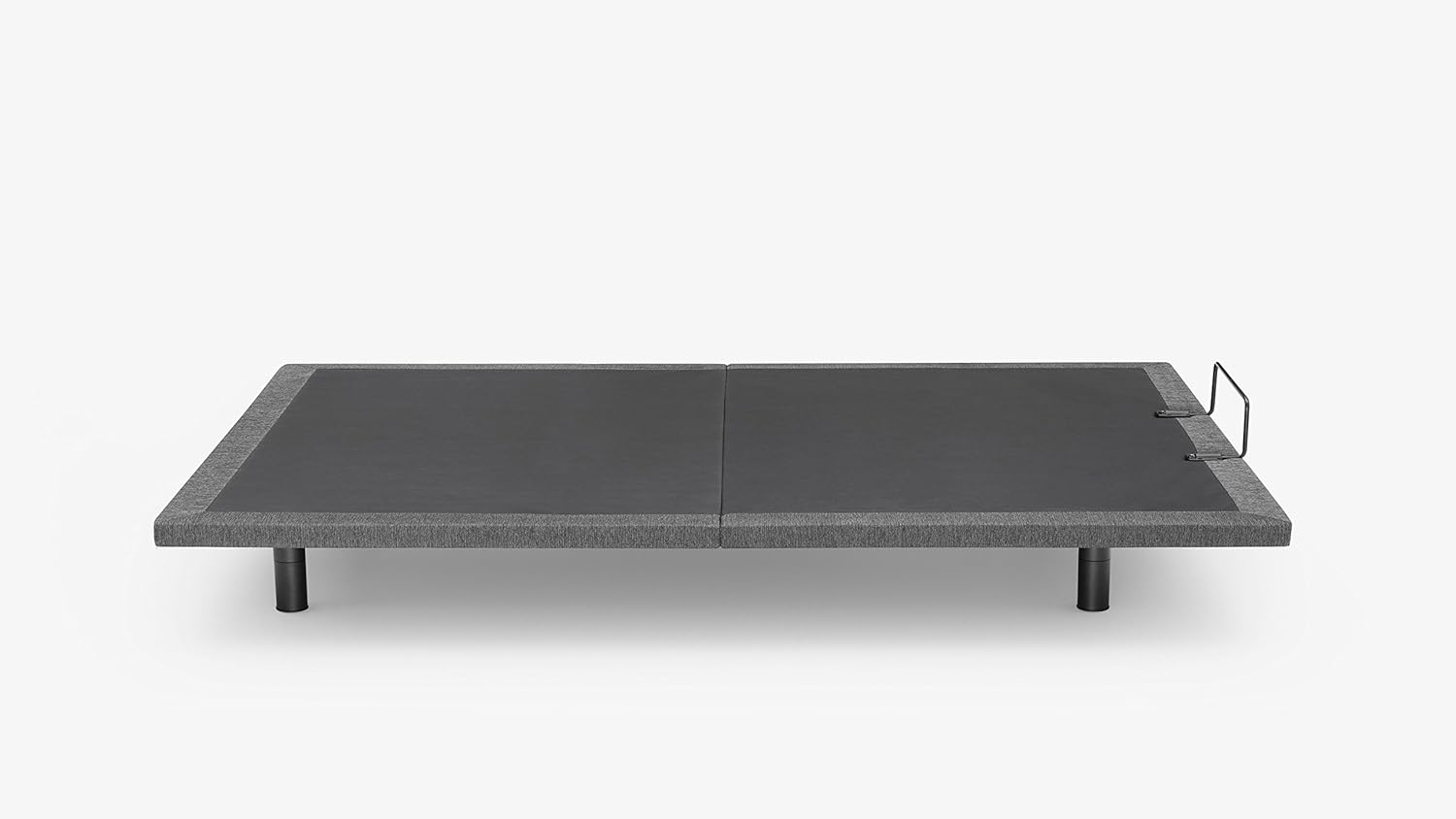
Image: The Casper Adjustable Base shown in its flat, unadjusted position, ready for mattress placement.
Operating Instructions
Your Casper Adjustable Base is operated using the wireless remote control.
- Head Up/Down: Use the designated buttons on the remote to raise or lower the head section of the base.
- Foot Up/Down: Use the designated buttons to raise or lower the foot section of the base.
- Simultaneous Adjustment: The base allows for independent or simultaneous adjustment of the head and foot sections.
- Preset Positions: If your remote includes preset buttons (e.g., Zero Gravity, Flat), press them to automatically move the base to these positions.
Benefits of adjusting your sleep position:
- Inclining your upper body can help reduce snoring and alleviate indigestion.
- Lifting your lower body can improve circulation and ease back pain.

Image: The Casper Adjustable Base with the head section fully elevated, demonstrating a common comfort position.

Image: A Casper mattress on the adjustable base, with both the head and foot sections elevated, illustrating a relaxed, contoured position.
Maintenance
- Cleaning: Wipe the base with a damp cloth as needed. Avoid harsh chemicals or abrasive cleaners.
- Inspection: Periodically check all connections and fasteners to ensure they are secure.
- Motor Care: The motor is designed for maintenance-free operation. Do not attempt to lubricate or open the motor housing.
Troubleshooting
| Problem | Possible Cause | Solution |
|---|---|---|
| Base does not operate. | No power, remote batteries dead, remote not paired. | Check power cord connection. Replace remote batteries. Refer to remote pairing instructions (if applicable, usually in a separate guide or quick start). |
| Base makes unusual noises. | Loose connections, obstruction. | Ensure all legs and frame connections are tight. Check for any objects under the base that might be interfering with movement. |
| Remote control is lost or damaged. | Physical damage or misplacement. | Contact Casper customer support for replacement options. Note that replacement parts may require order information. |
Specifications
| Feature | Detail |
|---|---|
| Model Number | BF00000028 |
| Size | Twin XL |
| Product Dimensions | 79"L x 37"W x 15"H |
| Item Weight | 113 pounds |
| Color | Grey |
| Special Features | Adjustable, Flexible, Sturdy |
| Assembly Required | Yes |
| UPC | 637632722934 |
Warranty Information
For detailed warranty information regarding your Casper Adjustable Base, please refer to the warranty card included with your product or visit the official Casper website. Warranty terms typically cover manufacturing defects and specific components for a defined period.
Customer Support
If you have any questions, require assistance with assembly, or need to order replacement parts, please contact Casper Customer Support:
- Online Support: Visit the official Casper website for FAQs and support resources.
- Phone Support: Refer to the contact information provided on the Casper website or your purchase documentation.
- When contacting support, please have your model number (BF00000028) and purchase information readily available.
Related documentsBF00000028


Ask a question about this manual
Ask about setup, troubleshooting, compatibility, parts, safety, or missing instructions. Manuals+ will review the question and use this page’s manual context to help answer it.