
Introduction
Thank you for choosing the Citizen Eco-Drive Chronograph Men's Watch, model AT2400-81E. This timepiece combines sophisticated design with Citizen's innovative Eco-Drive technology, which powers the watch using any light source, eliminating the need for battery replacement. This manual provides essential information for the proper setup, operation, and maintenance of your watch.
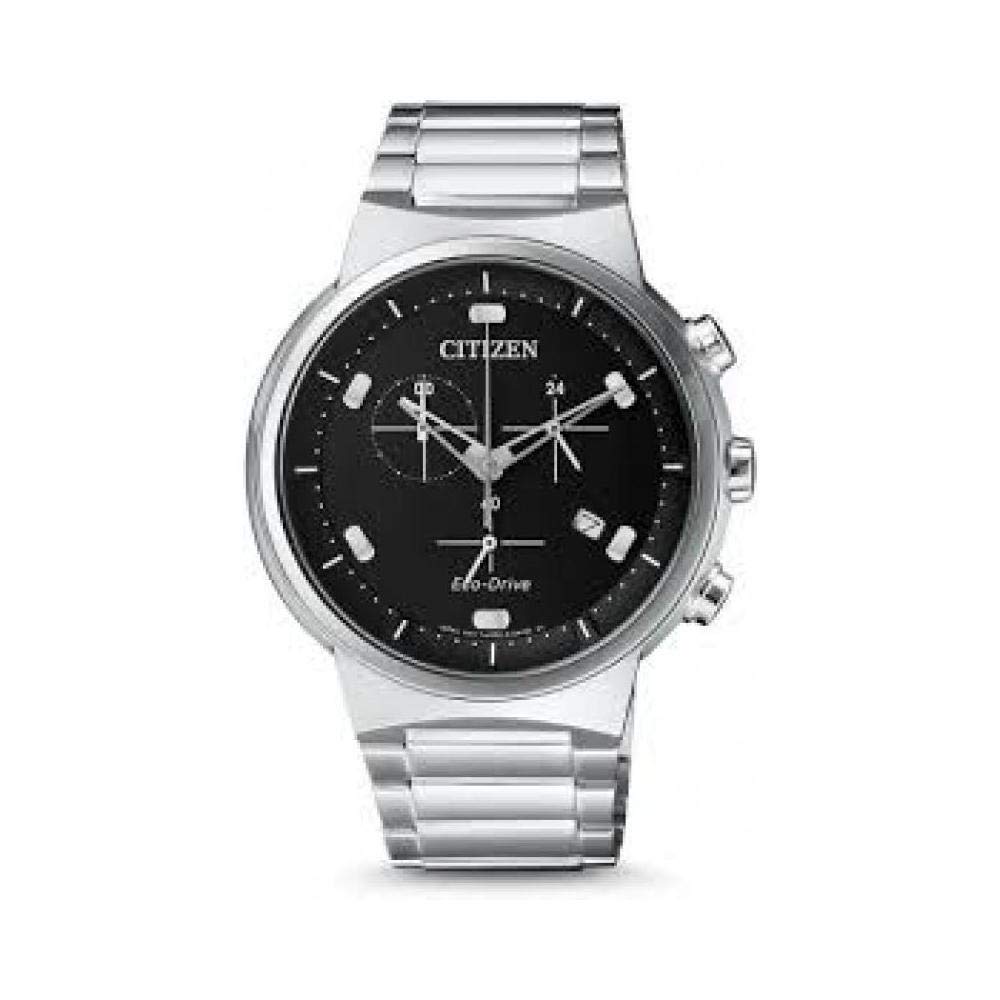
This image displays the Citizen Eco-Drive Chronograph Men's Watch, model AT2400-81E, showcasing its black dial, silver stainless steel band, and chronograph sub-dials.
Setup
1. Initial Charging
Your Eco-Drive watch is powered by light. Before initial use, or if the watch has stopped, expose it to bright light (natural or artificial) for several hours to ensure it is fully charged. A full charge can provide several months of operation in the dark.
2. Setting the Time
- Pull the crown out to the second click position. The second hand will stop.
- Rotate the crown to set the hour and minute hands to the correct time.
- Push the crown back into the normal position. The second hand will resume movement.
3. Setting the Date
- Pull the crown out to the first click position.
- Rotate the crown to set the date. Avoid setting the date between 9:00 PM and 1:00 AM, as this may interfere with the date change mechanism.
- Push the crown back into the normal position.
Operating the Watch
1. Basic Timekeeping
Once charged and set, your watch will continuously keep time as long as it receives sufficient light exposure. The second hand moves in one-second intervals.
2. Using the Chronograph Function
The chronograph allows for measuring elapsed time up to 60 minutes in 1/5-second increments.
- Start/Stop: Press button 'A' (top right pusher) to start the chronograph. Press 'A' again to stop it.
- Reset: While the chronograph is stopped, press button 'B' (bottom right pusher) to reset all chronograph hands to their zero positions.
Maintenance
1. Charging Guidelines
To maintain optimal performance, ensure your watch receives regular light exposure. Avoid prolonged storage in dark places. If the watch stops, recharge it promptly.
2. Cleaning
Wipe the watch case and band periodically with a soft, dry cloth. For stainless steel bands, a slightly damp cloth can be used, followed by a dry one. Avoid using harsh chemicals or abrasive materials.
3. Water Resistance
This watch has a water resistance depth of 100 meters (10 ATM). This rating makes it suitable for swimming and snorkeling. However, do not operate the crown or pushers while the watch is wet or submerged, as this can compromise the water resistance. After exposure to saltwater, rinse the watch with fresh water and dry it thoroughly.
Troubleshooting
- Watch has stopped or is running intermittently: The watch may not be sufficiently charged. Expose it to bright light for an extended period.
- Time or date is incorrect: Refer to the "Setting the Time" and "Setting the Date" sections to reset.
- Chronograph hands do not reset to zero: If the chronograph hands are not aligned to the 12 o'clock position when reset, a zero-position correction may be required. Consult the Citizen official website or a service center for detailed instructions on this advanced procedure.
Specifications
- Model Number: AT2400-81E
- Movement Type: Eco-Drive (Light Powered)
- Display Type: Analog
- Case Material: Stainless Steel
- Case Diameter: 41 Millimeters
- Case Thickness: 10 Millimeters
- Band Material: Stainless Steel
- Band Color: Silver
- Dial Color: Black
- Crystal Material: Sapphire
- Water Resistance Depth: 100 Meters (10 ATM)
- Special Features: Chronograph, Date Display
Warranty and Support
Your Citizen watch is covered by a manufacturer's warranty. Please refer to the warranty card included with your purchase for specific terms and conditions, including the warranty period and coverage details. For technical support, service, or further inquiries, please visit the official Citizen website or contact an authorized Citizen service center.


