
Introduction
The Moulinex Ultrablend Cook is a high-speed heated blender designed for preparing a wide variety of hot and cold recipes. Featuring Tripl'Ax Pro technology with 6 stainless steel blades and a powerful 1300W motor, it ensures smooth textures and efficient blending. This appliance offers 8 automatic programs for convenience, including soup, coulis, hot sauce, compote, vegetable milk, crushed ice, smoothie, and milkshake. Its intuitive digital screen and heat-resistant glass jug make it versatile for both hot and cold preparations.
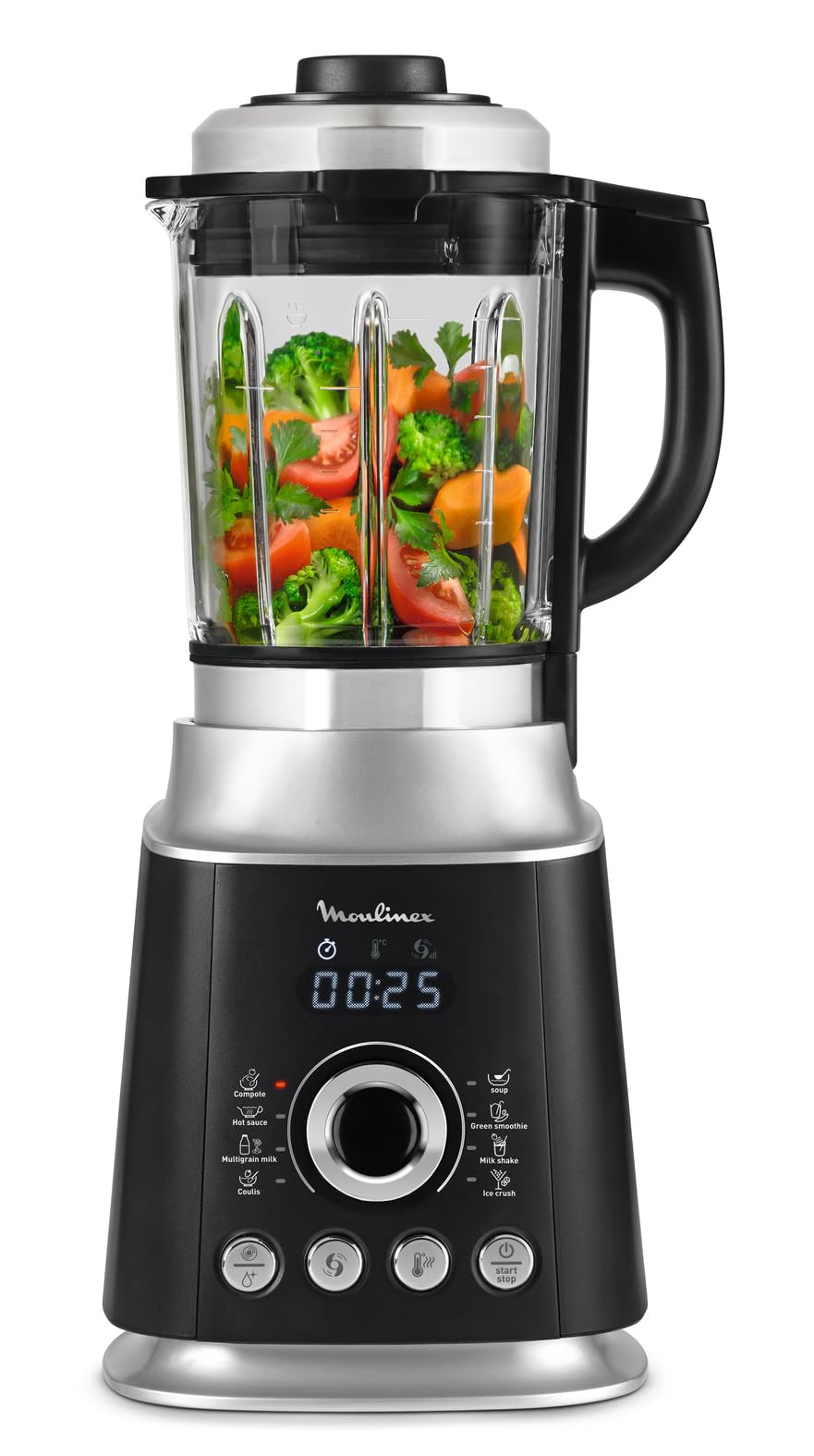
Image: The Moulinex Ultrablend Cook blender displayed in a kitchen setting, surrounded by various hot and cold preparations like smoothies, soups, and desserts, showcasing its versatility.
1. Setup
1.1 Unpacking and Initial Inspection
- Carefully remove all components from the packaging.
- Inspect the blender for any signs of damage. Do not use if damaged.
- Ensure all parts are present: motor base, glass jug with blade assembly, lid, and measuring cap.
1.2 Assembly
- Place the motor base on a stable, flat, and dry surface.
- Ensure the glass jug's blade assembly is securely attached to the jug.
- Place the glass jug onto the motor base, aligning it correctly. The jug is heavy; handle with care.
- Secure the lid onto the glass jug.
- Insert the measuring cap into the lid opening.

Image: An exploded view showing the individual components of the Moulinex Ultrablend Cook blender: the motor base, the glass jug with integrated blade assembly, the lid, and the measuring cap, illustrating how they fit together.
1.3 Initial Cleaning
- Before first use, wash the glass jug, lid, and measuring cap with warm soapy water. Rinse thoroughly and dry.
- Wipe the motor base with a damp cloth. Do not immerse the motor base in water.
2. Operating Instructions
2.1 Controls Overview
The blender features an intuitive digital display and several control buttons for selecting programs and adjusting settings.

Image: The Moulinex Ultrablend Cook blender from a side angle, showing its overall dimensions (32cm height, 15.24cm depth/width) and the control panel with various program icons and buttons.
2.2 Preparing Ingredients
- Cut solid ingredients into small pieces (approximately 2-3 cm) to facilitate blending.
- For hot preparations, ensure ingredients are suitable for cooking within the blender.
- Do not exceed the maximum fill line indicated on the jug. Overfilling can lead to spills and inefficient blending.
2.3 Automatic Programs
The Ultrablend Cook offers 8 pre-programmed settings for various preparations:
- Soup: For smooth, hot soups.
- Coulis: For fruit or vegetable purees.
- Hot Sauce: For warm sauces.
- Compote: For fruit compotes.
- Vegetable Milk: For preparing plant-based milks.
- Crushed Ice: For crushing ice cubes.
- Smoothie: For cold, blended drinks.
- Milkshake: For creamy, cold beverages.

Image: A circular diagram visually representing the blender's ability to prepare both hot (left side, with vegetables) and cold (right side, with fruits and ice) recipes, surrounded by examples of finished products like soups, smoothies, and compotes.
2.4 Manual Operation
In addition to automatic programs, you can manually adjust blending speed and temperature for customized results. Refer to the control panel for specific manual settings.
2.5 Starting and Stopping
- After adding ingredients and securing the lid, select your desired program or manual settings.
- Press the "Start/Stop" button to begin operation.
- To stop the blender at any time, press the "Start/Stop" button again.
- The blender will automatically stop once an automatic program is complete.
3. Maintenance and Cleaning
3.1 General Cleaning
- Always unplug the appliance before cleaning.
- Clean the blender immediately after each use to prevent food residue from drying and becoming difficult to remove.
- The glass jug, lid, and measuring cap are dishwasher safe.
- The motor base should be wiped clean with a damp cloth. Never immerse the motor base in water or any other liquid.
3.2 Automatic Cleaning Function
The blender features an automatic cleaning program:
- Pour approximately 1 liter of warm water into the jug.
- Add a few drops of dish soap.
- Secure the lid.
- Select the "Clean" program (if available, or a short pulse/blend cycle).
- Run the program.
- Empty the jug, rinse thoroughly with clean water, and dry.
Note: For stubborn residues, especially after oily or thick preparations, manual scrubbing may be required. The blades are sharp and not removable from the jug base; exercise extreme caution when cleaning around them.
3.3 Storage
- Ensure all parts are clean and dry before storing.
- Store the blender in a dry place, away from direct sunlight and heat sources.
- Keep out of reach of children.
4. Troubleshooting
4.1 Common Issues and Solutions
| Problem | Possible Cause | Solution |
|---|---|---|
| Blender does not start. | Not plugged in; jug not correctly placed; lid not secured. | Ensure the power cord is securely plugged into a working outlet. Verify the jug is correctly seated on the motor base and the lid is properly secured. |
| Poor blending results (lumpy texture). | Ingredients too large; insufficient liquid; overfilling. | Cut ingredients into smaller pieces. Add more liquid if necessary. Do not exceed the maximum fill line. Run the blending cycle for a longer duration or use the pulse function. |
| Blender is excessively noisy. | Normal operation for high-speed blending; hard ingredients. | High-speed blenders can be loud, especially during intense blending cycles. This is generally normal. Ensure the jug is properly seated and the lid is secure. |
| Smoothie/cold preparation heats up. | Friction from high-speed blending generates heat. | This is a known characteristic of high-power blenders. To keep preparations cold, use plenty of ice cubes or frozen ingredients. Blend for the shortest effective duration. |
| Difficulty cleaning the jug. | Residue dried on; blades not removable. | Clean immediately after use. Use the automatic cleaning function with warm water and dish soap. For stubborn residue, soak the jug before cleaning. Exercise caution around the sharp, non-removable blades. |
5. Specifications
- Brand: Moulinex
- Model Number: LM962
- Power: 1300 Watts
- Capacity: 2 Liters (Glass Jug)
- Material (Jug): Heat-resistant Glass
- Material (Blades): Stainless Steel (Tripl'Ax Pro technology, 6 blades)
- Dimensions (D x W x H): 15.2 cm x 15.2 cm x 32 cm
- Weight: 6.1 Kilograms
- Number of Speeds: 10
- Controls: Push-button, Manual, Programmable
- Voltage: 220 Volts
- Special Features: Programmable, Multiple Speeds, Heated Function, Automatic Cleaning
- Non-used Material Type: Phthalate-free, PVC-free, BPA-free, PTFE-free, Lead-free, PFOA-free
- Dishwasher Safe: Yes (Jug, Lid, Measuring Cap)
6. Warranty Information
This Moulinex Ultrablend Cook Heated Blender comes with a manufacturer's warranty. Please refer to the official warranty documentation provided with your product for specific terms and conditions. Generally, a 2-year manufacturer's warranty is provided, covering defects in materials and workmanship under normal use.
Keep your proof of purchase for any warranty claims.
7. Support
For technical assistance, spare parts, or further information regarding your Moulinex Ultrablend Cook Heated Blender, please contact Moulinex customer service or visit the official Moulinex website.
You may also find additional resources, including recipes and FAQs, on the Moulinex support pages.
A PDF version of the user manual is available for download: Moulinex Ultrablend Cook User Manual (PDF)


