
SRAM SRAM S4 Caliper Bleed Block (Guide Ultimate/RSC, RS, R, B1)
SRAM Disc Brake Bleed Block Instruction Manual
For S4 Calipers, Guide Ultimate/RSC, RS, R, B1 Models
Introduction
This manual provides essential instructions for the proper use and care of your SRAM Disc Brake Bleed Block. This tool is specifically designed to facilitate the bleeding process for SRAM S4 Calipers, including Guide Ultimate/RSC, RS, R, and B1 models, by maintaining the correct piston position and preventing fluid loss during maintenance.
Product Overview
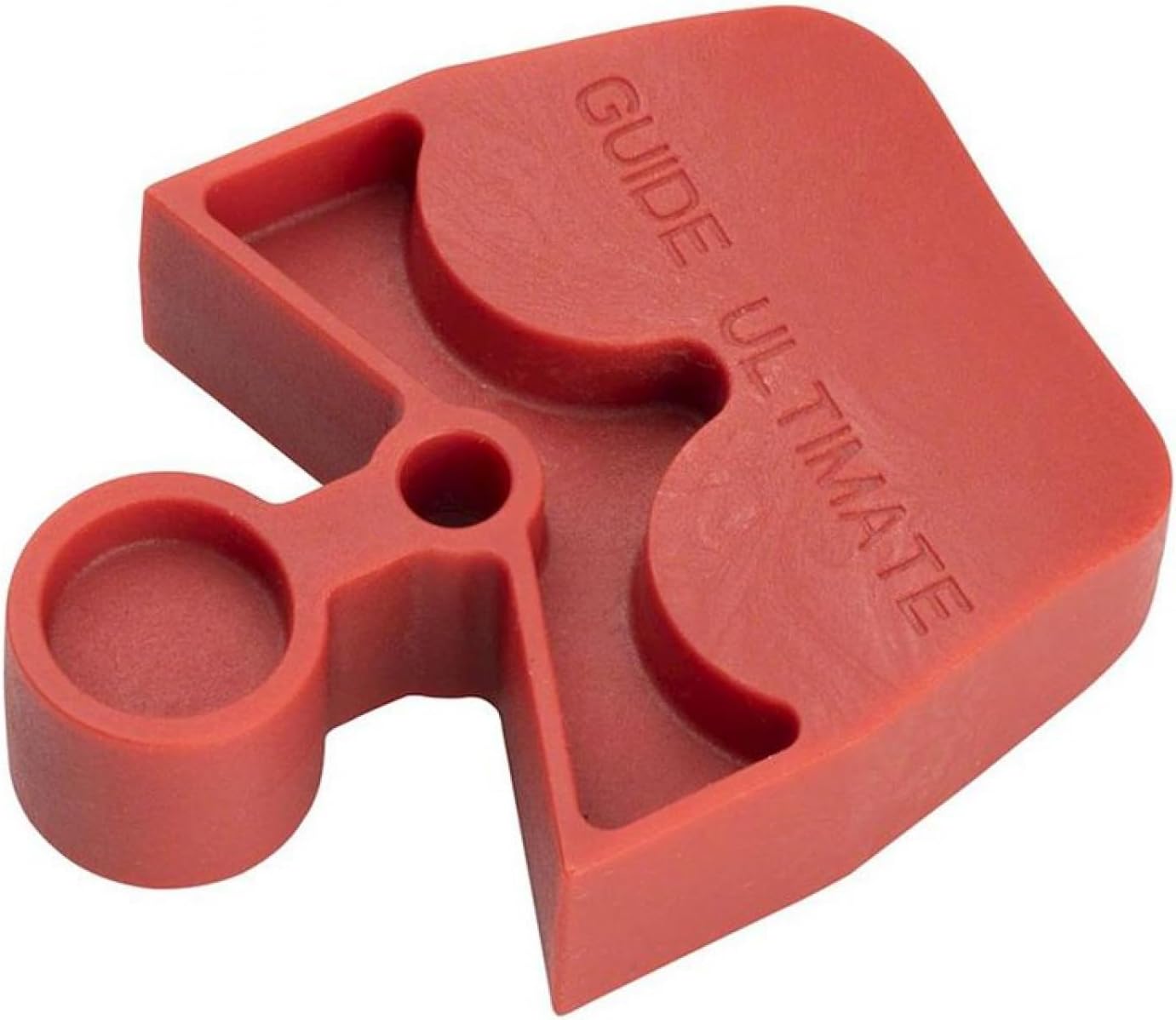
A red plastic SRAM Disc Brake Bleed Block, designed to fit S4 Calipers, including Guide Ultimate/RSC, RS, R, and B1 models. It features a specific shape to hold the brake pistons in place during the bleeding process.
The SRAM Disc Brake Bleed Block is a crucial component for maintaining your hydraulic disc brakes. It ensures that the brake pistons are held in their fully retracted position, creating a sealed system that prevents brake fluid from escaping and allows for a complete and effective bleed.
Setup
Before beginning the brake bleeding procedure, ensure you have all necessary tools and safety equipment, including appropriate brake fluid, bleed kit, and protective eyewear.
- Identify Caliper Compatibility: Verify that your brake caliper is a SRAM S4 type, compatible with Guide Ultimate/RSC, RS, R, or B1 models. This bleed block is specifically designed for these calipers.
- Remove Brake Pads: Carefully remove the brake pads from the caliper. Refer to your brake caliper's specific service manual for detailed instructions on pad removal.
- Insert Bleed Block: With the brake pads removed, insert the SRAM Disc Brake Bleed Block into the caliper. The block should fit snugly between the pistons, ensuring they are fully retracted and held in place. The specific shape of the block is designed to match the caliper's internal dimensions.
- Secure Caliper: Ensure the caliper is securely mounted on the bike or held in a vise, allowing easy access for the bleeding process.
Operating Instructions
The bleed block is an integral part of the brake bleeding process. Follow these general steps for its use during a full brake bleed:
- Prepare Bleed Kit: Connect the bleed syringes, filled with the correct DOT brake fluid, to the caliper bleed port and the lever bleed port according to your SRAM bleed kit instructions.
- Bleed Procedure: Perform the brake bleeding procedure as outlined in your specific SRAM brake service manual. The bleed block will keep the pistons retracted, allowing for efficient removal of air from the system and proper fluid exchange.
- Monitor Fluid Flow: Observe the fluid flowing through the syringes for air bubbles. Continue the bleeding process until no air bubbles are visible.
- Remove Bleed Block: Once the bleeding process is complete and all bleed ports are sealed, carefully remove the bleed block from the caliper.
- Reinstall Brake Pads: Reinstall the brake pads and wheel. Pump the brake lever several times until the pads engage the rotor and the lever feels firm.
Note: Always refer to the official SRAM brake service manual for your specific brake model for detailed bleeding instructions. This bleed block is a tool to assist in that process.
Maintenance
- Cleaning: After each use, clean the bleed block thoroughly with a clean cloth to remove any brake fluid residue. Brake fluid can be corrosive, so prompt cleaning is important.
- Storage: Store the bleed block in a clean, dry place, away from direct sunlight and extreme temperatures.
- Inspection: Periodically inspect the bleed block for any signs of wear, cracks, or damage. A damaged bleed block may not function correctly and should be replaced.
Troubleshooting
| Issue | Possible Cause | Solution |
|---|---|---|
| Bleed block does not fit caliper | Incorrect bleed block model for your caliper. | Verify your caliper model (S4, Guide Ultimate/RSC, RS, R, B1) and ensure you have the correct SRAM bleed block. |
| Brake fluid leaks around bleed block | Bleed block not fully seated or damaged. | Ensure the bleed block is fully inserted and seated correctly. Inspect for damage; replace if necessary. |
| Pistons not fully retracted after bleeding | Air still in the system or improper bleeding technique. | Repeat the bleeding process carefully, ensuring all air is expelled. Consult your SRAM brake service manual. |
Specifications
- Brand: SRAM
- Model Name: Spare Disc Brake Service Caliper Bleed Block S4 Calipers Guide Ultimate/Rsc B1/Rs B1/R B1
- Part Number: 11.5015.014.070
- Material: Synthetic
- Weight: 20 Grams
- Dimensions (L x W x H): 3.9 x 3.74 x 0.47 inches (approximate item size)
- Compatibility: SRAM S4 Calipers (Guide Ultimate/RSC, RS, R, B1)
Warranty and Support
For information regarding product warranty, technical support, or replacement parts, please refer to the official SRAM website or contact your authorized SRAM dealer. Keep your purchase receipt as proof of purchase.
SRAM Official Website: www.sram.com
Related documentsSRAM S4 Caliper Bleed Block (Guide Ultimate/RSC, RS, R, B1)


Ask a question about this manual
Ask about setup, troubleshooting, compatibility, parts, safety, or missing instructions. Manuals+ will review the question and use this page’s manual context to help answer it.