
UpStart Components WMH31017AW1
UpStart Components Replacement Light Bulb User Manual
Model: WMH31017AW1 (Compatible with Whirlpool WMH31017AW1 Microwave)
Introduction
This manual provides essential information for the installation, operation, and maintenance of your UpStart Components Replacement Light Bulb, compatible with Whirlpool WMH31017AW1 Microwaves and replacing Whirlpool 8206232A Light Bulbs. Please read this manual thoroughly before installation to ensure proper function and safety.
This product is a high-quality replacement part designed to provide long-lasting brightness and reliable performance. It features superior-crafted filaments and quality glass construction.
Product Overview
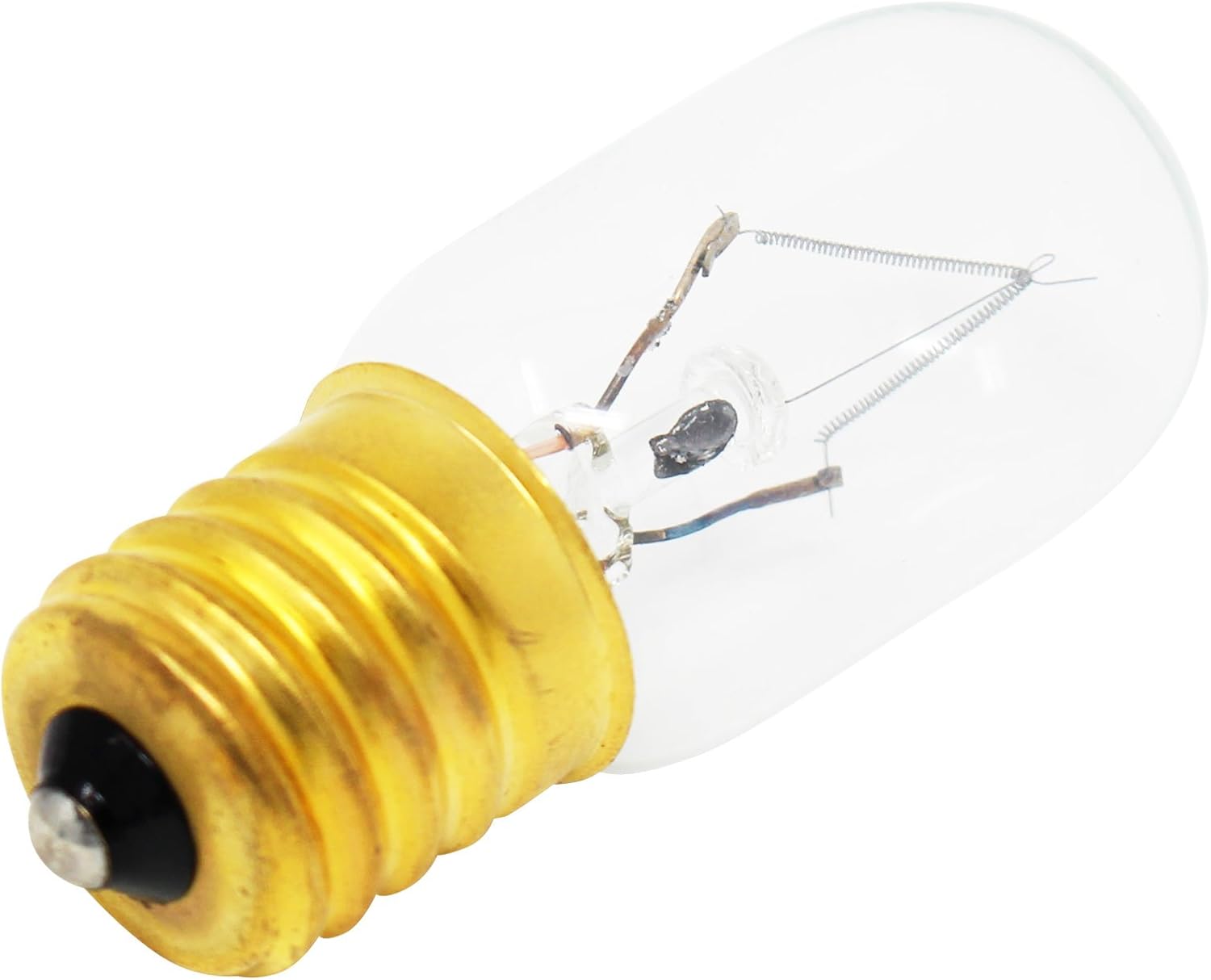
Figure 1: Front view of the UpStart Components Replacement Light Bulb. This image shows the clear glass bulb and the brass E17 screw base.

Figure 2: Side profile of the light bulb, highlighting its tubular shape and filament structure.

Figure 3: Detailed view of the E17 screw base, showing the contact point and threading for secure installation.

Figure 4: Diagram illustrating the dimensions of the light bulb: 0.87 inches in width and 2.17 inches in height.
Setup and Installation
Before attempting to replace the light bulb, ensure the microwave oven is unplugged from the power outlet to prevent electrical shock.
- Safety First: Disconnect the microwave oven from its power source. Locate the light bulb compartment, which is typically found behind a cover or panel inside the microwave cavity or underneath the microwave for surface illumination.
- Access the Bulb: Depending on your microwave model, you may need a screwdriver to remove a protective cover or grille. Refer to your specific microwave oven's user manual for precise instructions on accessing the bulb.
- Remove Old Bulb: Carefully unscrew the old bulb by turning it counter-clockwise. If the bulb is broken, use pliers to remove the base, ensuring no glass fragments remain.
- Install New Bulb: Screw the new UpStart Components Replacement Light Bulb into the socket by turning it clockwise until it is snug. Do not overtighten.
- Secure Cover: Replace any protective covers or grilles that were removed during the process.
- Test: Plug the microwave oven back into the power outlet and test the new light bulb.
Warning: Always ensure the appliance is disconnected from power before servicing. Handle glass bulbs with care to avoid breakage and injury.
Operating Instructions
This replacement light bulb functions identically to the original bulb it replaces. Its operation is controlled by your microwave oven's internal lighting system.
- Interior Light: The bulb will illuminate the microwave's interior when the door is opened or during cooking cycles, depending on your microwave model's design.
- Surface Light (if applicable): For microwaves with under-cabinet lighting, the bulb will provide illumination for your cooktop area, typically controlled by a dedicated light button on the microwave's control panel.
Maintenance
The UpStart Components Replacement Light Bulb is designed for long-lasting performance and requires minimal maintenance.
- Cleaning: If the bulb or its housing becomes dusty, ensure the microwave is unplugged, then gently wipe the bulb with a soft, dry cloth. Do not use liquid cleaners directly on the bulb.
- Replacement: Replace the bulb only when it burns out. Follow the "Setup and Installation" steps for replacement.
Troubleshooting
| Problem | Possible Cause | Solution |
|---|---|---|
| Light bulb does not turn on after installation. | Bulb not screwed in properly; microwave not plugged in; faulty bulb; microwave electrical issue. | Ensure bulb is securely tightened. Check if microwave is plugged in. Test with another known-good bulb if available. Consult a qualified technician if the issue persists. |
| Light flickers. | Loose connection; bulb nearing end of life. | Ensure bulb is securely tightened. If flickering continues, replace the bulb. |
| Bulb burns out quickly. | Voltage fluctuations; excessive vibration; faulty bulb. | Ensure the bulb specifications (voltage, wattage) match your microwave's requirements. If issues persist, consult an electrician to check household voltage. |
Specifications
- Brand: UpStart Components
- Model: WMH31017AW1 (Replacement for Whirlpool 8206232A)
- Light Type: Incandescent
- Wattage: 40 Watts
- Voltage: 130 Volts
- Bulb Base: E17
- Bulb Shape Size: T22*55mm
- Brightness: 450 Lumens
- Dimensions: 0.87"W x 2.17"H (22mm x 55mm)
- Special Feature: Long Lasting
Warranty Information
This is an UpStart Components brand replacement part. Any warranties for this product are offered solely by UpStart Components. This product is not affiliated with any OEM brands and is not covered under any warranties offered by the original manufacturers.
For specific warranty details and claims, please refer to the warranty documentation provided with your purchase or contact UpStart Components directly.
Customer Support
For further assistance, technical support, or inquiries regarding your UpStart Components Replacement Light Bulb, please contact our customer support team.
While specific contact details are not provided in this manual, you can typically find support information on the UpStart Components official website or through the retailer where the product was purchased.
When contacting support, please have your product model number (WMH31017AW1) and any purchase details readily available.
Ask a question about this manual
Ask about setup, troubleshooting, compatibility, parts, safety, or missing instructions. Manuals+ will review the question and use this page’s manual context to help answer it.