Introduction
This manual provides instructions for the ProCase Companion Back Cover Case, designed for the Apple iPad Pro 12.9 inch (1st Generation 2015) and iPad Pro 12.9 inch (2nd Generation 2017) models. This case offers protection and enhances the functionality of your iPad with features like a built-in Apple Pencil holder and compatibility with the Apple Smart Keyboard and Smart Cover.
Compatibility
This case is specifically designed for the following iPad Pro 12.9 inch models:
- iPad Pro 12.9 inch (1st Gen 2015): Models A1584, A1652
- iPad Pro 12.9 inch (2nd Gen 2017): Models A1670, A1671, A1821
Please verify your iPad model number on the back of your device to ensure proper fit. This case is not compatible with any other iPad models.

To ensure compatibility, locate the model number on the back of your iPad. This case is designed for iPad Pro 12.9 inch (1st Gen 2015) models A1584, A1652 and (2nd Gen 2017) models A1670, A1671, A1821.
Setup and Installation
Follow these steps to install your iPad into the ProCase Companion Back Cover:
- Gently align your iPad with the case, ensuring the camera and ports match the cutouts.
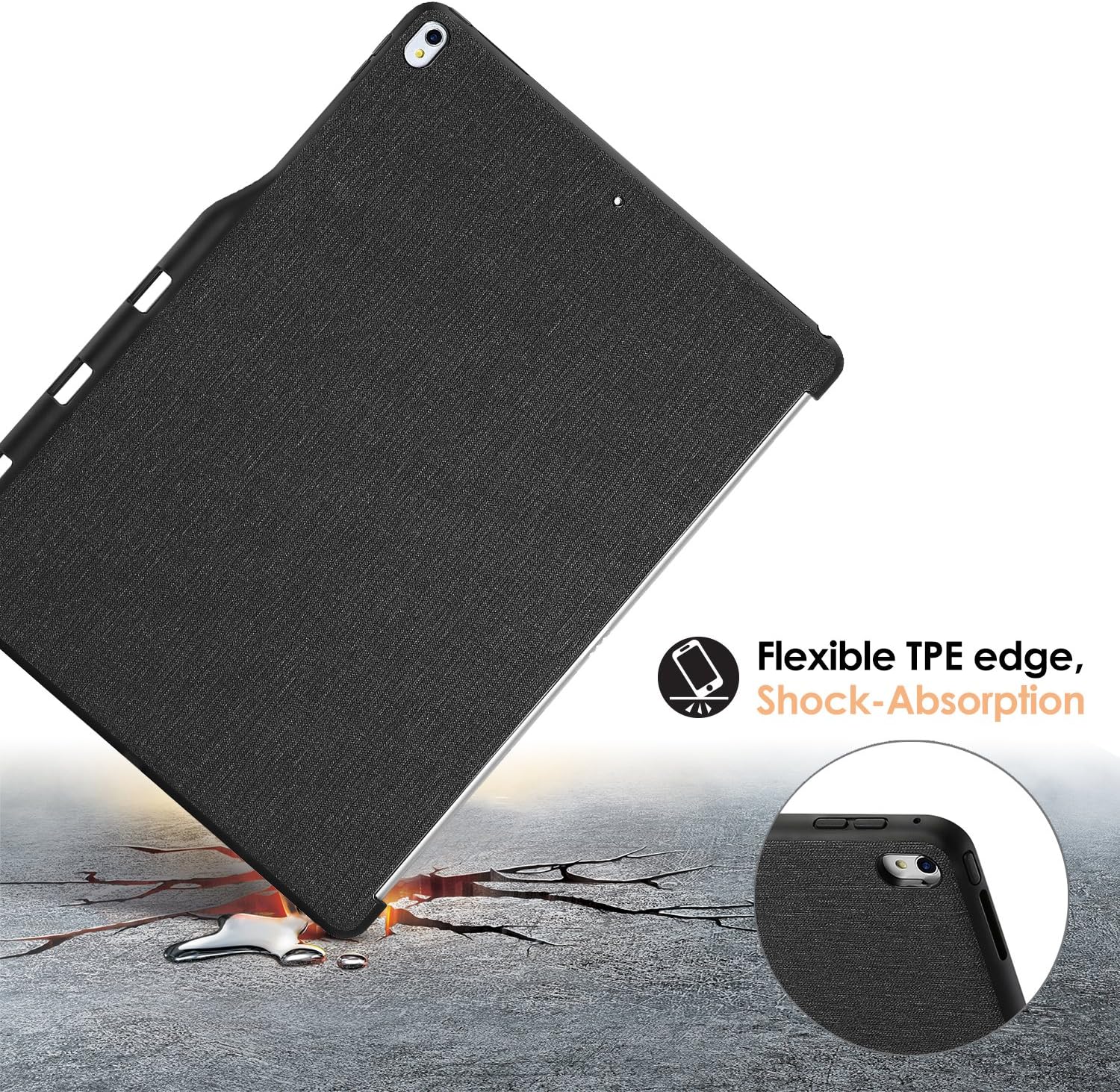
- Press your iPad firmly into the case. The flexible TPE edge is designed to absorb accidental shock and allow for easy installation and removal.
- Ensure all edges of the iPad are securely seated within the case's frame.
Operating Instructions
Using the Apple Pencil Holder
The ProCase features a convenient built-in holder for your Apple Pencil.
- To store your Apple Pencil, simply slide it into the designated slot on the side of the case.
- To retrieve your Apple Pencil, gently press on the back of the pencil holder area, and the pencil will pop out for easy access.

The case features a built-in holder for your Apple Pencil, providing convenient storage and access.

To retrieve your Apple Pencil, simply press on the designated area to pop it out from the holder.
Smart Keyboard and Smart Cover Compatibility
This back cover case is designed to be fully compatible with the Apple Smart Keyboard and Smart Cover (sold separately). It allows for seamless attachment and use of these accessories without needing to remove the case.
This back cover case is designed to work seamlessly with your Apple Smart Keyboard and Smart Cover (Smart Keyboard and Smart Cover are not included).
Full Access to Features
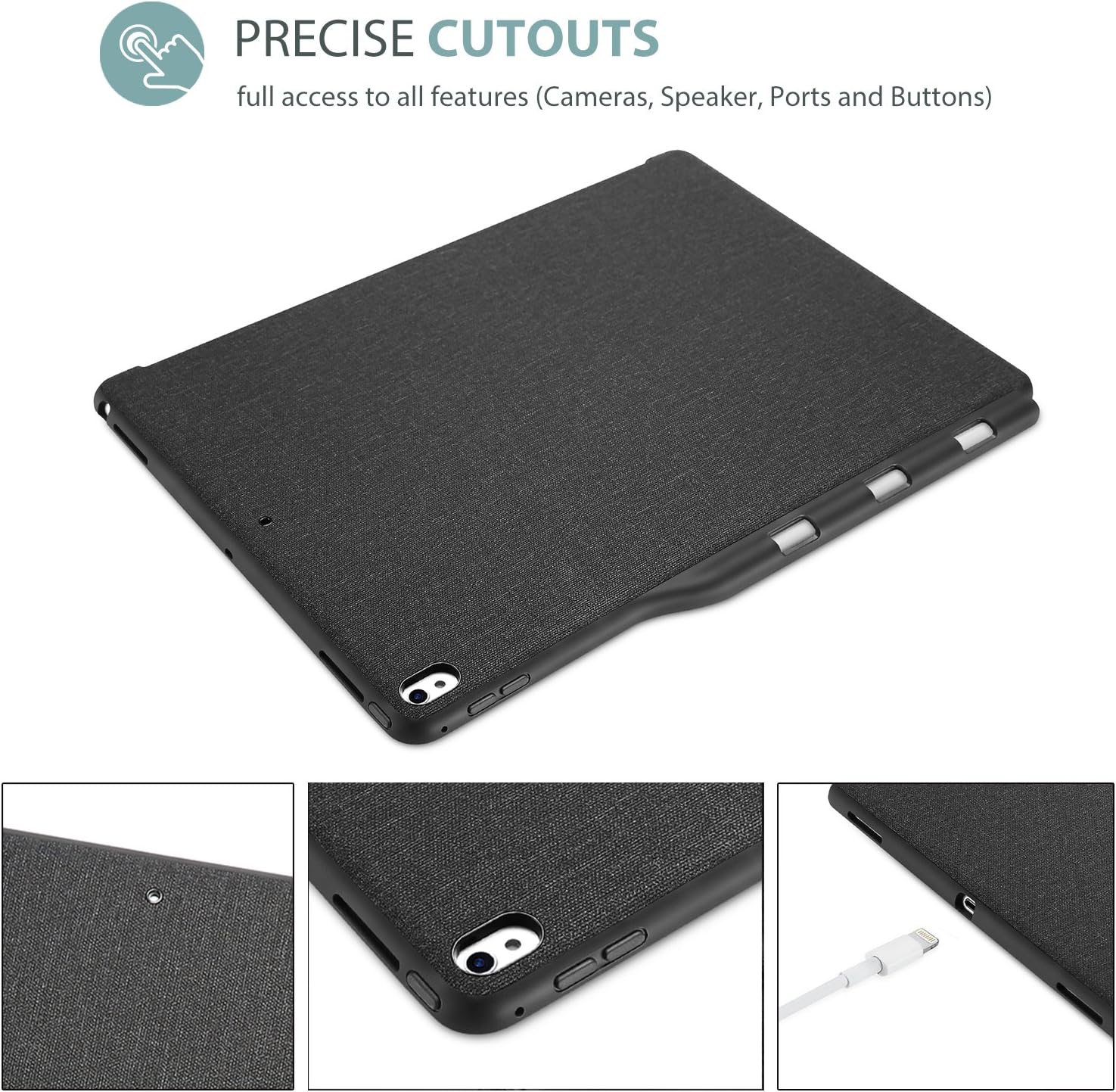
The precise cutouts on the case ensure that all ports, buttons, cameras, and speakers of your iPad remain fully accessible and functional without obstruction.
Precise cutouts ensure full access to all iPad features, including cameras, speakers, charging ports, and control buttons, without needing to remove the case.
Maintenance
To maintain the appearance and longevity of your ProCase Companion Back Cover Case:
- Wipe the case regularly with a soft, damp cloth to remove dust and smudges.
- Avoid using harsh chemicals or abrasive cleaners, as these may damage the material.
- Keep the case away from extreme temperatures and direct sunlight for prolonged periods.
Shock Absorption
The flexible TPE edge of the case is designed to provide shock absorption, offering protection against minor drops and impacts.

The flexible TPE edge material provides shock absorption, protecting your iPad from accidental drops and impacts.
Troubleshooting
If you encounter any issues with your ProCase Companion Back Cover Case, please consider the following:
- Fit Issues: Double-check your iPad model number against the compatibility list in the Introduction section. Ensure the iPad is correctly seated in the case.
- Access to Ports/Buttons: Verify that the iPad is fully inserted and aligned with the case's cutouts.
For further assistance, please refer to the Warranty and Support section.
Specifications
| Brand | ProCase |
| Model Number | PC-08360591 |
| Compatible Devices | iPad Pro 12.9" (1st Gen 2015 / 2nd Gen 2017) |
| Material | Premium composition leather exterior, flexible TPE edge |
| Color | Black |
| Item Weight | 5.7 ounces (approximately 161.6 grams) |
| Product Dimensions | 12 x 8.7 x 0.27 inches (approximately 30.5 x 22.1 x 0.69 cm) |
Warranty and Support
ProCase products are manufactured with quality and durability in mind. For information regarding warranty coverage or to obtain support for your ProCase Companion Back Cover Case, please visit the official ProCase website or contact their customer service department. Contact details can typically be found on the product packaging or the brand's official online presence.


