Introduction
Thank you for choosing the WOLTU L-Shaped Desk. This manual provides essential information for the safe and efficient assembly, operation, and maintenance of your new desk. Please read these instructions carefully before beginning assembly and retain them for future reference.
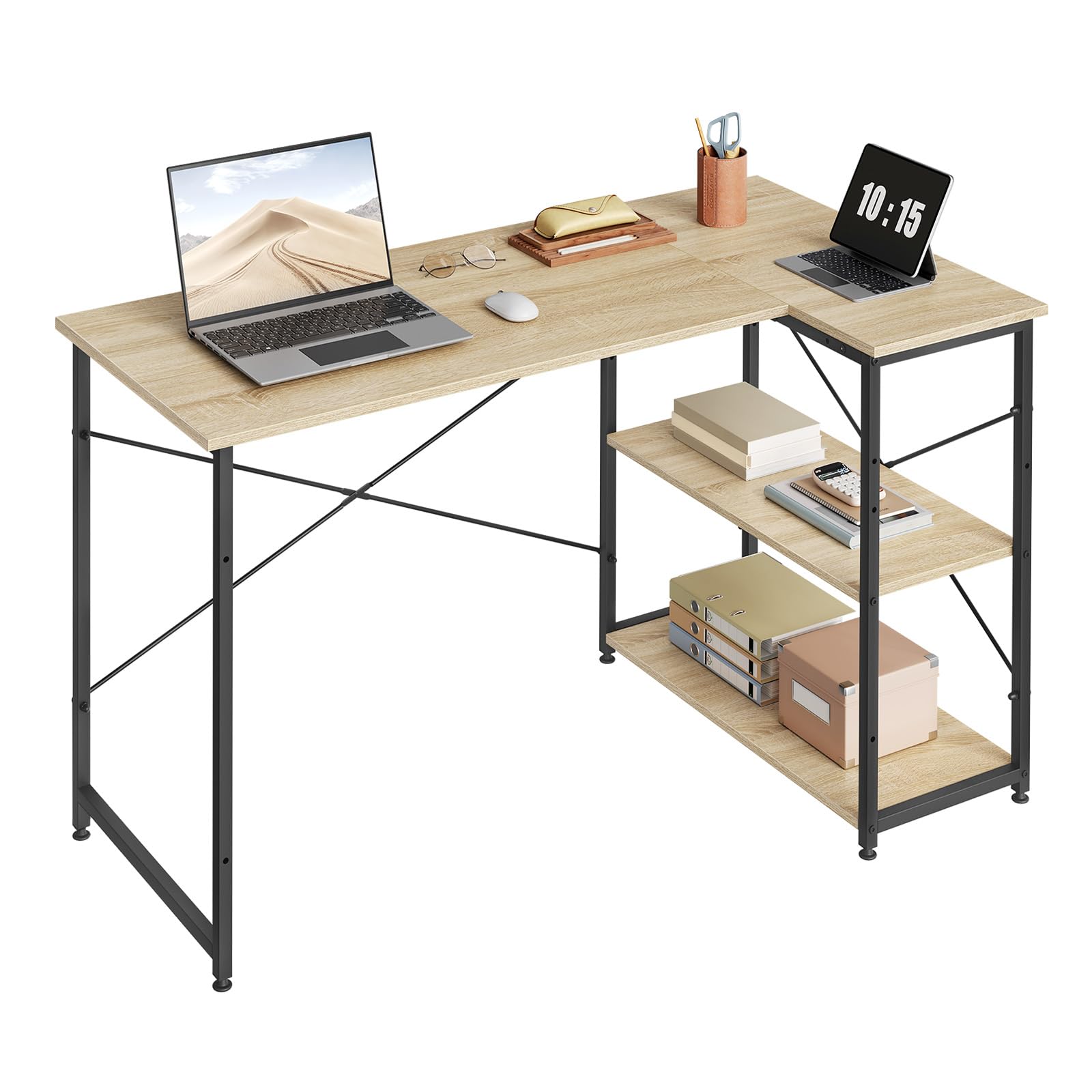
Figure 1: WOLTU L-Shaped Desk in a typical home office environment.
Safety Information
- Always assemble the desk on a soft, clean surface to prevent scratches.
- Ensure all screws and fasteners are securely tightened before use.
- Do not overload the desk or shelves beyond their specified weight capacity.
- Keep small parts away from children during assembly to prevent choking hazards.
- Regularly check all connections for tightness and re-tighten if necessary.
- Avoid placing hot items directly on the desk surface without protection.
Package Contents
Before assembly, verify that all components listed below are present and undamaged. If any parts are missing or damaged, please contact customer support.
- Desk panels (main desktop, corner piece, shelf panels)
- Metal frame components (legs, support bars)
- Assembly hardware (screws, bolts, nuts, L-key)
- Adjustable feet
- Instruction manual

Figure 2: Example of desk components before assembly.
Setup and Assembly Instructions
Follow these steps carefully to assemble your WOLTU L-Shaped Desk. It is recommended to have two people for assembly.
Step 1: Prepare the Workspace
Clear an open area and lay out all components on a soft, clean surface to prevent damage.
Step 2: Assemble the Metal Frames
Attach the horizontal support bars to the vertical leg frames using the provided screws. Ensure the X-shaped reinforcement bars are correctly positioned at the back for stability.

Figure 3: X-shaped reinforcement bars and adjustable feet for structural stability.
Step 3: Attach Desk Panels
Carefully place the main desktop and corner piece onto the assembled metal frames. Secure them with the appropriate screws from underneath. Ensure proper alignment.
Step 4: Install Shelf Unit
The shelf unit can be installed on either the left or right side of the desk, depending on your preference and room layout. Attach the shelf panels to the designated frame sections. The shelves are adjustable to accommodate different item heights.

Figure 4: Flexible assembly options for the shelf unit (Option A: left, Option B: right).

Figure 5: Spacious storage with two-level open shelves.
Step 5: Adjust Leveling Feet
Once the desk is in its desired location, adjust the leveling feet at the bottom of the legs to ensure the desk is stable and level on uneven floors.
Operating Instructions
The WOLTU L-Shaped Desk is designed for versatile use in various settings, including home offices, study areas, and gaming setups.
- Workspace Utilization: The L-shaped design maximizes corner space, providing ample surface for computers, monitors, and other equipment.
- Storage: Utilize the two-tier open shelves for organizing books, files, office supplies, or gaming accessories. The shelves are designed to be spacious and easily accessible.
- Stability: The robust metal frame with X-shaped reinforcement bars ensures stability, even under heavy loads. The adjustable feet compensate for uneven flooring.

Figure 6: Desk configured for a study or home office.

Figure 7: Desk providing ample space for a laptop and monitor setup.
Maintenance
To ensure the longevity and appearance of your WOLTU L-Shaped Desk, follow these maintenance guidelines:
- Cleaning: Wipe the desk surface with a soft, damp cloth. For stubborn marks, use a mild detergent solution and dry immediately. Avoid abrasive cleaners or harsh chemicals.
- Surface Protection: The desk surface is made from E1 quality panel, which is easy to clean and resistant to scratches and deformation. However, it is advisable to use coasters for drinks and protective pads for heavy or sharp objects to prevent potential damage.
- Regular Checks: Periodically inspect all screws and connections to ensure they remain tight. Re-tighten as needed to maintain stability.
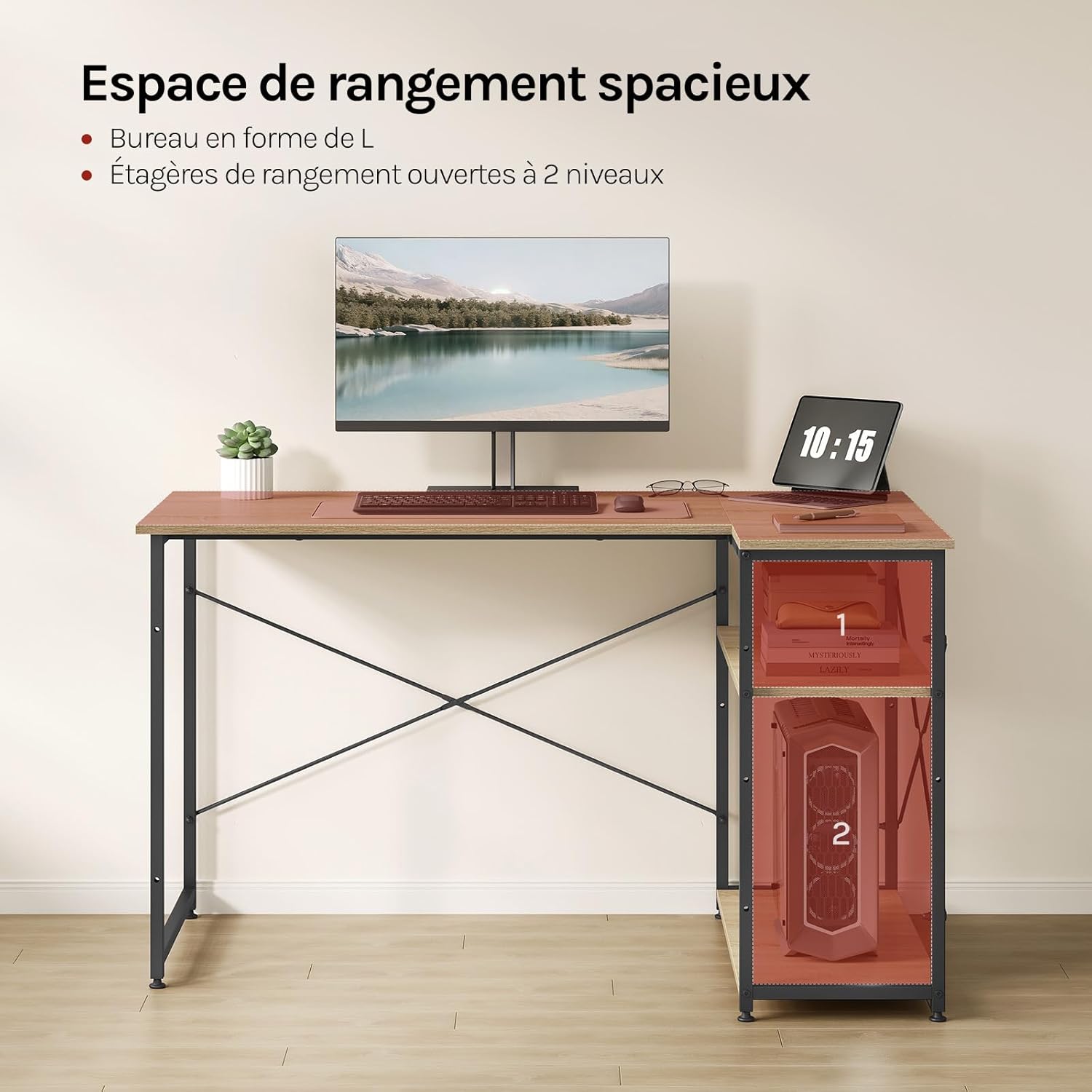
Figure 8: E1 quality panel surface, demonstrating easy cleaning and scratch resistance.
For a visual guide on maintenance and features, please refer to the product video:
Video 1: Overview of WOLTU L-Shaped Desk features, including cleaning and stability demonstrations. (Note: Actual video URL not provided in product data. This is a placeholder.)
Troubleshooting
| Problem | Possible Cause | Solution |
|---|---|---|
| Desk is wobbly/unstable | Uneven floor; loose screws | Adjust the leveling feet at the bottom of the legs. Tighten all assembly screws. |
| Parts missing or damaged | Packaging error; shipping damage | Do not proceed with assembly. Contact WOLTU customer support immediately with your purchase details. |
| Difficulty during assembly | Incorrect step sequence; misaligned parts | Review the assembly instructions carefully. Ensure parts are oriented correctly before tightening. Do not force components. |
Specifications
| Feature | Detail |
|---|---|
| Brand | WOLTU |
| Model | TSB06hei (ASIN: B0757NGR9W) |
| Shape | L-Shape |
| Desk Design | Computer Desk |
| Product Dimensions (D x W x H) | 74P x 120l x 71,5H centimeters (approx. 29.1 x 47.2 x 28.1 inches) |
| Color | Black+Nature (Oak finish) |
| Style | Modern |
| Base Material | Wood, Wood material, Alloy steel |
| Top Material Type | Wood (E1 quality panel) |
| Special Feature | With support (X-shaped reinforcement, adjustable feet) |
| Maximum Load Capacity (Desktop) | 50 kg (approx. 110 lbs) |
| Maximum Load Capacity (Each Shelf) | 20 kg (approx. 44 lbs) |

Figure 9: Key dimensions of the WOLTU L-Shaped Desk.
Warranty Information
WOLTU products are manufactured to high-quality standards. For specific warranty details regarding your L-Shaped Desk, please refer to the warranty card included in your package or visit the official WOLTU website. Typically, a standard manufacturer's warranty covers defects in materials and workmanship under normal use.
Customer Support
If you have any questions, require assistance with assembly, or need to report missing/damaged parts, please contact WOLTU customer support:
- Website: www.woltu.com (Please check for regional websites)
- Email: support@woltu.com (Placeholder - check official website for actual contact)
- Phone: Refer to your purchase documentation or the WOLTU website for regional contact numbers.
When contacting support, please have your product model number (TSB06hei) and purchase date ready.


