
Introduction
The Xiaomi Mi 20W Wireless Charging Stand (Model WPC02ZM) provides a convenient and efficient way to wirelessly charge your compatible smartphone. Featuring a vertical design with dual coils, it allows for flexible phone placement and supports fast charging up to 20W. This manual provides essential information for setting up, operating, and maintaining your wireless charging stand.

Image: The Xiaomi Mi 20W Wireless Charging Stand, showcasing its sleek black vertical design and the charging indicator light.
What's in the Box
Please check the package contents upon unboxing:
- 1 x Xiaomi Mi 20W Wireless Charging Stand
- 1 x USB-C Cable
- 1 x English User Manual
Setup
- Connect the USB-C Cable: Insert the provided USB-C cable into the USB-C port located at the back of the charging stand.
- Connect to Power Adapter: Connect the other end of the USB-C cable to a compatible power adapter (not included). For optimal 20W fast charging, a power adapter supporting 20W or higher output is recommended.
- Placement: Place the charging stand on a stable, flat surface away from direct sunlight or heat sources.
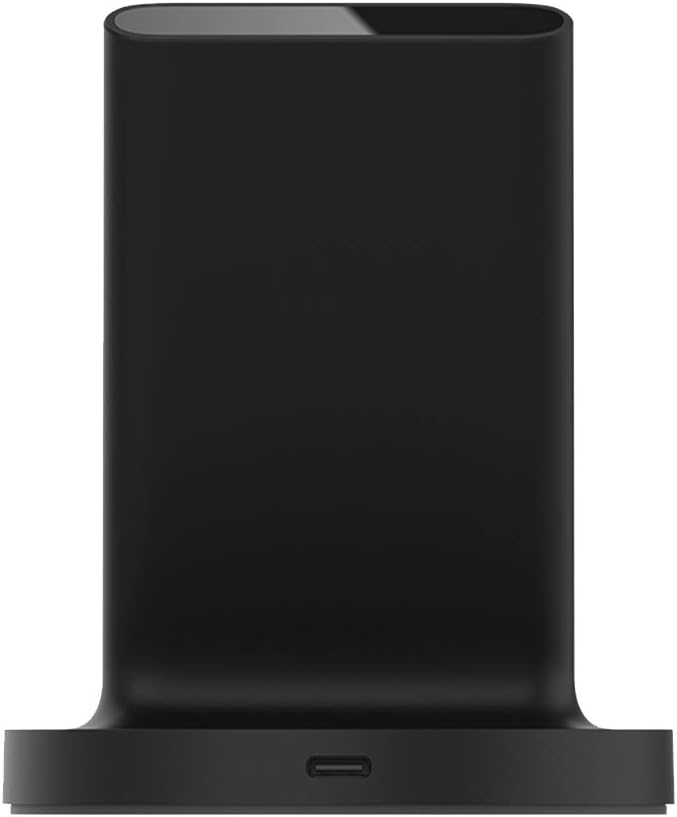
Image: Rear view of the charging stand, highlighting the USB-C input port for power connection.
Operating Instructions
The Xiaomi Mi 20W Wireless Charging Stand is designed for ease of use.
- Placing Your Device: Place your wireless charging compatible smartphone directly onto the charging surface of the stand. The dual coils allow you to place your phone either vertically or horizontally.
- Charging Indicator: A small LED indicator light on the front of the stand will illuminate to confirm that your device is charging.
- Charging Through Cases: The stand supports wireless charging through phone cases up to 4mm thick. Ensure there are no metal attachments, magnetic mounts, or credit cards between your phone and the charging surface, as these can interfere with charging or cause overheating.
- Smart Foreign Object Detection (FOD): The charger is equipped with smart metal FOD detection to prevent power draw and overheating if metal objects (like keys or coins) are mistakenly placed on the charging surface.

Image: A smartphone being placed vertically on the charging stand, demonstrating upright charging.

Image: A smartphone resting horizontally on the charging stand, ideal for media consumption while charging.

Image: An illustration showing a phone charging through a case of up to 4mm thickness, with a warning symbol indicating that magnetic and metal attachments will prevent charging.
Maintenance
- Cleaning: Disconnect the charger from the power source before cleaning. Use a soft, dry cloth to wipe the surface. Do not use abrasive cleaners or immerse the device in water.
- Storage: Store the charging stand in a cool, dry place when not in use.
- Avoid Damage: Do not drop, disassemble, or attempt to repair the device yourself.
Troubleshooting
| Problem | Possible Cause | Solution |
|---|---|---|
| Device not charging | 1. Loose cable connection 2. Incompatible power adapter 3. Phone not properly aligned 4. Foreign object on charger 5. Phone case too thick or contains metal | 1. Ensure USB-C cable is securely connected to both charger and power adapter. 2. Use a compatible power adapter (20W recommended for fast charging). 3. Reposition phone on the charging surface. 4. Remove any metal objects from the charging stand. 5. Remove phone case or ensure it is within 4mm thickness and free of metal. |
| Slow charging | 1. Power adapter not sufficient for fast charging 2. Phone does not support fast wireless charging 3. Background apps consuming power | 1. Use a power adapter that supports 20W output. 2. Verify your phone's specifications for fast wireless charging compatibility. 3. Close unnecessary background applications. |
| Indicator light blinking | Foreign object detected (FOD) or error | Remove any metal objects from the charging surface. If the issue persists, disconnect and reconnect the power. |
Specifications
- Model Number: WPC02ZM
- Input Voltage: 12 Volts
- Wattage: 20 watts (Max)
- Connector Type: USB Type C
- Connectivity: Wireless, USB
- Special Features: Fast Charging, Magnetic (for alignment), Wireless Charging
- Compatible Devices: Cellular Phones (supporting wireless charging)
- Item Weight: 7.4 ounces
- Package Dimensions: 4.53 x 3.78 x 3.74 inches
- Color: Black
- Manufacturer: Xiaomi
Safety Information
- Do not expose the device to extreme temperatures, humidity, or liquids.
- Keep out of reach of children.
- Avoid placing metal objects, magnetic cards, or credit cards on the charging surface to prevent interference and potential damage.
- Use only approved power adapters and cables.
Warranty and Support
This product is covered by a manufacturer's warranty. For detailed warranty terms and conditions, please refer to the documentation provided with your purchase or visit the official Xiaomi website. For technical support or service inquiries, please contact Xiaomi customer service.
Manufacturer: Xiaomi
Date First Available: June 28, 2020


