
1. Product Overview
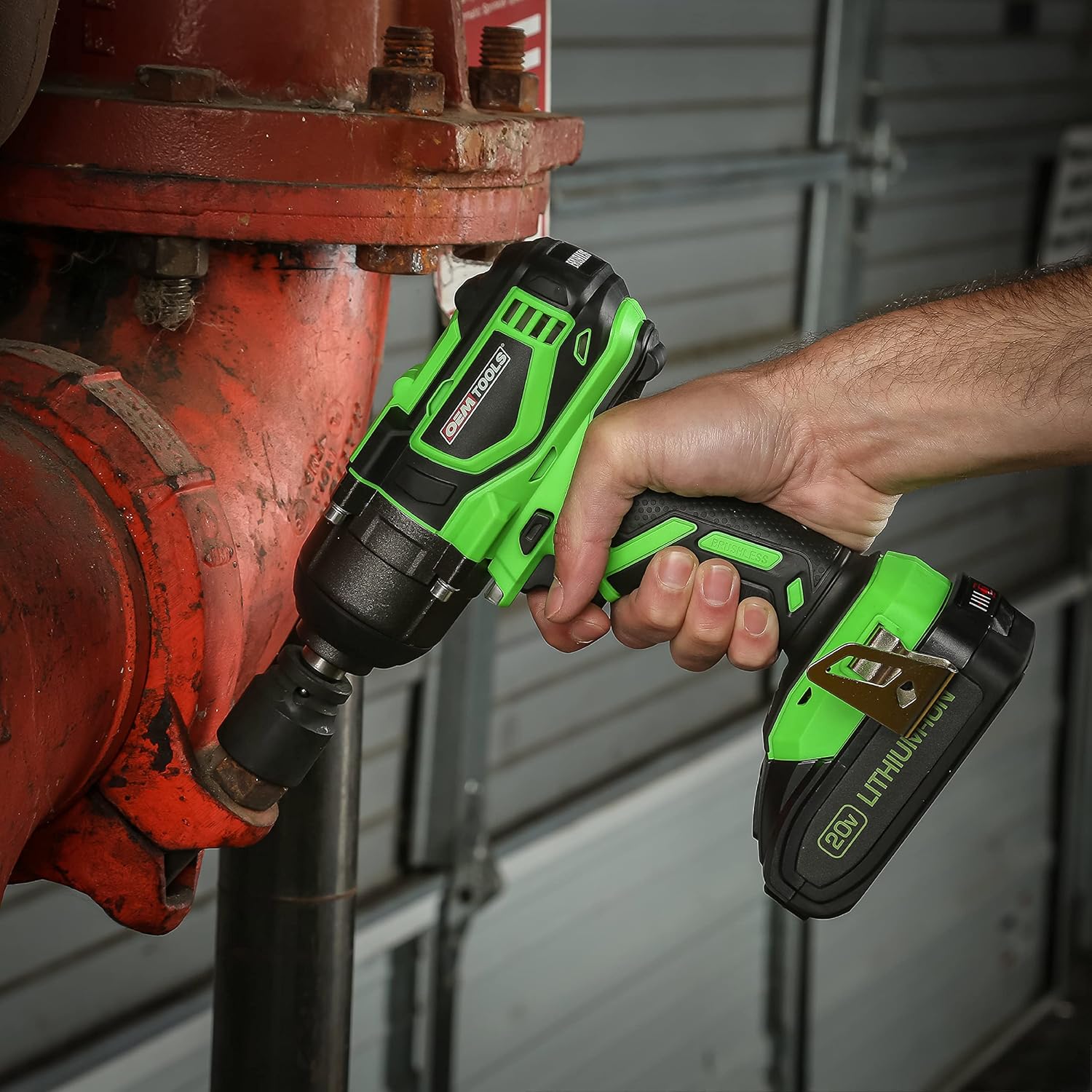
The OEMTOOLS 24486 20V Max Li-ion 1/2" Brushless Impact Wrench is designed for demanding automotive and mechanical tasks. It provides significant torque for loosening and tightening fasteners, featuring a brushless motor for efficiency and durability. The tool includes a 4.0Ah Li-ion battery and a charging station for convenience.
Key Features:
- High Torque Performance: Delivers up to 300 Ft/Lb nut-busting torque and 260 Ft/Lb tightening torque.
- Variable Speed Control: Offers up to 2,600 RPM and 3,000 IPM for precise application control.
- 1/2 Inch Square Drive: Ensures compatibility with a wide range of sockets.
- Long-Lasting Battery: Equipped with a 4.0Ah Li-ion battery for extended runtime.
- Electric Brake: Stops rotation upon trigger release for enhanced control and safety.
- Brushless Motor: Provides increased efficiency, longer runtime, and extended tool life.
- LED Work Light: Illuminates the work area for improved visibility.
- Ergonomic Design Grip: For comfortable and secure handling.
Components:


2. Setup and Charging
Before first use, ensure the battery is fully charged. The impact wrench comes with a 4.0Ah Lithium-Ion battery and a charging station.
Battery Charging:
- Insert the battery into the charging station.
- Plug the charging station into a standard electrical outlet.
- The battery indicator lights on the battery will show the charging status. A full charge typically takes 2 hours.
- Once fully charged, remove the battery from the charger.


Battery Installation:
- Align the battery with the base of the impact wrench.
- Slide the battery into place until it clicks securely.
- To remove, press the release button on the battery and slide it out.
3. Operating Instructions
Always wear appropriate safety gear, including eye protection, when operating power tools.
Attaching Sockets:
- Ensure the tool is off and the battery is securely installed.
- Push the desired 1/2" drive socket onto the square drive anvil until it locks into place with the ball detent.
- To remove, pull the socket firmly off the anvil.
Forward/Reverse Operation:
- Locate the forward/reverse switch near the trigger.
- Push the switch to the left for forward rotation (tightening).
- Push the switch to the right for reverse rotation (loosening).
- Center the switch for the trigger lock position, preventing accidental activation.
Variable Speed Trigger:
- The tool's speed is controlled by the pressure applied to the trigger.
- A lighter press results in lower speed and torque, while a full press provides maximum speed and torque.
- The electric brake will stop the rotation quickly once the trigger is released.
General Use:
- Position the socket firmly onto the fastener.
- Apply steady pressure to the tool and gradually press the trigger to begin operation.
- For tightening, ensure the fastener is snug before applying full torque to avoid overtightening.
- For critical applications, always verify final torque with a calibrated torque wrench.

Product Video:
Video 1: Official product video demonstrating the features and capabilities of the OEMTOOLS 24486 20V Max Lithium-Ion Brushless Impact Wrench.
4. Maintenance
Regular maintenance ensures optimal performance and extends the life of your tool.
- Cleaning: Keep the tool's ventilation openings clear and free of debris. Use a soft, damp cloth to clean the exterior. Do not use harsh chemicals or abrasive cleaners.
- Battery Care: Store batteries in a cool, dry place away from direct sunlight. Do not store fully discharged batteries for extended periods. Charge them periodically if not in use.
- Storage: When not in use, store the impact wrench and its accessories in a clean, dry, and secure location, preferably in its original blow mold case to protect it from damage.

5. Troubleshooting
If you encounter issues with your impact wrench, refer to the following common problems and solutions:
| Problem | Possible Cause | Solution |
|---|---|---|
| Tool does not start. | Battery not charged or improperly installed. | Ensure battery is fully charged and securely clicked into place. |
| Reduced power or intermittent operation. | Low battery charge; dirty battery terminals; tool overheating. | Recharge battery; clean battery terminals; allow tool to cool down. |
| Socket does not attach securely. | Incorrect socket size; debris in anvil; worn ball detent. | Use correct 1/2" drive socket; clean anvil; contact support if detent is worn. |
| Excessive vibration or noise. | Loose components; internal damage. | Discontinue use and contact customer support. |
6. Specifications
| Specification | Value |
|---|---|
| Model Number | 24486 |
| Brand | OEMTOOLS |
| Voltage | 20 Volts |
| Max Nut-Busting Torque | 300 Foot Pounds |
| Max Tightening Torque | 260 Foot Pounds |
| No-Load Speed | 0-2,600 RPM |
| Impacts Per Minute (IPM) | 0-3,000 IPM |
| Drive Size | 1/2 Inch Square |
| Battery Type | Lithium Ion (4.0Ah) |
| Charge Time | Approximately 2 Hours |
| Item Weight | 9.8 ounces (tool only) |
| Material | ABS Plastic |
| Color | Green and Black |
7. Warranty and Support
The OEMTOOLS 24486 Impact Wrench comes with a Limited One Year Warranty. For warranty claims, technical support, or replacement parts, please contact OEMTOOLS customer service.
Refer to the official OEMTOOLS website or product packaging for the most current contact information and detailed warranty terms.