
Important Safety Instructions
Please read and understand all safety instructions before using this product. Keep these instructions for future reference.
- Do not use this apparatus near water or moisture.
- Clean only with a dry cloth.
- Do not block any ventilation openings. Install in accordance with the manufacturer's instructions.
- Do not install near any heat sources such as radiators, heat registers, stoves, or other apparatus (including amplifiers) that produce heat.
- Protect the power cord from being walked on or pinched, particularly at plugs, convenience receptacles, and the point where they exit from the apparatus.
- Only use attachments/accessories specified by the manufacturer.
- Unplug this apparatus during lightning storms or when unused for long periods of time.
- Refer all servicing to qualified service personnel. Servicing is required when the apparatus has been damaged in any way, such as power-supply cord or plug is damaged, liquid has been spilled or objects have fallen into the apparatus, the apparatus has been exposed to rain or moisture, does not operate normally, or has been dropped.
Product Overview
The AUNA Roadie KIDS Boombox is a versatile audio system featuring a top-loading CD player, Bluetooth connectivity, USB playback, AUX input, and AM/FM radio. It is designed for portable use with both AC power and battery options, and includes integrated LED lights.

Figure 1: Front view of the AUNA Roadie KIDS Boombox with active red LED lights.

Figure 2: Detailed front view showing the display, USB port, and control panel.
Controls and Components
- CD Compartment: Top-loading tray for audio CDs.
- Display: LED screen showing track number, mode, and radio frequency.
- Control Buttons: Play/Pause, Stop, Skip Forward/Backward, Program, Album.
- Speakers: Integrated stereo speakers with LED illumination.
- USB Port: For playing MP3/WMA files from a USB flash drive.
- AUX IN Jack: 3.5mm input for connecting external audio devices.
- Headphone Jack: 3.5mm output for private listening.
- AM/FM Antenna: Extendable antenna for radio reception.
- Volume Knob: Adjusts audio output level.
- Mode Selector Switch: Toggles between CD, USB, Bluetooth, AUX, AM, and FM modes.
- Light Switch: Turns the LED speaker lights on or off.
- AC IN Jack: For connecting the AC power adapter.
- Battery Compartment: Located on the bottom for C-type batteries.
- Carrying Handle: For easy portability.
Setup
Power Supply
The AUNA Roadie KIDS Boombox can be powered by either the included AC power adapter or by batteries.
AC Power Connection
- Ensure the boombox is switched off.
- Connect the small end of the AC power adapter to the AC IN jack on the back of the boombox.
- Plug the other end of the AC power adapter into a standard wall outlet (110-120V ~ / 50-60 Hz).

Figure 3: Rear view with AC power input and antenna.
Battery Installation
For portable use, the boombox requires 6 x C-type batteries (not included).
- Ensure the boombox is switched off and disconnected from AC power.
- Locate the battery compartment on the bottom of the unit.
- Open the battery compartment cover.
- Insert 6 C-type batteries, ensuring correct polarity (+/-) as indicated inside the compartment.
- Close the battery compartment cover securely.
Operating Instructions
General Operation
- Power On/Off: Use the main power switch located on the side of the unit.
- Volume Control: Rotate the VOLUME knob on the side of the unit to adjust the sound level.
- Mode Selection: Use the MODE selector switch on the side to choose between CD/USB/BT/AUX and AM/FM radio functions.

Figure 4: Side view showing Volume and Mode controls.
CD Player Operation
The boombox supports Audio CD, CD-R, CD-RW, and MP3-CDs.
- Switch the MODE selector to CD.
- Gently press the 'OPEN' area on the CD compartment lid to open it.
- Place a CD onto the spindle with the label side facing up.
- Close the CD compartment lid firmly until it clicks. The display will show 'CD' and then the total number of tracks.
- Press the PLAY/PAUSE button to start playback.
- Press PLAY/PAUSE again to pause, and press STOP to end playback.
- Use the SKIP FORWARD (>>|) or SKIP BACKWARD (|<<) buttons to navigate between tracks.
- Programmed Playback: In stop mode, press the PROGRAM button. The display will show '01'. Use SKIP FORWARD/BACKWARD to select a track, then press PROGRAM again to confirm. Repeat for up to 20 tracks (CD) or 99 tracks (MP3). Press PLAY to start programmed playback.
- Repeat Functions: During playback, press the REPEAT button to cycle through repeat modes (e.g., repeat one track, repeat all tracks, repeat folder for MP3 CDs).
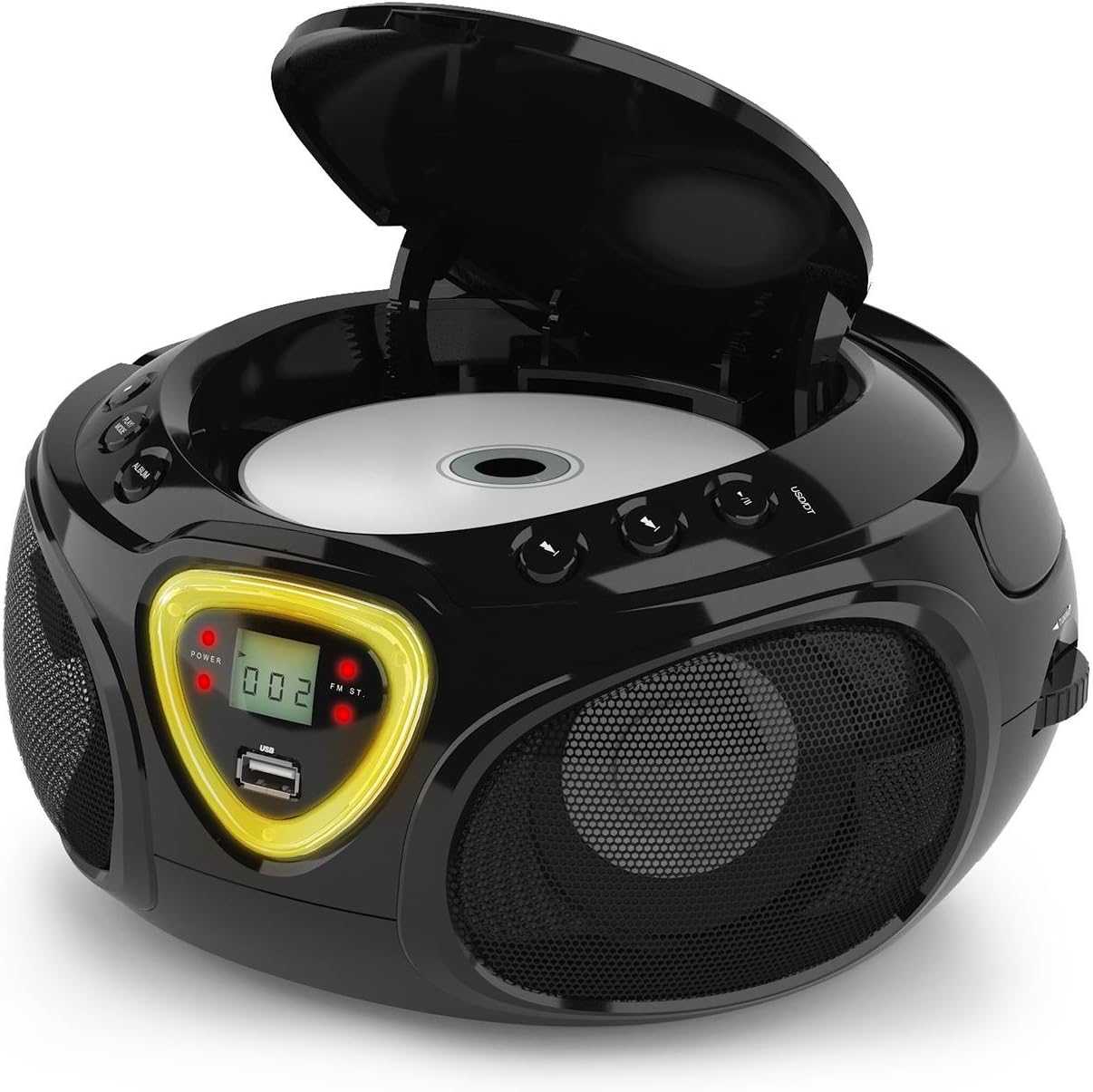
Figure 5: CD compartment open for disc insertion.
Bluetooth Operation
- Switch the MODE selector to BT (Bluetooth). The display will show 'BT' and flash, indicating pairing mode.
- Enable Bluetooth on your smartphone, tablet, or other Bluetooth-enabled device.
- Search for available devices and select 'AUNA Roadie' from the list.
- Once successfully paired, the 'BT' indicator on the boombox display will stop flashing and remain solid.
- You can now play audio from your connected device through the boombox. Use the controls on your device or the boombox's Play/Pause and Skip buttons to manage playback.
USB Playback
The boombox supports MP3 and WMA file formats from USB flash drives.
- Insert a USB flash drive into the USB port on the front of the boombox.
- Switch the MODE selector to USB. The unit will automatically detect and begin playing compatible audio files.
- Use the PLAY/PAUSE, STOP, and SKIP FORWARD/BACKWARD buttons to control playback.
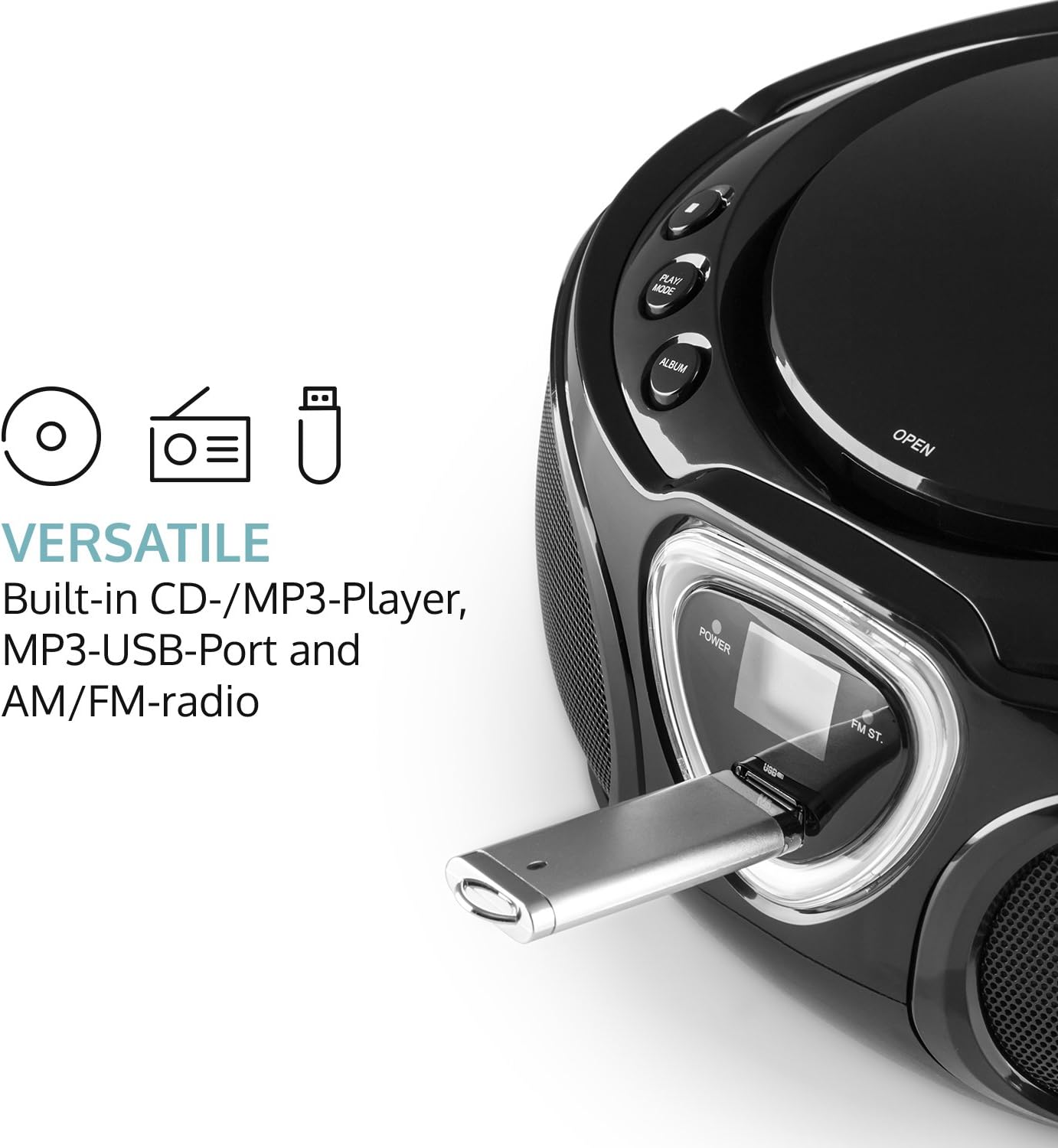
Figure 6: USB port with a flash drive inserted.
AUX Input
- Connect one end of a 3.5mm audio cable (not included) to the AUX IN jack on the boombox.
- Connect the other end of the audio cable to the headphone jack or audio output of your external audio device (e.g., MP3 player, smartphone).
- Switch the MODE selector to AUX.
- Control playback and volume directly from your external audio device.
Radio Operation (AM/FM)
- Switch the MODE selector to either AM or FM.
- Extend the telescopic antenna for optimal FM reception. For AM, rotate the unit for best reception.
- Rotate the TUNING dial on the side of the unit to scan for radio stations.

Figure 7: Side view with Tuning dial and Light switch.
LED Light Function
The boombox features multi-color LED lights that illuminate the speakers.
- Use the LIGHT ON/OFF switch on the side of the unit to turn the LED lights on or off.
- The lights will typically pulse and change color with the rhythm of the music when active.

Figure 8: Boombox with active LED lights.
Headphone Use
For private listening, connect any standard 3.5mm headphones (not included) to the HEADPHONE jack. The main speakers will automatically mute when headphones are connected.
Maintenance
Cleaning the Unit
- Wipe the exterior of the boombox with a soft, dry cloth.
- Do not use abrasive cleaners, waxes, or solvents as they may damage the finish.
- For the CD lens, use a specialized CD lens cleaning kit if necessary. Avoid touching the lens directly.
Storage
- Store the boombox in a cool, dry place away from direct sunlight and extreme temperatures.
- If storing for an extended period, remove the batteries to prevent leakage and damage to the unit.
Troubleshooting
If you encounter any issues with your AUNA Roadie KIDS Boombox, please refer to the following common problems and solutions:
| Problem | Possible Cause | Solution |
|---|---|---|
| No power | AC adapter not connected, batteries depleted or incorrectly inserted. | Check AC adapter connection. Replace or correctly insert batteries. |
| No sound | Volume too low, incorrect mode selected, headphones connected. | Increase volume. Select correct mode (CD, BT, USB, AUX, AM/FM). Disconnect headphones if using speakers. |
| CD not playing | CD inserted incorrectly, CD dirty/scratched, incompatible CD format. | Ensure CD is label-side up. Clean CD. Use compatible CD format. |
| Bluetooth not connecting | Boombox not in BT mode, device too far, already paired to another device. | Switch to BT mode. Ensure device is within 10 meters. Disconnect from other devices. |
| Poor radio reception | Antenna not extended/adjusted, weak signal. | Extend and adjust FM antenna. Rotate unit for AM. Try a different location. |
Specifications
| Feature | Detail |
|---|---|
| Brand | AUNA |
| Connectivity Technology | Auxiliary, Bluetooth, USB |
| Color | Black |
| Speaker Type | Stereo |
| Item Dimensions (L x W x H) | 7.9 x 9.5 x 5.2 inches |
| Power Source | AC (110-120V ~ / 50-60 Hz) or 6 x C-type batteries (9V DC) |
| Compatible Devices | Laptop, Smartphone, Tablet |
| Wattage | 3 watts (2 x 1.5W speakers) |
| Audio Output Mode | Stereo |
| Supported Audio Formats | CD, MP3, WMA |
| Bluetooth Version | 2.1 + EDR (Profiles: A2DP, AVRCP) |
| Compatible CD Formats | Audio CD, CD-R, CD-RW, MP3-CDs |
| Programmable Playback | 20 tracks (CD), 99 tracks (MP3) |
| Item Weight | 3.4 Pounds |
Warranty and Support
This product comes with a manufacturer's warranty. For detailed warranty information, please refer to the documentation included with your purchase or visit the official AUNA website. If you require technical assistance, troubleshooting beyond this manual, or have questions regarding your product, please contact AUNA customer support.