
Phlizon PH-D6
Phlizon Upgraded 600W LED Grow Light Instruction Manual
Model: PH-D6 (600W)
Brand: Phlizon
1. Introduction
This manual provides detailed instructions for the safe and effective use of your Phlizon Upgraded 600W LED Grow Light. Designed with SMD LEDs and a full spectrum output, this light is optimized for indoor plant cultivation, supporting all growth stages from seedling to flowering. Please read this manual thoroughly before installation and operation to ensure optimal performance and longevity of your device.
2. Safety Information
- Always disconnect power before cleaning, inspecting, or moving the light.
- Do not operate the light in wet or damp conditions. This product is not water resistant.
- Ensure proper ventilation around the unit to prevent overheating. The integrated double cooling fans assist in heat dissipation.
- Avoid direct eye exposure to the LEDs when the light is on, as the intensity can be harmful.
- Keep the light out of reach of children and pets.
- Use only the provided power cord and ensure it is properly grounded.
3. Package Contents
Upon opening your Phlizon Upgraded 600W LED Grow Light package, please verify that all the following components are included:
- 1 x Phlizon Upgraded 600W LED Grow Light Unit (Model PH-D6)
- 1 x Adjustable Rope Hanger Kit (includes hanging ropes and carabiners)
- 1 x Power Cord
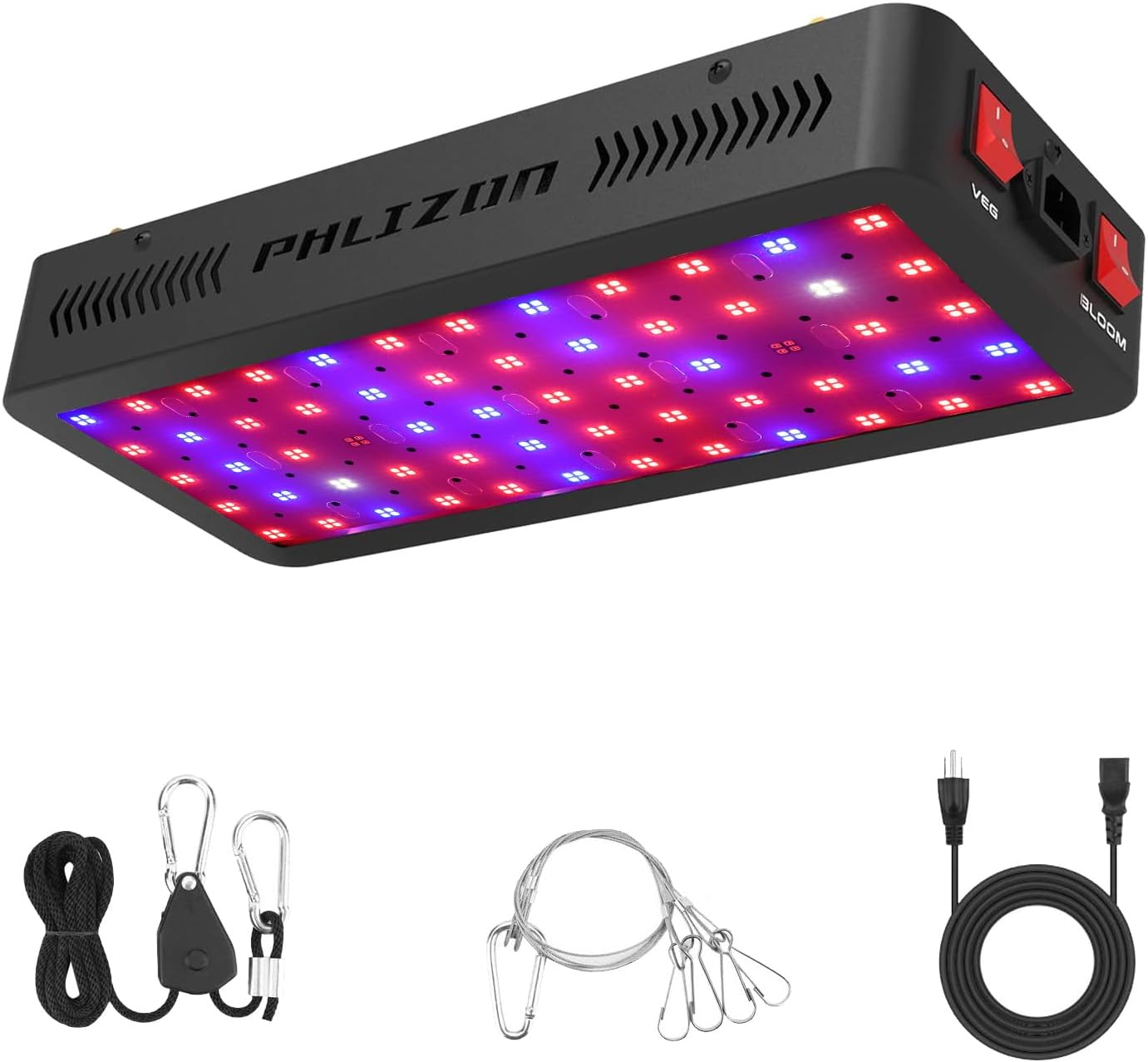
The Phlizon 600W LED Grow Light unit, along with its essential accessories for installation and operation.
4. Product Features
- Full Spectrum SMD LEDs: Incorporates a comprehensive light spectrum including blue, red, IR, UV, and white LEDs to provide all necessary wavelengths for plant growth.
- Dual Switch Control: Features independent 'Veg' and 'Bloom' switches, allowing precise spectrum control for different growth phases.
- Efficient Cooling System: Equipped with double cooling fans to effectively dissipate heat, extending the light's lifespan and maintaining optimal operating temperatures.
- Daisy Chain Functionality: Enables multiple units to be connected and powered from a single outlet, simplifying wiring for larger grow setups.
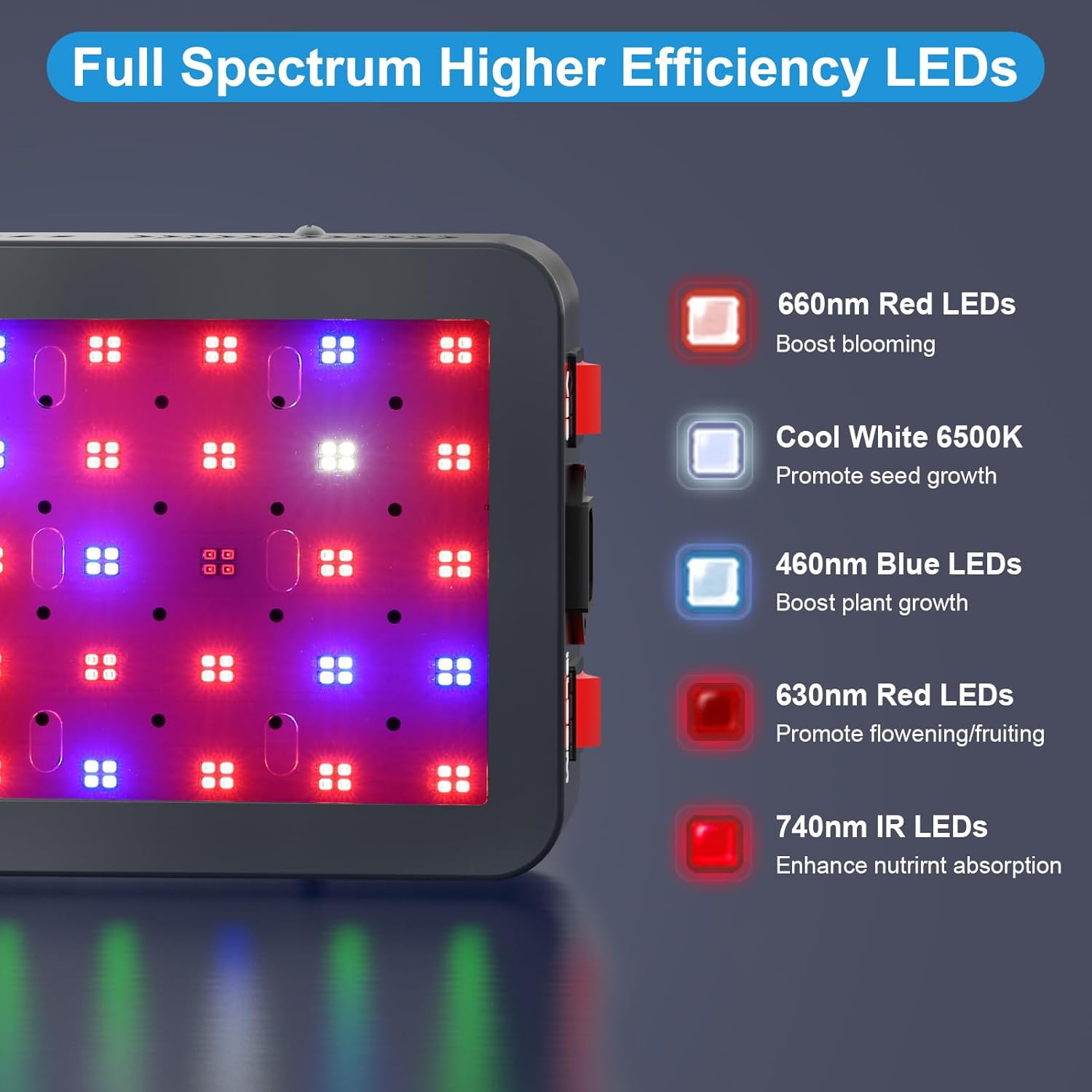
This image illustrates the specific LED types integrated into the Phlizon grow light, including 660nm Red, Cool White 6500K, 460nm Blue, 630nm Red, and 740nm IR LEDs, each designed to support different aspects of plant growth.

This diagram demonstrates the three distinct lighting modes available: 'Veg Channel' for seedling and vegetative growth, 'Bloom Channel' for flowering, and 'Veg + Bloom' for full-cycle plant development, activated by the dual switches.

This image highlights the daisy chain functionality, allowing multiple Phlizon grow lights to be powered from a single outlet, simplifying setup for larger grow areas.
5. Setup and Installation
- Unpack: Carefully remove the grow light and all accessories from the packaging.
- Inspect: Check the unit for any signs of damage during transit. Do not proceed with installation if damage is observed.
- Hang the Light: Attach the provided rope hanger kit to the four hanging points on the top of the grow light. Securely hang the light from a sturdy support structure in your grow area. Ensure the light is level and stable.
- Connect Power: Plug the power cord into the light's power input port.
- Daisy Chain (Optional): If connecting multiple lights, use the daisy chain output port on the first light to connect to the input port of the next light. Ensure the total wattage does not exceed the capacity of your power outlet.
- Plug In: Plug the power cord into a grounded electrical outlet.
6. Operating Instructions
The Phlizon 600W LED Grow Light features dual switches for controlling the light spectrum based on your plants' growth stage:
- VEG Switch: Activates the blue and white LEDs. This setting is ideal for the seedling and vegetative growth stages, promoting strong stem and leaf development.
- BLOOM Switch: Activates the red and white LEDs. This setting is designed for the flowering/blooming stage, encouraging flower and fruit production.
- VEG + BLOOM Switches (Both On): For full-cycle growth, especially during the flowering stage, activate both the VEG and BLOOM switches simultaneously to provide a comprehensive spectrum.
The Phlizon grow light features dedicated 'Veg' and 'Bloom' switches, allowing users to select the appropriate light spectrum for different plant growth stages.
7. Light Spectrum and Growth Stages
The full spectrum provided by the Phlizon 600W LED Grow Light is designed to mimic natural sunlight, offering essential wavelengths for all plant development phases:
- Blue LEDs (460nm): Essential for vegetative growth, promoting strong stems and leaves.
- Red LEDs (630nm, 660nm): Crucial for flowering and fruiting, enhancing bloom and yield.
- IR LEDs (740nm): Promotes plant defense mechanisms and can influence flowering.
- UV LEDs: Contributes to plant defense and can enhance resin production in certain plants.
- White LEDs (6500K): Provides a balanced spectrum for overall plant health and growth.

This diagram provides guidance on optimal hanging heights and light intensity (PPFD) for the Phlizon grow light across various plant growth stages, from germination to flowering.
8. Coverage Area and Hanging Height
Optimal coverage and light intensity are crucial for plant development. The Phlizon 600W LED Grow Light is designed for a 2x2ft growing area. Adjust the hanging height according to the plant's growth stage and specific light requirements:
- Germination (24-30 inches): Lower intensity, typically with VEG switch only.
- Seedling (24 inches): Moderate intensity, VEG switch only.
- Vegetative (18-24 inches): Higher intensity, VEG switch or VEG+BLOOM.
- Flowering/Bloom (18 inches): Highest intensity, VEG+BLOOM switches.

This PPFD (Photosynthetic Photon Flux Density) map shows the light intensity distribution of the PH-D6 model at 12, 18, and 24 inches, indicating optimal coverage for a 2x2ft area.
9. Maintenance
- Cleaning: Regularly clean the light's surface and cooling vents with a soft, dry cloth to prevent dust buildup, which can affect performance and cooling efficiency. Ensure the unit is unplugged before cleaning.
- Fan Check: Periodically check the cooling fans for any obstructions or unusual noises. Ensure they are spinning freely.
- Cable Inspection: Inspect the power cord and hanging cables for any signs of wear or damage. Replace immediately if any damage is found.
10. Troubleshooting
| Problem | Possible Cause | Solution |
|---|---|---|
| Light does not turn on. | No power, loose connection, faulty outlet. | Check power cord connection, try a different outlet, ensure switches are ON. |
| Light is dim or flickering. | Insufficient power, internal issue. | Ensure stable power supply. If problem persists, contact customer support. |
| Overheating. | Poor ventilation, blocked fans. | Ensure adequate airflow around the unit. Clean fan vents. |
11. Specifications
| Attribute | Value |
|---|---|
| Model Name | PH-D6 |
| Wattage (Actual Power) | 100 watts (600W equivalent) |
| Product Dimensions | 15.7"W x 6.7"D x 2.3"H (40cm x 17cm x 6cm) |
| Item Weight | 4.4 lbs (2.2 Kilograms) |
| Light Source Type | LED (SMD LEDs) |
| Spectrum | Full Spectrum (Blue, Red, IR, UV, White) |
| Control Method | Dual Push Button Switches (Veg/Bloom) |
| Lifespan | >=50,000 hours |
| Material | Metal, Fire-proof PC Cover |
| Indoor/Outdoor Usage | Indoor |
| Voltage | 85-265 Volts |
| UPC | 615200939779 |
12. Warranty and Support
Phlizon is a professional LED light manufacturer with extensive experience and a dedicated R&D team. We are committed to providing high-quality products and excellent customer service. If you encounter any problems or have questions regarding your Phlizon Upgraded 600W LED Grow Light, please do not hesitate to contact us. We are here to provide you with a completely satisfying reply and support.
For assistance, please refer to the contact information provided with your purchase or visit the official Phlizon website.
Ask a question about this manual
Ask about setup, troubleshooting, compatibility, parts, safety, or missing instructions. Manuals+ will review the question and use this page’s manual context to help answer it.