
Yunteng YT-1288
Yunteng YT-1288 Bluetooth Selfie Stick User Manual
Model: YT-1288
1. Introduction
Thank you for purchasing the Yunteng YT-1288 Bluetooth Selfie Stick. This versatile device combines a selfie stick, monopod, and tripod functionality, designed to enhance your mobile photography and videography experience. It is compatible with a wide range of smartphones and cameras, offering adjustable length and a detachable Bluetooth remote for convenient operation.
Please read this manual carefully before using the product to ensure proper operation and to maximize its lifespan.
2. Safety Information
- Do not expose the device to extreme temperatures, direct sunlight, or high humidity.
- Keep the device away from water and other liquids.
- Avoid dropping or subjecting the device to strong impacts.
- Do not attempt to disassemble or modify the device. This will void the warranty.
- Ensure your smartphone or camera is securely mounted before extending the stick or using it as a tripod.
- When extending the monopod, ensure all locking mechanisms are engaged to prevent accidental collapse.
- Keep out of reach of children.
3. Product Overview
The Yunteng YT-1288 features a robust design with an extendable aluminum alloy pole, a secure phone/camera mount, and a detachable Bluetooth remote control.
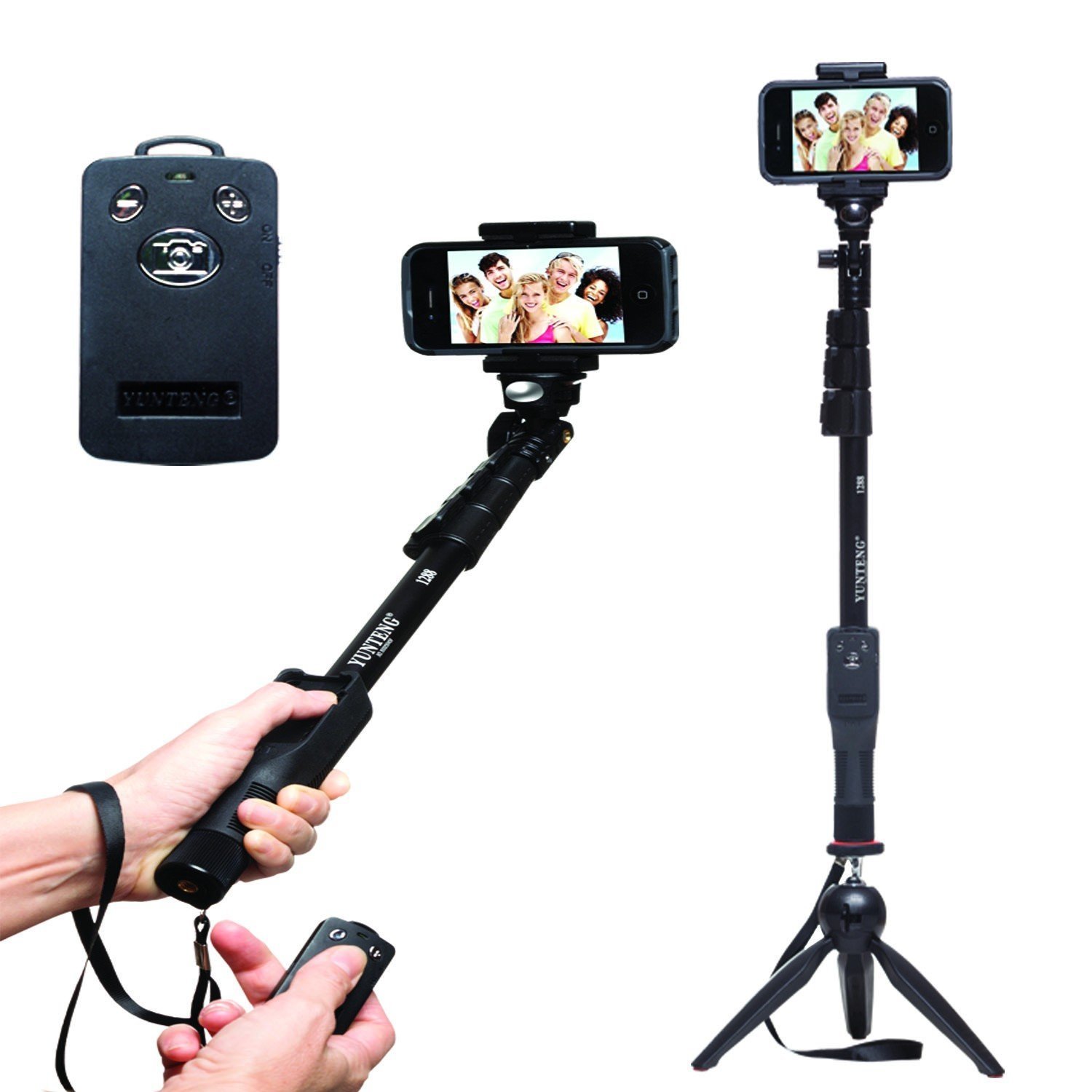
Figure 3.1: Yunteng YT-1288 Selfie Stick showing its handheld use with the remote, its extended form with a smartphone, and its tripod configuration.
Key Features:
- Extendable aluminum alloy monopod with grooved poles for stability.
- Adjustable head with 360-degree rotation for multiple angle shooting.
- Detachable Bluetooth remote shutter for convenient photo capture.
- Integrated tripod base for stable freestanding shots.
- Universal 1/4 inch screw mount for cameras and action cameras.
- Adjustable phone clamp compatible with smartphones 5.0cm to 8.0cm wide.
- Built-in wrist strap for added security.
4. Setup Guide
4.1 Attaching Your Device
- For Smartphones:
- Locate the adjustable phone clamp at the top of the monopod.
- Gently pull apart the spring-loaded clamp and insert your smartphone. Ensure it is securely seated and centered within the clamp. The clamp supports phones with a width between 5.0 cm and 8.0 cm.
- For Cameras/Action Cameras:
- Remove the phone clamp by unscrewing it from the 1/4 inch screw mount.
- Align the 1/4 inch screw on the monopod head with the tripod mount on your camera or action camera.
- Carefully screw your camera onto the mount until it is firmly attached. Do not overtighten.
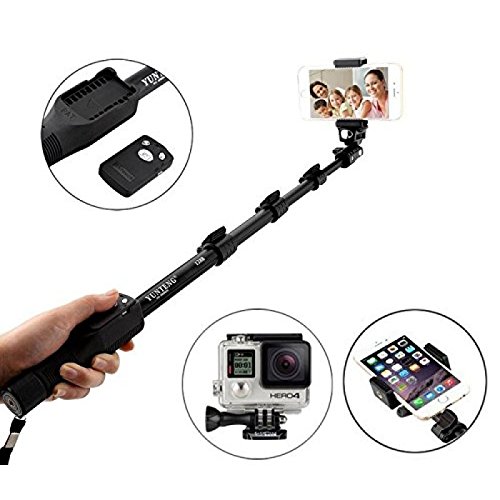
Figure 4.1: Demonstrates attaching a smartphone and highlights the detachable Bluetooth remote and compatibility with action cameras.
4.2 Pairing the Bluetooth Remote
The Bluetooth remote is compatible with smartphones only (not GoPro or other action cameras).
- Ensure the remote control has sufficient battery power.
- Turn on the Bluetooth remote by sliding the ON/OFF switch. An indicator light will begin to flash, indicating it is in pairing mode.
- On your smartphone, go to Settings > Bluetooth and turn Bluetooth ON.
- Search for available devices. The remote will typically appear as "Yunteng" or "YT-1288".
- Select the remote from the list to pair. The indicator light on the remote will stop flashing and remain solid (or turn off) once successfully paired.
- Open your smartphone's camera application. The remote should now be ready to use.
- Note for some Android phones: You may need to change camera settings to use the clicker/Zoom In-Out function. Refer to your phone's camera settings for shutter button assignment.
4.3 Extending and Folding the Monopod
- To Extend: Unlock each section of the monopod by twisting the locking collars counter-clockwise. Pull out each section to the desired length. Twist the locking collars clockwise to secure each section firmly in place. The monopod can extend from 425mm to 1250mm.
- To Fold: Unlock each section by twisting the locking collars counter-clockwise. Push each section back into the main body. Twist the locking collars clockwise to secure the folded sections.
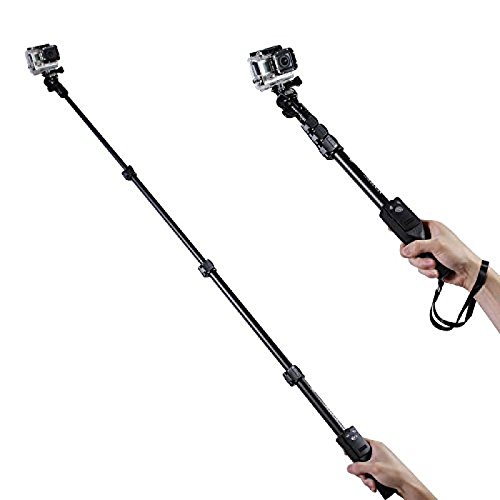
Figure 4.2: The Yunteng YT-1288 Selfie Stick shown fully extended, demonstrating its reach and compatibility with action cameras.
5. Operating Instructions
5.1 Taking Photos/Videos with Remote
- Ensure your smartphone is securely mounted and the Bluetooth remote is paired.
- Open your smartphone's camera application.
- Position the monopod and adjust the angle as desired.
- Press the appropriate button on the Bluetooth remote to capture a photo or start/stop video recording.
5.2 Using as a Tripod
- Extend the integrated tripod legs at the base of the monopod.
- Ensure the legs are fully spread and stable on a flat surface.
- Adjust the monopod length and head angle as needed.
- Use the Bluetooth remote for hands-free photo or video capture.
5.3 Adjusting Angle and Rotation
The monopod head features an adjustable ball joint or similar mechanism. Loosen the thumb screw or locking knob to adjust the angle of your device (phone or camera). Tighten the screw/knob once the desired angle is achieved to secure it in place. The head allows for 360-degree rotation for versatile shooting perspectives.
6. Maintenance
- Cleaning: Wipe the monopod and remote with a soft, dry cloth. Do not use abrasive cleaners or solvents.
- Storage: Store the device in a cool, dry place away from direct sunlight and extreme temperatures.
- Battery (Remote): If the Bluetooth remote's performance degrades, replace its battery if applicable.
7. Troubleshooting
| Problem | Possible Cause | Solution |
|---|---|---|
| Bluetooth remote not pairing. | Remote is off, battery low, or too far from phone. | Ensure remote is ON and charged/has new battery. Bring closer to phone. Restart phone's Bluetooth. |
| Remote paired but not taking photos. | Camera app settings, remote not fully recognized. | For Android, check camera settings for volume button/shutter function. Restart phone and remote. Try a different camera app. |
| Monopod sections not locking. | Locking collars not twisted firmly. | Ensure each locking collar is twisted clockwise until tight. Do not overtighten. |
| Phone not fitting in clamp. | Phone width exceeds clamp capacity. | The clamp supports phones between 5.0cm and 8.0cm width. Ensure your phone is within this range. |
8. Specifications
| Brand | Yunteng |
| Model | YT-1288 |
| Compatible Devices | Smartphones (5.0cm - 8.0cm width), Cameras, Action Cameras (with 1/4 inch screw mount) |
| Folded Length | 425 mm (16.7 inches) |
| Extended Length | 1250 mm (49.2 inches) |
| Material | Aluminum Alloy |
| Item Weight | 380 g |
| Bluetooth Remote | Detachable, for smartphones only |
9. Warranty and Support
This product comes with a 6-month seller warranty. For any issues or support inquiries, please contact your point of purchase or the seller directly. Please retain your purchase receipt as proof of purchase for warranty claims.
Related documentsYT-1288


Ask a question about this manual
Ask about setup, troubleshooting, compatibility, parts, safety, or missing instructions. Manuals+ will review the question and use this page’s manual context to help answer it.