
Propel OD-2113
Propel RC Sky Rider 2.4GHz Quadcopter
User Manual - Model OD-2113
Introduction
This manual provides essential information for the safe operation and maintenance of your Propel RC Sky Rider 2.4GHz Quadcopter, model OD-2113. Please read this manual thoroughly before operating the aircraft to ensure proper use and to prevent damage or injury.
The Propel Sky Rider is a high-performance quadcopter equipped with a 2.4GHz remote control system and an onboard camera, designed for both indoor and outdoor flight. Its durable plastic construction and intuitive controls make it suitable for users aged 13 and up.
Safety Guidelines
- Always operate the quadcopter in open areas, away from people, animals, and obstacles.
- Do not fly near power lines, buildings, or busy roads.
- Ensure all propellers are securely attached and undamaged before each flight.
- Keep fingers, hair, and loose clothing away from rotating propellers.
- Do not operate in strong winds or adverse weather conditions.
- Adult supervision is recommended for younger operators.
- Turn off the quadcopter and remote control when not in use.
- Use only original Propel parts and accessories.
Package Contents
- Propel RC Sky Rider Quadcopter (OD-2113)
- 2.4GHz Wireless Remote Control
- USB Charging Cable
- Spare Propellers
- Propeller Guards (optional attachment)
- Instruction Manual (this document)
Product Overview
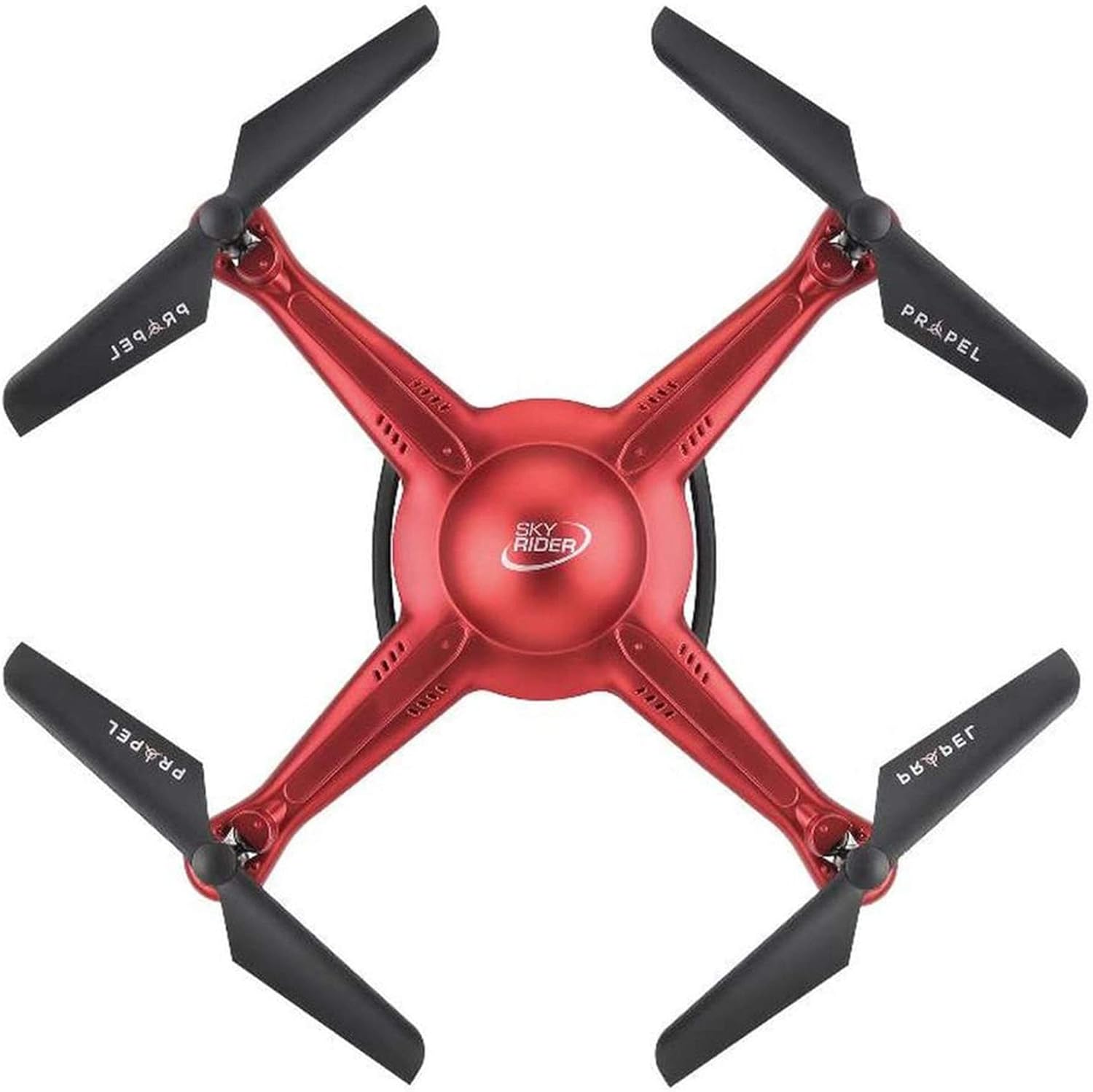
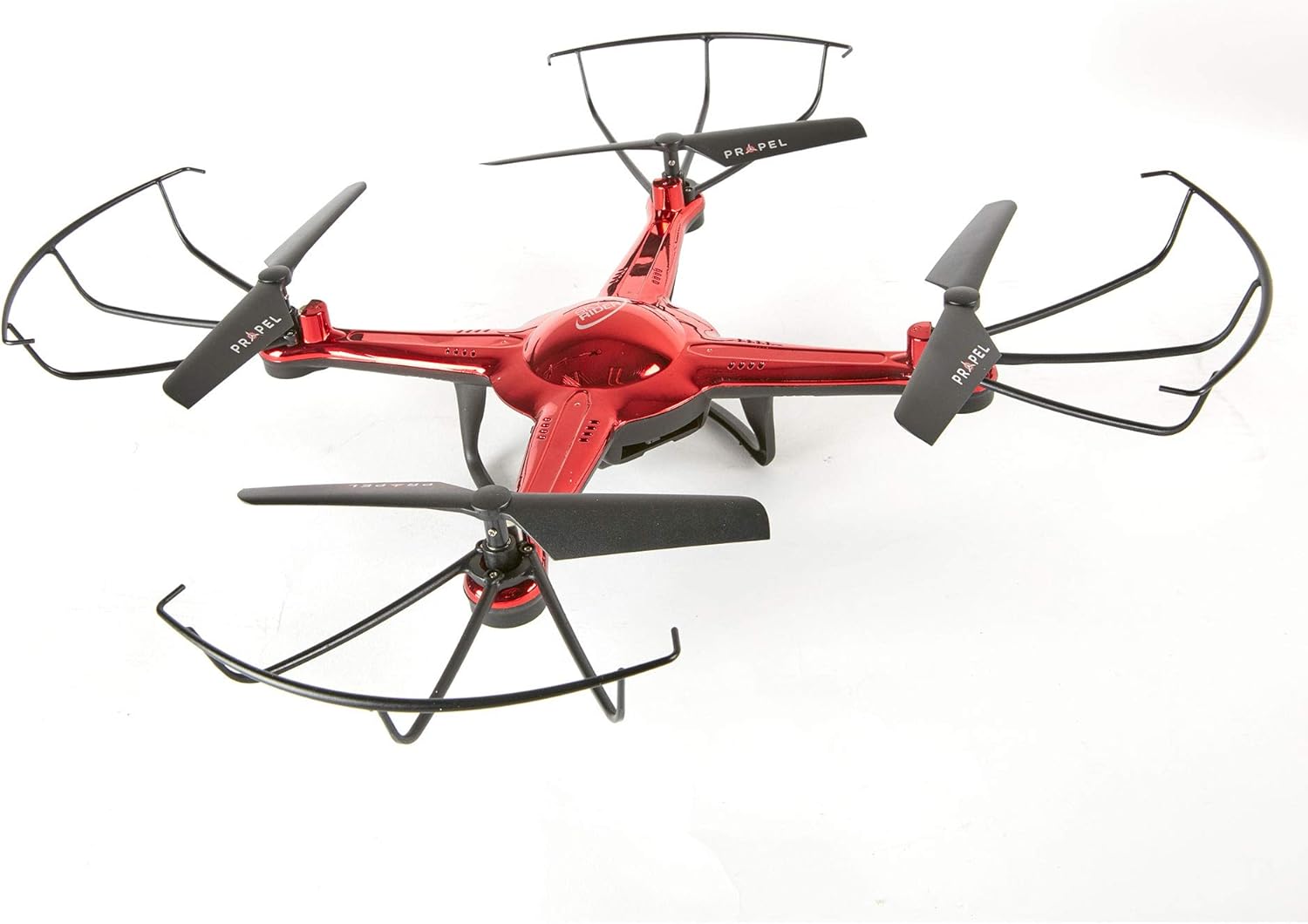

Setup
1. Charging the Quadcopter Battery
Connect the USB charging cable to the quadcopter's charging port and then to a USB power source (e.g., computer USB port, USB wall adapter). The charging indicator light will show the charging status. A full charge typically takes 60-90 minutes.
2. Installing Remote Control Batteries
Open the battery compartment on the back of the remote control. Insert 4 "AA" batteries (not included), ensuring correct polarity (+/-). Close the battery compartment securely.
3. Attaching Propeller Guards (Optional)
For added protection, you can attach the propeller guards to the quadcopter's arms. Align the guards with the designated slots and gently push until they click into place.
4. Pairing the Quadcopter and Remote Control
- Ensure the quadcopter battery is fully charged and installed.
- Place the quadcopter on a flat, level surface.
- Turn on the quadcopter's power switch. The LED lights will flash.
- Turn on the remote control's power switch.
- Push the left joystick (throttle) all the way up, then pull it all the way down. The quadcopter's LED lights will turn solid, indicating successful pairing.
Operating
1. Pre-Flight Checklist
- Quadcopter battery fully charged.
- Remote control batteries installed.
- Propellers and guards (if used) securely attached and undamaged.
- Flight area clear of obstacles, people, and animals.
- Quadcopter and remote control successfully paired.
2. Take-Off and Landing
- Manual Take-Off: Slowly push the left joystick (throttle) upwards. The propellers will spin, and the quadcopter will ascend.
- One-Button Take-Off/Landing: Press the "START/LAND" button on the remote control. The quadcopter will automatically take off and hover at a certain altitude. Press it again to initiate an automatic landing.
3. Basic Flight Controls
- Left Joystick (Throttle/Yaw):
- Up/Down: Ascend/Descend
- Left/Right: Rotate Left/Right (Yaw)
- Right Joystick (Pitch/Roll):
- Up/Down: Fly Forward/Backward (Pitch)
- Left/Right: Fly Left/Right (Roll)
- Trim Buttons: Use the small trim buttons next to the joysticks to fine-tune the quadcopter's hover stability if it drifts in any direction.
4. Camera Operation
The Propel Sky Rider is equipped with an onboard camera. To activate video recording or take photos, press the designated "CAMERA" button on the remote control. Refer to the remote control diagram for the exact button location. Ensure a compatible memory card (not included) is inserted into the quadcopter's camera slot for saving media.
Maintenance
1. Cleaning
Gently wipe the quadcopter and remote control with a clean, dry cloth. Do not use harsh chemicals or solvents. Avoid getting water or liquids into the electronic components.
2. Propeller Replacement
If a propeller becomes damaged, replace it immediately with a spare propeller. Each propeller is marked with an "A" or "B" to indicate its correct position on the quadcopter arm. Ensure you match the new propeller to the corresponding arm.
3. Battery Care
- Always disconnect the battery from the quadcopter after use.
- Store batteries in a cool, dry place, away from direct sunlight and extreme temperatures.
- Do not overcharge or over-discharge the battery.
- If the battery swells or shows signs of damage, discontinue use and dispose of it properly.
Troubleshooting
| Problem | Possible Cause | Solution |
|---|---|---|
| Quadcopter does not respond to remote. | Not paired; low battery; out of range. | Re-pair the quadcopter and remote; charge quadcopter battery; replace remote batteries; ensure within operating range. |
| Quadcopter drifts during flight. | Needs trimming; uneven surface for take-off. | Use trim buttons to adjust; ensure take-off from a level surface. |
| Propellers not spinning. | Obstruction; damaged propeller; motor issue. | Check for obstructions; replace damaged propellers; contact support if motor issue suspected. |
| Camera not recording/taking photos. | No memory card; memory card full/corrupted. | Insert compatible memory card; format or replace memory card. |
Specifications
| Feature | Detail |
|---|---|
| Model Name | OD-2113 |
| Brand | Propel |
| Connectivity Technology | 2.4GHz Radio Frequency (Remote Control), USB (Charging) |
| Material | Plastic |
| Colour | Navy Blue (as per product title, though some images show red) |
| Included Components | Onboard Camera |
| Control Type | Remote Control |
| Manufacturer Recommended Age | 13 years and up |
| Package Dimensions | 56.64 x 47.75 x 10.92 cm |
| Item Weight | 1.43 kg |
Warranty and Support
For warranty information and technical support, please refer to the official Propel website or contact their customer service directly. Keep your proof of purchase for warranty claims.
Propel Customer Service: Please visit www.propelrc.com/support (example link, actual link may vary) for the most up-to-date contact information and FAQs.
Ask a question about this manual
Ask about setup, troubleshooting, compatibility, parts, safety, or missing instructions. Manuals+ will review the question and use this page’s manual context to help answer it.