
Altec Lansing IMW466-N
Altec Lansing IMW466-N LCD Alarm Clock Bluetooth Speaker User Manual
Model: IMW466-N
1. Introduction
Thank you for purchasing the Altec Lansing IMW466-N LCD Alarm Clock Bluetooth Speaker. This device combines a digital alarm clock with a powerful Bluetooth speaker, offering USB charging ports for your smart devices and an on-board microphone for hands-free calling. Please read this manual carefully before operating the unit to ensure proper use and to maximize its features.
2. Package Contents
- Altec Lansing IMW466-N LCD Alarm Clock Bluetooth Speaker
- Power Adapter
- User Manual
3. Product Overview

Front view of the Altec Lansing IMW466-N, showing the large digital time display, alarm indicators, Bluetooth indicator, and USB charging ports at the bottom. An AUX IN port is also visible.
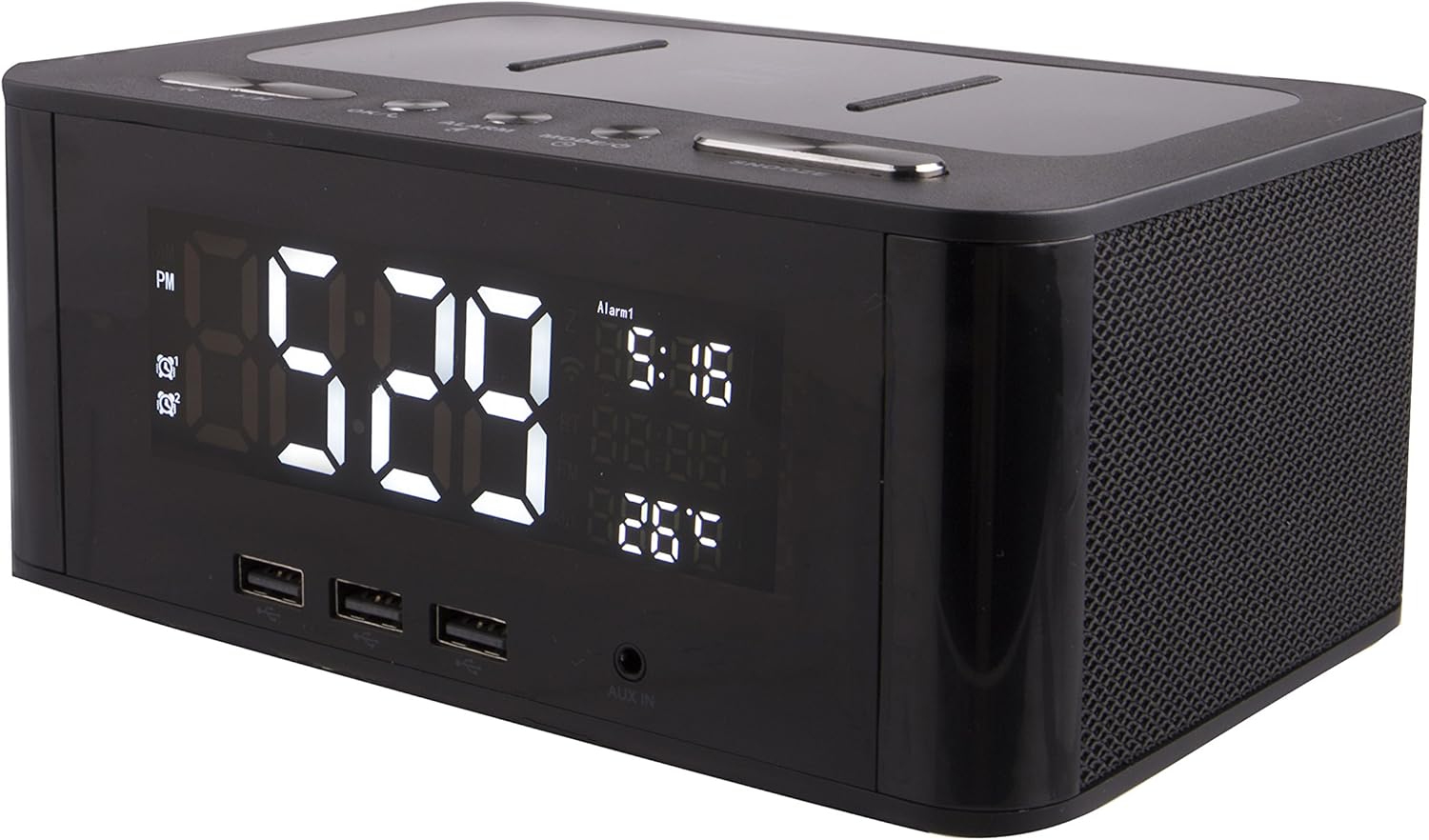
Angled top view of the speaker, highlighting the control buttons: -/K (Volume Down/Previous Track), +/M (Volume Up/Next Track), OK/C (Confirm/Call), ALARM, MODE/O (Mode/Power), and SNOOZE. The top surface also features a wireless charging pad.
Controls and Indicators:
- LCD Display: Shows time, alarm status, Bluetooth connection, and other indicators.
- -/K Button: Volume down / Previous track.
- +/M Button: Volume up / Next track.
- OK/C Button: Confirm selection / Answer/End call.
- ALARM Button: Set and manage alarms.
- MODE/O Button: Switch modes (Bluetooth, AUX) / Power On/Off.
- SNOOZE Button: Snooze alarm / Dim display.
- USB Charging Ports: For charging external devices.
- AUX IN Port: For wired audio connection.
- On-Board Microphone: For hands-free calling.
- Wireless Charging Pad: For compatible devices.
4. Setup
4.1 Power Connection
- Connect the provided power adapter to the DC IN port on the back of the speaker.
- Plug the power adapter into a standard wall outlet.
- The LCD display will light up, indicating the unit is powered on.
4.2 Setting the Time
- Press and hold the MODE/O button until the time display starts flashing.
- Use the -/K and +/M buttons to adjust the hour.
- Press the OK/C button to confirm the hour and move to minutes.
- Use the -/K and +/M buttons to adjust the minutes.
- Press the OK/C button to confirm the minutes and exit time setting mode.
5. Operating Instructions
5.1 Bluetooth Pairing
- Ensure the speaker is powered on.
- Press the MODE/O button repeatedly until the Bluetooth indicator (usually a 'BT' symbol) flashes on the LCD display. This indicates the speaker is in pairing mode.
- On your mobile device (smartphone, tablet, etc.), enable Bluetooth and search for available devices.
- Select "IMW466-N" from the list of devices.
- Once paired, the Bluetooth indicator on the speaker's display will stop flashing and remain solid. You can now play audio wirelessly through the speaker.
5.2 AUX Input
- Connect one end of a 3.5mm audio cable (not included) to the AUX IN port on the speaker.
- Connect the other end of the audio cable to the headphone jack or audio output of your external audio device.
- Press the MODE/O button repeatedly until the display indicates AUX mode.
- Audio from your external device will now play through the speaker.
5.3 Setting and Using Alarms
- Press the ALARM button. The alarm time will flash on the display.
- Use the -/K and +/M buttons to adjust the alarm hour.
- Press OK/C to confirm the hour and move to minutes.
- Use the -/K and +/M buttons to adjust the alarm minutes.
- Press OK/C to confirm the minutes. You may then be prompted to select the alarm source (e.g., buzzer, Bluetooth audio).
- Press ALARM again to activate/deactivate the alarm. An alarm icon will appear/disappear on the display.
- When the alarm sounds, press the SNOOZE button to temporarily silence it for a few minutes.
- To turn off the alarm completely, press the ALARM button during the alarm sound.
5.4 USB Charging
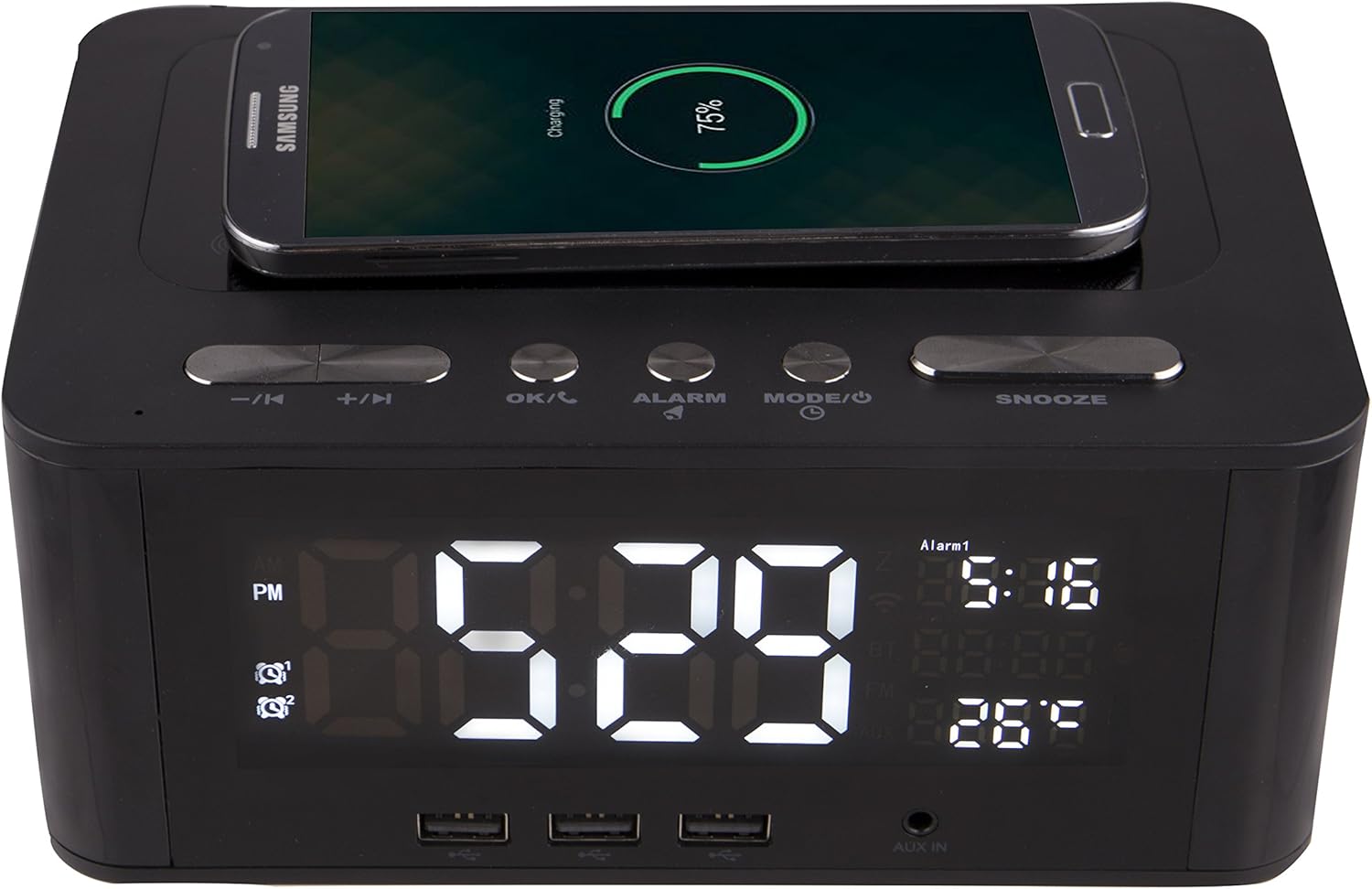
The Altec Lansing IMW466-N features a wireless charging pad on its top surface, allowing compatible smartphones to charge simply by being placed on the designated area. The image shows a smartphone actively charging.
The IMW466-N is equipped with multiple USB ports on the front for convenient charging of your smartphones, tablets, and other USB-powered devices. Simply connect your device's USB charging cable to one of the available ports. Additionally, the top surface features a wireless charging pad for compatible devices. Place your device on the pad to initiate wireless charging.
5.5 Hands-Free Calling
When connected via Bluetooth to a smartphone, the built-in microphone allows for hands-free calling. When a call comes in, press the OK/C button to answer. Press OK/C again to end the call.
6. Maintenance
6.1 Cleaning
To clean the speaker, use a soft, dry cloth. Do not use liquid cleaners, aerosols, or abrasive solvents, as these may damage the surface or internal components. Ensure the unit is unplugged before cleaning.
6.2 Storage
If storing the unit for an extended period, unplug it from the power outlet and store it in a cool, dry place away from direct sunlight and extreme temperatures.
7. Troubleshooting
| Problem | Possible Cause | Solution |
|---|---|---|
| No power / Display off | Power adapter not connected or faulty outlet. | Ensure power adapter is securely connected to the unit and a working wall outlet. Try a different outlet. |
| No sound from speaker | Volume too low; Incorrect mode; Bluetooth not connected; AUX cable loose. | Increase volume on both the speaker and your connected device. Ensure correct mode (Bluetooth/AUX) is selected. Re-pair Bluetooth device. Check AUX cable connection. |
| Bluetooth not pairing | Speaker not in pairing mode; Device too far; Interference. | Ensure speaker's Bluetooth indicator is flashing. Move device closer to speaker. Turn off other Bluetooth devices nearby. Forget "IMW466-N" on your device and try pairing again. |
| Alarm not sounding | Alarm not set or deactivated; Volume too low. | Verify alarm time is set and activated (alarm icon visible). Increase alarm volume. |
| USB charging not working | Device not compatible; Cable faulty; Device fully charged. | Ensure your device supports USB charging. Try a different USB cable. Check if the device is already fully charged. |
8. Specifications
- Brand: Altec Lansing
- Model Number: IMW466-N
- Colour: Black
- Product Dimensions: 22.23 x 6.99 x 13.34 cm (8.75 x 2.75 x 5.25 inches)
- Item Weight: 907.18 Grams (2 lbs)
- Display Type: Digital LCD
- Special Features: Built-in microphone, Alarm Clock, USB Charging Ports, Wireless Charging Pad, Bluetooth Connectivity, AUX Input
9. Warranty and Support
For warranty information and technical support, please refer to the warranty card included with your product or visit the official Altec Lansing website. Keep your purchase receipt as proof of purchase for warranty claims.
Altec Lansing Customer Support: alteclansing.com/support/
Ask a question about this manual
Ask about setup, troubleshooting, compatibility, parts, safety, or missing instructions. Manuals+ will review the question and use this page’s manual context to help answer it.