
1. Introduction and Overview
This manual provides detailed instructions for the safe installation, operation, and maintenance of your ET2 Blade-19W LED Pendant Light. The Blade-19W features a sleek, half-inch aluminum blade design with an integrated LED board, creating a distinct lighting effect. Please read this manual thoroughly before proceeding with installation or use.
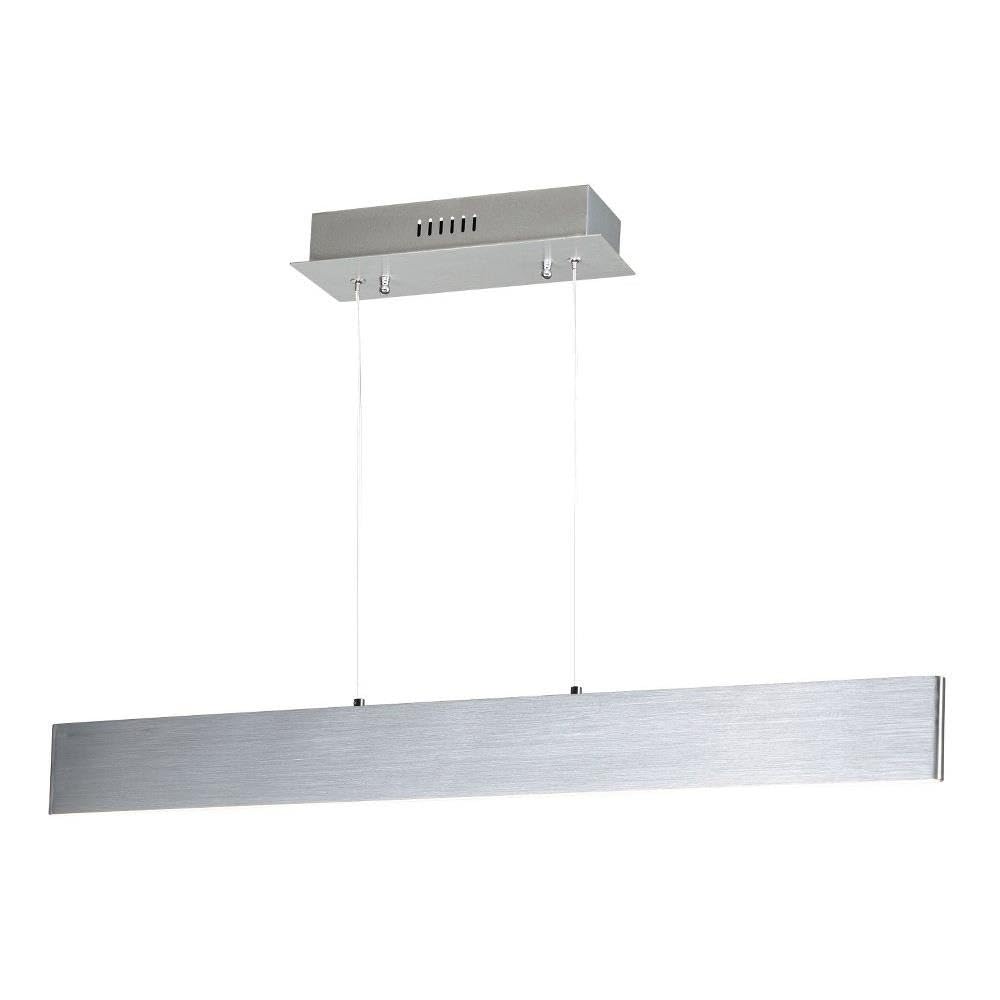
Figure 1: ET2 Blade-19W LED Pendant Light
2. Safety Information
- WARNING: Risk of electric shock. Disconnect power at the circuit breaker or fuse box before installation or servicing.
- All electrical connections must be in accordance with local and National Electrical Code (NEC) standards. If you are unfamiliar with proper electrical wiring connections, consult a qualified electrician.
- This fixture is intended for indoor use only. Do not expose to water or moisture.
- Do not attempt to modify the fixture. Any modifications may void the warranty and create a safety hazard.
- Handle the fixture with care to avoid damage to the LED components.
3. Package Contents
Verify that all components are present and undamaged before beginning installation:
- LED Pendant Fixture (1)
- Mounting Canopy (1)
- Mounting Hardware Kit (screws, wire nuts, etc.) (1)
- Instruction Manual (1)
4. Setup and Installation
Tools Required (not included): Phillips screwdriver, flathead screwdriver, wire strippers, electrical tape, safety glasses.
- Turn Off Power: Before starting, ensure the power to the circuit where you are installing the fixture is turned off at the main circuit breaker or fuse box.
- Prepare Mounting Surface: Ensure the ceiling junction box is securely mounted and capable of supporting the fixture's weight (approximately 2.5 lbs).
- Attach Mounting Bracket: Secure the mounting bracket (typically pre-attached to the canopy) to the junction box using the provided screws.
- Adjust Pendant Height: The pendant cables are adjustable. Determine the desired hanging height for the fixture. Adjust the cable length by pressing the pin on the canopy's cable grip and sliding the cable to the desired length. Ensure both cables are adjusted evenly.
- Make Electrical Connections: Connect the fixture's wires to the corresponding wires from the junction box using the provided wire nuts.
- Connect the black fixture wire to the black (Live) supply wire.
- Connect the white fixture wire to the white (Neutral) supply wire.
- Connect the green/bare copper fixture wire to the green/bare copper (Ground) supply wire.
- Mount Canopy: Carefully push the canopy up to the ceiling, aligning the mounting screws on the bracket with the holes in the canopy. Secure the canopy in place with the decorative nuts or screws provided.
- Restore Power: Once installation is complete, restore power at the circuit breaker.

Figure 2: Product Dimensions and Canopy Details
5. Operating Instructions
The ET2 Blade-19W LED Pendant Light is designed for simple operation. Once properly installed and powered, the light can be controlled via a remote control (if supplied with your specific model) or a standard wall switch connected to the fixture's circuit.
- Power On/Off: Use the wall switch or remote control to turn the light on or off.
- Light Color: This fixture emits a warm white light.
6. Maintenance
To ensure the longevity and appearance of your pendant light, follow these simple maintenance guidelines:
- Cleaning: Always disconnect power before cleaning. Wipe the fixture with a soft, dry cloth. Do not use abrasive cleaners, solvents, or polishes as they may damage the finish or electrical components.
- LEDs: The integrated LED light source is designed for long-term use and is not user-replaceable. Do not attempt to open or service the LED module.
7. Troubleshooting
If your pendant light is not functioning correctly, refer to the following common issues and solutions:
| Problem | Possible Cause | Solution |
|---|---|---|
| Light does not turn on. | No power to the fixture. | Check the circuit breaker or fuse. Ensure the wall switch is in the ON position. Verify all electrical connections are secure. |
| Light flickers or dims. | Loose wiring connection. | Turn off power and check all wire connections for tightness. |
| Fixture is damaged. | Physical damage during installation or shipping. | Contact customer support for assistance. Do not attempt to repair. |
8. Specifications
| Feature | Detail |
|---|---|
| Brand | ET2 |
| Model Number | E22903-AL |
| Dimensions (L x W x H) | 32"L x 0.5"W x 3"H |
| Item Weight | 2.5 Pounds |
| Material | Aluminum |
| Finish Type | Brushed Aluminum |
| Light Source | LED |
| Number of Light Sources | 1 |
| Wattage | 19 watts |
| Voltage | 120 Volts |
| Light Color | Warm White |
| Color Rendering Index (CRI) | 80+ |
| Mounting Type | Ceiling Mount |
| Installation Type | Semi Flush Mount |
| Indoor/Outdoor Usage | Indoor |
| Control Method | Remote |
9. Warranty and Support
This ET2 Blade-19W LED Pendant Light is covered by a 1-year manufacturer's limited warranty from the date of purchase. This warranty covers defects in materials and workmanship under normal use.
For warranty claims, technical support, or replacement parts, please contact ET2 customer service. Keep your purchase receipt as proof of purchase.
Contact Information:
Please refer to the ET2 official website or your retailer's contact information for the most current support details.


