
1. Product Overview
The SANNCE 8CH 1080P Home Surveillance Camera System provides comprehensive security monitoring for your property. This system includes a powerful 5-in-1 DVR and 1080P TVI weatherproof CCTV cameras, designed for easy remote access and reliable performance.
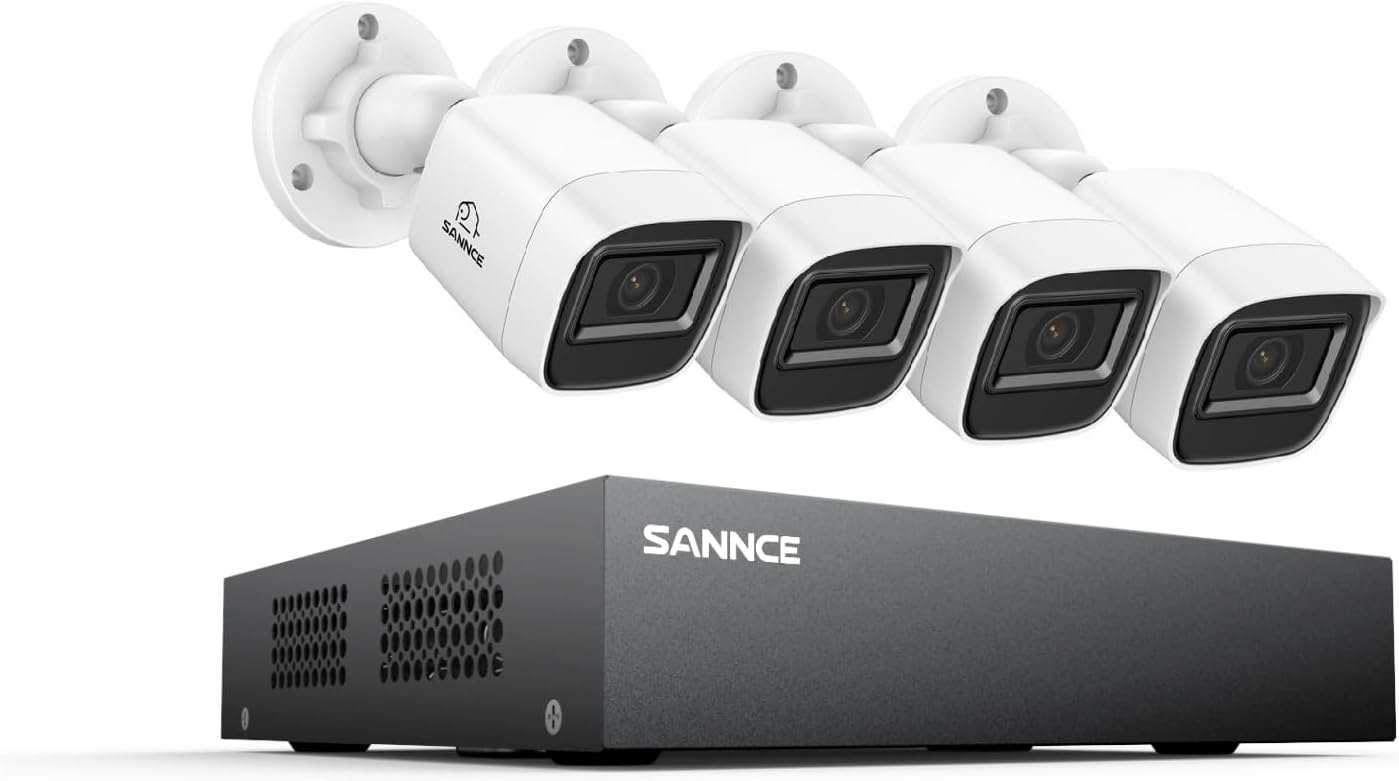
Key features include 1080P Full HD video, 100 ft night vision, H.264+ video compression for efficient storage, and IP66 weatherproof cameras suitable for various climates. The system supports humanoid motion detection alerts and offers convenient remote access via mobile applications.
2. System Setup
Follow these steps to set up your SANNCE surveillance system:
- Unpack Components: Carefully remove all components from the packaging. Verify that all items listed in the product contents are present.
- Connect Cameras to DVR: Connect each camera to the DVR using the provided BNC cables. Ensure connections are secure.
- Connect DVR to Monitor: Connect the DVR to a monitor using an HDMI or VGA cable.
- Connect Power: Connect the power adapters to the cameras and the DVR, then plug them into a power outlet.
- Network Connection: Connect the DVR to your router using an Ethernet cable for remote access capabilities.
- Initial Configuration: Follow the on-screen prompts on your connected monitor to complete the initial setup, including setting up a password and configuring basic network settings.


3. Operating the System
3.1 Remote Access via SANNCE HOME App
The SANNCE HOME app allows you to remotely monitor your property from anywhere using your smartphone, tablet, or computer. Download the app from your device's app store and follow the in-app instructions to add your DVR.

3.2 Motion Detection and Alerts
The system features advanced Humanoid Motion Detection. When motion is detected, the DVR sends real-time app push notifications and email alerts. You can customize monitoring areas and time settings to reduce false alarms.

3.3 Video Playback and Recording
The DVR supports up to 8-channel video playback simultaneously. With H.264+ compression, the system efficiently saves video footage, providing smooth 1080p streaming and maximizing storage space.

3.4 Privacy Masking
You can define up to 4 privacy mask areas to ensure sensitive locations are not recorded, protecting personal privacy.

4. Maintenance
Regular maintenance ensures optimal performance and longevity of your surveillance system:
- Camera Cleaning: Periodically clean the camera lenses with a soft, damp cloth to remove dust and dirt that may obstruct the view.
- Cable Inspection: Check all cables and connections for any signs of wear, damage, or loose connections. Secure or replace as necessary.
- Software Updates: Check the SANNCE website or app for any available firmware updates for your DVR to ensure you have the latest features and security patches.
- Environmental Considerations: The cameras are IP66 weatherproof, designed to withstand temperatures from -40 °F to 140 °F. Ensure they are mounted securely to prevent movement in strong winds or heavy weather.

5. Troubleshooting
If you encounter issues with your SANNCE surveillance system, refer to the following common problems and solutions:
| Problem | Possible Cause | Solution |
|---|---|---|
| No Video Display | Loose cable connections, power issue, incorrect input source on monitor. | Check all BNC, HDMI/VGA, and power connections. Ensure the monitor is set to the correct input source. Verify power adapters are functioning. |
| No Remote Access | DVR not connected to network, incorrect network settings, firewall blocking connection, app issues. | Ensure DVR is connected to the router via Ethernet. Check network settings on the DVR. Verify your router's firewall settings. Reinstall the SANNCE HOME app if necessary. |
| No Recording | Hard drive not installed or faulty, recording schedule not configured, motion detection not enabled. | Ensure a hard drive is properly installed and recognized by the DVR. Configure recording schedules and enable motion detection in the DVR settings. |
| Poor Image Quality | Dirty lens, low light conditions, cable interference. | Clean camera lenses. Ensure sufficient lighting for optimal night vision. Check cable integrity and ensure they are not near strong electrical interference sources. |
For further assistance, please contact SANNCE technical support.
6. Specifications
| Feature | Specification |
|---|---|
| Brand | SANNCE |
| Model Number | DT81BC0-54FE |
| Connectivity Technology | Wi-Fi (for remote access), Wired (for cameras) |
| Video Capture Resolution | 1080p Full HD |
| Special Feature | App Control, Humanoid Motion Detection |
| Number of Channels | 8 |
| Item Dimensions (L x W x H) | 10 x 3 x 3 inches |
| Operating System Compatibility | Android, iOS |
| Recommended Uses | Outdoor |
| Signal Format | Analog (TVI, AHD, CVI, CVBS), IP |
| Night Vision Range | 100 Feet |
| Frame Rate | 30-60 fps |
| Recording Mode | Event, Manual, Schedule |
| Hardware Interface | Ethernet, BNC, RJ45, USB |
| Weatherproof Rating | IP66 |
| Operating Temperature | -40 °F to 140 °F (-40 °C to 60 °C) |
7. Warranty and Support
SANNCE provides a 1-year warranty and a 30-day money-back guarantee for this product. We are committed to offering easy-to-reach professional lifetime technical support to ensure your satisfaction.
For technical assistance, product inquiries, or warranty claims, please visit the official SANNCE website or contact their customer support team. You can also find more information and resources on the SANNCE Amazon Store.