Hot Wheels FLK60

Download PDFFree PDF. The Save button below keeps a bookmark and private notes in your account.

Hot Wheels Track Builder Rocket Launch Challenge Playset User Manual

Model: FLK60

Introduction

This manual provides instructions for the assembly, operation, and maintenance of the Hot Wheels Track Builder Rocket Launch Challenge Playset, Model FLK60. This playset is designed to engage users in problem-solving through a series of three interconnected stunts culminating in a rocket launch.

Included Components:

  • Hot Wheels Track Builder Rocket Launch Challenge Playset components
  • One (1) Hot Wheels vehicle
Components of the Hot Wheels Track Builder Rocket Launch Challenge Playset

Image: All components of the playset laid out, including track pieces, launcher, loop, and rocket assembly.

Setup Instructions

Follow these steps to assemble your Hot Wheels Track Builder Rocket Launch Challenge Playset:

  1. Unpack Components: Carefully remove all parts from the packaging. Verify that all components listed in the "Included Components" section are present.
  2. Connect Track Pieces: Assemble the orange track sections and connect them to the base units. Ensure connections are secure.
  3. Attach Loop Section: Connect the loop track piece to the designated base.
  4. Assemble Rocket Launch Mechanism: Attach the rocket assembly to its base. This mechanism includes the slam launcher and the rocket itself.
  5. Interconnect Sections: Link the assembled track sections, loop, and rocket launch mechanism as shown in the diagram below. The design allows for intuitive connection points.
Fully assembled Hot Wheels Track Builder Rocket Launch Challenge Playset

Image: The complete Hot Wheels Track Builder Rocket Launch Challenge Playset assembled and ready for use.

Operating Instructions

The playset features three distinct challenges that must be completed sequentially to achieve the final rocket launch. Use the included Hot Wheels vehicle for optimal performance.

  1. Challenge 1: Loop the Loop

    Place the Hot Wheels car on the slam launcher at the start of the track. Hit the slam launcher with sufficient force to propel the car through the loop. Successfully completing this stunt will cause one of the rocket's engines to pop out, indicating progress. The loop will then automatically collapse into a ramp for the next challenge.

    Hot Wheels car going through the loop section of the track

    Image: A Hot Wheels car navigating the loop section of the playset.

  2. Challenge 2: Monster Gap Jump

    After the loop transforms into a ramp, launch a car to jump across the monster gap. The objective is to hit the rocket mechanism on the other side. A successful hit will ignite the second engine and release a ramp, preparing the rocket for its final launch sequence.
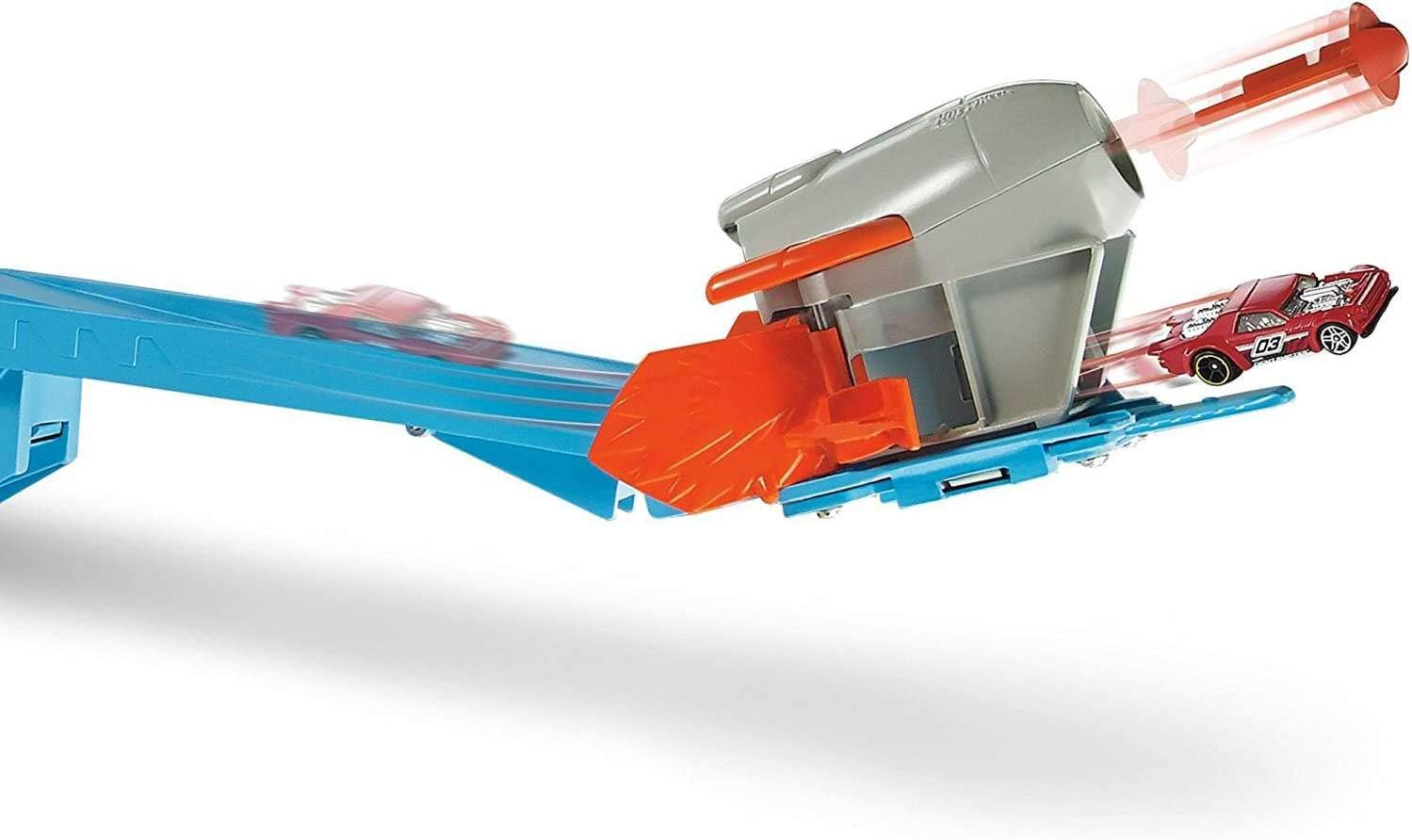
    Hot Wheels car hitting the rocket mechanism after a jump

    Image: A Hot Wheels car making contact with the rocket mechanism after successfully jumping a gap.

  3. Challenge 3: Rocket Blast-Off

    With both rocket engines engaged and the launch ramp in position, perform a final launch. Race the car up the newly formed ramp to trigger the ultimate blast-off, sending the rocket cap into the air.
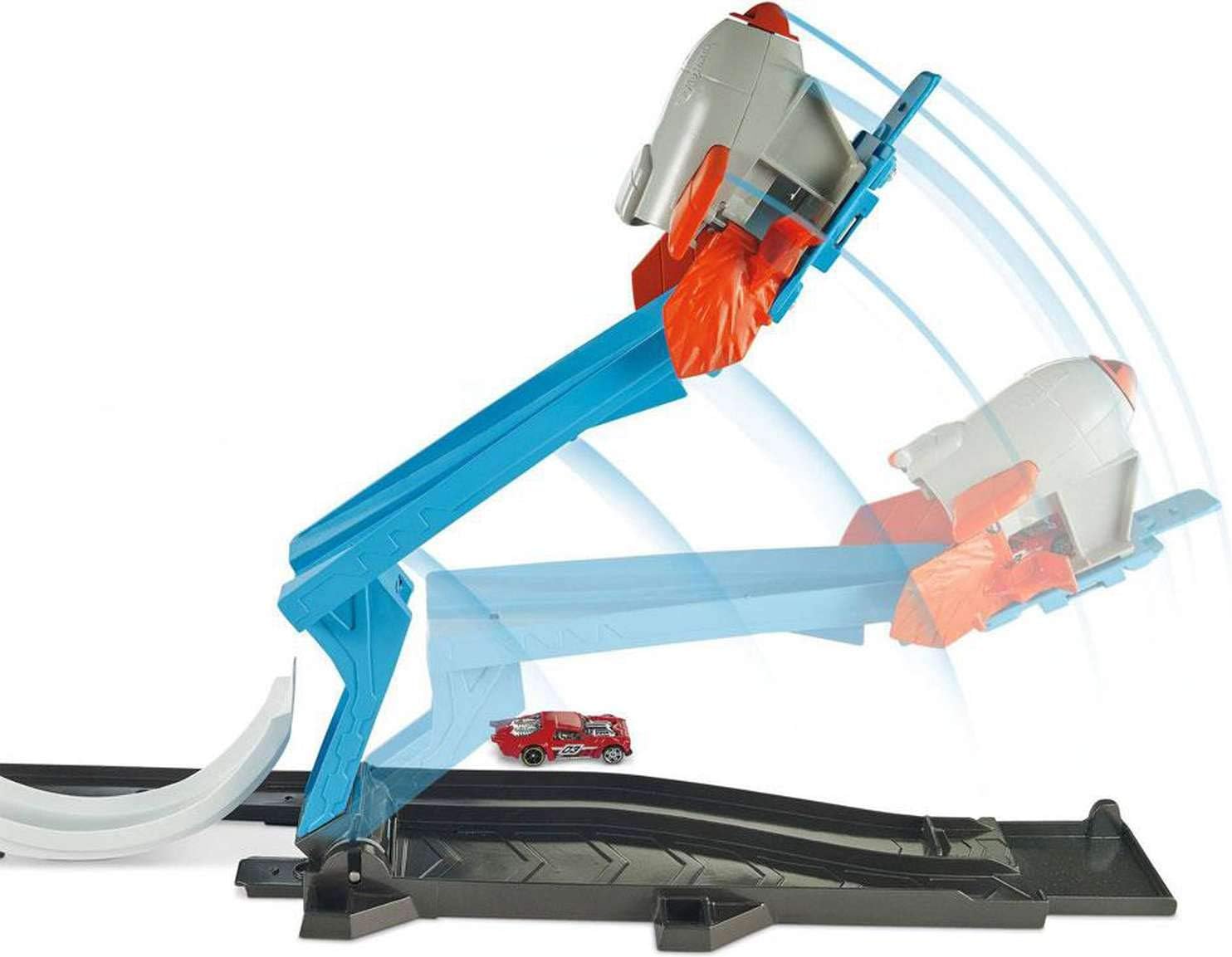
    Hot Wheels car launching the rocket cap into the air

    Image: A Hot Wheels car in motion, triggering the rocket launch mechanism, with the rocket cap shown in mid-air.

The playset is designed for continuous play, allowing users to reset and attempt the challenges repeatedly without extensive reassembly.

Maintenance

To ensure the longevity and optimal performance of your Hot Wheels Track Builder Rocket Launch Challenge Playset, follow these simple maintenance guidelines:

  • Cleaning: Wipe down all track pieces and components with a soft, dry cloth. Avoid using harsh chemicals or abrasive cleaners, as these can damage the plastic.
  • Storage: When not in use, store the playset in a clean, dry environment away from direct sunlight and extreme temperatures.
  • Inspection: Periodically inspect all connections and moving parts for any signs of wear or damage. Ensure all track connectors are secure.
  • Vehicle Care: Keep Hot Wheels vehicles clean and free of debris to ensure smooth operation on the track.

Troubleshooting

If you encounter issues with your playset, refer to the following common problems and solutions:

ProblemPossible CauseSolution
Car does not complete the loop or jump.Insufficient launch force; car not aligned correctly; track obstruction.Ensure a firm and consistent press on the slam launcher. Check car alignment on the track. Clear any debris from the track.
Rocket engines do not pop out.Car did not hit the target mechanism correctly or with enough force.Adjust launch force and aim to ensure direct impact on the designated target points on the rocket assembly.
Rocket cap does not launch.Previous challenges not fully completed; car did not reach the top of the ramp with enough speed.Verify that both rocket engines have popped out. Ensure the final car launch is powerful enough to trigger the cap release.
Track pieces disconnect during play.Connections not fully secured during setup.Press firmly on all track connectors during assembly until they click into place.

Specifications

FeatureDetail
Model NumberFLK60
Product Dimensions2.75 x 12 x 18 inches (assembled, approximate)
Item Weight2.86 pounds
Manufacturer Recommended Age5 - 9 years
ManufacturerMattel

Warranty Information

Warranty coverage for the Hot Wheels Track Builder Rocket Launch Challenge Playset is provided by the manufacturer, Mattel. Please refer to the warranty card included with your product packaging or visit the official Mattel website for detailed warranty terms and conditions. Keep your proof of purchase for any warranty claims.

Customer Support

For further assistance, missing parts, or questions not covered in this manual, please contact Mattel Customer Service. Contact information can typically be found on the product packaging or on the official Hot Wheels / Mattel website.

Online Resources:

Ask a question about this manual

Ask about setup, troubleshooting, compatibility, parts, safety, or missing instructions. Manuals+ will review the question and use this page’s manual context to help answer it.

After a successful submission, we securely hash the supplied account or form email before sending it to Microsoft Advertising for conversion attribution. Privacy details.