
MeterTo GM1361 a
GM1361 Humidity Temperature Meter User Manual
Model: GM1361 a | Brand: MeterTo
Introduction
This manual provides detailed instructions for the operation and maintenance of the MeterTo GM1361 Humidity Temperature Meter. Please read this manual thoroughly before using the device to ensure proper and safe operation.
Key Features
- Large LCD dual display
- Humidity & temperature measuring
- Humidity & temperature Max / Min measuring
- Data hold function
- ℃/℉ selectable temperature units
- Low battery indication
- Auto power-off for battery conservation
- LCD backlight for low-light conditions
- K-type thermocouple temperature measuring capability
Product Overview
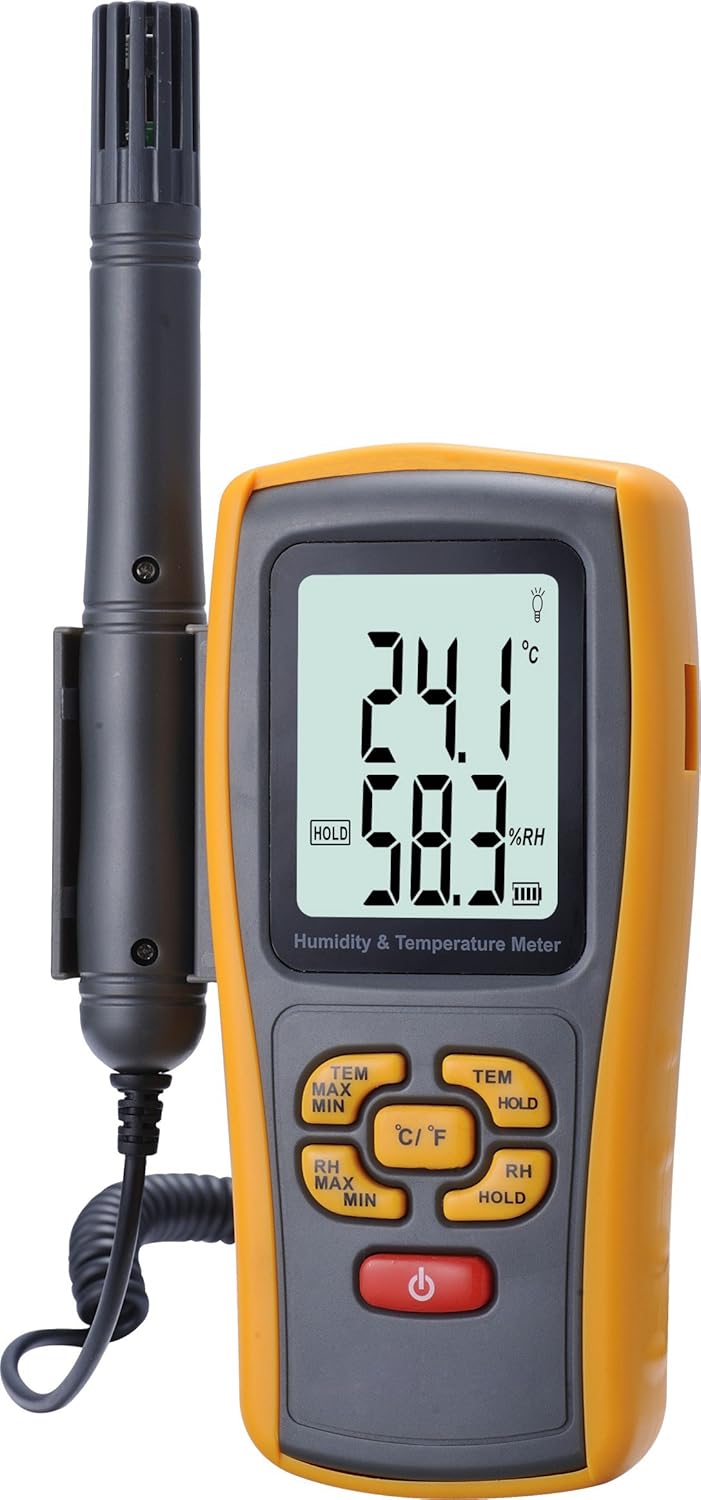
This image displays the GM1361 meter from the front, highlighting its large LCD screen which shows temperature and humidity readings. The external K-type thermocouple probe is visible attached to the side, connected by a coiled cable. The control buttons for functions like MAX/MIN, HOLD, and unit selection (℃/℉) are clearly visible below the screen.
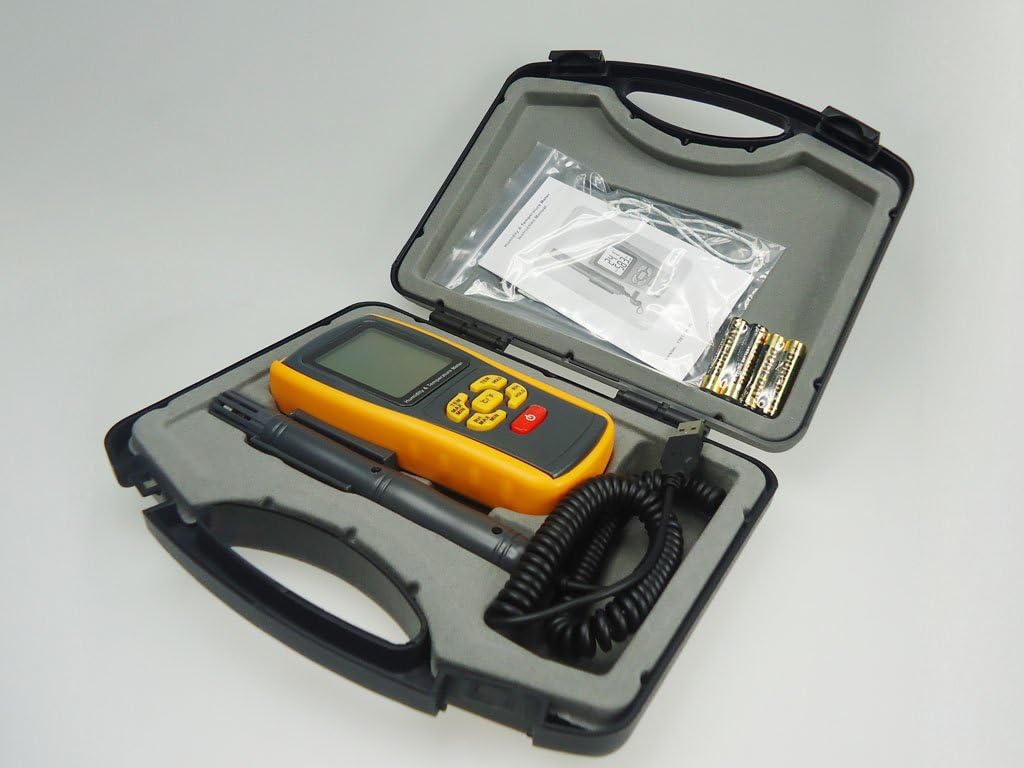
This image shows the GM1361 meter, its external probe, and included accessories such as batteries and a small instruction leaflet, all neatly arranged within a black, hard-shell protective carrying case. The foam inserts in the case are designed to securely hold each component, indicating portability and protection during transport or storage.
Setup
Battery Installation
The GM1361 meter requires a 9V battery for operation. To install the battery:
- Locate the battery compartment cover on the back of the device.
- Slide or unscrew the cover to open the compartment.
- Insert a new 9V battery, ensuring correct polarity (+/-).
- Replace the battery compartment cover securely.
Connecting the K-Type Thermocouple Probe
The external K-type thermocouple probe is essential for temperature measurements beyond the internal sensor's range.
- Identify the K-type input jacks on the side or top of the meter.
- Connect the K-type thermocouple probe's plug into the corresponding jacks, ensuring a firm connection.
Operating Instructions
Power On/Off
- To power on the device, press the Power button (red button).
- To power off the device, press and hold the Power button until the display turns off. The device also features an auto power-off function to conserve battery life.
Measuring Temperature and Humidity
Upon powering on, the device will automatically display the current ambient temperature and relative humidity on the large LCD screen.
- The upper display shows temperature, and the lower display shows relative humidity.
- For K-type thermocouple measurements, ensure the probe is connected. The device will automatically switch to K-type temperature measurement when the probe is detected.
Unit Selection (℃/℉)
To switch between Celsius (℃) and Fahrenheit (℉) temperature units:
- Press the ℃/℉ button. The display will update to the selected unit.
Data Hold Function
To freeze the current readings on the display:
- Press the HOLD button (for temperature) or RH HOLD button (for humidity). The "HOLD" indicator will appear on the screen.
- Press the button again to release the hold and resume live readings.
Maximum/Minimum Readings
To view the maximum or minimum temperature/humidity recorded since power-on:
- Press the TEM MAX MIN button to cycle through current temperature, maximum temperature, and minimum temperature.
- Press the RH MAX MIN button to cycle through current humidity, maximum humidity, and minimum humidity.
- To clear the MAX/MIN readings, power off the device and then power it back on.
Backlight Function
The LCD backlight improves visibility in low-light conditions.
- Press the light bulb icon button to turn the backlight on or off.
Maintenance
Cleaning
- Wipe the device casing with a soft, damp cloth. Do not use abrasive cleaners or solvents.
- Ensure the humidity sensor and K-type probe are kept clean and free from dust or debris for accurate readings.
Battery Replacement
When the low battery indicator appears on the display, replace the 9V battery as described in the "Battery Installation" section under Setup.
Storage
- If the device will not be used for an extended period, remove the battery to prevent leakage.
- Store the meter in a cool, dry place, away from direct sunlight and extreme temperatures. The provided protective carrying case is ideal for storage.
Troubleshooting
| Problem | Possible Cause | Solution |
|---|---|---|
| Device does not power on. | Low or dead battery; incorrect battery installation. | Replace the 9V battery; ensure correct polarity. |
| Inaccurate readings. | Sensor dirty or obstructed; device not stabilized to environment; K-type probe not fully connected. | Clean sensors; allow device to acclimate to environment for 15-30 minutes; ensure K-type probe is securely connected. |
| Display shows "LO" or "HI". | Measurement is outside the device's specified range. | Ensure the environment or object being measured is within the operational range of the device. |
| Auto power-off too soon. | Normal operation to conserve battery. | Press any button to reactivate the display. |
Specifications
| Parameter | Value |
|---|---|
| Temperature Range | -10℃ to 50℃ (14℉ to 122℉) |
| K-Type Temperature Range | -20℃ to 1000℃ (-4℉ to 1832℉) |
| Relative Humidity Range | 5.0% RH to 98% RH |
| Temperature Accuracy | ±1℃ (±1.8℉) |
| K-Type Accuracy | ±3% or ±2℃ |
| Relative Humidity Accuracy | ±3.5% RH |
| Temperature Resolution | 0.1℃/0.1℉ |
| K-Type Resolution | 1℃ |
| Relative Humidity Resolution | 0.1% RH |
| Sampling Rate | 2.5 times/sec |
| Power Supply | 9V battery |
| Operating Conditions | -10℃ to 50℃ (32℉ to 122℉), ≤80%RH non-condensing |
| Storage Conditions | -10℃ to 50℃ (32℉ to 122℉), 0%RH to 90%RH |
| Model Number | GM1361 a |
| Brand | MeterTo |
| Manufacturer | Benetech |
| UPC | 742354945643 |
Warranty and Support
For warranty information and technical support, please refer to the documentation included with your purchase or contact MeterTo customer service directly. Ensure you have your model number (GM1361 a) and purchase details available when seeking support.
Note: MeterTo mainly offers instruments and tools. Please confirm the product is offered by our store MeterTo when purchasing, otherwise we can't ensure the quality and after-sale service.
Related documentsGM1361 a


Ask a question about this manual
Ask about setup, troubleshooting, compatibility, parts, safety, or missing instructions. Manuals+ will review the question and use this page’s manual context to help answer it.